
The 3 frequency options
While we wanted to give our subscribers the power to choose their own email frequency, we didn't want to make this choice overwhelming. So we limited their options to three:- one lesson a day
- two lessons a day
- one lesson every other day
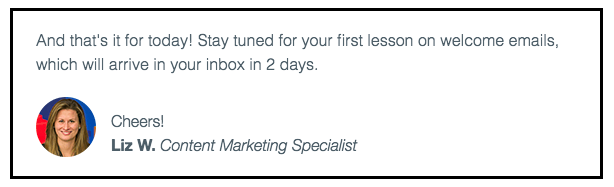 Here’s the same section of that email from the one email per day series:
 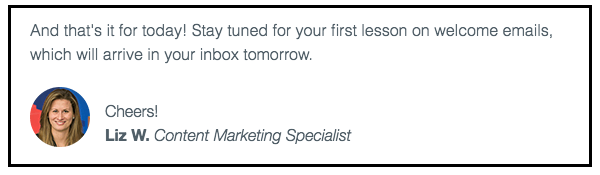 And here’s the same section of the email in the two emails per day series:
  See how similar these three email sections are? We only needed to change a few words to make them relevant for subscribers. Once our automated series were ready, we launched them and collected the results.
Here’s what happened
There was quite a spread. Our subscribers had very different preferences:- 46% chose daily emails
- 31% selected emails every other day
- 23% chose two emails per day
Step-by-step instructions for doing this yourself in AWeber
How we collected our subscribers’ preferences
First, you need to collect the frequency preferences of individual subscribers. You can begin doing this by adding a frequency question to your email sign up form. Here’s the question we added to our “What to Write in Your Emails” landing page sign up form: “How often would you like to receive lesson emails?”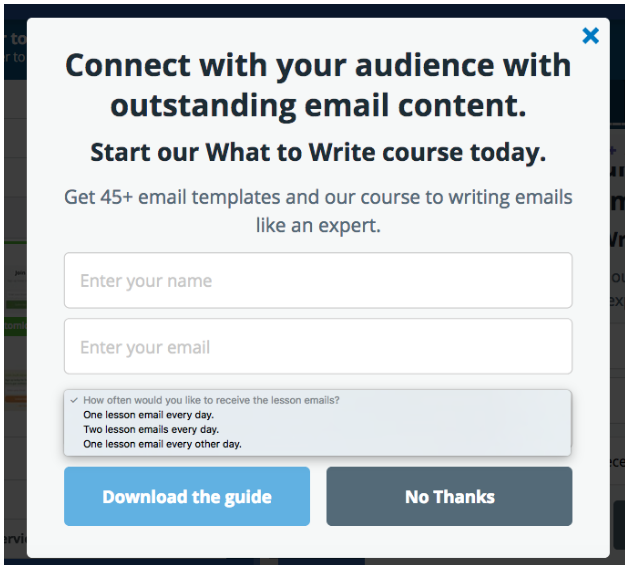 When a subscriber chose their ideal frequency on the form, AWeber automatically applied a tag to the subscriber which matched their frequency choice. (You can launch automated series based off a tag, so we used these tags to segment our subscribers into our three different automated series. I'll explain this in more detail shortly.) If you use AWeber sign up forms, you would set this up by:
- Creating a new field on your form
- Choosing “Radio” as your input type
- Entering your question, your subscribers answer options, and the appropriate tags.
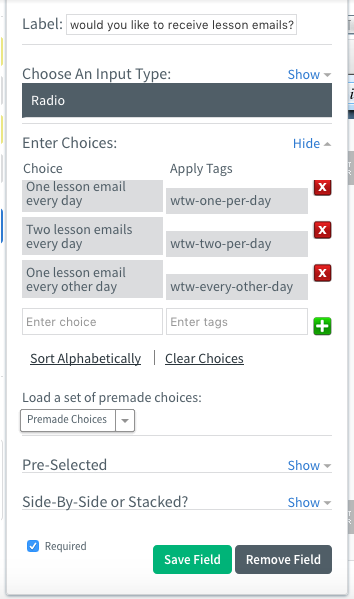 We named our tags “wtw-every-other-day,” “wtw-one-per-day,” and “wtw-two-per-day.” (WTW is our abbreviation for What to Write.) Setting up the form was that simple! With this added question, our subscribers could choose their favorite frequency option on the form, and AWeber automatically tagged them. Now, let’s talk about the automated series. Pro tip: You can name your tags whatever makes sense to you! But keep in mind, you may want to use tags to segment your audience in the future. That's why tags should be descriptive enough that you understand what they mean.
How we set up the automated series in AWeber
We created three automated series in AWeber's automation platform Campaigns – one for each frequency choice.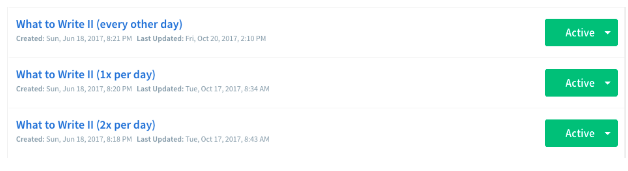 We set up the three automated series to trigger off the tags we used in our sign up form. If a subscriber had the “wtw-one-per-day” tag, AWeber automatically added them to the automated campaign which delivered one email each day.
  To ensure subscribers only received emails on the days they selected, we added time delays between each email. These time delays were different for each automated series. For instance, in the one email per day campaign, we added one-day delays between each email.
 Here’s how the finished one email per day campaign looks inside Campaigns:
 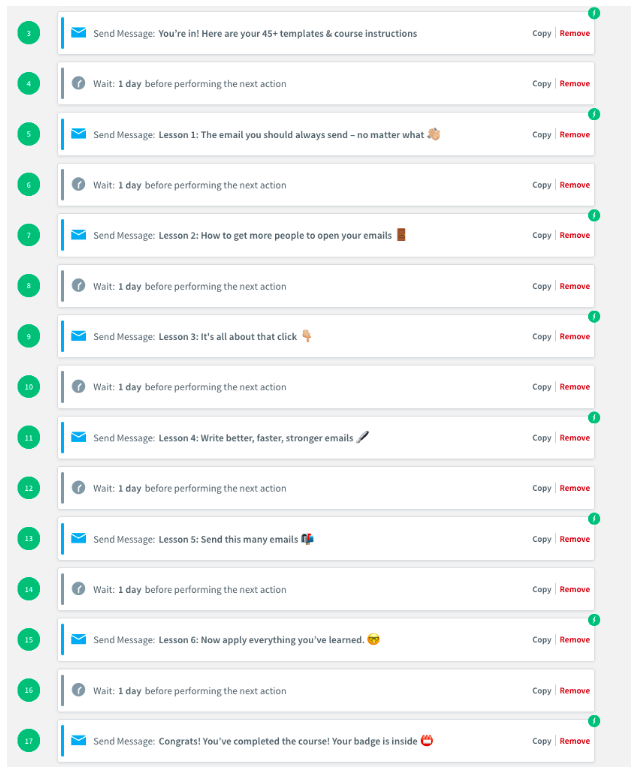 Pretty cool, right? These three series are examples of action-based automation (when a subscriber automatically receives emails based off the choices they make). With action-based automation, you can increase your email engagement by sending the right content to the right person at the right time.
Want to master action-based automation?
Save your spot in 24/7 Email Marketing Master Class, the most complete course for creating a powerful, profitable email automation campaign that gets results around-the-clock. Hurry! Enrollment closes on March 13. During the course, you'll:- Pinpoint your business’s USP (unique selling proposition) to set yourself apart from the masses
- Map out your own powerful marketing funnel that seamlessly moves your subscriber through his or her purchasing journey
- Obtain little-known writing tips and email marketing strategies to help you convert subscribers into “buying” mode
- Learn the SEVEN battle-tested email strategies that the most successful brands and entrepreneurs are using right now.
- Get an all-access look at extremely profitable email series and the techniques they use to turn subscribers into advocates
- Learn about the best integrations to make your email marketing efforts run smoothly and effectively
- Grasp the ins-and-outs of how to set up a single-flow automated email series or a more advanced action-based automation email series
- Build your own effective and profitable automated email campaign to skyrocket your business
The post How We Increased Engagement for Our Online Course by 150% with Email Automation appeared first on Email Marketing Tips.
from Email Marketing Tips http://ift.tt/2G28uRO
via IFTTT
No comments:
Post a Comment