As the poem goes: “Consumers scour social media with care, knowing that the holidays will soon be here.” Or something like that.
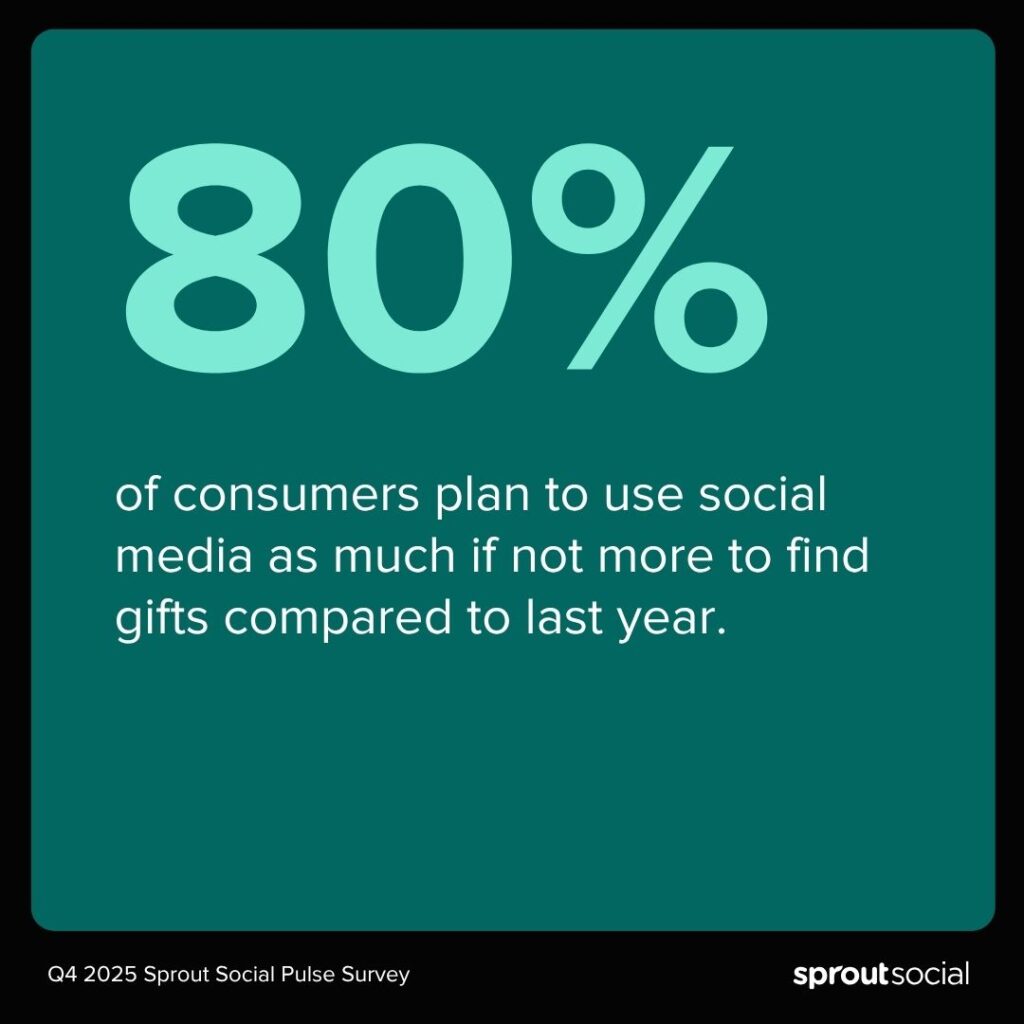
The most wonderful time of the year is fast approaching, and the influence social has on consumer purchasing behavior is undeniable. According to the Q4 2025 Sprout Pulse Survey*, a staggering 80% of consumers plan to use social as much if not more to find gifts compared to last year. 63% of Gen Z and 51% of Millennials plan to use social more.
Social has evolved into consumers’ favorite holiday marketing resource: a one-stop destination for discovering gifts, finding the latest deals and seeking customer service. In this article, we’ll uncover key holiday shopping trends on social, like when consumers want brands to kick off their holiday campaigns, where consumers will look for gift ideas and what they’re shopping for, and how social media will play a key role in the customer experience.
Audiences unfazed by earlier holiday shopping campaigns
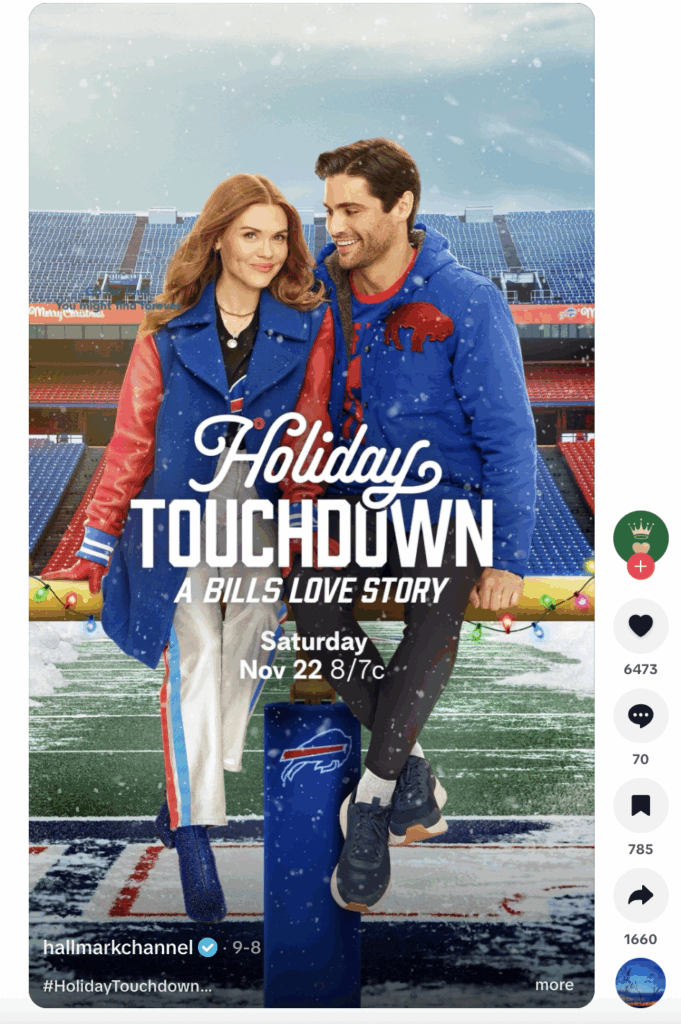
Holiday milestones (and marketing) are starting sooner than ever. Social users celebrated Summerween in July, Starbucks launched their pumpkin spice latte in August and the Hallmark Channel started promoting Christmas movies in September.
Yet, social users aren’t fatigued by the holiday season stretching to six months. 44% of social users say they are more likely to buy from brands that launch their fall and winter holiday marketing campaigns as early as August. This rises to up to 63% for Gen Z and 53% for Millennials.
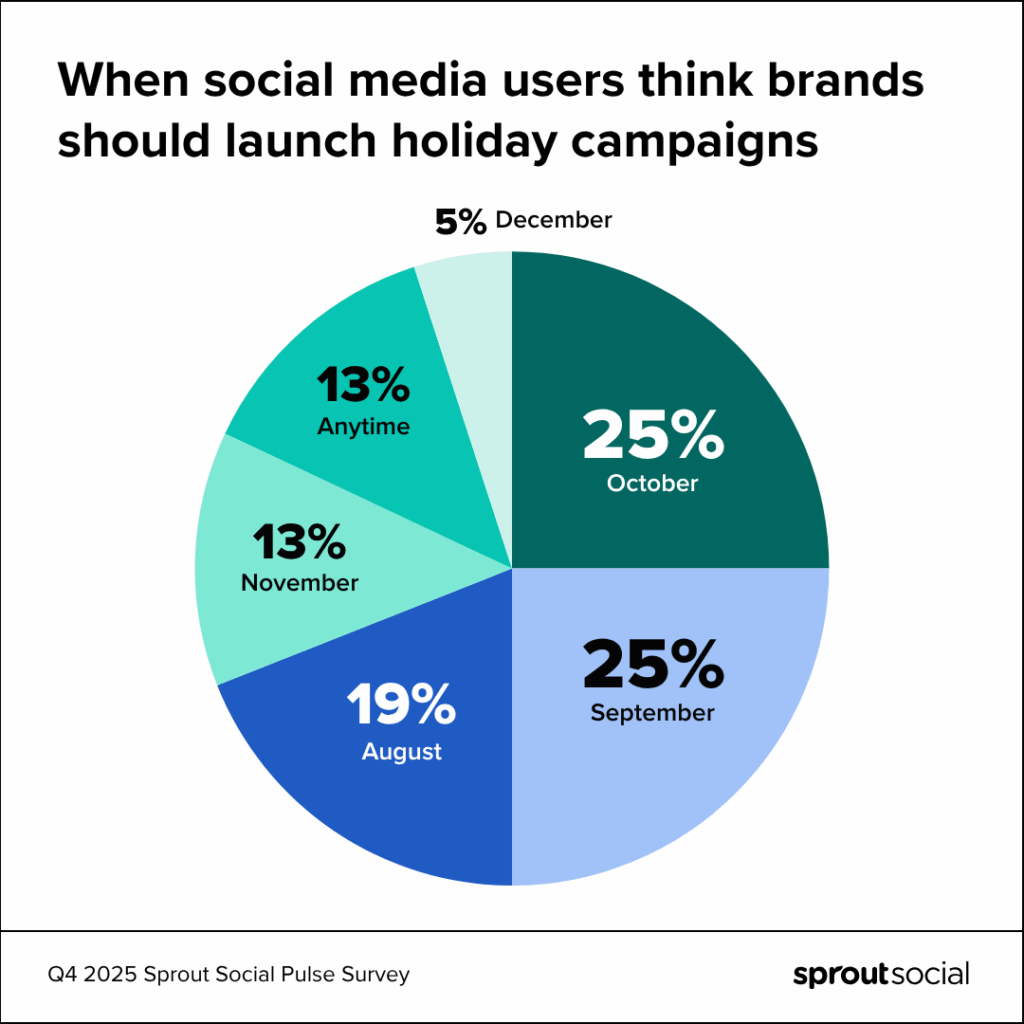
But when do they actually want holiday marketing to start? The earlier the better, apparently. 45% of social users think brands should launch holiday campaigns between August and September, while 38% say between October and November.
There isn’t one perfect time to start your holiday marketing campaign, and you shouldn’t count your brand out if you haven’t launched one yet. But it’s important to realize that the later you launch a campaign, the more difficult it will be to grab consumer attention. Consumers started their holiday shopping early this year, for fear of how tariffs will impact prices in the final months of 2025, and many have already made a significant dent in their shopping lists.
We expect this elongated holiday season to continue for many years to come, so you can use these consumer preferences to shape your planning in 2026 and beyond.
Social remains a top source for holiday shopping and product discovery
Where do consumers look for gift ideas? Their #1 destination is physical stores, followed closely by social media. Although, Gen Z and Millennials say social is actually their top choice, and that includes where they’ll look for Black Friday deals. Whether it’s typing specific items in the search bar (i.e., “perfect holiday gifts on a budget”) or stumbling across user-generated content, social will play a dominant role in product discovery this holiday season.
When consumers scroll, promo codes are most likely to stop them in their tracks and motivate them to buy (a consistent finding year-over-year). 44% of consumers are planning to reduce their holiday spending due to tariffs, reaffirming how much budget consciousness will define this holiday season. Your campaign creative needs to emphasize value—even more than years past.
Who users trust for holiday gift recommendations
Consumers are also being more discerning with their dollar—trying to find the best quality for the price. Quality can be difficult to size up through a screen, which means consumers have to be resourceful when researching products they find online.
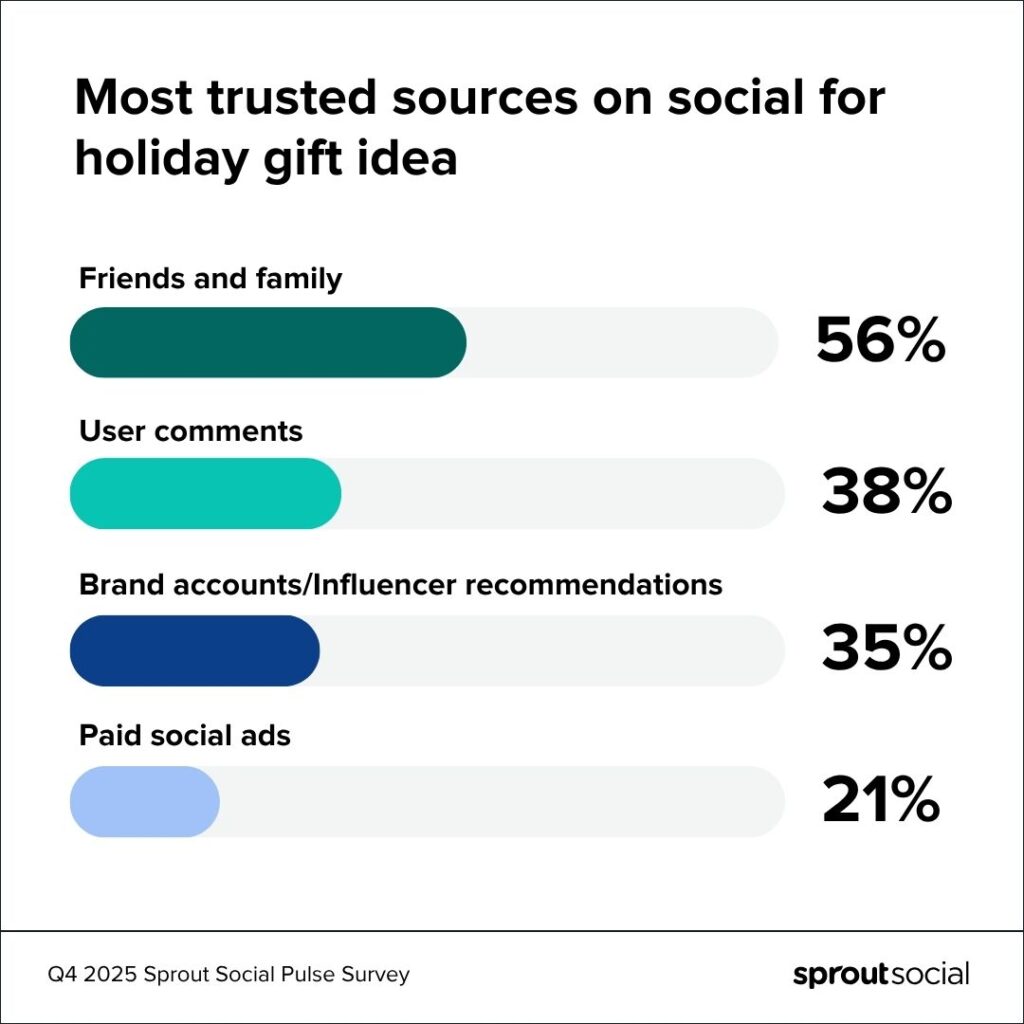
Above all, people trust people when it comes to finding the best holiday gifts on social media. Over half of consumers say they turn to their family and friends for recommendations. Another 38% look to other users’ comments.
Only 35% of consumers are swayed by influencer or brand posts, and that falls to a mere 21% when it comes to paid ads. While an influencer cosign might inspire people to shop for themselves, they want validation from unbiased consumers when shopping for loved ones.
That doesn’t mean you should throw out your influencer marketing holiday strategy. But it is a poignant reminder that sponsored content isn’t the end-all-be-all during the holiday season. You must also pay close attention to organic conversations happening about your industry and brand so you can stay one step ahead of negative feedback and insert yourself into online culture.
Like when Ralph Lauren realized #RalphLaurenChristmas was trending, and used the viral hashtag to promote their latest holiday home decor line. The retailer’s content fits in seamlessly with user-generated conversations praising the aesthetic, which shows the brand’s fans the marketing team is listening. We predict Ralph Lauren’s entire holiday strategy will be rooted in this social-coined term.
What audiences are shopping for and who they’re buying from
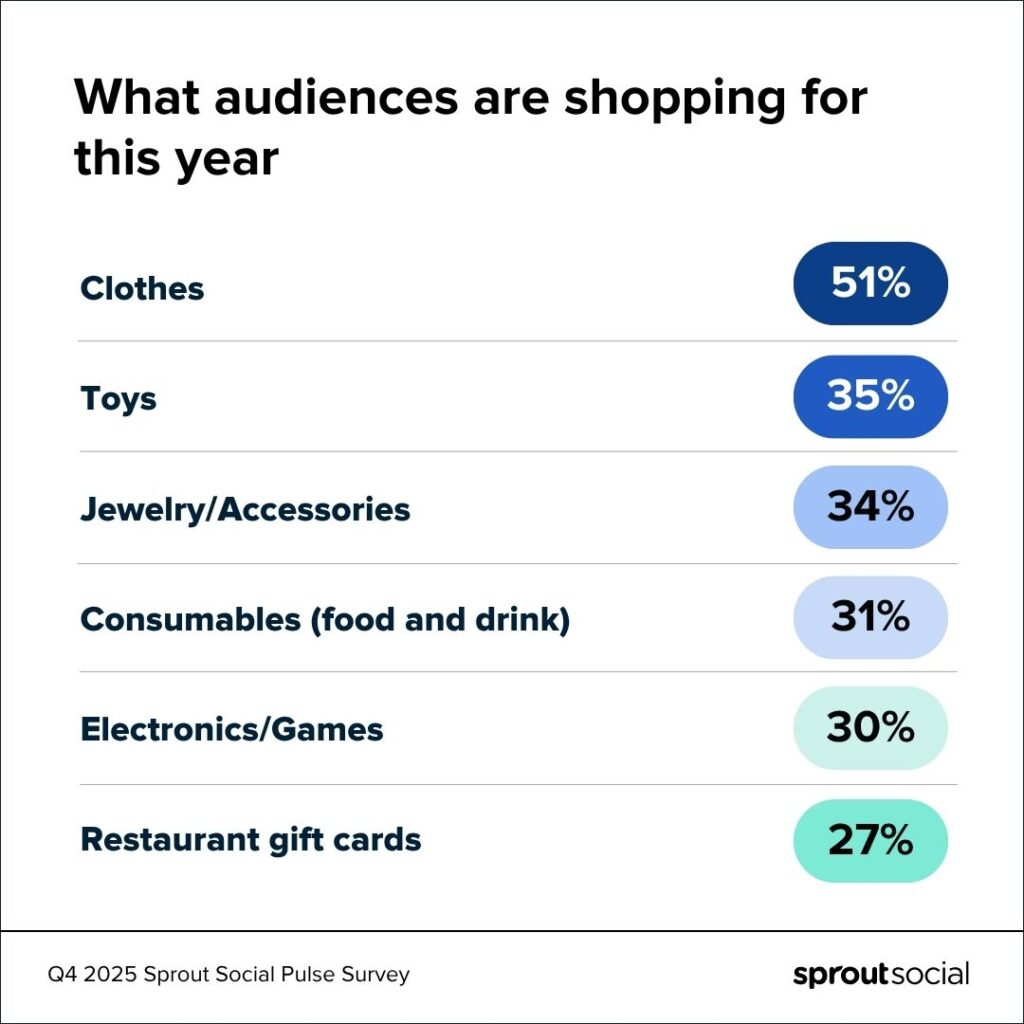
While there’s been more discourse around experiential gifts, tangible products continue to top consumers’ lists. Over half are shopping for clothes, while one-third are shopping for toys, jewelry and accessories. Consumables (food, beverages and restaurant gift cards) aren’t far behind, neither are electronics and games.
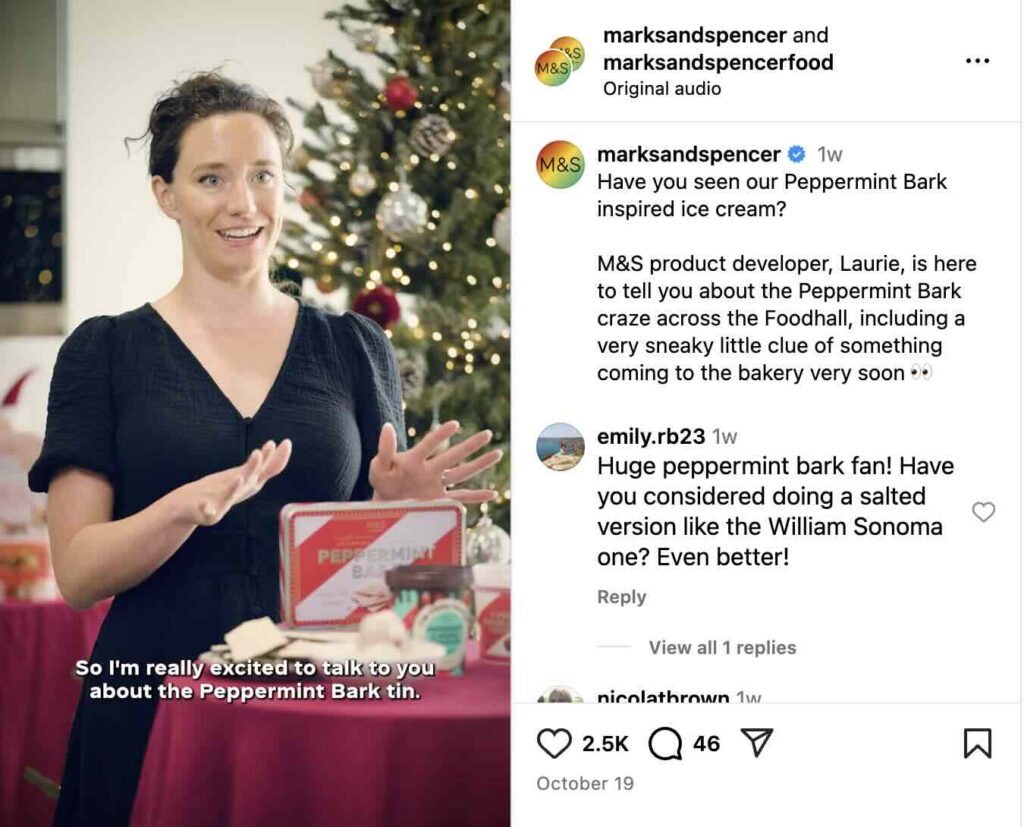
During this holiday season, consumers are more likely to stick with brands they already know—like iconic UK department store Marks & Spencer. The same survey found that almost half of social users plan to buy mostly from companies they’ve shopped with before. Only 35% plan to buy from some companies they haven’t shopped with yet.
Interestingly, Gen Z and Millennials are more likely to research and buy from companies they haven’t purchased from before. Where will they turn to conduct this research? Social media. Gen Z especially is more likely to turn to social to find information (more so than even traditional search engines). To reach new, younger consumers, brands need to optimize their content for discoverability and social search.
How holiday shopping trends impact customer care
Compared to the 2024 holiday season, 65% of users plan to use social as much if notmore to get customer service questions answered.
They are most likely to turn to Facebook (50%), Instagram (32%), newcomer Bluesky (28%) and TikTok (24%) to contact brands during the holidays. DMs are still the preferred method for reaching out to brands across generations, but Gen Z is more likely to reply to brand Stories—a generational difference marketers need to prepare for.
With the holiday rush, many brands are likely to turn to AI to help deal with the influx of customer messages. 69% of consumers are comfortable with brands doing so. This number rises to 78% for Millennials and Gen Z.
Even with the use of AI, brands still need to make a plan to prioritize personalized, timely customer service. The 2025 Sprout Social Index™ found that if a brand doesn’t respond on social, they’ll buy from a competitor. Leaving people with only a canned chatbot response isn’t going to cut it.
Use holiday shopping trends to set your brand up for a happy new year
Consumers are turning to social not just to discover gifts and deals, but to make informed, trusted purchase decisions shaped by friends, family and other users. As tariffs tighten budgets and timelines shift earlier, brands that blend originality, responsiveness and value will stand out. Whether through early promotions, relatable content or seamless service, social media is the foundation of consumers’ holiday shopping experience.
To make your brand more discoverable during the ‘ber months, use this workbook to optimize your content for social search optimization.
*About the data
Unless otherwise noted, all data cited in this article is from a Q4 2025 Pulse Survey of 2,270 consumers in the US, UK and Australia conducted by Panoplai on behalf of Sprout. The survey was conducted online from September 25 to September 28, 2025.
TikTok transforms how brands engage with their audiences. The platform drives purchase decisions, supports product research and builds authentic relationships between businesses and consumers.
Brands creating genuine, human content on TikTok see stronger audience engagement and measurable business impact.
Here’s everything you need to know about making TikTok videos that elevate your brand presence and drive results.
How to make a TikTok account
Creating a TikTok account takes less than five minutes and requires only an email address or phone number. Download the TikTok app, tap “Profile” and choose your signup method to get started immediately.
Here’s how to create a TikTok account for your brand:
Step 1: Go to the App Store or Google Play and download the TikTok app.
Step 2: Open the app on your phone and tap on the “Profile” button. You’ll find this button in the right-hand corner at the bottom of your screen.
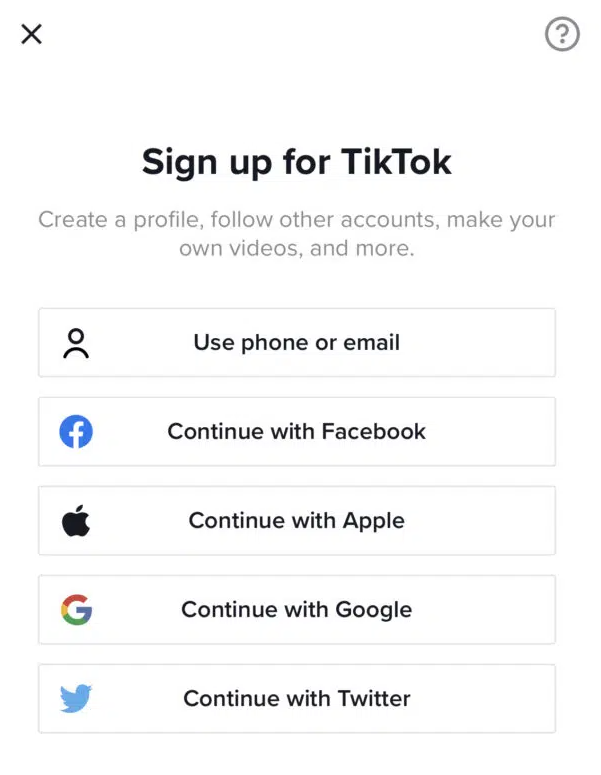
Step 3: Choose your signup method:
Email: Use your brand’s official email address for easier password recovery
Phone: Link your business phone number and verify with a 6-digit code
Social accounts: Connect via Facebook, Google, Apple, Instagram or X (formerly known as Twitter)
For this example, we’ll select the option to sign up using email. Keep in mind that you’ll need to use your brand’s official email address to complete the signup.
Step 4: Next, enter a password to use for your TikTok account. This password should be secure, memorable and closely tied to your brand so it’s easy to remember.
Step 5: You’ll now have to select a username for your account. This step is crucial as this name will show up prominently at the very top of your TikTok profile page.
Ideally, you should be using your official brand name to make it recognizable. This helps your audience recognize your brand on the platform.
After choosing your username, tap on “Sign up”.
Step 6: Since you’re creating a brand account, you’ll want to switch to a business account. Go to your “Profile” page and tap on the “…” button at the top right-hand corner of the screen.
Carefully select the category that best fits what your brand does. This tells TikTok what your account is all about and influences how the TikTok algorithm ranks your content in relevant search results and “For You” pages.
How to record a TikTok video
Now that you have your account set up, it’s time to start creating videos. The process of creating videos on TikTok is similar to that of Instagram Reels.
Both platforms allow you to add videos and pictures from your camera roll or record a new one. Plus, they both offer features like adding effects and audio to customize your video.
So if you’re familiar with Instagram Reels, you should have no trouble getting started with creating a TikTok video. Either way, here’s a guide on how to make a video for TikTok.
How to make a TikTok
Step 1: Tap on the “+” icon at the bottom of your screen. You’ll find this button right in the middle.
This will open up the camera so you can start recording. If this is your first time creating a video, you’ll need to give the app access to your camera, photos and microphone.
Step 2: Select the video length you want from the scrollbar above the record button. By default, you record up to 15 seconds of video.
The app has since updated its recording option to allow up to 60 seconds of video. This will combine four 15-second videos into a longer 60-second video.
Step 3: Use the different tools from the right-hand panel to customize your recording. Set the speed, add effects and filters or even set a timer to self-record.
You can also choose a sound from the TikTok audio library to include in your video. Adding music improves your video visibility on relevant “For You” pages.
On that note, make sure you’re regularly checking your TikTok analytics to see what’s working with your audience. This will support you in fine-tuning your strategy and building a strong presence on the platform.
Step 4: Hit the red record button at the bottom of the screen to start your recording. Also, join multiple clips together so they follow a coherent sequence.
Step 5: Once you have your recording, select the checkmark to preview the video. The preview page will let you customize the video further to create something original and entertaining.
You have the option to add text, sounds, effects, voiceovers, voice effects, stickers and captions.
Step 6: After customizing the video, tap the “Next” button. On the next screen, you can add a video description and change the settings.
Include relevant and trending TikTok hashtags to improve your video visibility. Then hit “Post” to publish your very first TikTok video.
How to make a TikTok using pre-recorded videos
So now you know how to make a video natively within the app, but did you know you can also make TikToks with the awesome content you already have saved on your phone? Here’s how to do it.
Step 1: Tap on the “+” icon at the bottom of your screen and select the “Upload” option next to the record button. This will open up your camera roll, allowing you to choose the pre-recorded video you want to upload.
Step 2: Choose the video/videos you want to upload.
That’s great news for brands that are all about informative long-form video content. Keep in mind that Duet and Stitch features are currently not available for videos longer than 60 seconds.
Step 3: After uploading the video or videos that you want to use in your TikTok, you’ll have the option to customize it just as you did before. Use the tools from the right-hand panel to add text, stickers, voiceovers, filters, voice effects, captions and effects to the video.
You can also add a sound to the video from the TikTok audio library.
Step 4: Once you’re done editing the video, tap the “Next” button. Then add a description and change the settings before hitting “Post.”
How to add pictures to TikTok
TikTok also lets you create videos using pictures. There are several options for this:
Option 1. Combine multiple pictures (and videos) together using the upload option.
Option 2. Insert a picture in your video from the “Effects” button at the bottom of the screen. Then select “Insert Photo” and choose the picture you want to add to the video.
Also, tweak the position and strategically place it in the video where you want it.
Option 3. Switch from the “Camera” tab to the “Templates” tab. Choose the template you want to use and select the pictures you wish to upload.
How to make a sound on TikTok
When you record a video on TikTok, the recorded sound automatically becomes an original sound. Go to your uploaded video and tap on the audio icon at the bottom of the screen.
Then hit “Use this sound” to use the sound in a new video.
You don’t have to start from scratch every time. TikTok’s built-in templates give you a head start on creating engaging content quickly.
Find them by tapping the Templates tab on the camera screen. Just select a template, upload your photos or video clips and let the app do the heavy lifting.
Consider these proven content formats for your brand:
Behind-the-scenes content: Show how your products are made or what a day at your company looks like
Educational tutorials: Teach your audience something valuable related to your industry
Trend participation: Jump on trending sounds or challenges while maintaining your brand voice
User-generated content: Feature customer stories and testimonials
TikTok video performance best practices
Creating the video is only half the battle. Driving business impact means optimizing your content for performance.
Here are a few non-negotiables for getting your videos seen:
Use trending audio. The algorithm prioritizes content using popular sounds. Business Accounts have access to the Commercial Music Library, which is full of pre-cleared tracks.
Add relevant hashtags. A mix of broad and niche hashtags supports TikTok in categorizing your content and showing it to the right audience.
Post when your audience is active. Use data to optimize your posting schedule. Sprout Social’s ViralPost technology analyzes your audience engagement patterns and automatically schedules your TikTok videos for maximum impact, eliminating the guesswork from timing decisions.
Engage with your community. Respond to comments and questions to foster a loyal following. Engagement is a powerful signal to the algorithm.
Track performance with comprehensive analytics:
Monitor engagement rates: Use Sprout Social’s TikTok analytics to track views, likes, shares and comments
Measure business impact: Connect TikTok performance to broader social media ROI using unified reporting
Optimize content strategy: Identify your best-performing content types and replicate success
Schedule strategically: Use ViralPost to publish when your specific audience is most active
Get creative with TikTok
Start creating TikTok videos that drive real business results. Transform these fundamentals into a strategic advantage by integrating TikTok into your comprehensive social media management approach.
Once you feel comfortable, review our tips for designing TikTok marketing campaigns to learn how to better use TikTok for your brand.
Now that you know how to make a TikTok, be sure to check out Sprout Social’s TikTok integration to learn how to schedule your TikTok videos with optimal send times for maximum engagement.
With more than 200 million businesses turning to Instagram to market their products and compete for user attention, relying on an organic strategy alone is no longer enough to cut through the noise. With such a saturated landscape, you can bet your competitors are using Instagram ads to reach their audiences. To break through, you need a hybrid approach with a robust social media advertising strategy to back up your organic efforts.
Instagram advertising serves as a way to boost brand visibility and help you reach the right target audience. And with better visibility comes a better chance of driving sales, especially with the platform’s shopping features. In fact, the 2025 Sprout Social Index™ found that 29% of consumers make purchases directly on Instagram.
With that said, let’s find out how to do Instagram ads the right way.
What is Instagram advertising?
Instagram advertising involves the use of paid content to reach your target audience on the platform. These ads may show up as sponsored Stories, Reels or in-feed posts to targeted users. Users will see relevant Instagram ads based on demographic data or browsing history. Partnering with influencers to run ads and boost their content on your brand’s profile is another form of Instagram advertising, too.
Businesses can create and manage their Instagram ad campaigns from the Meta Ads Manager. The campaign will be the overarching strategy with a well-defined goal, such as brand awareness or app installs. Each campaign may consist of ad sets that define the audience and delivery settings. Additionally, each ad set will have individual ad elements, such as visuals and captions, known as the ad creative.
Why you should advertise on Instagram
Organic social media strategies are cost effective but time intensive. And they can only get you so far when you’re up against ever-changing social media algorithms.
This is why it’s so important to focus on a social media strategy that incorporates both organic and paid tactics. This way, you get the best of both worlds. You’re actively engaging with your audience through your Instagram posts. Meanwhile, you’re reaching out to an even larger audience that might not know about your brand through Instagram ads.
According to the Q2 2025 Sprout Social Pulse Survey, buying decisions happen on social. Some 76% of social users say social media (ads, influencer posts, brand content, etc.) has influenced some percentage of their purchases over the past six months. And it’s even more pronounced among younger generations: 90% for Gen Z and 84% for Millennials. Investing in ads to reach new audiences or retarget those who know about your brand means a higher chance of influencing a future purchase.
As a visual medium, Instagram ads give you a great way to show off your product. Unique ad types like Instagram partnership ads also allow you to collaborate with influencers to amplify their content. And with Instagram shopping, you can make it easier than ever for Instagram users to convert to customers.
On top of this, Instagram continues to see higher engagement than most social platforms. The 2025 Content Benchmarks Report found that brands see the highest average daily engagement on Instagram. Ads let you tap into this engaging power, helping you drive targeted engagement through strategic paid content.
How much does Instagram advertising cost?
The cost to advertise on Instagram depends on several factors like devices, demographics and day of the week. Other factors like whether your ad is running during a major televised event, will also influence cost.
Here are some of the key factors that will influence the cost of Instagram advertising:
Bidding strategy: Your ad costs will vary depending on your bidding strategy. For example, the cost of each click (CPC) will be very different from the cost of every thousand impressions (CPM). Similarly, the costs will vary if you choose to pay for each acquisition/action (CPA).
Audience targeting: Targeting a niche audience may result in lower costs compared to broad audience targeting. This is because your ads only show up for people who are highly likely to take action.
Ad quality and relevance score: You can see lower ad costs with a higher ad quality and relevance score. Meta determines ad quality and relevance based on your audience targeting, offer and ad creative.
Seasonality and competition: You’re likely to experience higher ad costs during seasons with higher competition. In particular, peak shopping seasons attract higher Instagram ad costs.
Ad placement: Instagram typically charges based on impressions for Story ads. Meanwhile, in-feed posts may incur charges based on clicks or impressions. So your total advertising cost will vary based on placement.
On average, a CPC model typically costs between $0.01 and $0.25. With a CPM model, the costs can vary from $0.01 to $4.00. But keep in mind that these are only estimates, and your actual spending will depend largely on the factors highlighted above.
To make the most of your marketing budget, dedicate money to ads and campaigns only if they’ll help your bottom line.
Put money behind posts and content that you already know perform well organically. Test everything to see what performs best and dedicate most of your ad spend to that. Make sure to measure your ad success and take note of anything that didn’t do as well as you’d hoped.
How to create Instagram ads in Meta Ads Manager
To create ads for Instagram within the Meta Ads Manager, log in to your Facebook Page. Then go to your Ads Manager account and click on the “Create” button to build a new campaign.
Step 1. Choose your ad objective
Start by choosing a relevant ad objective that’s relevant to your business goals. Meta gives you six options: awareness, traffic, engagement, leads, app promotion and sales. Make sure to choose an objective that supports Instagram as an ad placement.
As you hover over each objective, the right-hand panel shows you a preview of what it’s good for. Meta recommends choosing traffic, engagement, leads or sales for Instagram ads. For this example, we’ll choose the traffic objective.
Step 2. Name your Instagram ad campaign
After selecting your ad objective, give your campaign a name. This is the best way to keep track of your ads within the Ads Manager.
You’ll then select any special categories that apply and specify campaign details.
You can also toggle on the “A/B test” button to automate a split test for different ad variations. This is also the stage where you decide whether to optimize your budget across ad sets. Select Advantage Campaign Budget to automatically distribute your ad budget across your ad sets. Or you can manually allocate spending for each ad set.
Step 3. Decide on your ad format
Before we dive deeper into the next steps, make sure you have a clear idea of which ad format you want to use.
The Ads Manager will give you the option to upload your creatives later on in the process. But deciding on your ad format early on will give you more clarity on how to serve your ads. For instance, if you decide to create Story ads, you could opt to exclude Explore and Feed placements.
You get to choose from three main ad formats:
In-feed ads: These are ads that show up as sponsored content within a user’s regular Feed. They may include single image ads, carousel ads and even videos.
Story ads: These are ads that show up as sponsored content while a user browses through their Stories Feed. They can be in the form of still images, videos or multi-product listings.
Reel ads: These are ads that show up as sponsored Reels while users browse through organic Reels content.
Step 4. Design your ad creative
Once you’ve decided on an ad format, it’s time to prepare your ad creatives. Having your ad creatives ready early on will help you speed up the campaign creation process. So you don’t have to scramble to write an engaging caption or create a new video in the middle of building a campaign.
For in-feed ads, use visuals that instantly catch the eye. Include text overlay that highlights attractive offers or key product benefits. Write short but engaging captions that align with the offer and add a sprinkle of emojis to break up text blocks.
Story ads are great for retargeting existing customers or users who have previously interacted with your brand. Share a curated selection of products based on the user’s browsing history or buying behavior. Or use attractive visuals with compelling text overlay that can get users to take a pause.
For Reels ads, make sure to use videos that blend in seamlessly with organic Reels content. Use trending music to instantly engage viewers. Additionally, clear in-video captions are great for engaging viewers who watch with the sound off.
This is also a good time to give our Instagram ad sizing guide a second look to ensure you’re uploading the correctly sized ad assets.
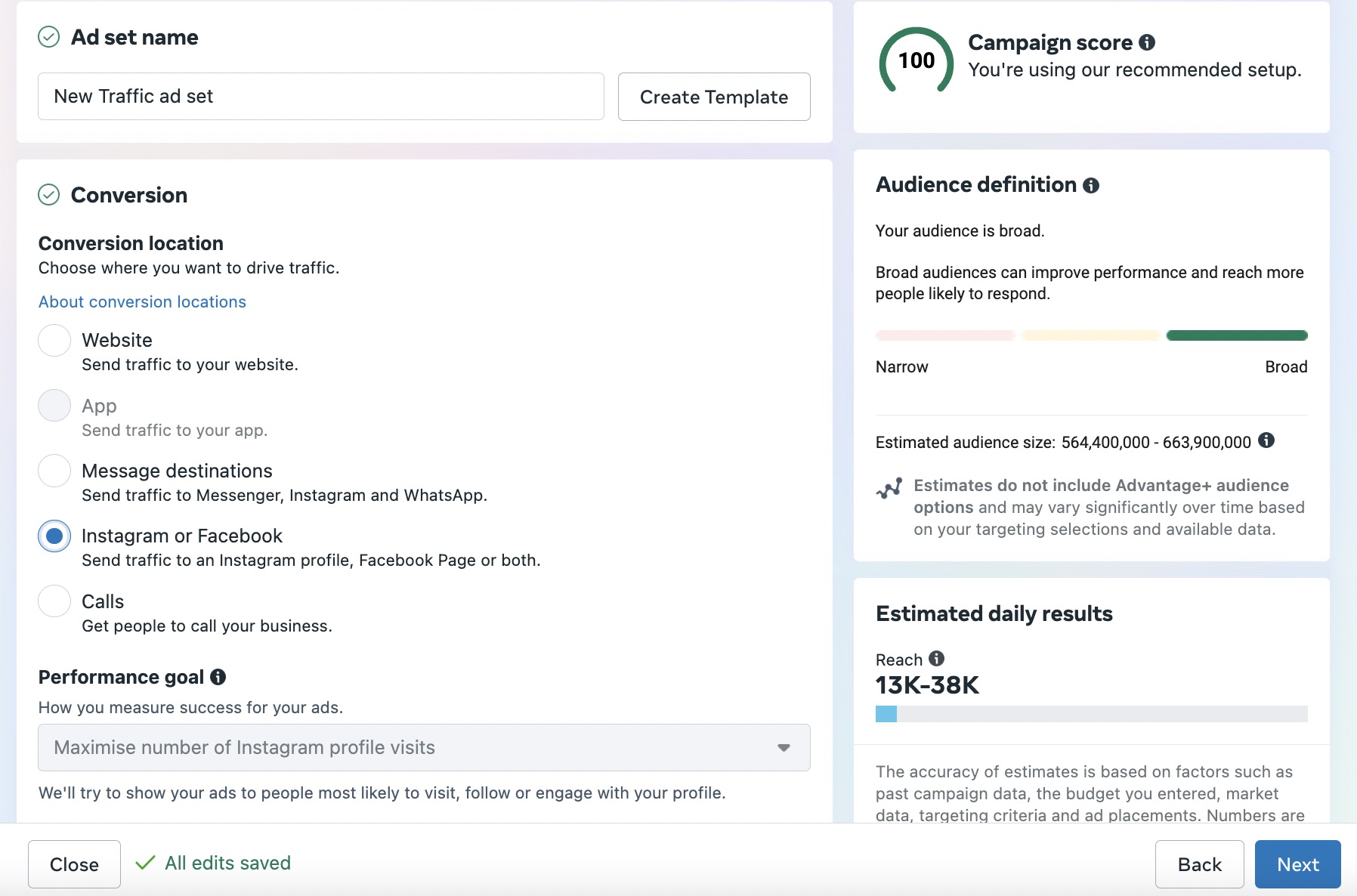
Step 5. Choose your conversion location
Meta now requires advertisers to choose a conversion location for most ad objectives. This is the place where your desired business outcome will take place. For instance, traffic ads will give you the option to send traffic to your website, get people to call your business, etc.
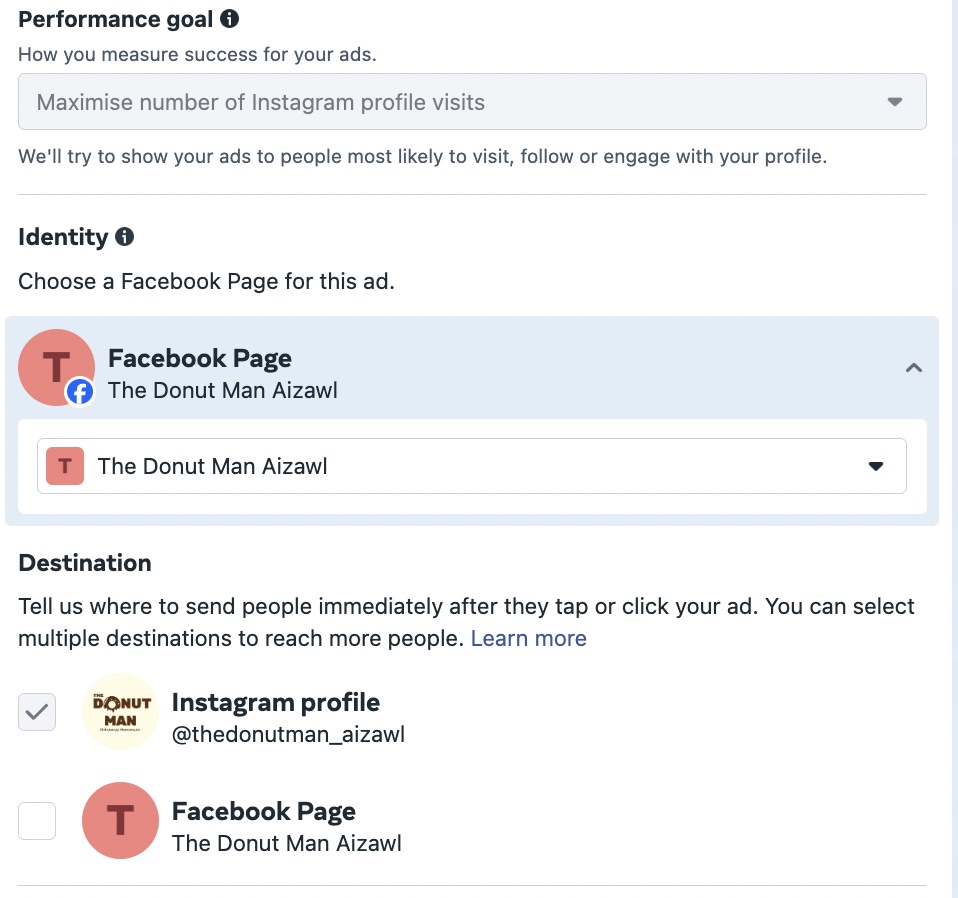
Let’s choose to send traffic to your Instagram profile for this example.
You’ll also get the option to choose your Identity, where you decide which Facebook Page will run the ad. The Destination section lets you choose where to send people when they tap on your ad. For this example, let’s focus on Instagram profile visits only.
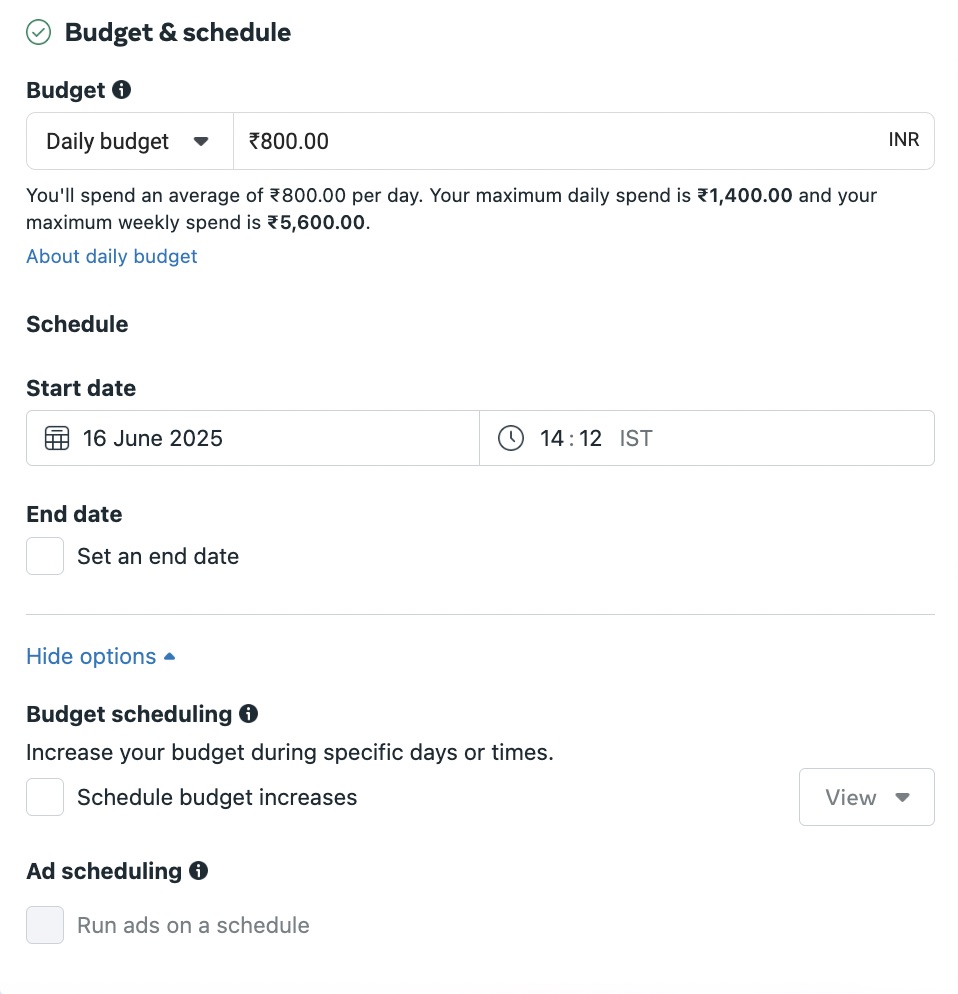
Step 6. Define your ad budget and schedule
When you advertise on Instagram, you have full control over when you’ll run ads and how much you’ll spend on them.
First, choose between a daily budget and a lifetime budget. Daily budgets allow for your ads to run indefinitely while spending up to your allotted amount each day (you can still set start and end dates). Ads with lifetime budgets will run for a set amount of time.
If you choose a lifetime budget, you can also select a specific schedule for your ads. Perhaps you want them to appear only on weekdays or weekends. Manually choose the days and times your ads will appear for your target audience to get the most out of your ad spend.
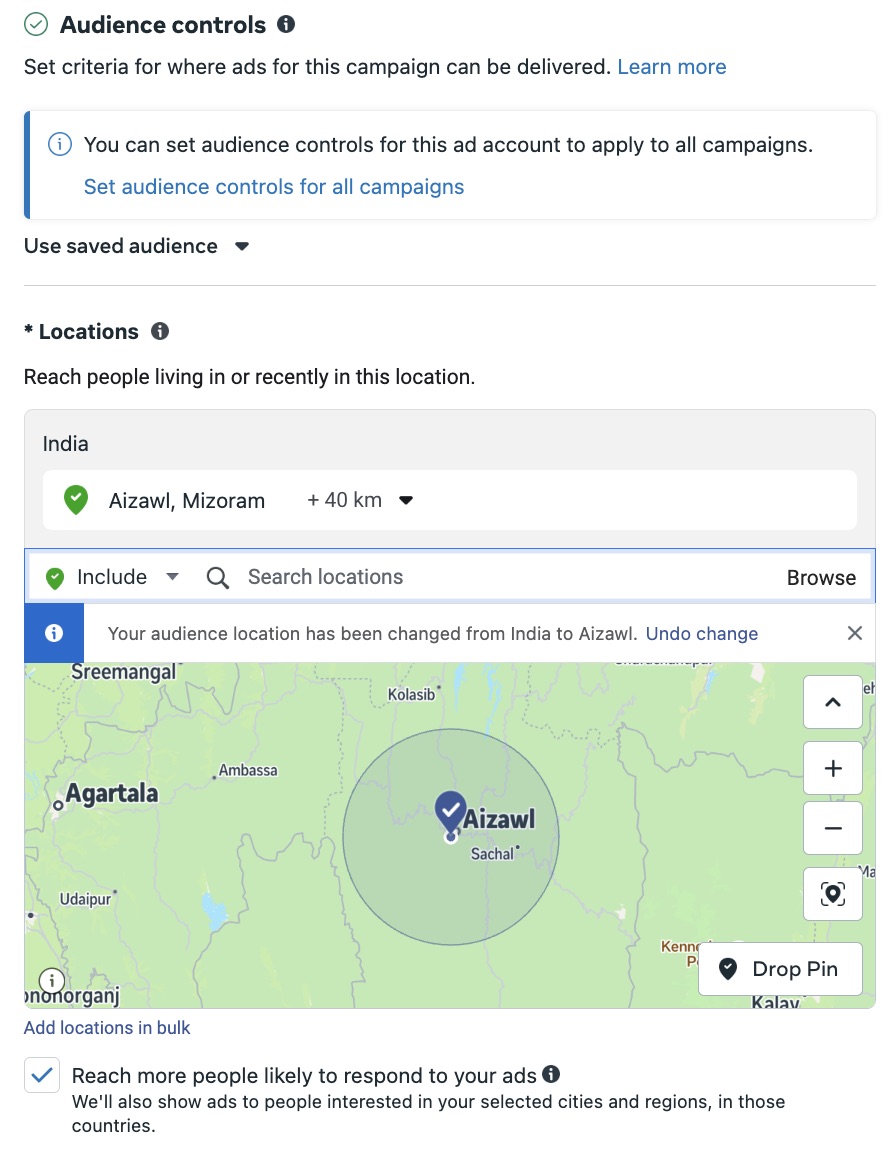
Step 7. Target your audience
And now, we get to the good part! Targeting your audience is how you’ll optimize your Instagram advertising strategy.
You don’t want to waste money by trying to target anyone and everyone. This is your opportunity to really nail down the demographics, interests and behavior of your brand’s target audience.
There are three types of audiences you can potentially advertise to:
Core audiences: These are audiences targeted based on demographics, interests and behaviors. For instance, you can target people aged between 18 and 25 interested in art and living in a specific area.
Custom audiences: You can target a Custom Audience including website visitors, customer lists or app users. This is a great way to retarget users who are already familiar with your brand. So you can save on ad costs by focusing your ad spend on users who are likely to buy from you again.
Lookalike audiences: Meta also lets you create a Lookalike Audience consisting of new users who are similar to your most valuable audiences. This involves defining a lookalike source, such as an existing Custom Audience. You can further customize this audience by location and size.
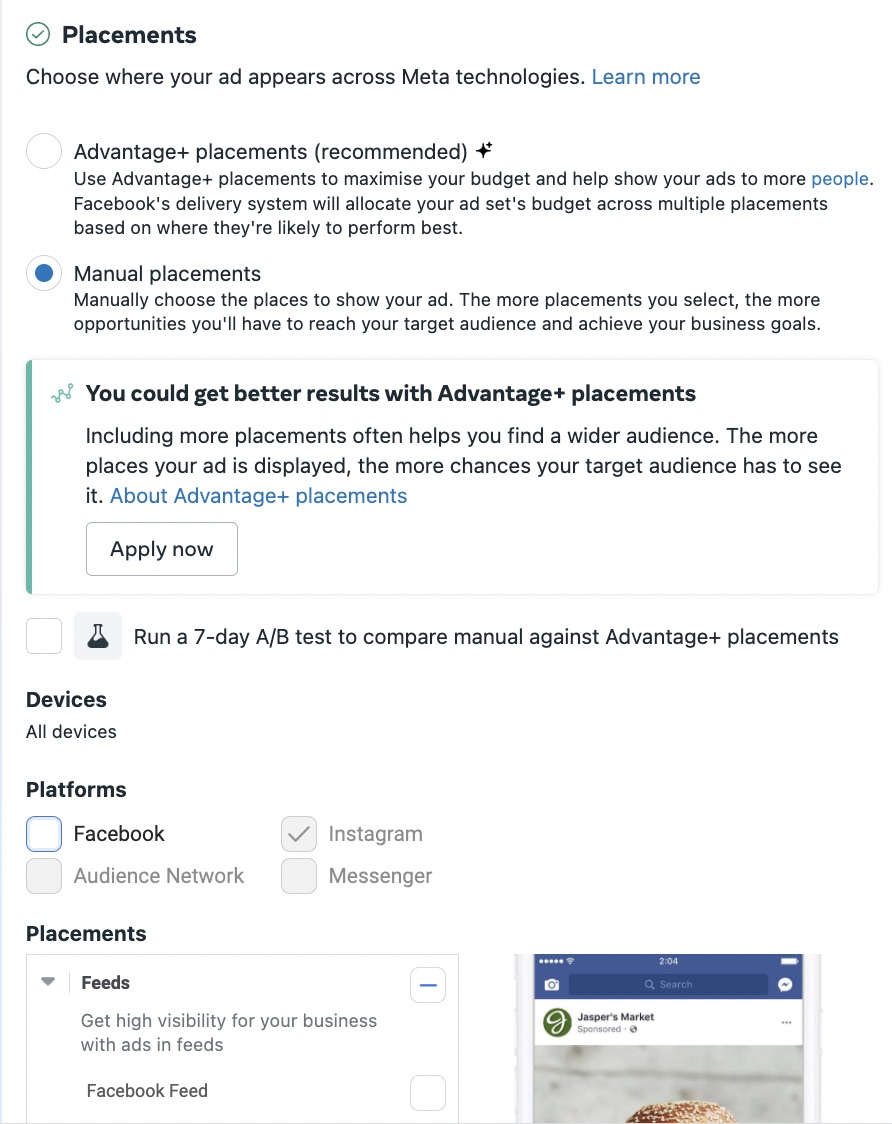
Step 8. Choose your ad placements
This is where you’ll decide where to display your ad. Meta recommends using Advantage+ placements where the platform decides the best placement for you. It will determine where your ads are likely to perform best. Based on this, it will automatically distribute your ad set budget between different placements.
This is a great option if you’re new to Instagram advertising or if you don’t have a specific placement in mind.
Otherwise, choose the Manual placements option to customize it to your unique preferences. This lets you exclude specific placements, such as Stories, Explore, Reels, search results and so on.
How to boost an Instagram post
Boosting an existing post is the easiest way to advertise on Instagram. Here’s what you need to do:
Step 1. Choose an existing post to boost
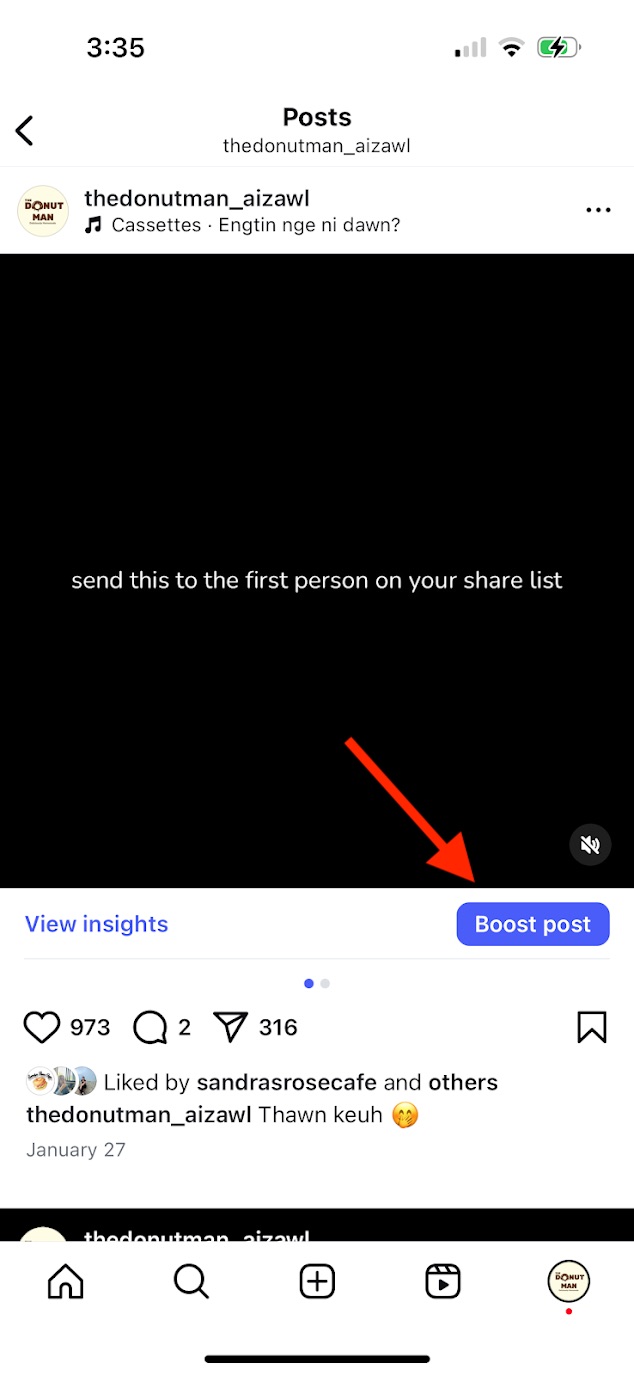
Start by deciding on the content you want to boost. Instagram lets you create ads from existing Reels, Stories and Feed posts.
We recommend going through individual post insights to see which ones drive the most engagement. This indicates that the post resonates with your audience. So they’re more likely to perform well even as sponsored content.
Once you’ve decided on the post, tap on Boost post.
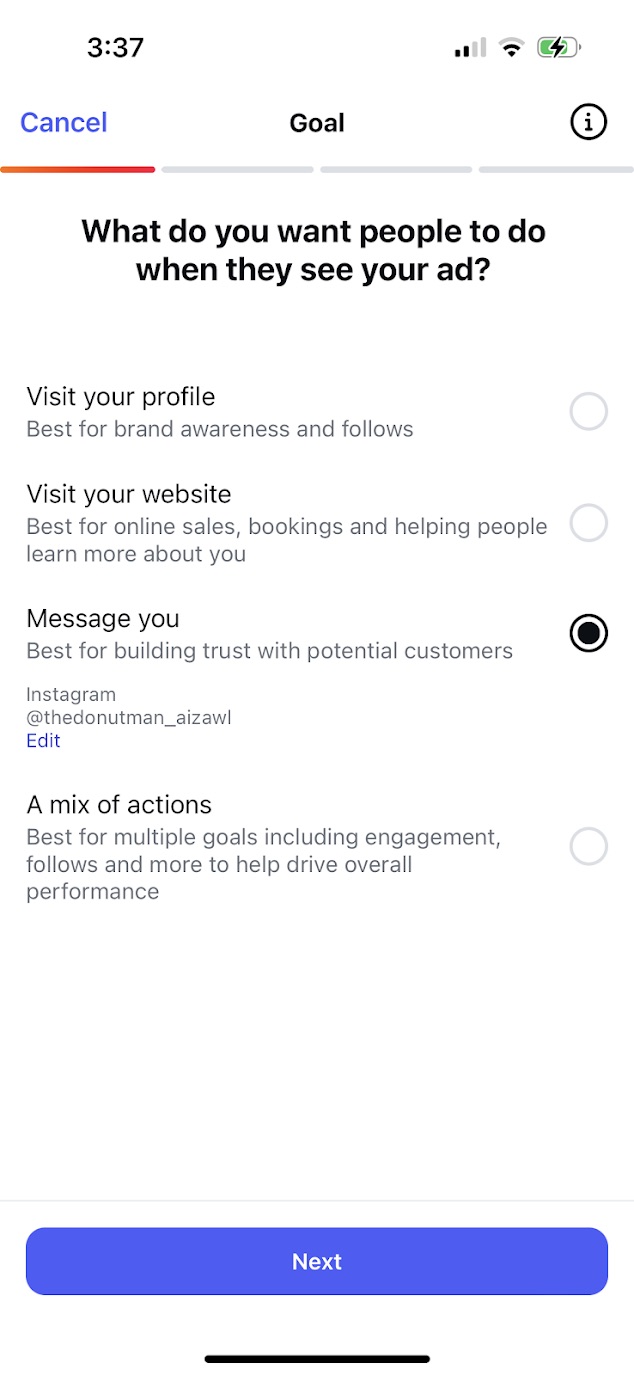
Step 2. Select your goal
What’s the purpose of boosting your post? Do you want more people to visit your profile, message you or visit your website? Choose the goal that best fits your business objectives. You can even choose between a mix of actions to boost overall performance.
Step 3. Define your audience
Who should see your ad? Instagram gives you the option to target users similar to your existing followers. You can also manually enter your own targeting options if you want to reach a different audience.
Step 4. Set a budget and an ad timeline
How much do you want to spend on your ad? Set a budget to limit your daily ad spend and avoid overspending. Additionally, set a duration for your ad so it will automatically stop showing up once the campaign ends.
Step 5. Launch your ad and track metrics
You can then preview your ad and add funds to start boosting your post.
Once the boosted post is live, keep a close eye on its performance. Are you reaching enough people? Is it driving engagement and actions? These metrics will help you understand if the ad is working. Then use those insights to inform your future ads.
Expanding your Instagram ad strategy with partnership ads
While traditional advertising on social media still matters, influencers have emerged as a core component of any impactful paid strategy. Sprout Social’s Q3 2025 Pulse Survey found that more than half of Gen Z social media users have bought a product or service through an influencer’s sponsored post in the past 12 months. And 90% of marketers agree that on average, sponsored influencer content performs better in terms of engagement compared to organic content posted on their brand accounts.
Influencer content has become essential to success on social. And that success is amplified across Meta networks–with 71% of consumers making a purchase within a couple days of seeing creator content on Meta technologies.
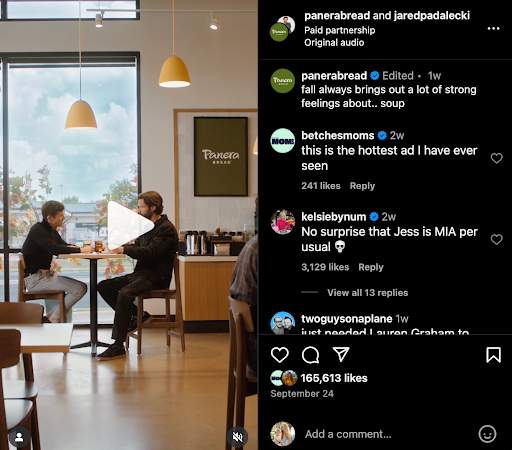
With partnership ads, you can extend the life and impact of your creator content to supplement your typical paid media strategy. Partnership ads is the most transparent way for advertisers and creators to run ads together, featuring both the brand and creator handles in the ad header to disclose the partnership, like in this Panera Bread collaboration with celebrity Jared Padalecki.
Partnership ads use signals from the creator and brand handles to drive reach and performance across a wider audience. According to data from Meta, adding partnership ads to always-on ad strategies reduces cost per action (CPA) by 19% and drives 53% higher click-through rates (CTR). And with Sprout Social Influencer Marketing, you can embed Instagram partnership ads within your influencer marketing workflows.
Amplify influencer content with ease. Request ad permissions within campaign workflows in Sprout Social Influencer Marketing and receive access in your Meta Business account for efficient content boosting—no more back-and-forth permissions requests with creators via email or direct messages.
Extend campaign reach. Select high-performing Instagram posts tied to a specific influencer campaign and amplify them to your brand’s key audiences with additional paid spend, all using a simple workflow within Sprout Social Influencer Marketing.
Multiply your influencer ROI. Bring more authenticity into your paid media strategy with thoughtful influencer content that complements traditional ad creative.
Scale your paid media operations. Enable your social team to quickly boost creator content with tools they already know how to use, extending reach while freeing up specialized paid teams to focus on optimizing strategic campaigns.
Best practices for successful Instagram ad campaigns
If the 2025 Content Benchmarks Report revealed anything, it’s that posting a lot isn’t going to cut it. Audiences value authenticity and originality when interacting with brands on social media. So every post and every ad campaign needs to be more purposeful to build meaningful connections.
With this considered, here are some best practices to help you create successful ad campaigns on Instagram.
Use compelling visuals and copy
Targeting may get your brand in front of the right people. But it’s the content that will capture their attention and get them to act. So everything from your visuals to your copy should captivate your audience.
Think: high-resolution images or entertaining Reels with clear captions that show exactly what’s in it for them. Here are a few tips to create impactful ad creatives:
Highlight offers and benefits immediately within the visual instead of burying them in the caption. Use text overlays or in-video captions for this.
Focus on benefits instead of features. Help the audience understand what they get out of the deal.
Lean into original and entertaining content to humanize your brand. The 2025 Sprout Social Index™ found that this should be one of the top priorities for marketers.
Use clear and concise copy to get your point across. Avoid sacrificing clarity for clever copy.
More often than not, your ads won’t work out the first time around. Successful Instagram advertising needs a lot of testing and refining. From ad placements to ad creative, you can only know what resonates with your audience once you see how they respond to the ad.
Make sure to turn on the A/B test option during your ad set up. Or you can run a separate test to see how different ad elements generate reactions from your audience.
Consider seasonalities and trends
Imagine seeing an ad for Christmas-themed products in the middle of June. Odds are that the ad will unlikely get any clicks because it’s just not the season.
Be strategic with your ads that you’re offering the right products at the right time. Similarly, make sure to time relevant seasonal offers for peak buying seasons. For instance, back-to-school discounts, Mother’s Day gift packages and so on.
Beyond this, pay close attention to the trends shaping online culture so you can adapt your ad strategy accordingly. Build offers based on trending topics or write copy using language that resonates with younger audiences.
At the same time, avoid relying too heavily on the latest trends. According to the 2025 Content Benchmarks Report, following every trend isn’t what makes a brand memorable. In fact, it could have the opposite effect, with 33% of consumers in the 2025 Sprout Social Index™ finding it “embarrassing.”
Design for sound-off viewing
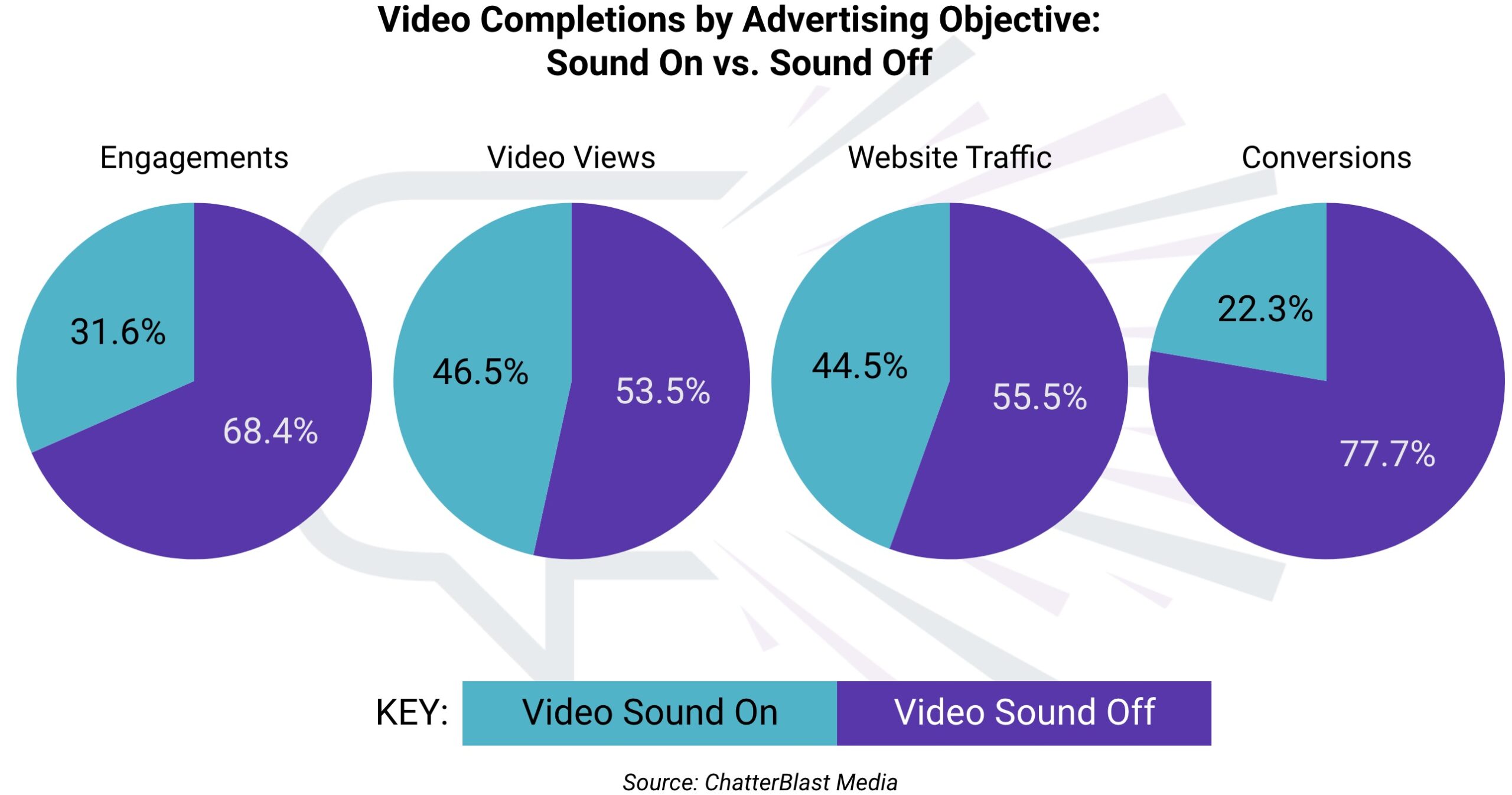
When it comes to Reels ads or any video-based ad, sound may be instrumental in getting your message across. Yet many people prefer to watch Reels with the sound off. A ChatterBlast study even found that over 68% of people preferred sound off for engagement videos. For conversion videos, the figure jumps to over 77%.
So if you’re relying on sound alone to share your message, you could be missing out on potential engagements and conversions. Not to mention the missed opportunity to create more accessible, more inclusive ads. Design your video ads for sound-off viewing and use closed captions or subtitles to engage a more diverse audience.
Partner with creators aligned to your audience’s interests
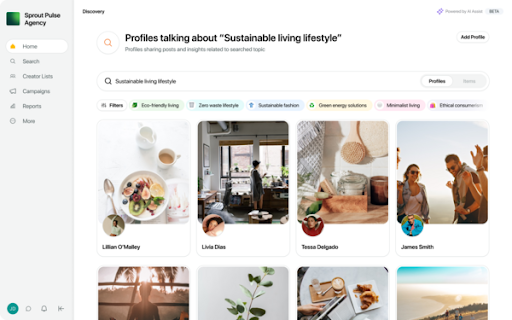
Topical alignment with your audience matters for successful partnership ads. To make influencer content a core part of your Instagram ad strategy, start by carefully selecting your influencer partnerships. Think beyond audience demographics, and instead look at the topics and conversations your audience is most interested in. Using Sprout Social Influencer Marketing, you can search by popular topics to narrow in on creators that are the best fit for your brand.
For example, let’s say a culinary brand is looking for a food influencer to partner with on Instagram. Start by seeing what food trends your audience is following, like smash tacos, and search for a creator who’s actively talking about smash taco recipes on Instagram. You’ll find a niche partner who can speak authentically to a topic your audience already cares about, setting the foundation for an engaging partnership ad.
Visualize your Instagram ad performance with Sprout
You’ve created your ad, but it’s essential to check up on performance. When you have a good understanding of your ad performance, you get an accurate idea of its ROI. This informs your strategy and helps you optimize your Instagram advertising efforts in the long run.
Social media management solutions like Sprout Social streamline the process of managing and tracking your Instagram ads. You can run promotions on your Instagram ad account directly through Sprout without having to switch platforms. This enables you effortlessly maximize your content’s reach and manage your organic strategy in one place.
Sprout also provides tools for boosting posts from the Post Performance Report. You get to see your top-performing posts and instantly boost them within the same dashboard. Additionally, you can easily keep track of ad comments in the Smart Inbox. This helps you monitor conversations around your ad and respond as needed.
Once your ads go live, keep track of their performance using the Paid Performance Report for Instagram. This shows you the metrics that matter most, such as engagements, impressions, clicks and more.
Instagram advertising is the easiest way to cut through the noise and get your brand in front of the right audience. When you’re ready to start creating your first Instagram ad, you need the right tools to manage your campaigns and track performance.
That’s where Sprout comes in, offering robust tools to create your Instagram ads and manage their performance. Sign up for a free 30-day trial and see what you can do.
Turns out, social media fatigue is real. Social media habits are shifting worldwide, with people spending less time on social networks than before, disengaging from scrolling and viewing content and ads with skepticism.
Yet for social media managers, the bar has never been higher. According to The 2025 Sprout Social Index ™, consumers expect meaningful engagement from brands, and 93% believe it’s important for brands to be culturally relevant on social media.
This has created a pressing dilemma for marketers. How do you sustain attention when people are tuning out, but still meet the demand for tailored, on-brand storytelling? And if you do find the balance, how do you maintain cultural relevancy without diluting your authentic brand identity?
In this article, we help you navigate this uncharted territory. We’ll dive into the nuances of why people are tuning out of social media, and how to overcome social media fatigue to win back audiences.
What’s driving social media fatigue?
Several factors are converging to create social media fatigue, the most prominent being:
Misinformation and online toxicity
There’s growing concern about the quality of content online. People are also overwhelmed by the constant exposure to heated debates, repetitive ads and questionable information. In fact, a 2023 Gartner survey predicted, 50% of consumers would significantly limit their social media interactions by 2025 due to network toxicity, misinformation and ad overload.
Repetitive brand tactics
People are bombarded with more digital information than they can reasonably absorb each day. This plays out in audiences scrolling past endless posts that often look and sound the same. Overly promotional tactics, generic campaigns and copycat formats are blending into the noise, making it harder for even strong creative work to stand out.
These shifts don’t mean people are abandoning social, but they are redefining how and when they engage.
Content saturation
With billions of people using social networks, content volume is at an all-time high. Facebook has over three billion monthly active users, and Instagram, two billion. Millions of posts go live every minute and social feeds are drowning in content, including LinkedIn, which is fast becoming a hub for self-performative branding.
This endless stream of content is causing social media fatigue and burying relevant posts, making it further difficult for brands to stand out.
Engagement metrics no longer tell the full story
For global and UK social media managers, traditional benchmarks such as likes, shares and comments don’t capture the full impact of today’s campaigns. Much of the value now happens in quieter ways, like private sharing, brand mentions in niche networks like Bluesky or awareness that isn’t tied to a click.
This makes reporting more complex, but it also opens the door for more holistic ways of measuring success.
Shifting network algorithms
All social networks are moving towards interest-based algorithms where audiences get content based on their preferences. Consider this: Up to 50% of the content audiences see on Facebook is from accounts they don’t follow. This means audiences are now exposed to brands and creators they have no connection with. On one hand, it’s an opportunity for brands. But, for users, being inundated with unwanted content and ads dilutes and dampens their social media experience.
Why the UK market is particularly impacted by social media fatigue
Across the globe, consumers are experiencing channel fatigue and sensory overload. And it’s no different in the UK. Data shows the average engagement on Facebook in the UK has dipped to around 0.48% per post, and TikTok users are spending 15% less time on the app than before. In addition, social media user identities decreased by 1.4 million (-2.5 percent) between early 2024 and the beginning of 2025.
This social media fatigue also stems from the UK’s highly diverse cultural landscape. It takes a lot to ensure that a brand is finely attuned to the audience it’s targeting, because what resonates in Manchester may fall flat in London, and what works in Glasgow might miss entirely in Birmingham.
From regional slang and humor to differing social values, misjudging cultural nuance can leave brands sounding fragmented and distance the very audiences they want to reach.
UK audiences also have a well-established skepticism toward anything that feels too polished or corporate. A brand voice that comes across as generic or forced is quickly dismissed, fuelling disengagement and mistrust. Instead, people look for cultural relevance, authenticity and a tone that feels human.
Humor does well in the UK, especially if it has local references and mirrors everyday experiences. But audiences also don’t want brands to jump on a trend just for the sake of it, as the 2025 Index shows. This puts marketers in a double bind.
In the UK, social media fatigue isn’t just about too much content; it’s also about content that fails to connect.
Why is balancing personalization and brand cohesion important?
Striking the right balance between personalization and brand cohesion ensures you resonate with your audiences, without diluting clarity, brand trust and long-term audience connection.
According to Sprout data, 76% of consumers say they’d buy from a brand they feel connected to over a competitor, and 57% say they are more likely to increase how much they spend with a brand when they feel connected.
While it’s important to localize brand content, over-reliance on hyperlocal references or network trends can cost brand identity.
Here are crucial ways the right mix of personalization and brand cohesion helps your brand:
Consistent brand voice
Local references may engage certain communities and enhance your authenticity, but overusing them dilutes the overarching personality and messaging that tie your campaigns together. Over-tailoring content to local slang, regional humor or network-specific trends can make your brand voice feel fragmented. And constantly shifting tone confuses followers about who you are as a brand.
Striking the right balance between personalization and brand cohesion ensures every consumer touchpoint feels relevant yet unmistakably yours. In return, this helps audiences recognize, trust and stay connected to your brand across markets.
Long-term engagement
While embedding social media memes in your marketing content or adapting to viral challenges and trendy formats may generate quick engagement, these wins are often fleeting without a proper strategy. Such tactics can overshadow long-term brand storytelling, leaving audiences with a fragmented impression of the brand. Staying true to your brand personality and values leaves a longer-lasting impression and withstands passing trends because it’s built sustained relevance and meaning that outlasts the moment.
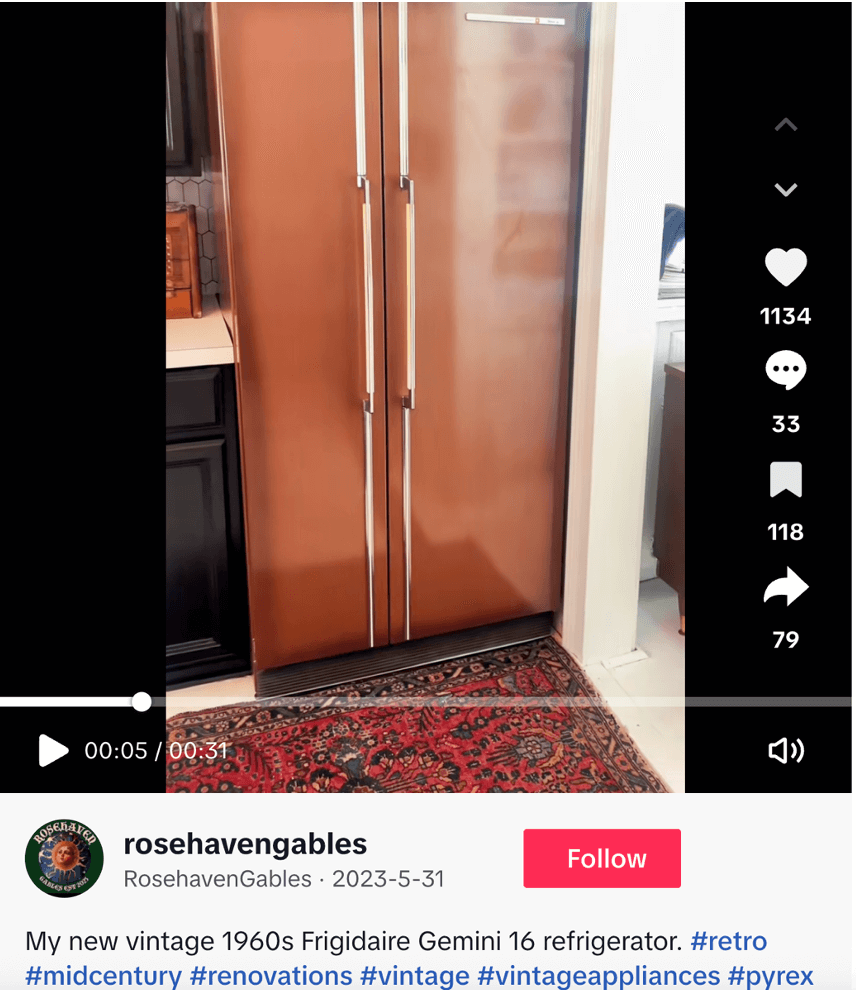
For instance, Frigidaire’s 1950s advertisements still strike a chord with audiences today. Their straightforward, product-focused messaging continues to appeal to those who value authenticity and simplicity. Nostalgia is a growing trend on social media, and networks are filled with nostalgic posts featuring old Frigidaire ads—even inspiring some consumers to seek out and purchase vintage Frigidaire refrigerators.
Inclusive and unified messaging
When you have the right mix of personalization and brand cohesion, your messaging becomes more inclusive and consistent. It allows every audience segment to see themselves reflected in your brand without losing sight of the unified story. Focusing too much on niche references can unintentionally exclude other parts of your audience. That’s because while over-personalization may resonate strongly with one region or demographic, it may leave others disconnected or overlooked due to the homogenous experience, which can erode loyalty over time.
Core identity across networks
Trends evolve fast, and network-specific experimentation can make it difficult to maintain cohesion across multiple social channels. A TikTok trend may work for a younger audience, but it might clash with the tone your LinkedIn followers expect. Over-indexing on transient trends risks fragmenting your presence and undermining brand trust and persona.
Blending personalization with a cohesive brand strategy enables you to adapt to different social networks while maintaining your core identity, credibility and familiarity.
Burberry exemplifies this trait. In its latest campaign, “It’s always Burberry weather: Postcards from London”, it blends creative storytelling on Instagram and TikTok through episodic content and A-list celebs aimed to engage a younger audience. All while staying true to its British heritage tone. This makes it instantly recognizable across networks.
6 ways brands can overcome social media fatigue and win back engagement
With personalization and brand cohesion as your cornerstones, here are six winning social strategies that will cut through the social noise and win back attention from your audience.
1. Establish a unified brand framework
Develop a clear, well-defined brand framework that balances consistency with creativity. Treat this framework as a north star for your brand narrative to define the tone, values and visual identity that underpin your campaigns across social accounts.
Having such a framework also infuses confidence in teams to innovate while ensuring your social posts have a recognizable, trustworthy brand presence. It’ll also help personalize content for local humor, cultural references or trending formats without undermining the overarching brand identity.
2. Listen to your audience and localize social media profiles
To truly engage audiences, you need to listen carefully to what matters most to them. Social listening enables you to capture what is top-of-mind for your audience, which in turn, goes a long way in overcoming social media fatigue and recapturing audience attention. Use listening insights to identify trending topics, local interests and cultural nuances that are shaping social engagement. Also track which content types perform best in each region and monitor which networks deliver the strongest results.
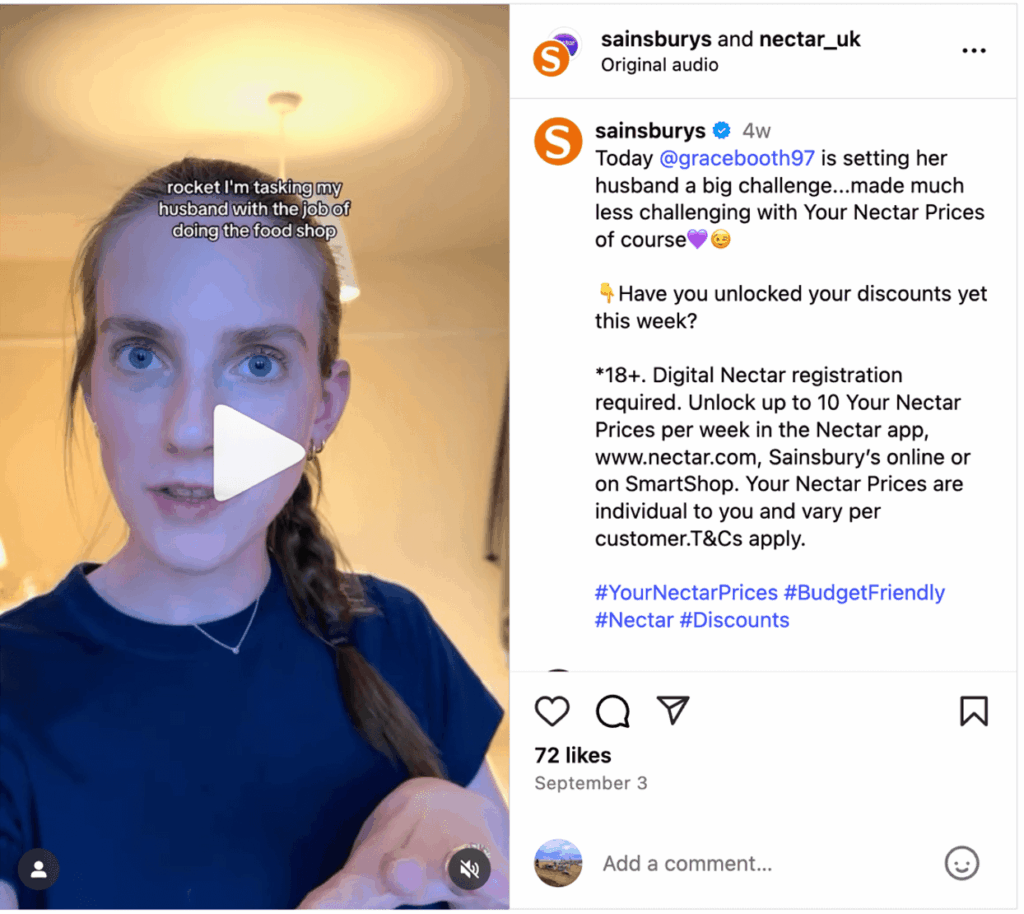
For example, UK audiences respond well to witty storytelling and informative content that provides an authentic brand experience. UK retailer Sainsbury’s takes advantage of this differentiator with its Nectar App campaign, sharing fun user-generated posts from customers participating in the “Your Nectar Prices” challenge.
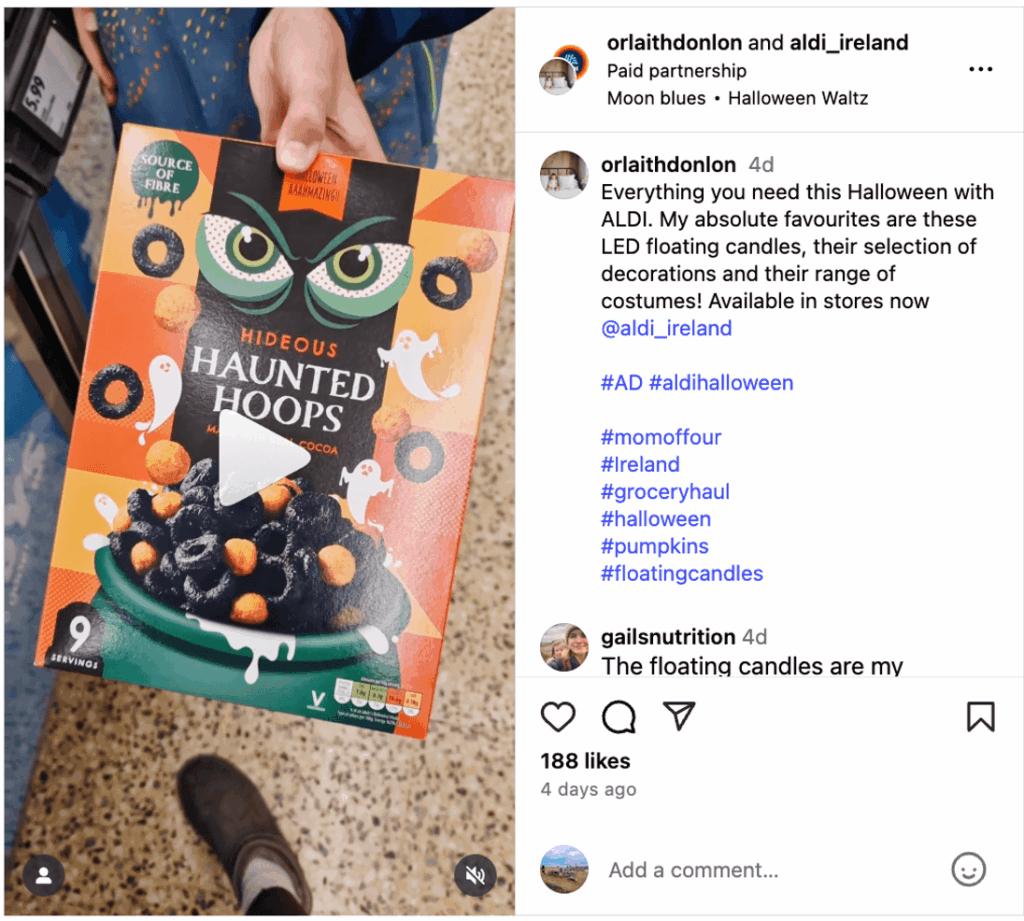
Localizing social media profiles further strengthens the connection with audiences. Brands like Aldi do this effectively, with separate Instagram accounts for the UK and Ireland that reflect local humor, seasonal events and regional preferences. Aldi also leans into paid partnerships to reach different audiences, like the example below.
By creating profiles that speak directly to each audience, you increase engagement and loyalty while keeping the overarching brand narrative intact. This approach helps you remain culturally resonant while enabling you to experiment with network-specific formats and meet local expectations, without compromising brand identity.
3. Sharpen B2B vs. B2C approaches
To win back audiences reeling with social media fatigue, you need to tailor your B2B and B2C approaches.
For B2C, creativity and network trends are powerful tools to capture attention in crowded feeds. However, these should always be grounded in your core brand voice. Using social media trends thoughtfully can keep your content current and relatable without sacrificing consistency or authenticity.
B2B strategies, by contrast, should prioritize reliability, thought leadership and relationship-driven engagement. B2B audiences value consistency and expertise over flashiness, but that doesn’t mean your content has to be boring.
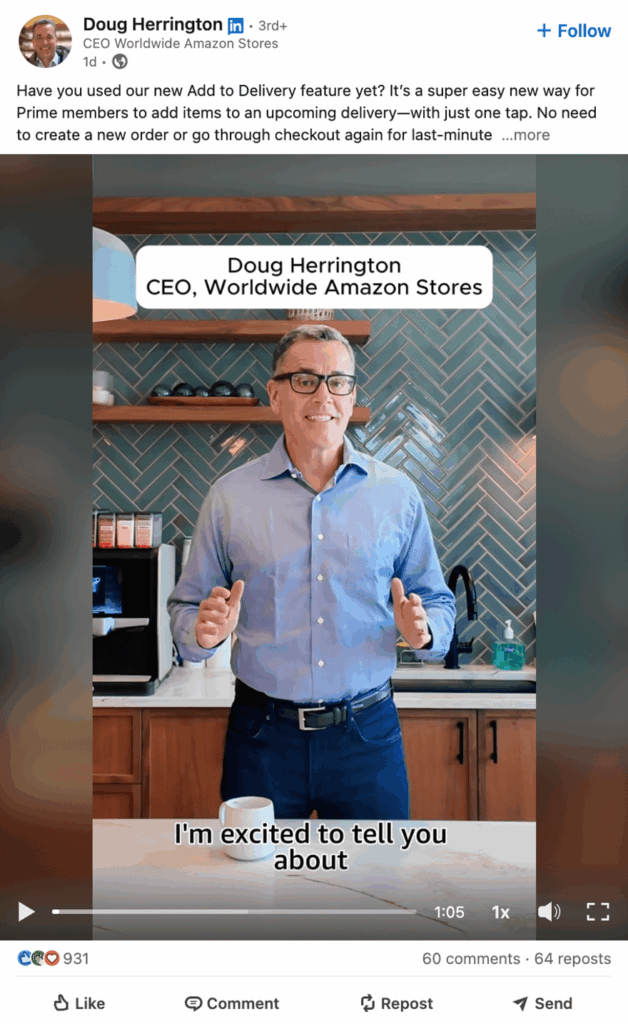
Amazon’s social strategy highlights this through its relatable content.
Whether it’s a LinkedIn post about its 2025 Amazon Devices and Services event in NYC, or CEO Doug Herrington talking about how he’s using Amazon’s new Add to Delivery feature, the brand has perfected the balance of relatable B2B content without being stuffy.
Tools like Sprout’s LinkedIn integration further enable you to hone in on your B2B strategy by enabling you to track the performance of leadership content. These insights help strengthen executive visibility and drive higher brand engagement.
4. Integrate across channels
Social media shouldn’t operate in isolation. Use social insights to create impactful drivers across your content and paid campaigns. Recycle what resonates on social into email nurtures, landing pages, paid ads or even blog content to reinforce brand cohesion across touchpoints.
By weaving social learning into other channels, you maximize reach, strengthen consistency and ensure your best ideas don’t get lost in the constant churn of the feed.
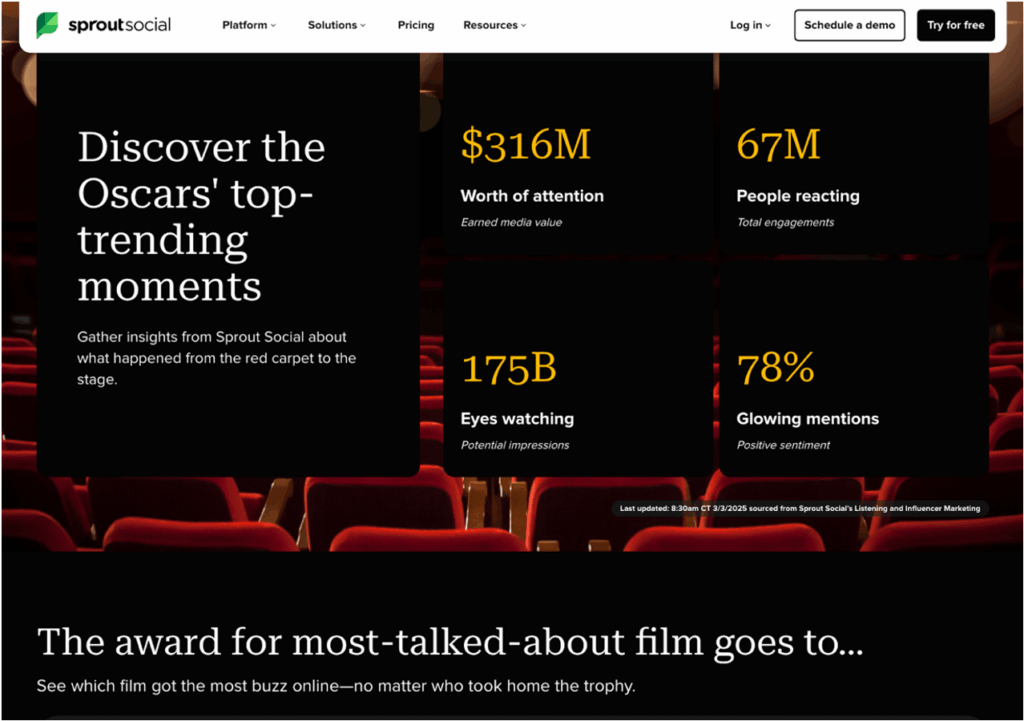
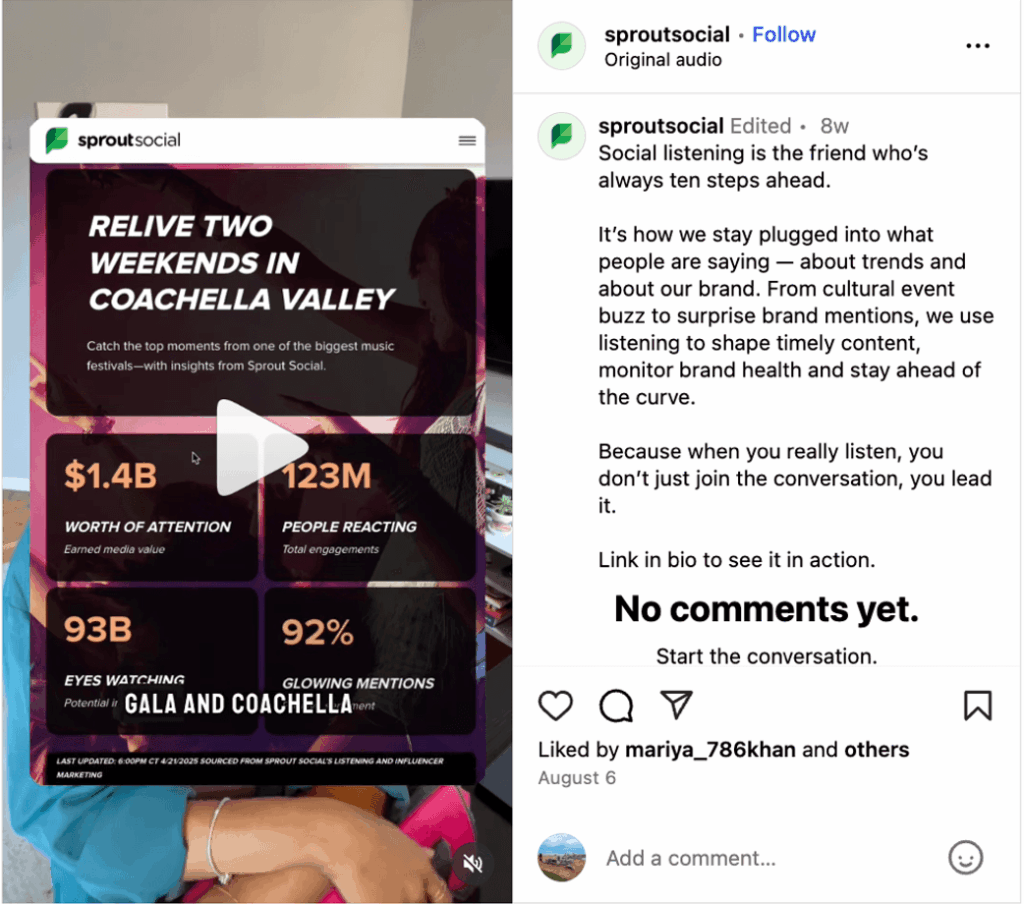
For instance, at Sprout, we use social insights from our Social Listening and Influencer Marketing platforms to create landing pages that help our audience tap into the latest trending content. These pages help us quickly create relevant content around major global events like the Oscars and Coachella.
The strategy has provided a 77% increase in our brand awareness year-over-year, highlighting our social intelligence tools.
We also crafted social posts highlighting the impact of the pages, and in doing so, repurposed content to reinforce brand cohesion and messaging.
5. Humanize without losing authority
Audiences facing social media fatigue are drawn to brands that feel human, not corporate. But relatability should never come at the expense of credibility. Showcasing humor, behind-the-scenes moments or community spotlights creates warmth and connection, but every piece of content should still tie back to your mission and brand personality.
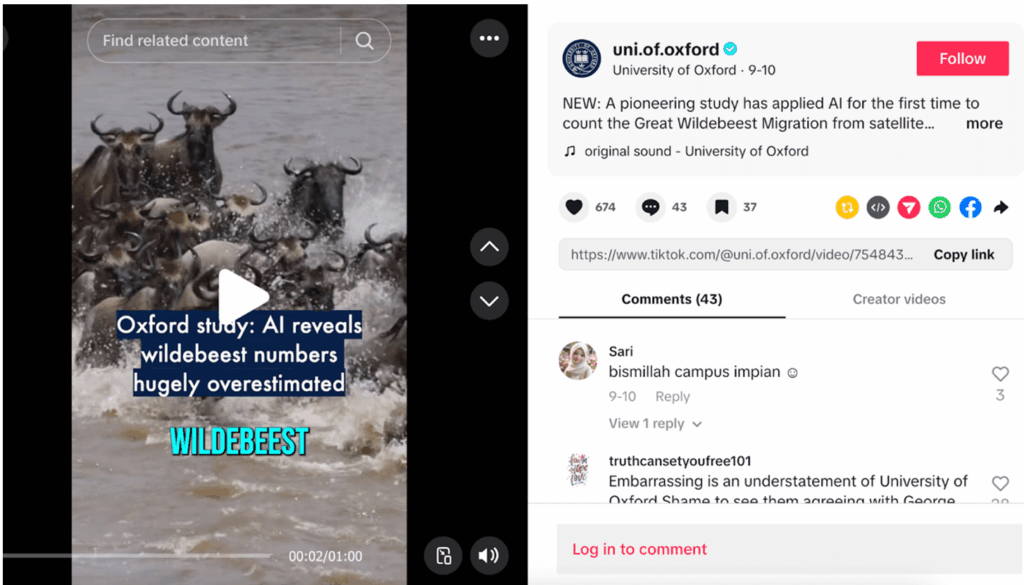
For instance, Oxford University’s TikTok presence blends authentic academic experiences with faculty-driven content to strike a balance between the formal and informal. The key is maintaining brand clarity, regardless of format or network. The university is very popular on TikTok in the higher education sphere, and posts content as varied as behind-the-scenes of its departments, reaction videos, student day-in-the-life and Q&As.
6. Rethink success metrics
Vanity metrics like impressions and follower counts feel safe, but often mask what truly matters, i.e. conversations, customer experience, and the long-term impact of customer trust and loyalty. Engagement driven by meaningful dialogue, helpful content and shared values does far more for retention than a high like-rate that disappears with the next scroll.
With 83% of UK consumers saying they feel undervalued by their favorite brands—even those they stay loyal to—prioritizing social customer care is a powerful way to counter social media fatigue and reignite genuine engagement.
Reverse social media fatigue with a cohesive brand strategy
Brands need to engage in authentic, culturally resonant, cohesive strategies to reverse social media fatigue. When you stay true to your identity while strategically adapting to local nuances, engagement follows naturally. The key is understanding what your audience values in real time while staying cemented into your core brand identity.
Social listening tools make that possible by helping you see beyond numerical metrics to uncover the moments, topics and sentiments that truly move your community.
Head of Instagram Adam Mosseri says that brands should upload two Stories per day, minimum. Other experts recommend up to seven.
That’s a lot of content, but don’t be overwhelmed.
Getting your Instagram Story game right means boosting engagement, driving conversions and marking yourself as a UK brand for UK consumers. All you need is a range of content ideas at the ready to fill your calendar.
Looking for inspiration to keep up with your Story content? Here are some Insta Story ideas for a range of business objectives.
30 creative Instagram Story ideas to captivate your audience
Stories are shared exclusively with your Instagram followers. They offer a sense of exclusivity that Instagram posts or Reels sometimes lack, leading to increased engagement and brand awareness. Used strategically, they help achieve a range of business goals.
Instagram Story ideas to increase engagement
Link stickers are now a staple for keeping your Instagram followers engaged. Here are some creative ways you can use Stories and various Link Stickers to boost engagement.
1. Create a tap-to-reveal Story
Reveal stickers blur your content until a viewer taps the reveal button. It’s a fun way to tease exclusive content and boost engagement.
Include an enticing caption about what’s hidden. It could be a before-and-after shot or a grand reveal of a fantastic new product.
Test your audience with a fun, interactive quiz. It could be general trivia or questions more specific to your brand or industry. Want to keep them coming back? Make it a weekly or even a daily event.
4. Share your new posts and Reels
If you want to boost your latest Instagram Reel’s view count, share it in your Story. You can either copy the link and add a clickable sticker to the story or click “add to story” for easy navigation.
This can be in the form of a poll, another interactive sticker or a request for followers to comment. Ask your followers about product features you have in the works or what kind of content you should make more of. This has the dual benefit of increasing engagement and helping you understand customer preferences.
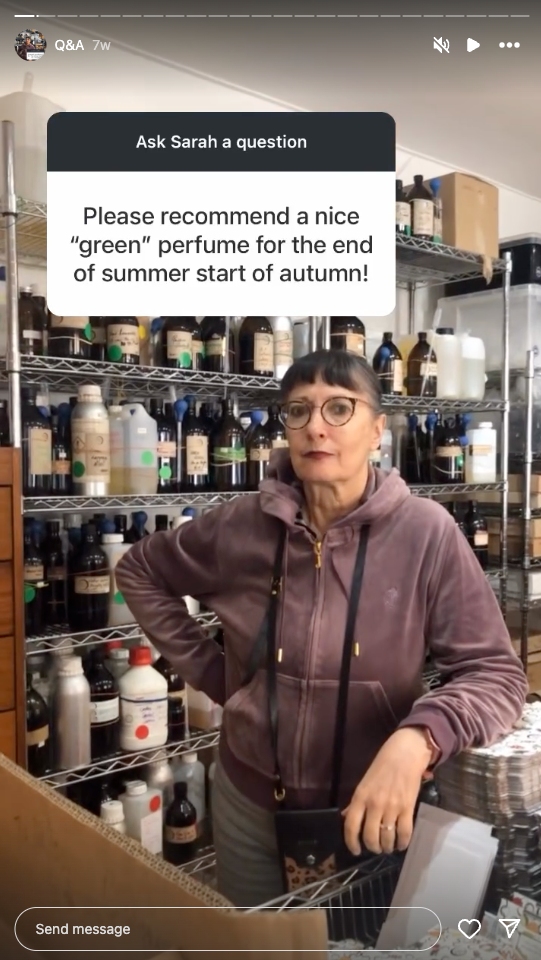
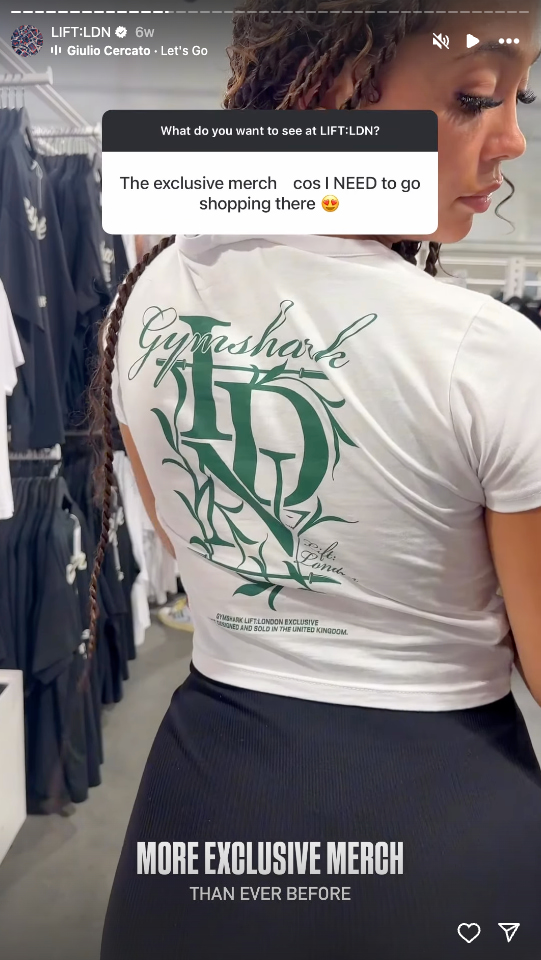
You can host your own “Ask Me Anything” on Instagram with the question sticker for Stories. You can later answer these yourself or even feature a subject matter expert and post your answers in a Story. This will help educate your followers about your offering and why it’s important.
If it’s on brand, don’t be shy about sharing a meme in your next Insta Story. Anything that tickles your audience’s funny bone is a win for engagement.
Alt text: Book retailer Waterstones shares a meme about William Shakespeare on its Instagram. (Source:Instagram)
8. Flash giveaways
Giveaways can be a competition (like the one below) or a simple reward for loyal followers.
A monthly or even bi-monthly giveaway for active followers is a great incentive for brand engagement.
It works two ways:
Your followers will comment, like and engage more in the hopes of winning.
They’ll check your Stories more regularly to see if they’ve won.
Of course, you need to factor in costings, but the prize doesn’t have to be big. A free product, a discount code or even a personalised shoutout can be enough. The key is consistency.
Creative ways Instagram Stories can drive conversions
Stories aren’t just about keeping your followers engaged. You can also use them to drive sales.
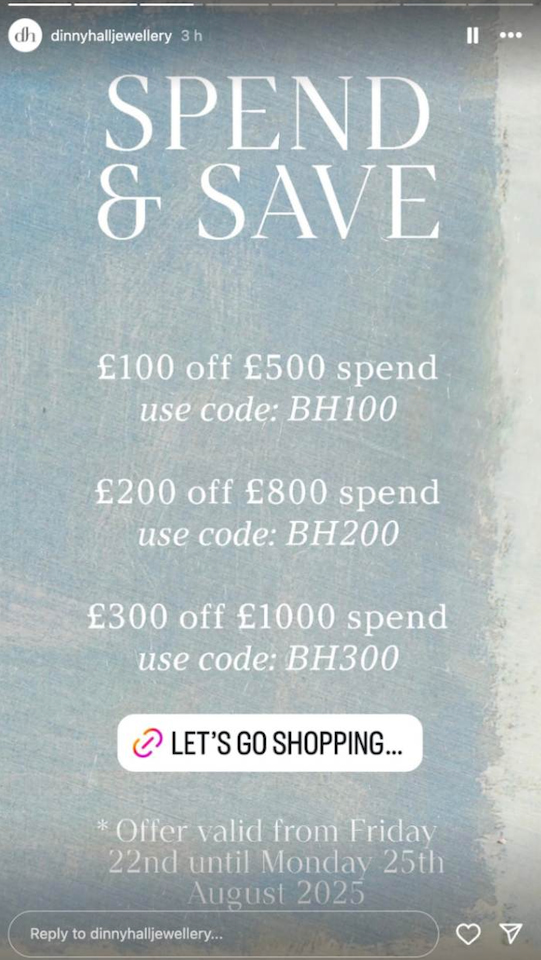
9. Promote an exclusive discount
Followers-only content promotes a sense of exclusivity and community. It rewards followers for engaging with your brand. This sense of intimacy, like your followers are part of an exclusive club, can be a powerful driver of conversions.
Build a bit of buzz with product teaser videos. This could include shots of your team beavering away behind the scenes to prepare for a launch date. When the new product finally drops, be sure to offer an exclusive followers-only discount in your next Story.
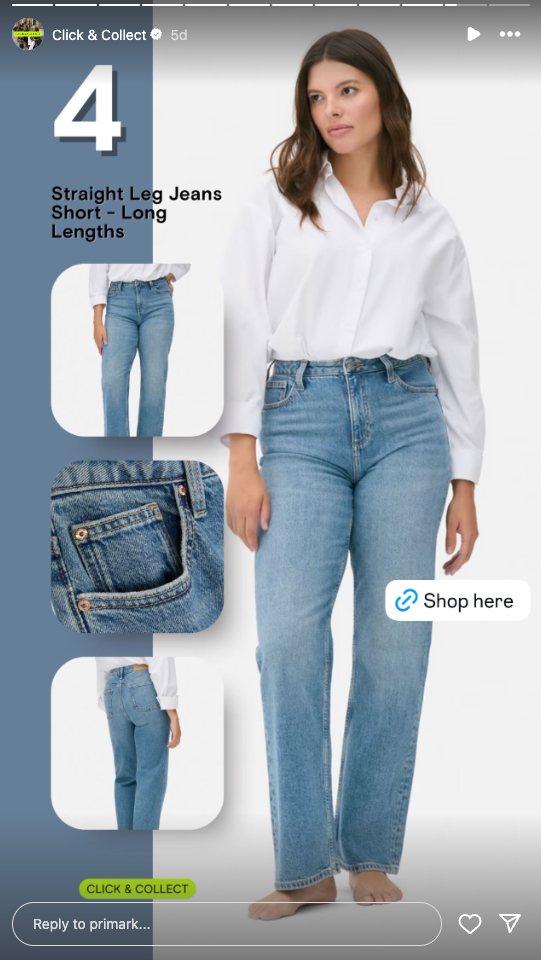
Received another glowing review? There’s nothing like social proof to build credibility, so be sure to add it to your next Instagram Story. Pair it with a product image and product sticker to drive sales.
Take advantage of the increasing ease of social commerce in the UK by using product stickers on your Stories. Even if you don’t have a sale on, Insta Story’s temporary format drives urgency and can boost conversions.
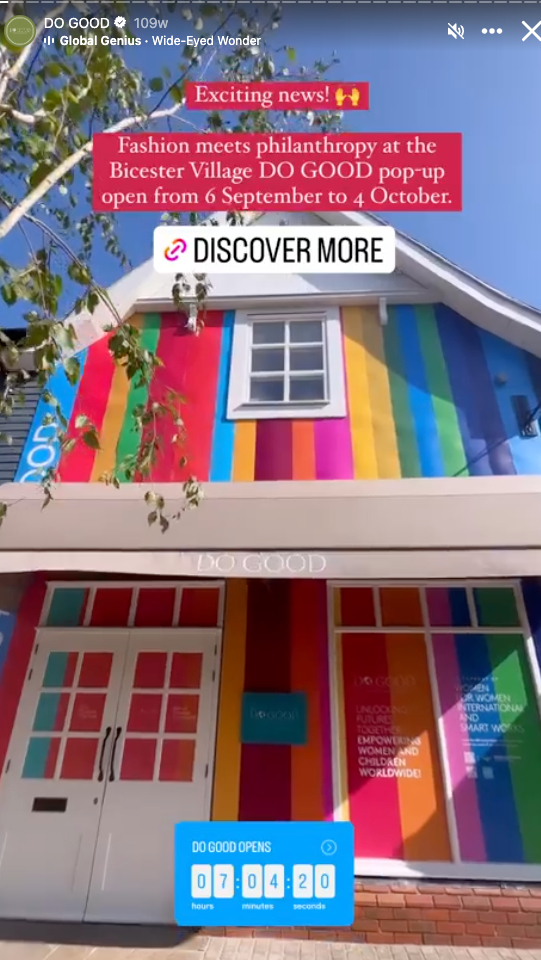
Use the countdown sticker to promote a limited-time offer for a quick sale. Ideally, this will be as long as, or shorter than, the life of your Story. If you want to leave it up for longer, save the Story to your highlights. Sharing flash sales like these on a regular basis has an added bonus. If they don’t want to miss your next sale, they’ll be watching your Stories like a hawk!
Use Instagram Stories to build community
Stories are mostly seen by your followers. The exclusivity of the format can help build a sense of community.
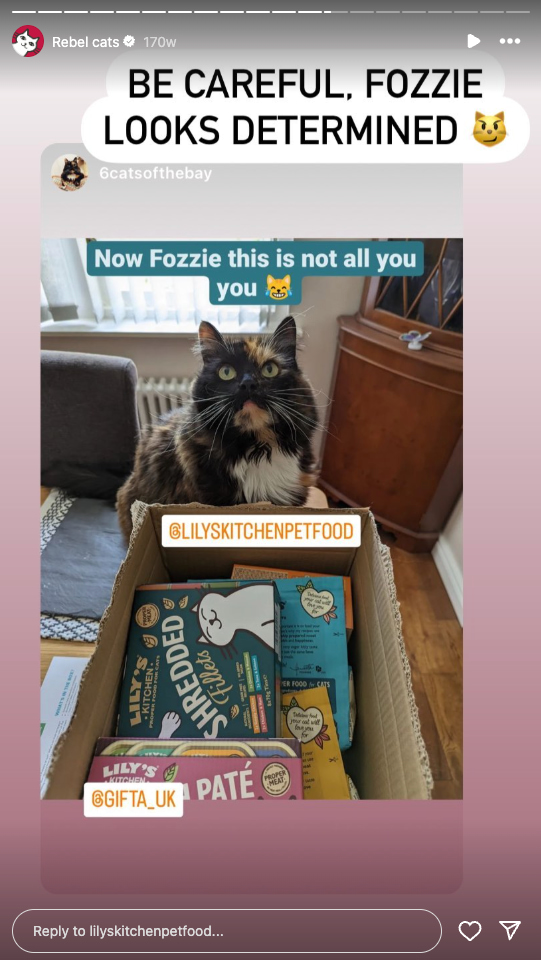
14. Put the spotlight on user-generated content
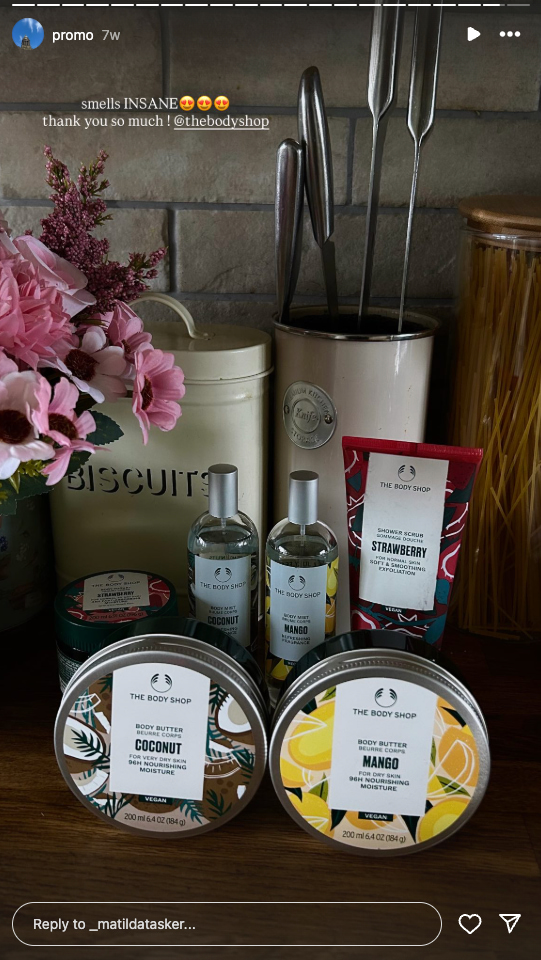
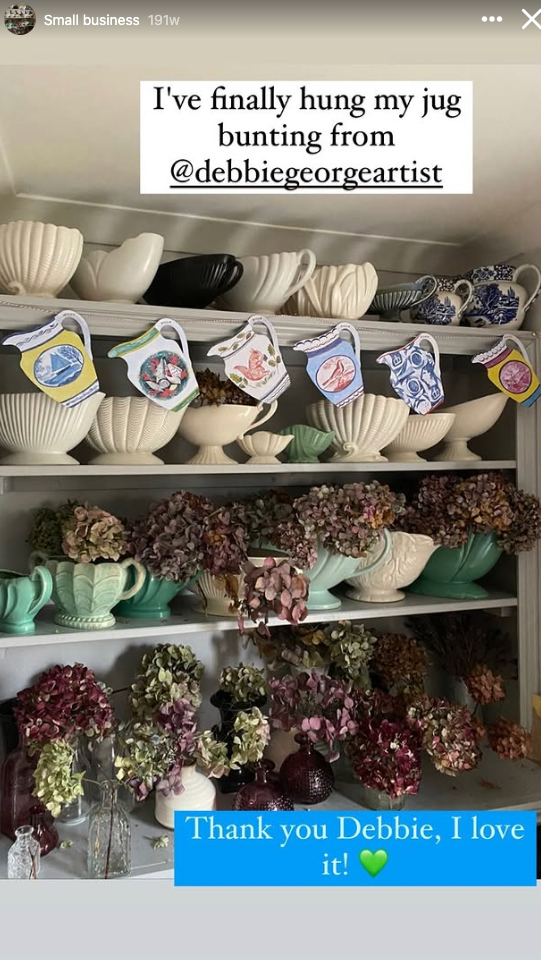
If your brand gets a shout-out from an influencer, be sure to return the favour by reposting it in your Story. It saves you from having to craft the content and it helps build a sense of community with other creators.
Take your audience to where the magic happens. Sharing behind-the-scenes footage of your workshop or office adds a sense of transparency that builds trust.
Putting your best customers in the spotlight demonstrates that your brand values the most important thing: the customer. If they’ve recently given you a shout-out, be sure to share it in your next Story!
What are you thankful for about your business that you couldn’t have done without your followers?
Let your followers know how you feel. You might even want to tag long-term and engaged followers to make them feel extra special.
18. Ask your audience for their opinion
Poll, slider or question stickers with thought-provoking questions are a great way to engage your followers and build community. It also helps you understand what your audience wants so that you can align future content, products and services to these needs.
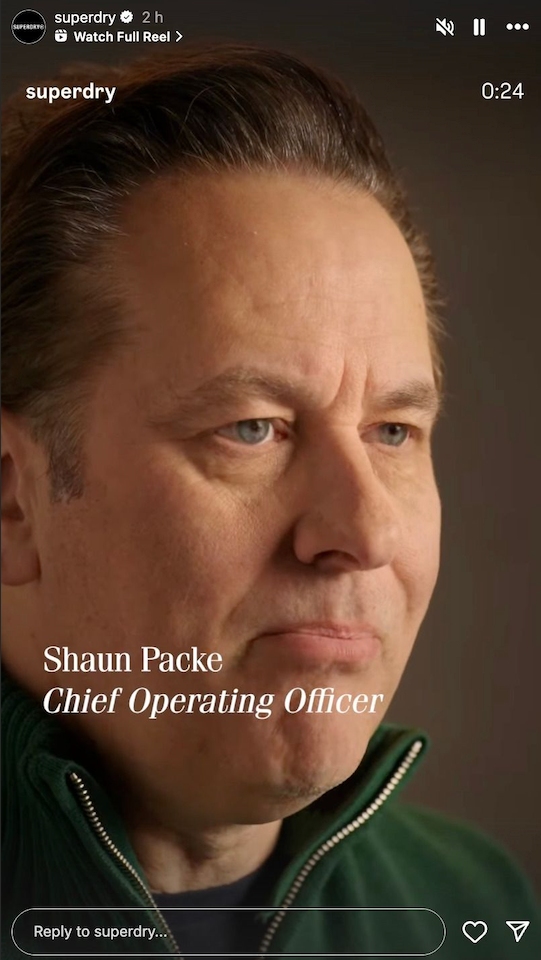
Introduce your followers to your team members. If they’re comfortable, get them talking about what they love about their job and why they’re passionate about serving your customers.
20. …Then show off your office pets
Seeing an office space with a furry co-worker has a funny effect on people. It immediately makes everybody in that office look at least 20% cooler.
If your Chief Cuddles Officer is an office fixture, be sure to include them in your Story.
21. Play a game with your audience
Fun quizzes, games and interactive challenges are simple ways to engage your followers. If possible, make it a daily or weekly thing. Think of what Wordle did for the New York Times. If you make a fun and addictive game that becomes part of your followers’ daily ritual, you’ll enjoy a huge boost in engagement.
22. Get in front of the camera
This is perfect for small businesses or entrepreneurs. If you’re the face of the business, don’t be shy. Connect with your audience by giving them a face behind the brand.
23. Answer questions
If you’re regularly fielding questions either in DMs or the comment section, do an FAQ round-up in your next story. This will show your community that you’re listening and responding to their queries.
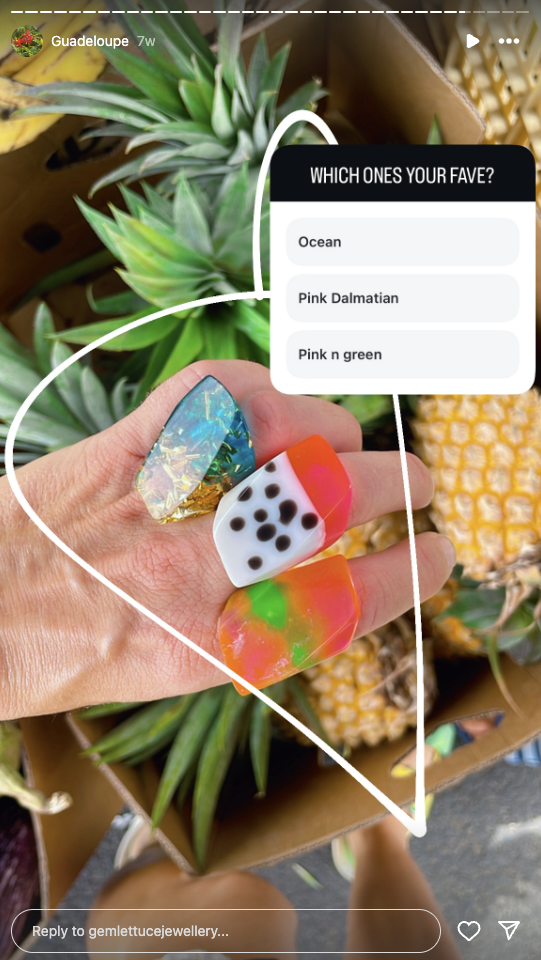
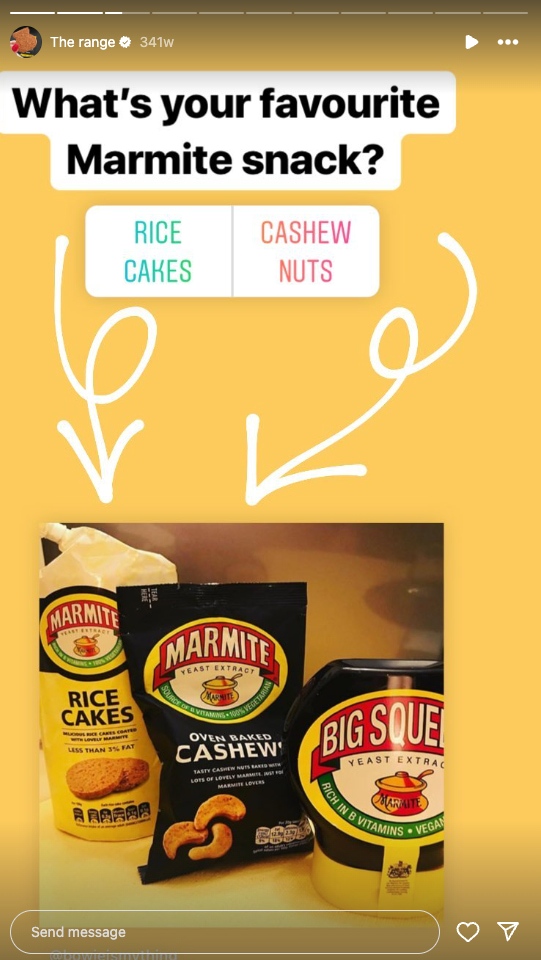
Playing “This or That” with your followers is a low-effort way to build a sense of community. This can be done easily with the Poll sticker. You can do it for trivial, fun things like:
“It’s 9am and you just walked into the office… Earl Grey, or English Breakfast?”
Or it can be used to get valuable intel for developing products. If you’re a homewares brand developing a new line of cushion covers, your “This or That” might be more like:
“Geometric or botanical prints?”
Doing this too often might project a lack of confidence, so use this sparingly.
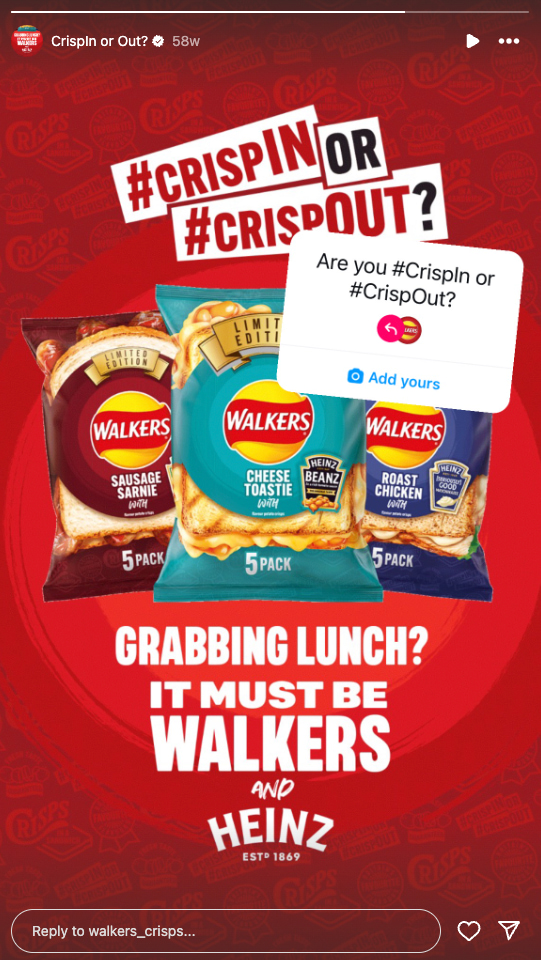
25. Announce a hashtag challenge
You can go really broad with hashtag challenges—they can be literally anything.
A homewares brand might run an at-home styling competition called #mycosyreadingnook. A wellness brand might run a best protein bowl competition called #bowlgoals.
Gaining real-time insight into how customers use your products
Encouraging repeat engagement from your most loyal followers
The key is to keep the ask simple, the timeline tight and the reward social. Recognition, reposts or even a small giveaway go a long way.
Instagram Story ideas to celebrate culture in the UK
26. Invite your audience to local events
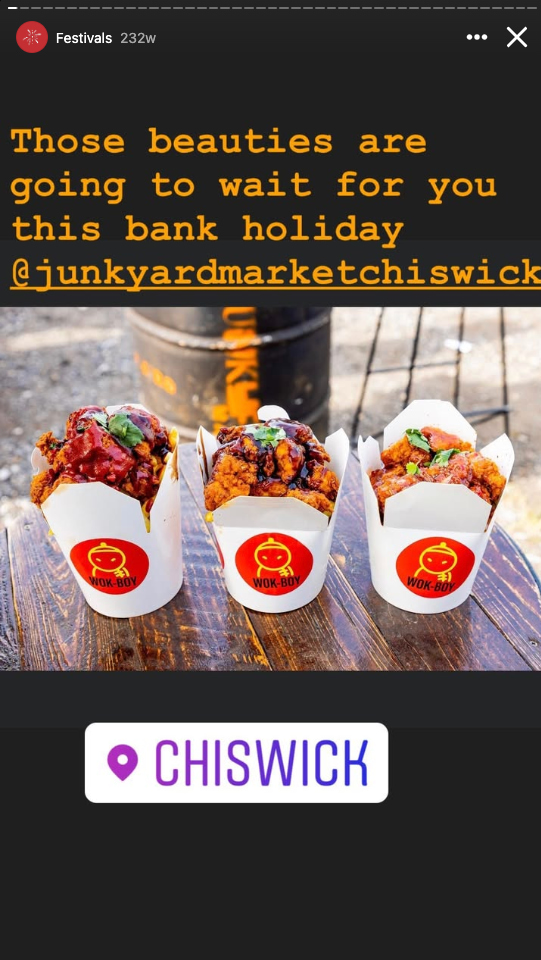
If you’re attending a local business event, let your followers know you’ll be attending. If you’re attending a pop-up market in Camden or exhibiting at a creative showcase in Manchester, share the details in advance and document the day-of highlights. Use location tags, event countdowns and behind-the-scenes content to turn casual interest into real-world attendance.
Better yet, give a reason to come say hello by offering exclusive discounts, samples or a cheeky giveaway. These Stories work especially well for businesses with a physical presence, but they also build brand affinity for online-only brands rooted in local culture. And don’t forget to save it to a Story Highlight labelled “Events” to extend its shelf life beyond 24 hours.
Give a shoutout to your business partners or other local businesses you’re engaged with. Share a quick selfie after a creative brainstorm or client meeting to add a human layer to your brand and create mutual reach for you and your collaborators.
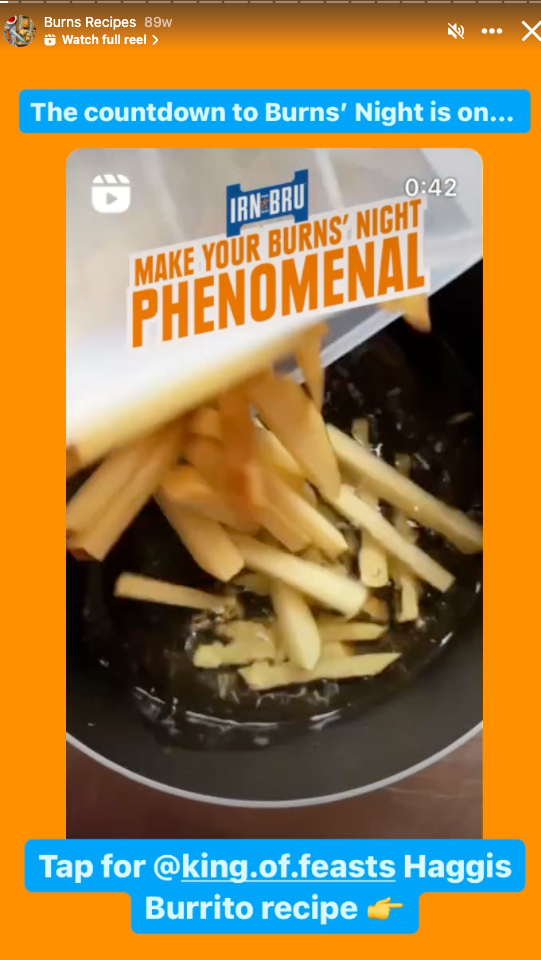
Drill down into local markets by celebrating important UK cultural events or holidays. Think Burns Night, the King’s Birthday or Guy Fawkes Night. For example, on Guy Fawkes Night, showcase a firework safety tip or a poll asking your audience to pick the ultimate bonfire snack: parkin or toffee apple?
The goal isn’t to tick every calendar event, but to show your audience you’re part of their world.
If Adele drops 38 and it’s on heavy rotation in your workshop, Coventry City finally gets promoted to the Premier League or a new season of the Great British Bakeoff is announced, be sure to share your excitement with your followers.
The key? Don’t just repost the moment, react to it. Show your team’s live commentary. Ask followers to weigh in with a poll or emoji slider. Or better yet, tie it back to your brand: “If [insert celebrity] were one of our candles, which scent would they be?”
Cultural moments like these are a great way to connect with UK audiences. According to the Sprout Social Index: UK Edition, 95% of UK consumers expect brands to stay on top of online culture, and they reward originality over repetition. Choose moments that feel aligned with your tone, and make your reaction feel like a nod between friends, not a bandwagon grab.
30. Show your support for local causes
Show your followers you care by throwing your support behind local causes that affect the UK, whether that’s supporting your local food bank, raising awareness for mental health services or volunteering with a community garden initiative.
Stories are ideal for this because they’re ephemeral, informal and action-driven. Use a mix of video and static content to explain the cause and why it matters to your team. Tag the organisation, share a donation link via the link sticker and invite your followers to get involved. You could even ask your audience to nominate a cause they care about for your next initiative.
How to turn Instagram Story ideas into real engagement
Having the right IG Story ideas is only half the battle. You need to make sure you understand best practices to make your content effective.
Create on-brand visuals
Nailing your visual branding with consistency and engaging imagery, fonts or emojis is a must. Using Canva or a similar tool to easily craft visually appealing Stories is a good first step, but having access to top-notch visual assets will turbocharge your content. With Sprout Social’s Asset Library, you can easily schedule and publish quality visuals for your next Instagram Story.
Add clickable calls to action
As above, making your Stories interactive with clickable stickers is a surefire way to drive engagement. This easy interactivity will propel your followers from passive consumption to action.
Time posts for peak viewer traffic
Some people think that timing Instagram Stories isn’t important, but this isn’t the case.
Four Stories appear at the top of an Instagram user’s feed in order of recency. This means that if you post shortly before your followers open the app, your Story will be at the front of the queue.
Tools like Sprout Social’s ViralPost® pinpoint opportune moments to help you get Stories, Reels and posts seen.
Use location tags and relevant hashtags
Hashtags in Stories may not boost reach like they once did, but location tags still matter. Tagging your city, venue or event helps your content show up in local discovery Stories. This is especially useful for local businesses or events.
Track top-performing content
Tracking the success of your Stories is challenging due to their ephemeral nature.
The native analytics that come with a business Instagram account offer a sense of how your IG stories perform, but Sprout Social’s Premium Analytics give you the full picture:
Campaign and post-performance tracking: Easily measure reach, impressions, replies and exits across your Stories and Reels, helping you pinpoint what drives engagement in your following.
Smart Inbox: Receive and reply to comments and other interactions, all in one place.
Listening tools: Monitor your brand mentions and hashtag uses with sentiment analysis to gauge how Instagram users respond to your brand and content.
Tagging system: Categorise Stories and other content by theme, campaign or product to make analysis and reporting easy.
Instagram content strategy made easy
With a solid understanding of what Stories can do for your brand and a range of ideas for each purpose, you almost have everything you need to boost your Instagram marketing and drive real business results.
All that’s left is to set yourself up with tools that make scheduling, posting and tracking your Instagram content easy.
Ready to take the next step? Sprout Social has you covered. With powerful insights that help you analyse your social media performance, you’ll be able to experiment easily, find what works with your audience and nurture your following with targeted content.