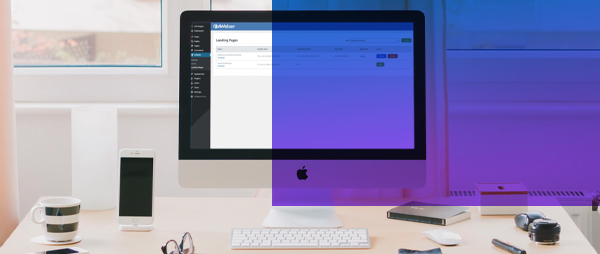
A great landing page is a fantastic tool to help you grow your audience. With AWeber, you can get your landing pages up and running quickly — without design or coding skills — while saving money and promoting your products, services, or events with ease.
Since we announced AWeber Landing Pages, we've received awesome feedback and suggestions from customers like you.
We are thrilled to announce we recently added new features to our AWeber landing pages to make it even more powerfully-simple to grow your audience.
The power of AWeber landing pages in WordPress
With AWeber's landing page builder, you can create visually-stunning landing pages that match your site branding, integrate seamlessly with your AWeber email marketing, and can be added easily to your WordPress website in seconds.
Step 2: In WordPress locate the landing page you published using the AWeber Landing Page Builder.
Step 3: Link the landing page to any page within your WordPress website. Our plugin will automatically copy everything needed over to WordPress.
Optional step 4: If you ever update your landing page in the future, simply click the "Resync" button in our WordPress plugin, and your revisions are instantly copied over your WordPress page.
Change all template styling options in one location
The AWeber Landing Page Builder makes it super easy to personalize your landing page to match your website, emails, and other brand assets.
You can now set your landing page's default settings for font style, text size, text color, and link color. If you add new elements to your page, the design elements will have the default settings that you selected.
Step 1: Click the "Design" tab under the "Page Properties" settings.
Step 2: Select your header font, body font, font color, and link color.
Step 3: Select the background of your template. Upload a new image or select a stock image from the “Image Gallery.”
Easily share your landing pages on social media.
The AWeber Landing Page Builder makes it super easy to share your landing page on social media.
Fill out the page title, page description, and image you wish to share on social media. Or AWeber can pre-populate the social media descriptions for you automatically using the content that you entered on your page. You'll never have to worry that a page you share on social media will have incomplete content.
Step 1: Click the blue "Setting" button under "Page Properties."
Step 2: Under "Social Sharing" fill in the social description: page title, page description, and image.
Step 3: Publish your landing page on social media by clicking the publish button. A social share button will appear, simply click the button to share on your social media networks.
Connect AWeber with WordPress today
Connecting AWeber with WordPress requires absolutely zero coding experience. It instantly provides you the ability to integrate your email marketing with your WordPress website.
And your AWeber account includes everything you need to get started — sign up forms, landing pages, email templates, and pre-built campaigns.
These days, you’d be hard pressed to find a university or higher education institution without a presence on social media. Regardless of which platform universities choose, social media enables universities to cultivate a sense of community for students and to engage with their alumni base.
And though some may view social as little more than an awareness play, the reality is social can support higher education institutions at all stages of their marketing funnel. With a robust social strategy, universities can strengthen their international profile, influence prospective students’ decisions and turn graduates, employees and industry partners into staunch advocates.
In this article, we’ll break down what the university marketing funnel looks like and how your social strategy supports each stage of the funnel. We’ll hear from expert social marketer, Rob Brooks, who will show us how his team puts this strategy into practice for The University of Newcastle, Australia.
Social supports all stages of the marketing funnel
When it comes to aligning your social strategy with your marketing funnel, Rob recommends identifying what you hope to achieve at each stage of the funnel and how social can support those goals.
At the awareness stage, one primary goal for The University of Newcastle centers around recruitment. Here, Rob’s team is focused on getting their university’s name in front of as many prospective students as possible and strengthening their brand on social. Consider what social platforms are most popular among high school students and what content will resonate strongest with students starting to think about university.
As students move into the consideration stage, how might marketers use social media to serve up content that encourages prospects to ask for more information? Sharing content like a glimpse at the different types of learning opportunities available to students can entice prospects to learn more about your offerings.
Once you have your audience’s attention, using social to highlight your university’s unique selling points can help lead students through to the decision stage of the funnel. Rob’s team, for example, uses social to showcase what makes the University of Newcastle different from other universities, like the values of the institution and the location of the campuses.
Moving into the adoption stage, this is where universities can leverage social to support students as they enroll and settle into university life. Universities, for example, can use social to educate students on important dates for class registration or highlight lesser known certificates across a range of disciplines.
Finally, consider the role of social media in supporting advocacy. The University of Newcastle has an alumni network of over 148,000 former students and has more than 9,000 staff. As another way of engaging their audience, Rob’s team features current students, staff and alumni to highlight the lifestyle and career opportunities which come from being part of the university community.
👷 💪 "I realised there was so much power in engineering… to really change the world." Alum @RennyChivunga saw first-hand how the deterioration of water systems in Zimbabwe impacted lives. Now she's determined to inspire change.@WES1919#INWED20https://t.co/47KRNmWZ0y
— University of Newcastle (@Uni_Newcastle) June 22, 2020
Social data is the key to success
In order for your full-funnel marketing strategy to be successful, every social team needs to lean on their data.
For Rob, social data is what enables his team to connect their work to a specific business outcome and to act as strategic advisors to stakeholders across the university. And to ensure there’s a clear tie between social performance and business outcomes, there are several social metrics Rob’s team uses to measure performance at various stages of the marketing funnel. In the awareness stage, they are looking at metrics like impressions and follower growth. For the consideration stage, metrics like link clicks matter most while conversion metrics support the university’s goals at the decision stage.
With Sprout Social’s analytics offerings, social teams are empowered to quickly aggregate social data and create reports filled with insights like historical performance data and campaign analysis. In addition to maintaining the big picture of all the university’s social platforms, Rob is also able to measure his team’s performance and gather data around things like task completion and customer care response times.
Above all, data helps social teams provide context around why something works and where adjustments need to be made to achieve goals at each stage of the marketing funnel. Marketers can help educate their executives on what social awareness means, what efforts are successful and why going viral isn’t always the answer. Social data also equips marketers with the proof they need when making the case for additional resources when crafting a social strategy.
Tag and track everything
One can never have too much social data to work with, especially when it comes to building a full-funnel social strategy. To further slice and dice social data, Rob employs Sprout Message Tagging to keep track of every post sent from their university’s account. It’s not unusual for Rob’s team to tag a piece of outgoing content with 10 different tags, from who publishes a specific piece of content to the key stakeholder to the content pillar.
Tags make it possible for the University of Newcastle’s social team to report back on that piece of content’s performance and whether or not it is effective for their goals at its intended stage of the funnel. Rob is able to see, for example, that user-generated content has an engagement rate more than double the university’s created content. With this information, the social team can then double down on giving students the content that resonates strongest with them.
"It was so quiet on campus today you could almost hear these messages ❤️ " – 📷 by Alum and @uonlib staff member Sas (@sasbowyer on Instagram) pic.twitter.com/9hnB0Zd2DR
— University of Newcastle (@Uni_Newcastle) May 6, 2020
Consider how tagging further helps empower social teams like Rob’s to align their strategies to two specific stages of the funnel:
Awareness. With tags, marketers can dive deep into their data to allow their content strategy to evolve the way it should: based on the immediate needs of their audience. High school students might be interested in webinars or photos showing campus life, while content featuring professors may be less likely to catch a prospect’s eye. With this data, social teams can pour their resources into the content that is proven to raise awareness amongst potential applicants.
Decision. Tagging also enables social teams to attribute conversion metrics like application button clicks to specific pieces of content. Using Sprout’s URL Tracking feature, Rob’s team can report on post-click actions on the university’s website and which social post drove that action. Tagging data can help marketers determine which channels are most effective in driving conversions, and allows social teams to report on more than just vanity metrics.
Do more with your university’s social strategy
With social data, marketers can do more than support their university’s awareness goals. In addition to getting their university’s name in front of prospective students, social marketers can move prospects through the marketing funnel to the decision-making stage.
But to create a full-funnel marketing strategy, social teams need to embrace their social data. At the University of Newcastle, data fuels the social team’s strategy—and they have meaningful results to show for it. With Sprout, marketers can easily measure social performance across the entire marketing funnel and simplify reporting so they can invest more time in strengthening their social campaigns.
For social marketers in higher education looking to implement a full-funnel social strategy that drives results, try Sprout Social with a free 30-day trial today.
Welcome to TNW Pride 2020! All throughout June we’ll highlight articles that focus on representation for LGBTQPIA+ people in the STEM communities. Click here to check out all of our Pride 2020 coverage. Pride month isn’t over yet. Sunday, 28 June, will mark the reason for the season as we celebrate the 51st anniversary of the Stonewall Riots. And that means the biggest events are happening this weekend. Both NYC and Global Pride kick into gear this weekend as well as many other celebrations and performances. Oh, and did I mention these are all online? The majority of traditional Pride events – marches and…
Note: This article was based on Material Components version1.2.0-beta01as of June 1, 2020.
In my three and a half years working on a small Android team at Sprout Social, one of the main things that motivates me to come into work every day is the freedom and trust from our company to tackle a problem in whatever way we deem best.
The freedom to research and explore many different solutions to a problem we deem necessary, while accounting for a timeframe to deliver on product updates, enables us to find the best solution for both our customers and our software.
One such challenge involved building a UI component for our new Mobile Reporting feature. This new component was a month picker, which allowed our users to scope a date range for an analytics report.
The starting place we picked was the existing Material Components Library. Rather than starting from scratch, this library is actively maintained and aligns with the Material specifications. With this library as a foundation, we could likely reduce the amount of logic we’d have to write ourselves.
In this article, I’ll cover how we approached this process, some unique factors in building for the Sprout Android app, a few “gotchas” that came up (and were fixed) along the way, and what to know if you’re working on a similar project.
Introduction
The Android Material Components 1.1.0 Release introduced a new Date Picker UI Component. One of the welcome additions of this new MaterialDatePicker over the AppCompat CalendarView is the ability to select a range of dates using either a Calendar View or a Text Input Field.
The old AppCompat CalendarView was not very flexible. It was a good component for the limited use case it was meant to solve; that is, selecting a single date and optional minimum and maximum dates to specify an allowed date range bound.
The new MaterialDatePicker was built with more flexibility to allow the use of expanded functionality of behavior. It works through a series of interfaces that one could implement to tweak and modify the behavior of the picker.
This behavior modification is done at runtime through a set of builder pattern functions on the MaterialDatePicker.Builder class.
This means we are able to extend the base behavior of this MaterialDatePicker through composable interface components.
Note: While there are a number of different components the MaterialDatePicker utilizes, in this article we will cover the Date Selection Component only.
Date range picker
The Sprout Social Android team was in the process of building our Analytics Reports Section.
This new section would allow our users to select a set of filters and a set of date ranges that the report would cover.
The MaterialDatePicker came with some pre-built components that we could leverage to accomplish our use case.
For our most common case, allowing a user to select a range of dates, the pre-built MaterialDatePicker would suffice:
With this code block, we get a Date Picker that allows users to select a date range.
Monthly date picker
One of the Sprout Social reports that has more unique date selection is the Twitter Trends Report.
This report differs from the others in that instead of allowing any kind of date range, it enforces a single month selection, meaning a user can only select March 2020 vs March 3 to March 16, 2020.
Our web app handles this by using a dropdown form field:
The MaterialDatePicker does not have a way to enforce such a restriction with the pre-built Material Date Range Picker discussed in the previous section. Fortunately, MaterialDatePicker was built with composable parts that allow us to expand the default behavior for our particular use case.
Date selection behavior
The MaterialDatePicker leverages a DateSelector as the interface used for the selection logic of the picker.
From the Javadoc:
“Interface for users of {@link MaterialCalendar<S>} to control how the Calendar displays and returns selections…”
You’ll notice that the MaterialDatePicker.Builder.dateRangePicker() returns a builder instance of RangeDateSelector, which we used in the example above.
This class is a pre-built selector that implements DateSelector.
Brainstorming a monthly date selection behavior
For our use case, we wanted a way to have our users select an entire month as a selected date range; e.g. May 2020, April 2020, etc.
We thought that the pre-built RangeDateSelector referenced above got us most of the way there. The component allowed a user to select a date range and enforce a [lower, upper] bound.
The only thing that was missing was a way to enforce a selection to auto-select the entire month. The default behavior of RangeDateSelector has the user select a start date and an end date.
We wanted a behavior so that when a user selects a day in the month, the picker will then auto-select the entire month as the date range.
The solution we decided on was to extend the RangeDateSelector and then override the day selection behavior to auto-select the entire month instead.
Luckily, there is a function we can override from the interface DateSelector called: select(selection: Long).
This function will be invoked when a user selects a day in the picker, with the selected day passed in UTC milliseconds from the epoch.
Implementing a monthly date selection behavior
The implementation turned out to be the simplest part, since we have a clear function we can override to get the behavior we want.
The basic logic will be this:
User selects a day.
The select() function is invoked with the selected day in a Long UTC milliseconds from the epoch.
Find the first and last day of the month from the given day passed to us.
Make a call to super.select(1st of month) & super.select(last day of month)
The parent behavior from RangeDateSelector should work as expected, and select the month as a date range.
Putting it all together
Now that we have our Custom MonthRangeDateSelector, we can set up our MaterialDatePicker.
To take the example further, we can process the result of the selection like so:
The result will look like this:
Gotchas
There was just one major issue that made it difficult to arrive at this solution.
The primary components used to build our MonthRangeDateSelector were the class RangeDateSelector and the interface DateSelector. The version of the library used in this article (1.2.0-beta01) restricted the visibility of these two files, to discourage extending or implementing them.
As a result, although we could successfully compile our new MonthRangeDateSelector, the compiler did show a very scary warning to discourage us from doing so:
One way to hide this compiler warning is to add a @Suppress("RestrictedApi") like so:
This experience illustrates how, even though the Material Components Library has provided some great new components to the Android Developer Community, it is still a work in progress.
A great part of this library is the openness to feedback from the Android Community! After discovering this component visibility restriction, I opened an issue on the Github Project, and even opened a PR to address it right away.
This open feedback loop between the Material Components Team and the Android Community breeds great collaboration and results for everyone.
Conclusion
The new MaterialDatePicker has some great out of the box functionality that will likely cover most use cases of date selection.
However, the best part of it over something like the AppCompat CalendarView is that it is built in a composable way. Therefore, it can be easily extended and modified for specific use cases, whereas it would be much harder to accomplish such things in the CalendarView.
Special thanks
I’d like to highlight some folks that helped peer-review this article:
Welcome to the Social Spotlight, where we dive deep into what we love about a brand’s approach to a specific social campaign. From strategy through execution and results, we’ll examine what makes the best brands on social tick — and leave you with some key takeaways to consider for your own brand’s social strategy.
Overview
Like many organizations have in 2020, the Trevor Project has had to be agile in its messaging and digital programming to make up for loss of in-person touchpoints with its audience during the global pandemic. An organization dedicated to crisis intervention and suicide prevention resources for LGBTQ+ youth, the Trevor Project works diligently to create virtual and IRL communities for young people who feel they don’t otherwise have the support they need as they come out or embrace their full selves. The isolation many LGBTQ+ feel has been exacerbated by the mandated quarantine of COVID times, but the Trevor Project has found even more effective ways to connect with the individuals and groups most in need of its services through social media.
What you can learn
1. Reimagine your connection points.
Like many organizations that serve the LGBTQ+ community, the Trevor Project has participated and supported Pride Month activities such as parades in the past. Without the ability to be a part of in-person celebrations in 2020, the org turned instead to creating a virtual celebration of Pride and anchored it with a featured video. But one video does not make a community celebration, so Trevor Project created a custom filter, available on its website, that gives everyone the ability to make their own photos look like those in the hero video.
Getting started: If you’ve felt that the COVID-19 shutdown has made it difficult to feel connected to your community, it may be helpful to revisit the strategic tenets of your past in-person events to remind yourself of what the overall brand goals of the event were, and apply those same goals to your social strategy. For instance, if your goal for a live event was to give your brand audience a place to show off their individuality, prioritize creating a virtual space for them to do the same.
The parades and festivals may be cancelled this year, but Pride is not! I took the money I would have used on vodka sodas and overpriced ride shares and donated to @TrevorProject. #PrideEverywhere! ❤️🧡💛💚💙💜🤎🖤 pic.twitter.com/HFvXW2i3ka
The Trevor Project knows that its audience is by nature inclined to support others who have been marginalized, so the recent social uprising for racial justice enabled the organization to rally its resources and followers around the intersectional causes that align with its own. By creating content in support of Black Lives Matter and Black LGBTQ+ youth, the Trevor Project creates community around an actionable cause.
Getting started: Spend some time evaluating your organization’s values and identify opportunities to support overlapping or subset groups within your own audience. Creating intersectional content that encourages different groups to virtually link arms with each other in a show of mutual support will not only widen the audience for your content, but create a shared sense of purpose that promotes community growth.
— The Trevor Project (@TrevorProject) June 2, 2020
3. Change the conversation for the better.
The Trevor Project exists in the first place because its audience of at-risk LGBTQ+ youth often feel like outsiders, without the support of others who may be feeling the same way. By normalizing the difficult feelings and specific challenges of its audience, the org created a community where none existed for many of its followers. That’s a powerful thing.
Getting started: Whether you’re a nonprofit, a small B2B company or a large B2C brand, you know your audience–their likes and dislikes, of course, but also the pain points and struggles they share. Creating content that not only names those struggles, but invites your audience to form community around them within the “safe space” of your brand, demonstrates your understanding of their needs and empathy for them as individuals and groups.
US Customs and Border Patrol agents flew unmanned aerial vehicles over crowds of Black Lives Matter protesters in at least 15 cities in June. According to government officials, the feds were just keeping an eye on the situation. Despite the fact these were Predator drones – the same kind the US used to assassinate a foreign general earlier this year – the mission was strictly surveillance. The drones were reportedly unarmed. Officials say the drones carried no onboard facial recognition software, but nearly 300 hours of film was streamed to ICE agents and other CBP personnel during the operation. Despite…
Marketing leaders often take a unique path to get to managing a social media team. The journey isn’t always linear: while some come up through the social ranks, plenty learn about social and gain their communications experience from public relations, content, creative or account services roles.
And while the responsibility of leading a social team often comes as part of a promotion, the unfortunate reality is that it can also come from restructuring or downsizing. As we’ve seen lately, COVID-19 has forced some marketing departments to reduce ad spending and downsize teams, meaning that there are plenty of marketers who are getting involved in managing social media for the first time.
If you’ve recently found yourself managing the social team, it’s essential to understand the valuable, challenging and growing responsibilities of social media managers. Given that 89% percent of consumers say they will buy from a brand they follow on social, one of the most important things you need to understand is that social can be a powerful business growth driver…as long as you get up to speed quickly and help your team advance your strategy.
In this article, we’ll address how you can get up to speed on social quickly, align business and social goals, protect your team’s mental health and cultivate a productive relationship with social practitioners.
Start with these major must-haves
If you’re less familiar with social media, genuine curiosity will get you a long way. Get to know your social media team members, ask all of the questions, make sure you truly understand the answers and don’t be afraid to admit that there are gaps in your knowledge of social.
As you get to know your social team and their responsibilities, consider asking questions like:
Who is our target audience?
What social platforms do we focus on and why?
For a new brand that suddenly has to put its foot on the pedal, how can we get our brand discovered and increase our share of voice on social?
How are we using social media data? Do we have a system to track and report on social data? If not, what do we need in order to establish one?
What metrics are we reporting on and what do those metrics really mean? Ask for specific definitions if you need them.
How can I make your job easier and help you achieve your social goals?
Before diving into this conversation, brush up on your foundational understanding of social with the Sprout Social Index, our annual state of the industry report that shows how consumers and your fellow marketers are approaching social. If you’re ready to learn more about how to use social data for industry benchmarks, turn your focus to this article.
Balance your knowledge with your social team’s expertise
In the latest Sprout Social Index, we learned that marketing leaders are 36% more likely than practitioners to say growing their audience is a primary goal, while 69% of practitioners cite increasing brand awareness as their top priority. However, in this example, one goal helps achieve the other; growing your audience followers shows that you’ve increased awareness. Collaborate with your social team to bring together strategy and tactical tips and establish shared goals with your teams right out of the gate.
Social media practitioners spend most of their time interacting, communicating with and catering to the brand’s audience. They have access to a wealth of knowledge about who their customers are, what content resonates the most with them and what their audience wants from brands on social. Marketing leaders, on the other hand, are focused on big picture company goals and are tasked with finding ways to support other departments. Working together to set goals will help practitioners shape campaigns, strategies and tactics that contribute to all parts of your business.
To truly understand your audiences there is no substitute for being in the platforms themselves every day.
That's why social media decisions should be made by those who manage the channels.
Not by those in the c-suites.
— Jenny Li Fowler (aka dishwashing queen) (@thejennyli) June 22, 2020
While most people use social to some extent, marketing leaders need to acknowledge that the practitioners are the experts on how your brand should use it strategically. They know your audience and how social works best. Let your social teams know they are in charge while also helping them to shape the narrative around top-of-mind goals. You look to them for the voice of the customer, but know when you need to step in to remind them to think more holistically.
Leaders must also understand what challenges your social media team is facing and what are potential blockers getting in the way of achieving your goals. While it will vary from marketer-to-marketer, the thing marketers struggle most with is identifying and reaching their target audience, followed by measuring ROI.
Marketing leaders have the experience, influence and expertise to help social media managers overcome these challenges. Invite them to meetings with other departments to share social insights with the larger team. Coach them on creating a business case to secure resources they need to monitor competition or measure ROI. Build your team’s influence internally by encouraging them to make proactive recommendations and coach them on what business goals they can inform or support using social data.
Learn about the day-to-day of your social team
It’s essential for leaders to have a full understanding of the social media manager’s day-to-day. Social media marketing isn’t just a set it and forget it kind of thing—it requires constant attention and critical thinking. If you think that social marketing is a simple job, think again.
Get to know the many small but time-consuming tasks that your social team tackles each day. For instance, how much time goes into responding to inbound messages? How long does it take to source, write and schedule a social calendar? How often is your social media manager analyzing and reporting on data?
At some companies, social media may just be one aspect of a marketer’s job. If a marketer is also writing blog content, building out creative assets or developing communication crisis plans, that’s a lot of responsibilities on top of their social media work. Understanding their workload will help you find and eliminate any inefficiencies that could free up time for marketers to focus on more in-depth work.
I’m starting to think that asking ONE person to be a
Content creator
Community manager
Digital strategist
Data analysist
Graphic designer
Videographer
Writer
Photographer
Crisis communicator
Ad buyer
etc
and calling them “social media manager” is a little much, don’t you agree?
Social media managers wear many hats. They are creatives, analysts, customer advocates for the rest of their organization and so much more. Acknowledge how much work they do and regularly check-in to ensure that they feel supported and how you can lighten their workload.
Address the emotional labor required of social media managers
There’s a lot to love about social media, but there’s also a dark side. With the recent examples of both COVID-19 and the growing movements for racial equality, social media practitioners have been in a high-pressure situation for months. They act as the face of their brand which puts them in a position that comes with extreme levels of scrutiny.
The direct connection your social media managers have to your audience makes their perspective invaluable. If your company is making a difficult decision, you must have social media staff in the conversation. They know better than anyone how your fans and customers will react.
Whether a brand is working to overcome its own crisis or trying to find the right way to take a stand during times of extreme unrest, social teams play a vital role in delivering the message. As a leader, you might help with crafting the response and providing approval to post on social, but ultimately, social media managers are the ones that will take the brunt of any criticism, backlash or verbal abuse from the public. As a result, SMMs are constantly battling burnout and taking hits to their mental health.
I am 0% shocked by the number of extremely amazing strategic communications professionals that are looking to RUN, not walk, away from a career in social media admist three months of nonstop crisis communications, stress, and minimal support.
Don’t let your social media practitioners suffer in silence. As soon as you step into your leadership role, let your team know they can speak up, express their concerns, and be heard if they’re feeling overwhelmed or burned out.
Continue to educate yourself
Social media managers learn about new trends, consumer behaviors and invaluable data every single day. It’s essential for marketing leaders to hold regular meetings with their social team where they can break down what’s working, what’s not and how the brand can leverage social insights to pivot or improve upon a strategy.
These meetings will expand your social knowledge, but leaders should continue to educate themselves on their own time. Go straight to the source and follow other social media leaders and trade publications on social. Here’s a shortlist of some accounts to follow:
This spring, we hosted Sprout Sessions Digital 2020, a virtual event where more than 3,200 social marketers spent a full day connecting and learning from one another about how to propel their brands forward. For the first time in #SproutSessions history, we’ve made several recorded sessions available for all marketers looking for advice on what’s new and next in social. Watch them here.