Wednesday, 24 June 2020

A Large Email List Alone Doesn’t Generate Revenue, But Leveraging Affiliate Relationships Does

GetOrganizedNow.com helps people get organized

GetOrganizedNow.com helps people live healthier, happier, and more productive lives by providing tips to help them get organized. 

The site’s founder Maria Gracia has successfully grown her email list by offering visitors free, valuable content in the form of e-books, checklists, challenges, articles, videos, and print-ables. She also strives to offer relevant products through affiliate links in her emails.

However, Gracia learned that a large list by itself doesn’t generate revenue. And consistently offering fresh, relevant products to earn income takes a lot of time, energy, and financial resources. That's why Gracia co-markets her products — and the products of other like-minded entrepreneurs — through AWeber’s integration with ClickBank.     

ClickBank is an affiliate marketplace that allows entrepreneurs to earn income on commissions of other people’s products that they promote and sell. It is a win-win both for the product owner and the affiliate promoting the product. Not only do both parties earn revenue, the affiliate saves time finding products they know their audience will love. 

It all starts with an awesome lead magnet to grow your list.

Gracia creates new content every few months by regularly following current trends and observing what other small businesses offer as lead magnets. She currently offers two free resources to help people survive and thrive while social distancing. 
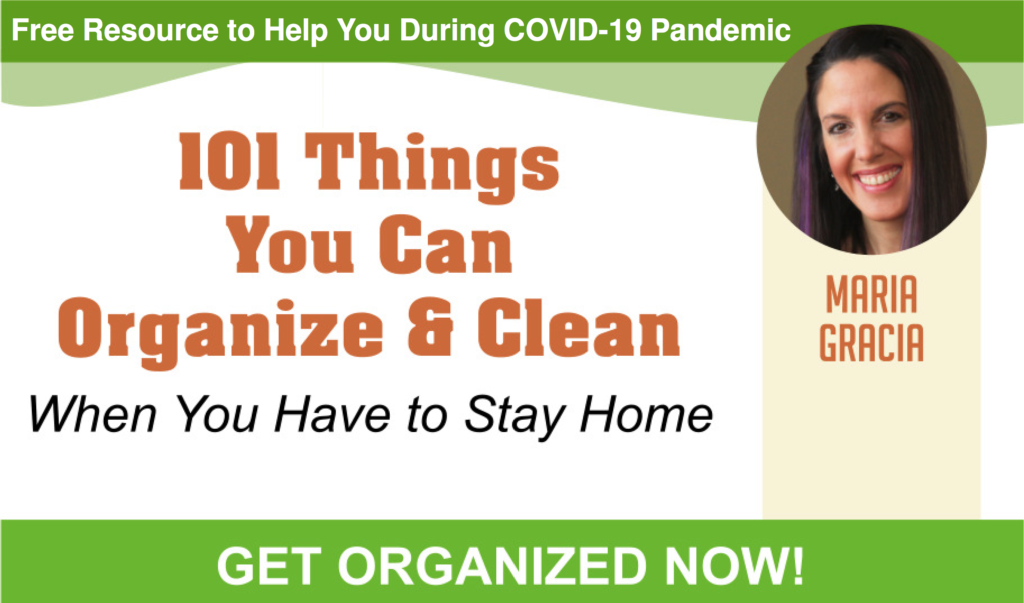
Her audience has been grateful for the free content, and GetOrganizedNow.com has experienced a nice bump in its subscriber growth.

"Instead of just offering our free newsletter, we have found that offering different resources, like the COVID-19 guides, are not only very timely and needed right now, but they are working really well to help grow our list," says Gracia. 

Place signup forms everywhere you can.

Gracia mentions the free resources on her website and social media channel.
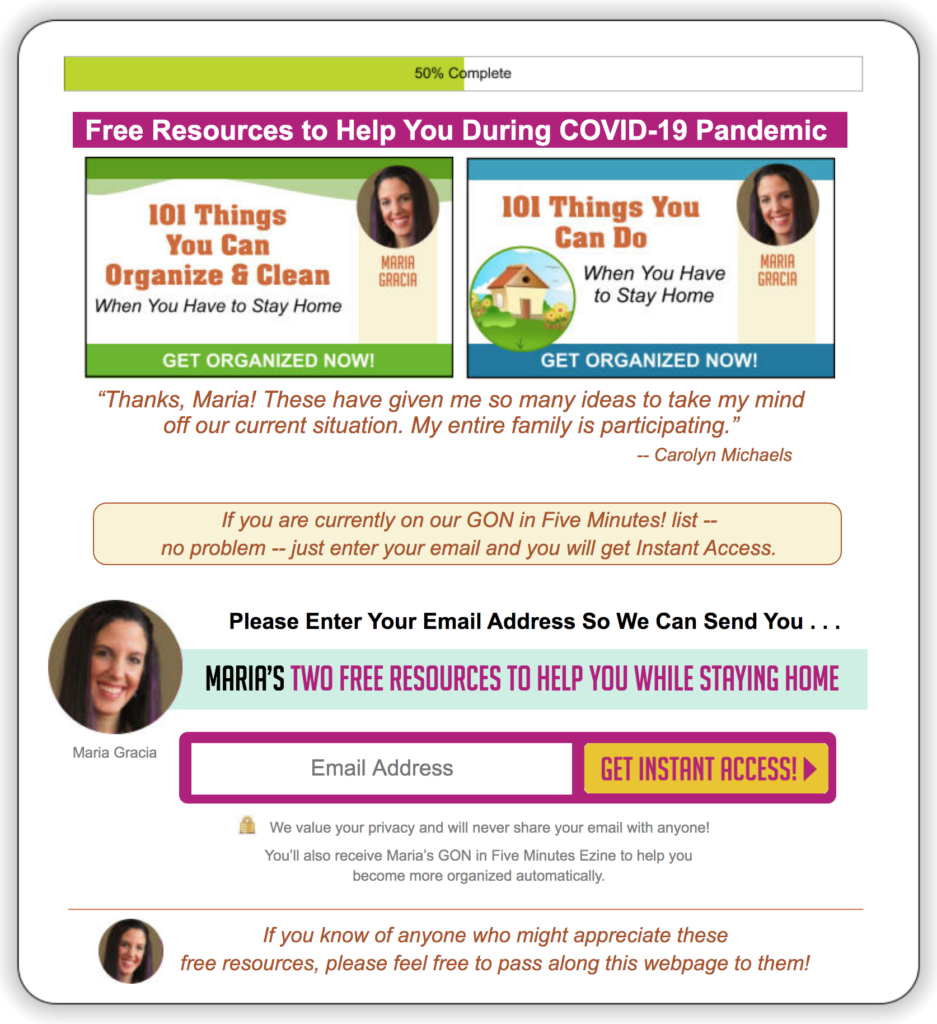
Sign up form to access two free resources

There is not a single page on GetOrganizedNow.com where you will not find a link to a sign up form. The AWeber sign up forms detail the content subscribers will receive and includes an attractive image to catch their eye. Gracia only asks visitors for their email addresses to keep the process as streamlined as possible for people to be added to her list.  

Gracia encourages subscribers to share her free resources and tips with family and friends, and collects additional email addresses through a sign up form link in her newsletter. 

 Related: 16 proven sign up form ideas to grow your email list.

Automated emails welcome new subscribers. 

Gracia welcomes each new subscriber with an automated welcome email  that details what they can expect as a new subscriber to GetOrganziedNow.com.

“I can't imagine a business without email marketing. And if you don't have a newsletter or some kind of free content to offer your list, people may leave or find valuable content elsewhere. I think that's such a disservice when a business doesn't have an email newsletter list,”says Gracia.
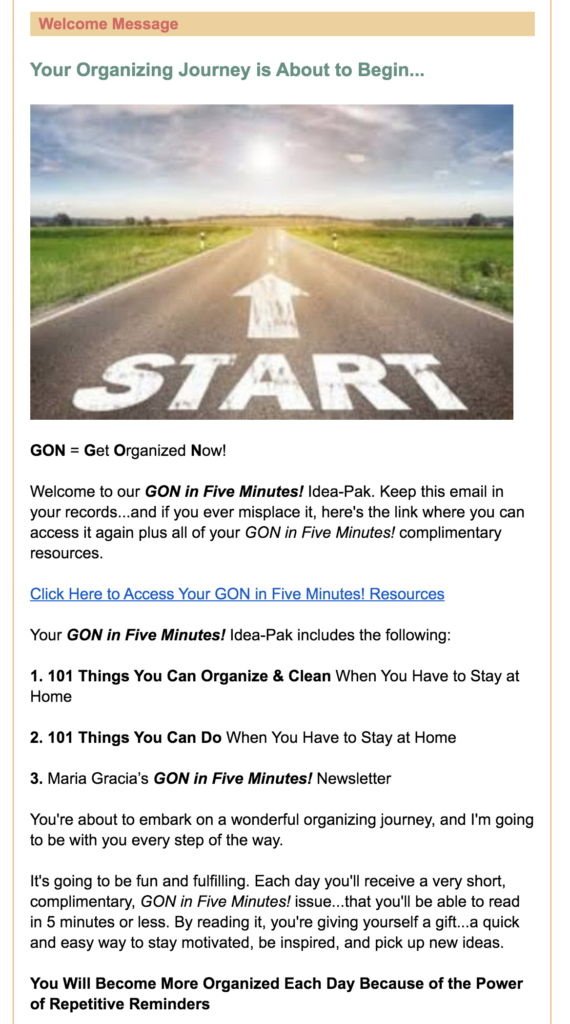
Get Organized Now autoresponder

Related: How to write the perfect welcome email in under one minute.

Co-marketing with affiliate partners can increase your revenue.

Three essential pieces have all come together to grow the GetOrganizedNow.com business.

  1. Free content to grow their email list
  2. A free daily newsletter that recommends a product of the week
  3. Revenue from the weekly showcased product 

It can be challenging to keep your product line fresh and varied enough to be a regular revenue source. GetOrganizedNow.com has found co-marketing with other entrepreneurs helps to supplement its own product line. GetOrganizedNow.com helps to promote other companies' products, and other companies promote their products in return.

"When it comes to co-marketing, everything is very transparent, and it's working out well for us. Co-marketing, as with everything else, takes a little bit of enthusiasm and a little bit of work to find the right products and partners. It's just a matter of building relationships, and it can be a slow, but worthwhile, process. Sometimes you find a partner that is amazing for you," says Gracia.

How repetition and a sense of urgency in email marketing generate sales.

Each week GetOrganizedNow.com showcases a new product. They feature the same product throughout their daily emails that week.  

The product of the week is showcased daily with a short description and a visual.

Product of the week short description and visual

Gracia writes a detailed description of the product and the specific limited-time bonuses offered.
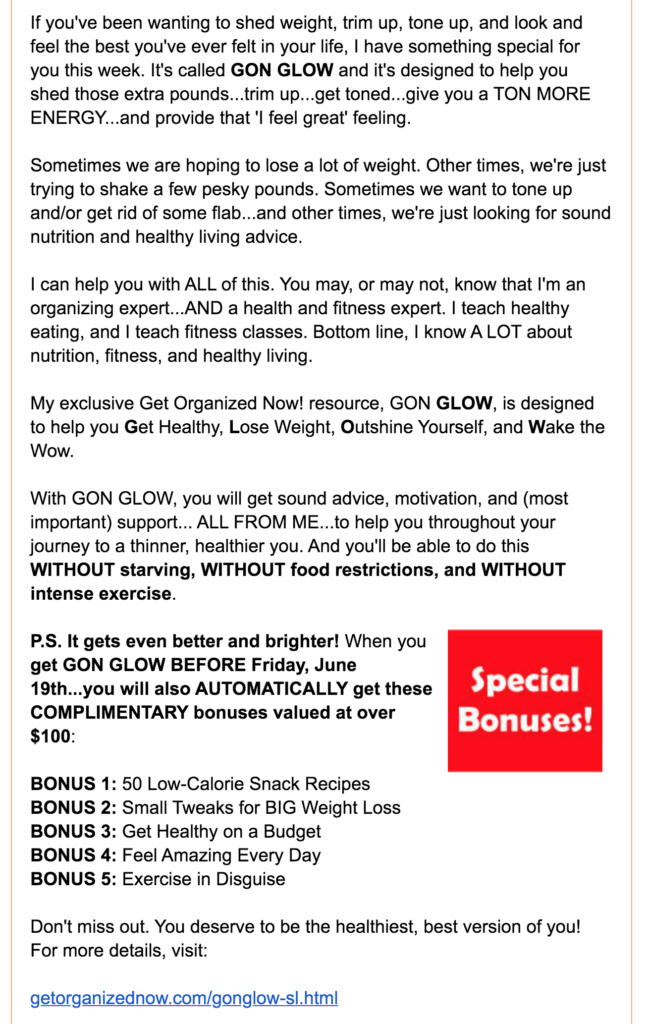
Detailed description of the product of the week and the specific limited timed bonuses offered.

On the 6th day, the graphic is changed to read: "24 hours left."

GetOrganizedNow.com 24 hours graphic.

On the 7th day, the graphic is changed to read: "4 hours left."

GetOrganizedNow.com 24 hours graphic

GetOrganizedNow.com found a daily email with a sales expiration countdown to be very effective. "There are two emails that go out, one at 24 hours left and one at 4 hours left. Those two emails alone nearly quadruple the sales that we've gotten earlier in the week. It creates a sense of urgency. And our readers have expressed that they appreciate the reminders. I'm helping to organize the people who want to get organized on my list," says Gracia. 

Select your co-marketing partners carefully.

GetOrganizedNow.com is very careful about companies they work with to ensure that their product is represented correctly.

"We want to make sure that people understand who we are, and our mission to help people get organized. We don't just want to sell stuff. We want to make sure our product or the affiliate product we are co-marketing helps the person who is purchasing it," says Gracia.

For example, during the COVID-19 pandemic, many people focused on their yards and landscaping while they were sheltering in place. One of the affiliate products that GetOrganizedNow.com decided to showcase was a program on landscape designs.

GetOrganziedNow.com affiliate offer with landscaping design product.

Use email to connect with your affiliates to sweeten the deal.

GetOrganizedNow.com sends out a monthly contest. Gracia offers cash rewards to encourage affiliates on her email list to promote her product. 
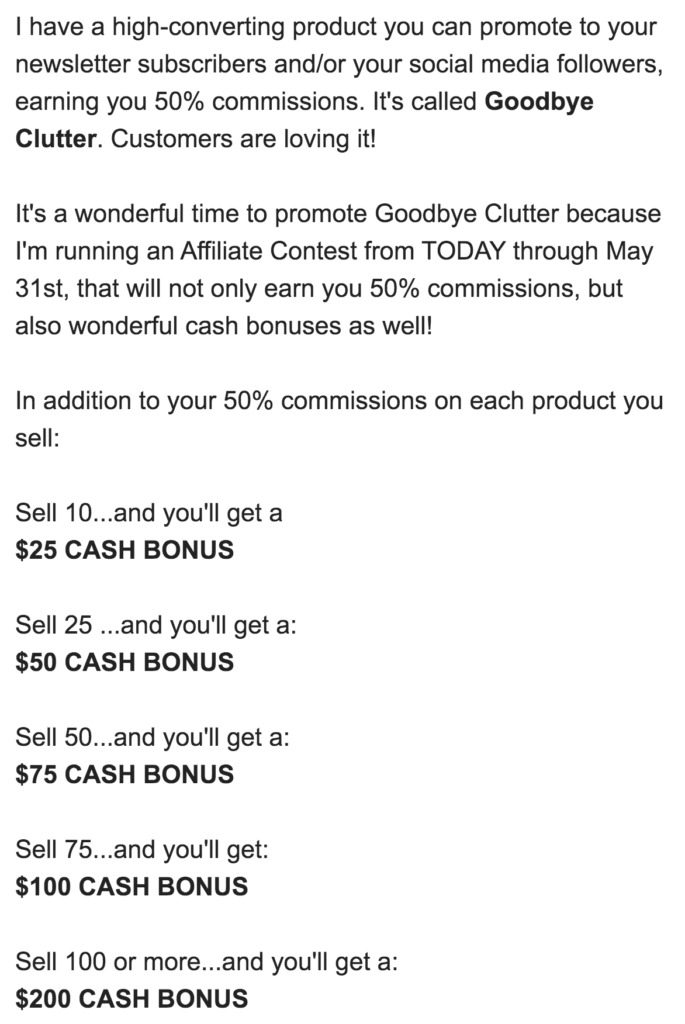
GetOrganizedNow.com email to affiliates about contest to earn a cash bonus

Finding affiliate products is easy with integrations like ClickBank.

ClickBank is a global retailer and affiliate marketplace. You can submit your product for other affiliates to sell, or select products to sell in your newsletter. It is essential to select products that you feel will resonate with your audience.

AWeber’s integration with ClickBank makes co-marketing and affiliate product promotion incredibly straightforward. You select the product and get a link to put it in your newsletter or on social media. When a member of your audience purchases that product, you receive a commission. Commissions vary by product, but generally, they are around 50%. 

"So it's a win-win situation for everybody. I think ClickBank is wonderful because, especially with a lot of new businesses, they don't have their own products. I can't imagine only having my own stuff to sell, it's just not enough. You have to offer people a wide range of products. I highly recommend it because it's another income source for businesses," says Gracia.

Keep your newsletter fresh and current.

GetOrganizedNow.com regularly tests and evolves its newsletter format. They used to send out a lengthy email once a week. They have recently adjusted the frequency to daily and also significantly changed the format.

Name change

The name of the email has changed to "GON in Five Minutes!" Every single newsletter sent can be read in five minutes or less, and they even include the exact time that a particular newsletter will take to read.
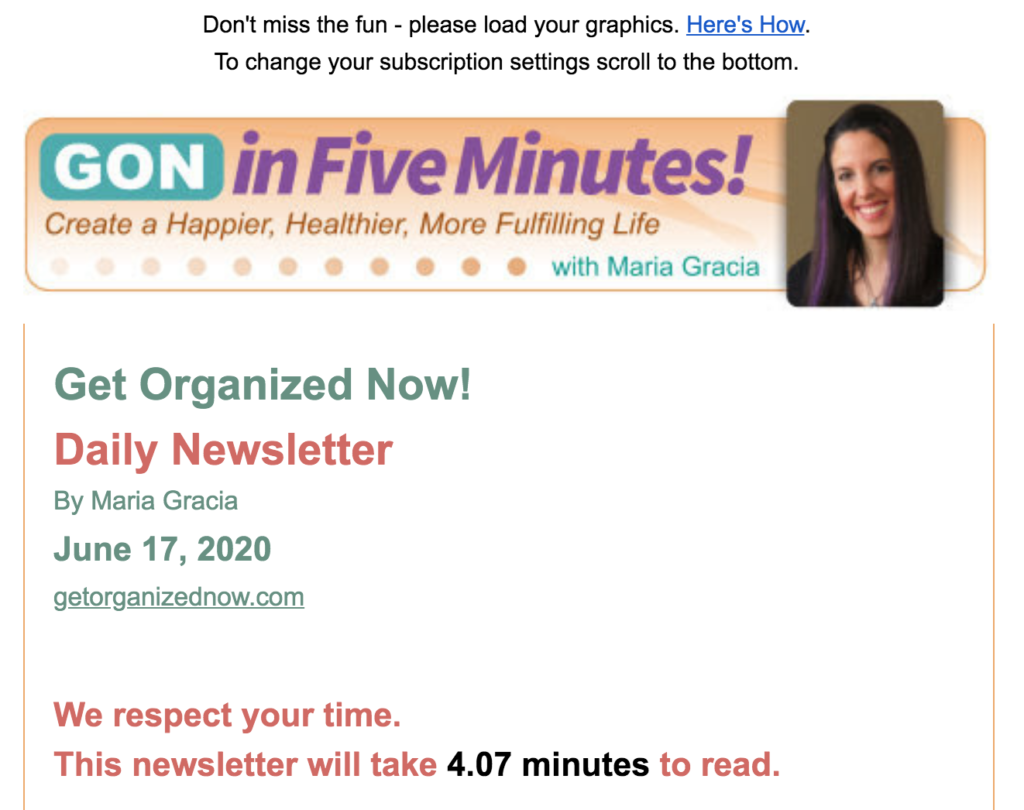
GetOrganizedNow.com email highlighting the time it will take to read the email.

One piece of rich, organizing content

Each newsletter contains one essential organizing tip, guide, or step-by-step process. The content rotates between an organizing checklist, organizing strategy, a reader's question, or the reader's suggestion on how to get organized.
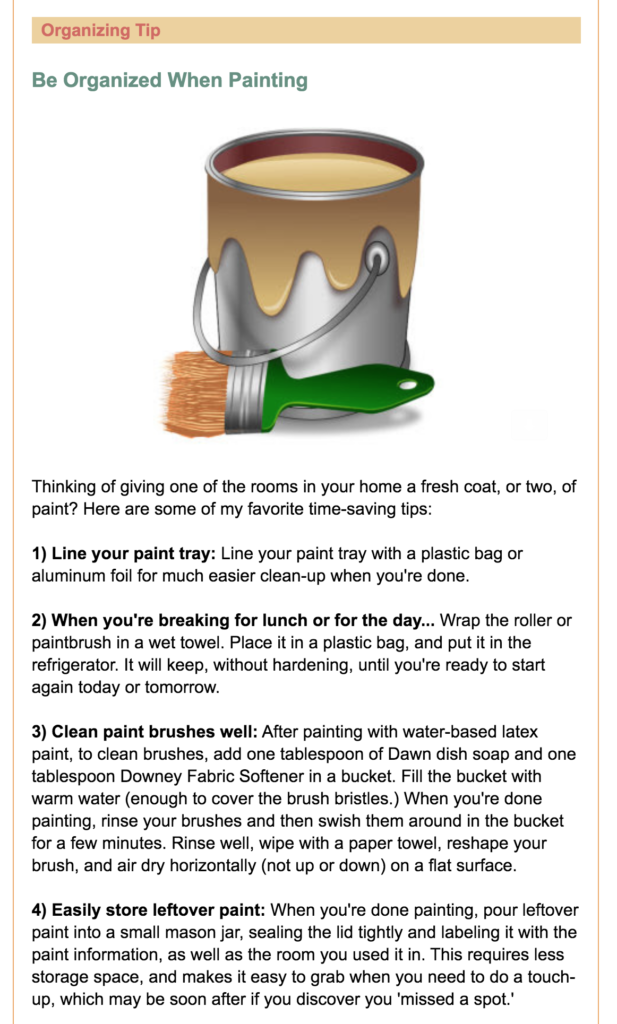
GetOrganizedNow.com organizing tip: How to be organized when painting.

Free resources

Every newsletter includes links to the free resources that are available to subscribers. GetOrganizedNow.com follows trends and adds new topical, downloadable resources every few months.
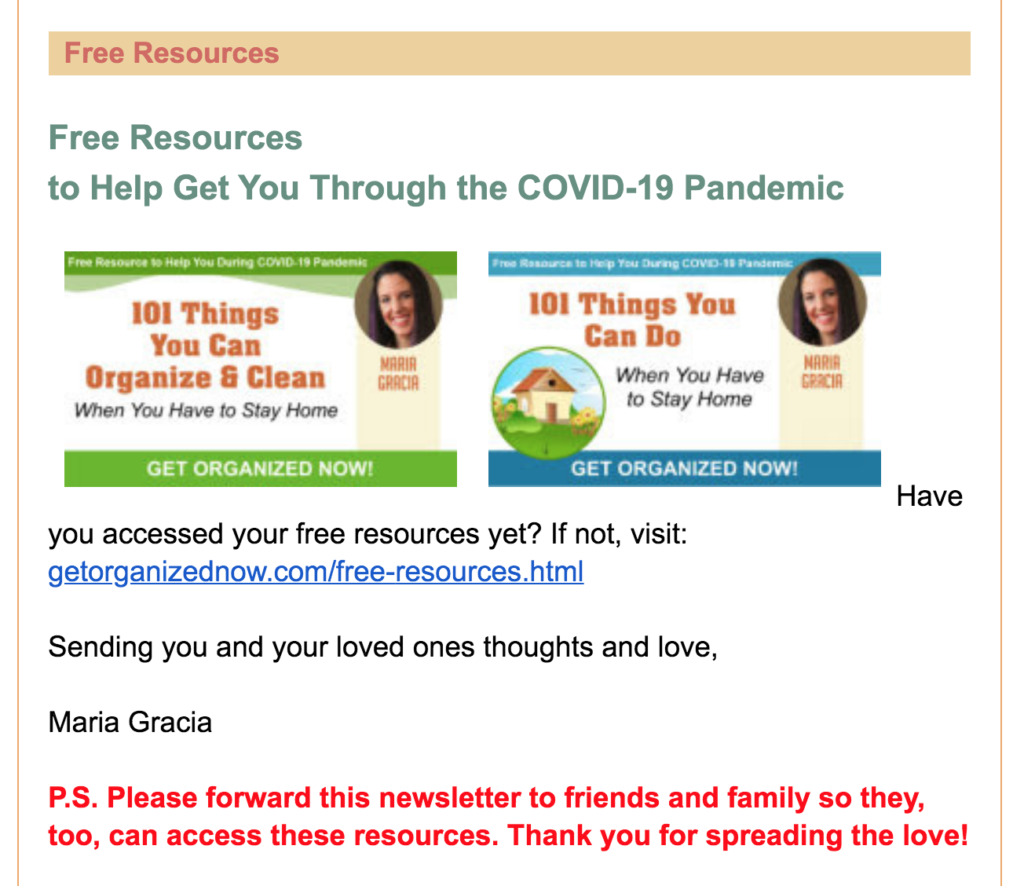
GetOrganizedNow.com free resources available in their email.

Promoted product of the week

One product is promoted throughout the entire week. The product showcased is either a product they own or an affiliate product from ClickBank or a co-marketing partner.

GetOrganizedNow.com product recommendation of the week featured in their daily email.

What's new

Since not all of their subscribers read every daily email, GetOrganizedNow.com lists new content that was recently added to their website. 
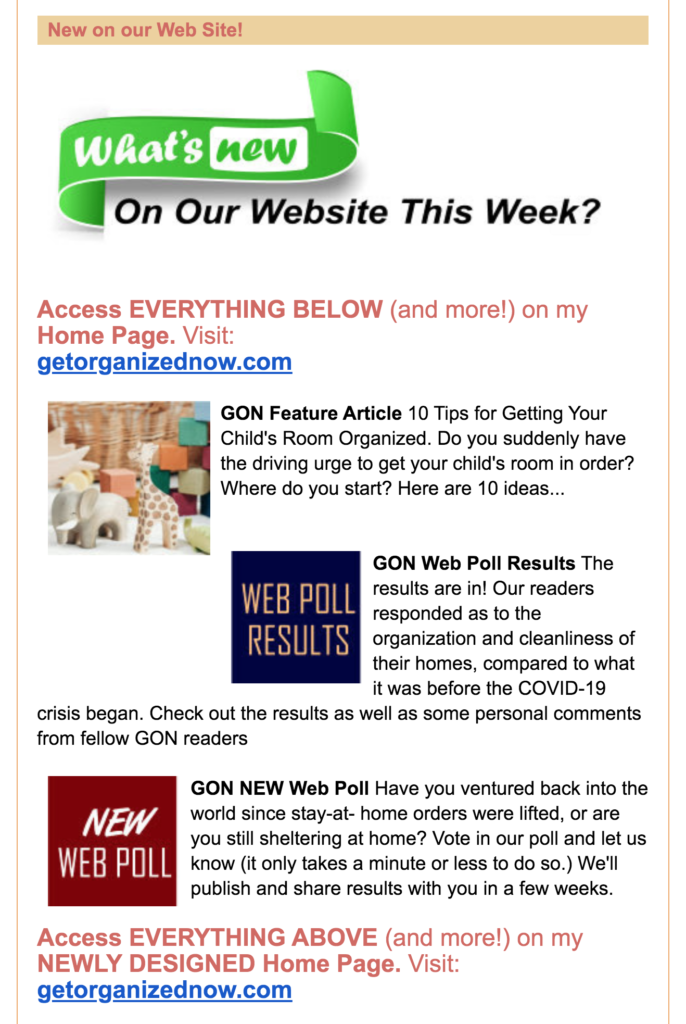
Listing of what new content has been posted on GetOrganizedNow.com website.

Closing message

Every newsletter includes a closing section with an inspirational quote, and a short message from Gracia encouraging her readers to connect with her and to share her content with family and friends.
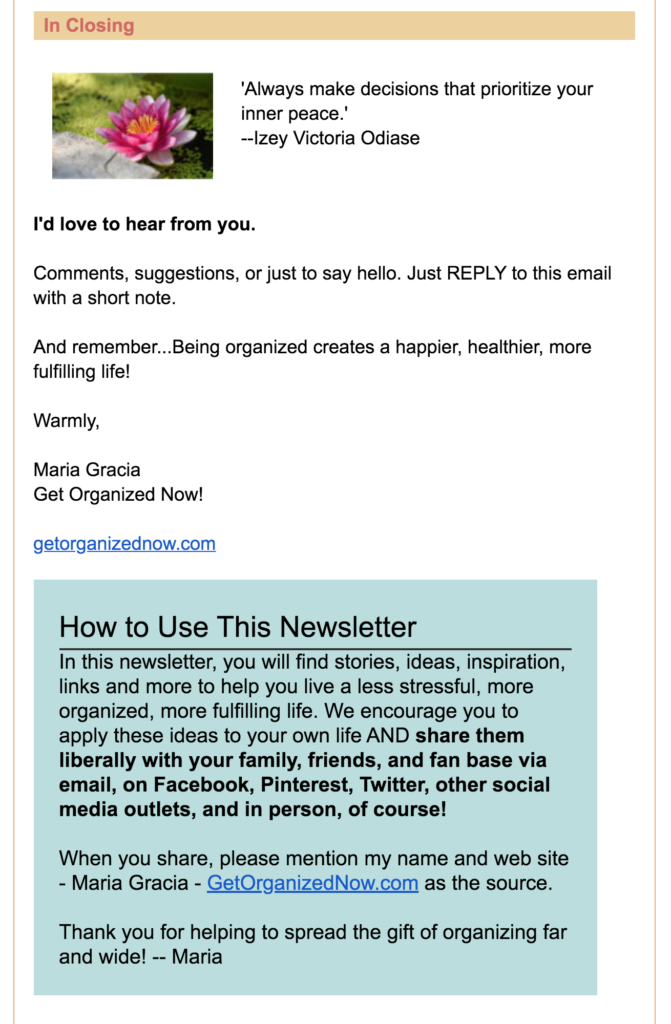
Closing message featured in GetOrganizedNow.com closing message.

Email helps build long-term relationships with your audience.

Reaching people today is harder than ever because there are so many communication options available.

“But in my mind, email marketing is still King. Without it, we wouldn't have a business," says Gracia. 

Email allows GetOrganziedNow.com to build and maintain a strong relationship with its people. They have thousands of subscribers who have been receiving their newsletter for over 19-years. 

Connect with your audience and start growing your email list today!

In your AWeber account, you'll get everything you need to grow your own business online — including sign up forms, newsletters, landing pages, access to our award-winning customer solutions team and a library of hundreds of integrations to connect your AWeber account with commonly used business systems and services. Start your 30-day free trial today.

The post A Large Email List Alone Doesn’t Generate Revenue, But Leveraging Affiliate Relationships Does appeared first on Email Marketing Tips.


from Email Marketing Tips https://ift.tt/2AZ414u
via IFTTT

Why you need to speed up your social media response time (and how)

Are you responding quickly enough to your customers on social media?

Sure, we obviously want to get around to our mentions and messages as soon as they roll in.

The reality, though? Recent research highlights how many brands are dropping the ball when it comes to social responses.

And this spells opportunity for businesses that are able to get back to their customers ASAP.

If you’re not sure if you’re responding quickly enough on social media, we’ve got you covered.

In this guide, we’ll break down what customers expect in terms of your social media response time and how to speed yours up.

What’s considered an average response time on social media?

For starters, let’s look at what customers expect in terms of response time. Here’s some fresh data based on the 2020 Sprout Social Index:

40% of consumers expect brands to respond within the first hour of reaching out on social media, while 79% expect a response in the first 24 hours.

In other words, the majority of customers expect a same-day response from brands on social media.

However, note that many brands aren’t just struggling to respond in a timely manner. They’re struggling to respond, like, at all.

Here’s a snapshot of our industry-specific data is it pertains to social media responses:

Average brand response rates by industry reveal that legal and real estate businesses have the highest average response rate (29%) while sports have the lowest (7%). 

social media response time data by industry

The takeaway from this data? Simply offering support via social isn’t enough anymore: brands need to mind their speed when it comes to responding to customers.

Why social media response time matters so much

The need to respond to social queries is a no-brainer. Nobody wants to purposely ignore their customers.

There are bigger implications for increasing your average response time other than providing “good” customer service via social, though.

Below are some data-driven reasons why brands need to prioritize social media as a support channel.

More and more customers rely on social for support

According to recent data from Intercom, nearly half of support teams have cited a 51% increase in inbound volume in the wake of COVID-19.

And you better believe that social media is part of that equation.

Quicker than email and avoiding the potentially awkward back-and-forth of a phone call, there are plenty of reasons why consumers prefer social media as a support channel. More questions and support tickets at large means more folks turning to social media for answers.

This is exactly why we’re seeing more support-specific accounts emerge (particularly via Twitter customer service).

salesforce twitter support example

Although phone and email might be seen as “priority” channels, the boom of social questions isn’t going away. If anything it’s poised to spike.

Quick responses result in more loyal customers

In short, your social media response time goes hand in hand with customer loyalty.

Recent research from Gartner notes that customers are significantly more likely to stick with a brand long-term when their service expectations are met.

Repeat customers and brand advocates aren’t a “sure thing” if you aren’t consistent and attentive with your customer care. This rings true on social media as well.

And if you’re wondering if such speedy responses are possible, look no further than brands such as Glossier. Known for their die-hard fanbase, the brand makes a point to rapidly respond to customer concerns via social. Peek the timestamp(s) on this support Tweet for reference.

Glossier's social media response time is oftentimes under an hour

Speedy customer service gives you a competitive advantage

According to recent Sprout Index data, 44% of consumers also say customer service distinguishes a brand from its peers.

Piggybacking on the previous point, having a fast social media response time means keeping customers from bouncing to competitors.

Think about it. If a brand fails to respond or leaves a bad taste in your mouth, chances are there’s a competitor that’s just a Tweet or DM away.

Poor customer service costs businesses up to $75 billion in the United States alone. As noted earlier, this spells opportunity for companies who can meet (and exceed!) social media response expectations and connect to customers faster.

6 ways to speed up your social media response time

You know that you need to speeds things up in terms of responses. But how do you make it happen?

Good question! Here are six ideas to help you put together a social media response plan that addresses customer concerns ASAP.

1. Merge your social comms into a single platform

This is the big one.

If you’re active across multiple social channels, you’re responsible for managing messages, questions and comments across each of ’em.

For example, Black Milk Clothing provides personalized, timely replies to their followers on Instagram…black milk instagram response

…Twitter…

black milk twitter response

and Facebook, all without missing a beat.

black milk facebook response

However, juggling multiple platforms and messages can be messy as more and more replies roll in. Doing so is likewise a potentially huge time-sink.

That’s why brands should consolidate their social communications into a single platform like Sprout Social’s Smart Inbox. Rather than jump from Twitter to Instagram and so on, you can monitor your mentions and message history in one place (and in real-time).

consolidating your social presence in one platform via sprout is a smart way to improve your social media response time

Another added bonus of using a tool like Sprout is that you can collaborate with team members without stepping on each other’s toes. Having more folks on your social team allows you to divide and conquer questions from customers, and having a collaboration tool is a great way to reduce your social media response time.

2. Use suggested replies to address common concerns

When it comes to social questions and comments, chances are you have your “usual suspects.”

For example, maybe your product has a particular feature that customers are often confused about. Perhaps customers have questions about your shipping policy.

Either way, having saved and suggested replies handy can help you take care of such questions without having to write them out manually. Here’s what suggested replies look like Sprout Social:

suggested replies can speed up your social media response time and reduce time spent writing manual messages

The idea here isn’t to totally copy-and-paste your social customer services. In reality, brands should find a balance between speed and personalization. Suggested replies can help by maintaining accuracy around key messages like brand voice or product specs, while freeing up more time and bandwidth for your social team to add the personal touch to consumer care.

Let’s look at some real-world examples where suggested replies can be handy. This response from Quip feels like it was written by a human (and perhaps it was), but is general enough that it could have been pre-written.

getquip twitter response

Here’s another example from Smile Direct Club.

smile direct club instagram social media response

When you’re responding to dozens or hundreds of comments per day, having suggested responses in your back pocket is a massive time-saver.

3. Guide your customers to the right support channels

Keep in mind that there is no “right” way to respond via social media.

Don’t use your Instagram DMs? Do you exclusively provide support via email, support page or separate social account?

No problem. That said, you need to let your customers know.

For example, your social bio is a prime place to remind followers of the best way to reach you or your company. Here’s an example from Corsair’s Twitter.

one way to increase your social media response time is to guide followers to the right support channels

The here takeaway is that you shouldn’t leave your customers questioning the best way to get in touch with you.

4. Let chatbots help route questions efficiently

More and more businesses are investing in social media automation and rightfully so.

Specifically, companies are using chatbots to engage with customers as soon as they reach out. Bots enable you to have an instant social media response time, albeit without an in-person rep present.

Even so, chatbots are ideal for any combination of the following:

  • Showcasing your knowledge base
  • Addressing basic and frequently asked questions
  • Routing your customers to the appropriate support channels (think: email, live chat)
chatbots are a proven way to use automation to improve your social media response time

Oh, and setting up chatbots isn’t reserved solely for big businesses anymore. You can actually set up a Messenger bot yourself or with the help of Sprout’s own Bot Builder.

5. Prioritize your social mentions based on urgency

As noted earlier, social mentions obviously shouldn’t be ignored or fall by the wayside.

But remember that some mentions and messages are more important than others.

For example, companies need to be able to prioritize messages that are going to impact your bottom line or reputation versus friendly shout-outs. Response time is critical when dealing with a potential social media crisis such as an outage or offensive post that’s gone viral.

When looking at your mentions, pick your battles and decide what needs your attention right now. This all speaks to the importance of consolidating your social mentions into an efficient inbox and not having to jump between platforms to respond.

6. Set benchmarks to improve your average response time

There are plenty of social media metrics that you’re probably already tracking, but what about your average response time?

Much like you strive to boost your engagement rate or follower count, you should likewise understand what your social response times look like so you can improve it.

But until you start actively tracking your response metrics, you’ll never know where you stand.

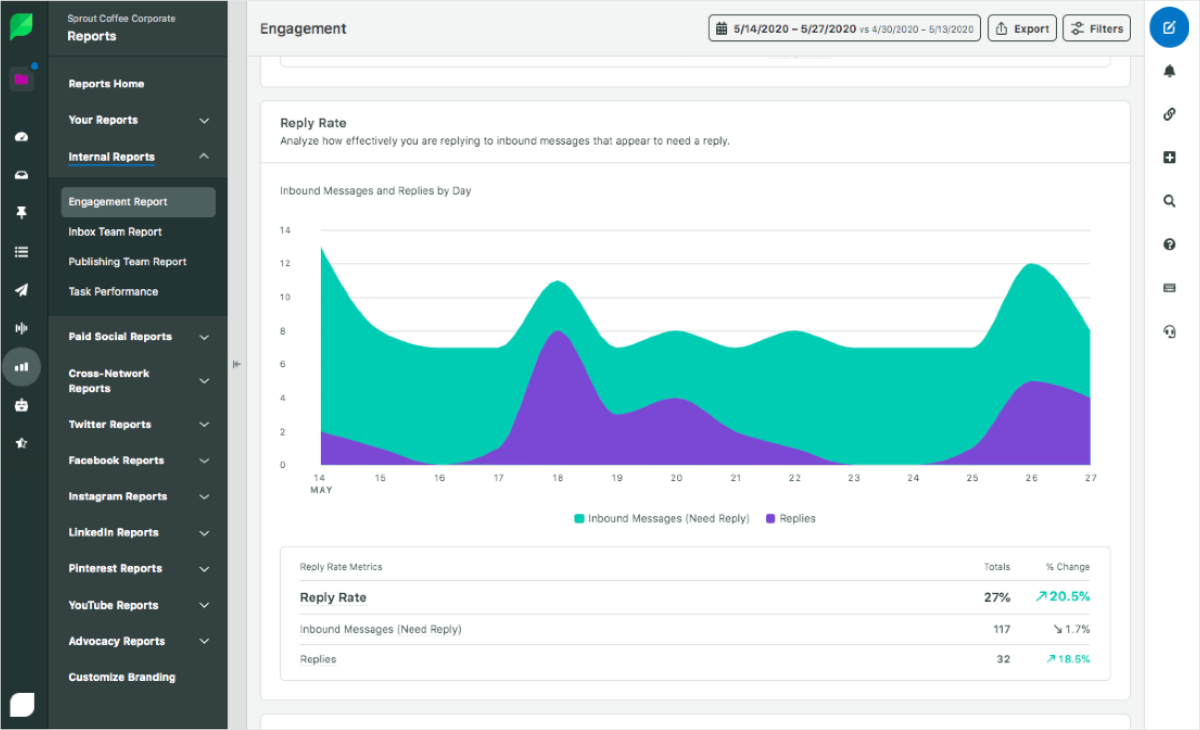
With Sprout Social, you can see front-and-center how many many messages you’ve sent and received, what your reply rate is and your average response time in minutes.

sprout engagement report

You can even drill down further to see how individual employees are performing in terms of their response time.

Sprout team report showing average response time

Based on these metrics, you can better understand your benchmarks in terms of responses and what actions you need to take to improve. The end result is a data-driven approach to social media that prioritizes getting back to customers in a timely manner.

And with that, we wrap up our guide!

How fast is your social media response time?

The faster you respond to your customers and followers, the better.

With the tips above and tools such as Sprout, you can put together a social media response time plan that finds the perfect balance between personalization and speed.

And if you haven’t already, make sure to check out the latest Sprout Social Index which details the latest trends and expectations of social marketers in 2020 and beyond.

This post Why you need to speed up your social media response time (and how) originally appeared on Sprout Social.


from Sprout Social https://ift.tt/3ex9iOX
via IFTTT

Tuesday, 23 June 2020

Why You Shouldn’t Use a Free Email Domain to Send Messages to Subscribers

get my emails delivered

Want your emails to land in subscribers’ inboxes instead of their spam folders? Then don’t send your messages from a Yahoo!, Gmail, AOL, Hotmail, MSN, Outlook, rocketmail.com, ymail.com, Zendesk or any other free Internet service provider (ISP).

The reason: Domain-based Message Authentication, Reporting & Conformance, a.k.a. DMARC.

DMARC is the current policy for email authentication. Basically, it’s an ISP's way to protect itself from spammers pretending to send emails from their network. Any unauthenticated email — no matter how legitimate the content — could end up in a subscriber's spam folder.

Say you’re sending a bulk message to your subscribers from your Yahoo! address through AWeber (which has its own servers). If Yahoo! can’t verify your email was actually sent through one of their own servers, the email is rejected.

Note: This is not an AWeber-specific issue — it will happen from any Email Service Provider you choose.

How AWeber Handles DMARC

As a work-around to DMARC, AWeber changes your “From” address. This rewriting process is automatic, so you don’t need to take any action for it to happen. Most of your subscribers won’t even notice the update and you can use your free domain address without any issues moving forward.

For example, if you are using:

Then it will automatically be rewritten as:

(Your Reply-To address will still be shown as testerjones@yahoo.com.)

Why You Should Use a Custom Domain

However, we recommend taking things a step further and signing up for a custom domain name to send your messages.

It not only improves long-term deliverability, but it also looks professional, builds authority and creates brand awareness. For instance, a new subscriber will be more likely to open an email from a custom domain name like Tony@AnthonysAutoRepair.com than from TonyLuvsCars73@hotmail.com.

Need more help with deliverability? Contact AWeber's award-winning customer solutions team, 24/7 via live chat and email, or by phone Monday through Friday from 8 a.m. to 8 p.m. EST.

This post was updated to reflect the most recent changes to DMARC policy on 06/23/2020. 

The post Why You Shouldn’t Use a Free Email Domain to Send Messages to Subscribers appeared first on Email Marketing Tips.


from Email Marketing Tips https://ift.tt/2zWciW7
via IFTTT

Why You Need a ‘Thank You’ Page

Why you need a 'thank you' page

Congratulations — a new subscriber joined your list! Now it’s time to start sending them valuable free content and begin building trusting relationships over email — right?

Yes, but here’s the truth: your subscribers will never be more engaged with you than in the minutes after they sign up for your list.

Why?

Because that’s the moment they’ve decided to welcome you into their inbox. They have decided that you’re someone worth hearing from, and they’re eager to see what you have to offer them.

That’s why a strong ‘thank you’ page could make a big impact on your bottom line. Capitalize on subscribers’ newfound interest and eagerness to engage with you by using your ‘thank you’ page as an opportunity to sell.

Related: How to use ‘thank you’ pages to convert subscribers into customers

AWeber’s CEO Tom Kulzer recently joined The Thoughtful Entrepreneur podcast to talk about how ‘thank you’ pages are often a hidden opportunity for conversions.

“The ‘thank you’ page is a dead end on many businesses’ sites. However, when it’s used correctly to offer an upsell, it can be one of the highest converting pages on your site,” Kulzer said.

That’s because new subscribers display three characteristics that mean they’re ready to buy from you: 

  1. They know and understand who you are.
  2. They understand the problem that you’re solving for them.
  3. They’ve already given you their email address. 

“Offering something additional that you can sell to them can generate a tremendous amount of new revenue. If you’re not using this page, it’s a huge missed opportunity.”

Hear more of Kulzer’s takeaways on The Thoughtful Entrepreneur podcast.

https://ift.tt/2Nl4a4L

Want to create a custom ‘thank you’ page in AWeber using the Landing Page Builder? 

We guide you step-by-step in this video.

The post Why You Need a ‘Thank You’ Page appeared first on Email Marketing Tips.


from Email Marketing Tips https://ift.tt/3dlMuAw
via IFTTT

How to deal with (and prevent) a hacked Twitter account

Dealing with a hacked Twitter account can be frustrating.

But hey, don’t freak out if it happens to you.

From A-listers like Taylor Swift and Mariah Carey to superstar sports franchises, hacks on Twitter are actually more common than you might think.

That said, you shouldn’t treat hacks like business as usual.

Security snafus are bad for your online reputation. Nobody wants to have to do damage control or potentially lose access to their account, either.

The good news, though? There are relatively simple steps you take to beef up your Twitter security and give yourself some much-needed peace of mind.

This quick guide breaks down how to handle a hacked Twitter account and prevent security issues in the future.

“How do I know if my Twitter was hacked?”

Hey, good question.

While oftentimes it’s clear that your account’s been hacked, sometimes suspicious activity can fly under the radar.

Below are some tell-tale signs you’ve had your Twitter hacked.

Unauthorized or inappropriate tweets

Arguably the most obvious sign that something’s up is if your account is publishing posts that you didn’t write yourself.

For example, let’s look back to when Twitter’s own Jack Dorsey’s was hacked. It was pretty obvious that these seemingly random, off-the-cuff tweets weren’t from Jack himself.

jack dorsey hacked twitter account

Inappropriate messages and shout-outs are often trademarks of hackers looking to stir up trouble. Case-in-point, FC Barcelona’s Twitter hack resulted in a push to get the #FCBHack tag trending in addition to announcing fake player signings.

FC Barcelona hacked Twitter account

If your account seemingly goes rogue and begins publishing content you weren’t responsible for, there’s a non-zero chance you’ve had your Twitter account hacked.

Strange messages, follower activity or app activity

As noted, compromised accounts aren’t always obvious.

For example, consider actions that a hacker could take which might take a few hours or days to come to your attention such as:

  • Sending unauthorized DMs
  • Mass following or unfollowing Twitter accounts
  • Blocking other Twitter users
  • Authorizing third-party apps that you didn’t connect yourself

This speaks to the importance of regularly logging into your Twitter account and paying attention to notification from the platform.

Unexpected activity notifications

Twitter has measures in place to help users identify suspicious logins that might result in hacks.

For example, Twitter automatically gives you a heads up via email when there’s a login from a new device or location. You’ll receive similar notifications if your account is deemed compromised or otherwise violates the platform’s rules while hacked.

potential hacked twitter account notification

By moving swiftly on activity notifications, you can resolve your hacked Twitter account before the situation spirals beyond your control.

“Okay, I’ve had my Twitter hacked. Now what?”

Let’s say your account is compromised.

Again, don’t panic. The key here is to move quickly and go through the following steps.

Change your Twitter password ASAP

Perhaps the most obvious action to take, it pays to be vigilant when it comes to your password(s). If you think you’ve been hacked, you should change yours immediately.

As a side note, it’s likewise a good idea to confirm that your email account isn’t compromised as well. Ensure that your Twitter account is still linked to an appropriate email address and change the passwords to both to be safe.

Double-check your app access and recent sessions

Assuming you have access to your account, it’s time to look at your third-party apps and recent logins (“Settings and Privacy -> “Data and Permissions” -> “Apps and settings”).

Revoke access to any apps that you don’t recognize. The same rings true for any outdated apps that you’re not using anymore.

You can verify third party apps connected to your Twitter app to avoid hacks

Conveniently, your recent login history is located right within your Twitter app. Here you can see if your account was accessed from an unfamiliar location or device.

To be safe, it’s also a good idea to use this screen to log out of all of your Twitter sessions whether they be mobile or desktop. You can then log back in with your new, secure password.


Twitter sessions

Once you’re back into your account, double-check your recent tweets, DMs and follower list(s) to make sure everything is back to normal before resuming your use of Twitter.

Get in touch with Twitter yourself

If you’re locked out as the result of a hack, you can restore Twitter account access directly through the platform.

You can likewise contact @TwitterSupport to report any issues, although it may require some time and back-and-forth to get a response or resolution.

“Do I need to let my followers know I had my Twitter hacked?”

The short answer? It depends, but we’re going to err on the side of “probably.”

Sure, apologizing on social media can be tricky. Maybe you’re embarrassed or don’t want to draw attention to a security slip up.

However, an apology is warranted if a hack resulted in any combination of the following:

  • Spam links that your followed may have clicked
  • Unsolicited DMs
  • Inappropriate, offensive or off-brand Tweets

When in doubt, give your followers a heads up even if you aren’t 100% sure that you’ve been hacked. Chances are your followers will appreciate the transparency.

Examples of good apologies following a hacked Twitter account

Let’s quickly look at some example Twitter apologies for reference.

The common thread between these apologies?

They’re concise, thoughtful and personable.

Assuming nobody in your business was responsible for the hack or highly offensive content, apologizing doesn’t have to be lengthy or complicated. Your end-goal here is to address the issue and move on.

Considering how quickly content pushes through Twitter, your followers probably won’t dwell on it anyhow.

How to prevent a hacked Twitter account in the future

Whether you’ve been hacked or just want to avoid a potential headache in the future, we’ve got you covered.

Below are some proactive ways to avoid a hacked Twitter account in the future. If nothing else, these are all solid social media security standards that should apply to your accounts beyond Twitter as well.

Enable two-factor authentication

If you haven’t already, enable two-factor authentication on your Twitter account (“Settings and Privacy -> “Login and security” -> “Security”).

twitter two factor authentication can help you avoid a hacked twitter account

This requires a secondary verification of new logins to your account via email or the Twitter app. Think of two-factor as a second line of defense between your account and a potential hack.

Twitter two factor authentication can help avoid any future hacks

Setting up two-factor authentication only takes a minute or two and is arguably one the best avoids to avoid a hacked Twitter.

Pick a stronger password (and keep it secure)

There’s plenty of debate over what constitutes a “good” password, but conventional wisdom says to stick to the following principles:

  • The longer, the better
  • Use a combination of lowercase and uppercase letters, symbols and numbers
  • Use strings of uncommon words or phrases

You can also use a tool such as a password security checker (this one is powered by Dashlane) to see how long it would theoretically take yours to get cracked by a computer.

an example of creating a secure password

Be selective about who has access to your Twitter account

In short, don’t provide access to your Twitter to anyone and everyone.

If you’re using your Twitter for business, you should have ideally a process for deciding who gets access to your account. Careless logins can result in hacks, after all.

Using a publishing tool like Sprout Social, you can pick and choose permissions for social media users on your shared account.

limiting permissions to users on your accounts in platforms like Sprout Social can help you avoid a hacked Twitter account

Don’t click on weird links or suspicious DMs

This might seem like a no-brainer but it bears repeating.

See a DM from an account you don’t recognize? Don’t click any links in it. It’s that simple.

This is especially true if you see a shortened link Bitly link with an unknown destination (think: https://bit.ly/3gvqFB7). Be suspicious of any messages that you don’t recognize and use other means of communication such as email to confirm that people are who they claim to be.

Monitor your Twitter activity regularly

By keeping an eye on your Twitter activity, you can spot hacks and potential trouble early on.

For example, spikes in activities such as new messages, lost or new followers and a storm of new tweets can signal trouble.

This is where tools such as Twitter analytics and reporting can be helpful. In addition to making sure that your account is engaged and growing, Sprout can clue you in on anomalies in your day-to-day activity.


Sprout Social Twitter report

And with that, we wrap up our guide!

Do you know how to handle a hacked Twitter account?

Although you shouldn’t live in fear of having your Twitter hacked, you should be prepared with knowing how to protect and get your account back to normal.

The tips above are both straightforward and proactive for personal accounts and businesses alike.

In a day and age dominated by security concerns and data breaches, shoring up your social media security makes sense. And hey, so does knowing how to tackle a potential social media crisis.

If you haven’t already, make sure to check out our guide to social media crisis management to empower your team to plan and prepare for any sort of dilemma via social such as a hacked account.

This post How to deal with (and prevent) a hacked Twitter account originally appeared on Sprout Social.


from Sprout Social https://ift.tt/3etiF2m
via IFTTT