Friday, 4 November 2022

3 things you need to do now, before Revue gets shut down

3 things you need to do now, before Revue gets shut down

Less than two years after acquiring newsletter platform Revue, Twitter is now planning on closing it by the end of this year, leaving its over 30,000 users scrambling to find an alternative.

When Elon Musk’s purchase of Twitter finally concluded on October 27, 2022 experts speculated that there would be some major changes. No one was shocked when he immediately fired the CEO and other longtime top executives. But no one anticipated a tool that thousands of people use as a source of income would be a causality of Musk’s massive changes for the social media giant.

So what does this inevitable closure of Revue newsletter means for you and what you should do next. We’ll help you sort it all out.

But first, let’s get an understanding of what Revue is.

What is Twitter’s Revue?

Revue is a newsletter service designed for writers and publishers to communicate with their audience through email. Revue customers used this tool as a way to connect and monetize their content through email newsletters.

When Twitter purchased Revue in January 2021, the intent was that users would be able to easily convert their Twitter followers into email subscribers, resulting in more revenue.

What does Revue sunsetting mean for you?

If you’re someone who is using Revue, you need to be thinking about how you’re going to continue sending and monetizing your newsletters. Here’s a step-by-step guide to help you make sure the process from Revue to a new platform is seamless for both your and your subscribers.

Step 1: Export your email list

Your subscribers are your most important asset, you need to protect them. No one knows exactly what’s going to happen with Revue, and I certainly wouldn’t take a chance that it gets shut down before you secure your most valuable asset - your email list.

Step 2: Create a list of features you use in Revue

This will help you identify alternative platforms that perform the same functions.

Step 3: Research an alternative to Revue

Luckily there are options so do your research. Determine what’s important to you. Look for a platform that will migrate everything from Revue to your new platform, this will help ensure a smooth transition.

“This situation illustrates the power of email. If Elon decided to close your Twitter, or Mark closed your Facebook your audience is gone. No backup, no transfer. There’s zero latent value in audiences on social outside of the platform they are built on.”

Tom Kulzer, AWeber’s CEO

What’s next?

“Entrepreneurs are simply those who understand that there is little difference between obstacle and opportunity and are able to turn both to their advantage.”

Victor Kiam

Opportunity - you may not realize it at this moment, but that’s what the closure of Revue is.

Revue was a fine place to get your newsletter started, but it’s never been a great place to turn it into a business you can scale. The same simplicity that many people choose Revue for also limits you once you have an audience who loves your content, and a rhythm for creating that content. 

If you’re looking for a new newsletter home, consider AWeber. We’ve been helping creators and authors reach their audiences via email for over 20 years. We push new product enhancements literally every day to help you create faster and connect more meaningfully.

We have simple writing tools that make it easy to create newsletters and grow your audience without distractions, but we don’t stop there. We also have tools for turning that content into something you can make a living from. 

Things like automation to take routine tasks off your plate, personalization so you can serve your audience as individuals and keep them engaged, and commerce tools to help you sell what your specific audience wants.

Related: Check out how Hunnys.net organized a scavenger hunt around Times Square using the features in their AWeber account

How does AWeber compare to Revue?

Here are just a few of the many reasons why AWeber makes a great Revue alternative:

Best support

If you’ve ever had a problem at Revue and went looking for help your only option is to use their knowledge base and hope you find the answer. Our customer solutions team are experts at using AWeber and have a direct line to the rest of the team to make sure your issues are addressed promptly. And they’re available 24/7.

Save time with automation

We know you’re busy, which is why we have so many tools to automate parts of your content workflow that Revue doesn’t support. It's super simple to send automated messages to welcome new subscribers and point them towards content that might interest them, re-engaged with lapsed subscribers, and even automate messages based on things your subscribers do in other products you use. Good luck trying to do that at Revue (spoiler alert: you can’t).

You can even automatically send your subscribers new content when you post new YouTube videos, podcasts, products in your Etsy or Shopify store, or anywhere that gives you an RSS feed. That way you can spend your time creating, and not fiddling with online tools.

Creating more personalized experiences

As your audience grows, you’re going to realize that not everyone who reads your content is the same. They love you and your content for different reasons: be it their interests, how they found you, or maybe even where they live. 

With Revue you have to talk to all of them the same way. AWeber lets you easily segment your audience to send different groups, different content or dynamically personalize each email so people reading the same newsletter will see content that speaks to their specific interests and identity.

Getting paid for your content

Many of the most successful newsletter writers out there make their living through a variety of things: subscriptions, paid products, services. On Revue, you can only offer subscriptions - and your subscription options are pretty limited. Not so on AWeber. 

Want to offer subscriptions? Go for it - and offer as many subscription levels as you like. 

Want to sell a digital product like a custom font, workout plan, or excel template? You’re free to do so. 

Do you offer paid services to help your audience grow? Sell them through AWeber.

We know that for many people, the newsletter itself is just a part of the newsletter business and we’re here to help you grow your business and earn more.

Get started with a free account today.

Want us to migrate your newsletter subscribers and templates to AWeber? No problem, just sign up for our free migration service.

The post 3 things you need to do now, before Revue gets shut down appeared first on AWeber.


from AWeber https://ift.tt/HU1lZ8C
via IFTTT

Thursday, 3 November 2022

Going beyond marketing: Why social matters across your entire business

.Social is more than just posts, likes and comments. It’s an extension of our world with opportunities for communication, discovery, collaboration and connection. As people and platforms continue to evolve, your business’s approach to social should as well.

Social media can optimize every aspect of your business. Top-performing companies are already expanding their social strategy beyond marketing, with departments like customer service, corporate communications, investor relations, product, research and development and human resources joining in on social decisions. Social media holds the answers to some of your most pressing business questions.

A graphic demonstrating which teams marketers say contribute to their organization's social strategy. The teams include customer service, corporate comms, product, HR and R&D.

Defining the possibilities of social

The use cases for social media are limitless, but in order to prioritize based on your business needs, you need a firm understanding of the three main social use cases:

Branded

This is the social use case you’re probably most familiar with. Branded social comes directly from a brand account. This typically manifests as posts, comments or customer support DMs.

Individual

Individual social media use comes directly from your employees. Your employees might repost brand content or direct message external stakeholders from their personal accounts on behalf of your company.

Insightful

This use case is all about data. People turn to social media to express their opinions, and that information is invaluable for your business. Departments across your business can harness insights from social media to inform their decision-making.

Straight from the brand’s mouth

Branded social media content should be the first pillar in your social media strategy. This is your opportunity to showcase your brand voice and get your content out there. Think of this as your official communication channel–the way you keep your audience informed on the latest and greatest from your organization, manage current events or crisis communications and effectively answer service-related questions or address concerns.

Most companies have a good handle on their brand accounts. They’re most useful for customer care and marketing, but we’re seeing other departments start to post in an official capacity as well. Investor relations teams may need to share corporate communications and HR teams may want to post about relevant job openings. Your PR team might use your official channels to cross-promote media placements. Anything that’s best coming from the brand directly should be posted in this manner.

The most important thing to keep in mind with branded content is limiting access to brand accounts. Your social media and customer care teams should be the only ones using these accounts.

Individual outreach

The chances that your employees have their own social media accounts are pretty high. Harnessing the power of your employees’ social media networks can have exponential effects on your business. There are two major ways your employees can integrate their personal social strategy into your business strategy.

The first way is with direct messages. Sales teams can reach out to prospects directly on platforms like LinkedIn–and if they pair that outreach with strategic likes, retweets or comments, it can be extremely effective. If you have open positions on your team, employees can directly contact people who may be a great fit and build a rapport with them before the interview process. This one-to-one approach works because it feels more personal. Potential customers and recruits are a lot more likely to respond to a personalized message from a human than one from a brand account.

The second way is through employee advocacy, or encouraging your employees to post company content on their personal social media pages. Your social media team provides pre-written content for employees to share on their personal accounts. Giving your team the tools to talk about your business on their social media accounts can have an outstanding impact on your goals. Your employees also recognize that employee advocacy can make their jobs easier.

According to our research, employees already believe social media can help them with brand awareness, social selling, market amplification and internal communication. Providing them with methods to share benefits everyone.

A bar graph showing the different percentages of people who believe social selling helps them with brand awareness, social selling, market amplification and internal communication.

Getting insightful

We all know Google has the answers to any questions we might have. But social media can be just as useful–if not more. Your customers are already on social media brainstorming the ideas you need to make strategic decisions. You just have to start listening.

Social listening tools enable you to hone in on concepts and keywords to see what people are already saying. The possibilities for this data are endless.

If you work in research and development, you can gauge sentiment on your existing products–or products your customers wish existed–within minutes. In finance, the answers to questions about demand and pricing by region or demographic are waiting for you to find them. If you work in marketing, you can get real-time feedback on your latest campaigns. If you manage investor relations, you can use social media to communicate key business information to your investors.

Social media intelligence is invaluable and will become non-negotiable as businesses get more sophisticated.

Preparing for the next phase of social

As social media becomes more prevalent, leaders need to keep a few things in mind. First and foremost, social media is a skill. That hasn’t changed. But as the field matures, it’s quickly becoming a skill that everyone needs. As you start to incorporate social media across your entire business, you can’t assume that everyone will instantly get it. Social media training and upskilling needs to be widely available and encouraged.

Leaders also need to define the roles of their social media teams. As more departments start to incorporate social media into their roles, you’re going to need someone to bring it all together. Social media managers are key members of your team, but they can’t be expected to run social efforts across the company. Eventually, you’ll need a role to stitch it all together, like a Chief Social Officer, who understands social media and your business goals. That person can act as a bridge between departments and manage your full social strategy.

Social media is the best tool to optimize your business. You just need to harness it.

Want to learn more about the future of social media? Check out the 2022 Sprout Social Index™ where we dive into the data behind the trends.

The post Going beyond marketing: Why social matters across your entire business appeared first on Sprout Social.


from Sprout Social https://ift.tt/kWV1Scr
via IFTTT
Wednesday, 2 November 2022

The three best ways to turn social media followers into email subscribers

The three best ways to turn social media followers into email subscribers

Social media is a powerful tool for raising awareness of your brand and engaging your audience. And that's what most people use it for. But it's also an excellent tool for moving people into the "subscribe" stage of your marketing funnel. 

Trouble is, social media can be unreliable. What would you do if Instagram shut down tomorrow? Or Facebook has an outage? Or... Twitter is sold and you no longer have access to your followers?

Any of that could cut you off from your audience. 

Don’t think it could happen? Three words for you: Myspace. Friendster. Google+.

But with an email list, you don’t have to worry about social media earthquakes. Unlike with social media, you own your email list. Nobody can take it away from you. You have a direct line to your audience. You don't have to stress about losing the ability to talk to your contacts. 

We're not saying that email marketing is better than social media. There are a lot of benefits to social media. But email can still offer what social media cannot: With email, you own your audience.

Here's the other thing about email and social media: They complement each other. Beautifully. If you have an engaged social following, many of your current followers would gladly join your email list with the right incentive. So it isn't all that hard to "have your cake and eat it, too." You can absolutely use email to amplify your social media work, and social media to grow your email list.

So let's talk about how, exactly, to do that: How to convert your Facebook, Twitter, Instagram, and YouTube followers into an engaged list of email subscribers.

But first, why do you need both email marketing and social media? 

Both channels bring your ideal audience closer to becoming paying customers. And while both channels are powerful on their own, they’re unstoppable when they’re working together. 

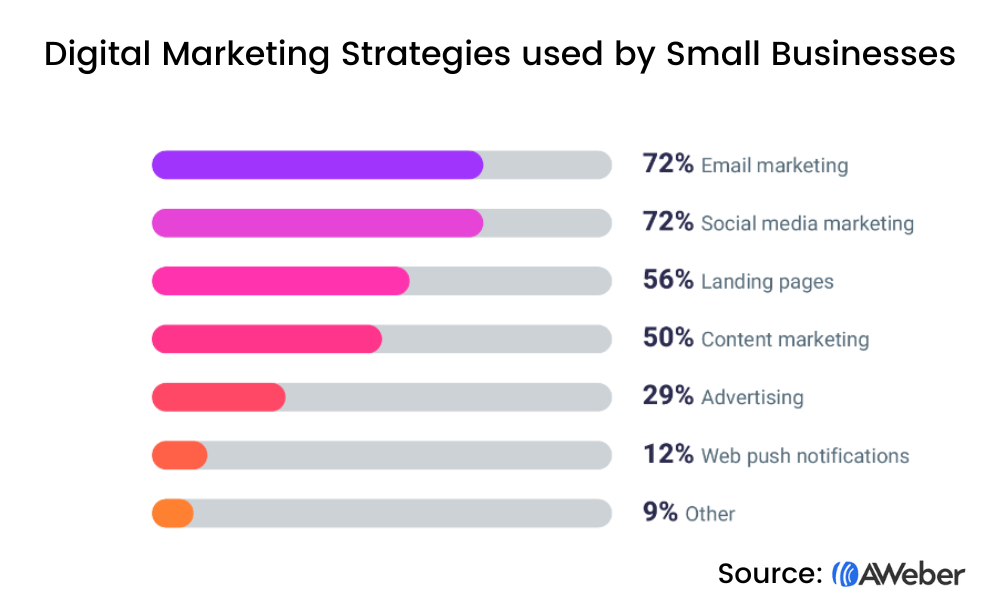
In our State of Small Business Digital Marketing Report, we learned that social media and email marketing are the most commonly used marketing channels. 71.9% of respondents use email marketing while 71.7% use social media. 

Digital Marketing Strategies used by Small Businesses

Email marketing and social media were also the highest-rated channels in helping small businesses drive traffic to their websites. 

However, email marketing was overwhelmingly the best channel at not only driving sales, but also helping businesses to retain customers. 

So, how do you turn social media followers into email subscribers? Keep reading to find out.

How to turn social followers into email subscribers

Step #1: Put a landing page in your social media bios 

You probably want to promote more than one link consistently within your social media posts. And some channels don’t let you include links within the post itself (we’re lookin’ at you, Instagram). 

Plus, think of how easy it would be to send followers to one, simple, clean link in your bio. This makes it incredibly easy for your followers to find what they’re looking for. And easy on you to simply direct them to your bio each time. 

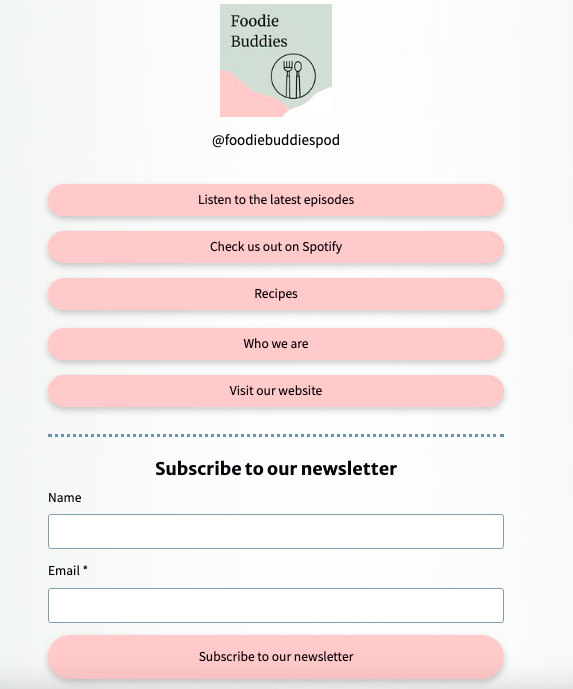
That’s why we recommend including a Linktree in your social bios. A Linktree is a landing page that houses all relevant information, like this one from Foodie Buddies.

Linktree example from Foodie Buddies

Template #1: Linktree Landing Page 

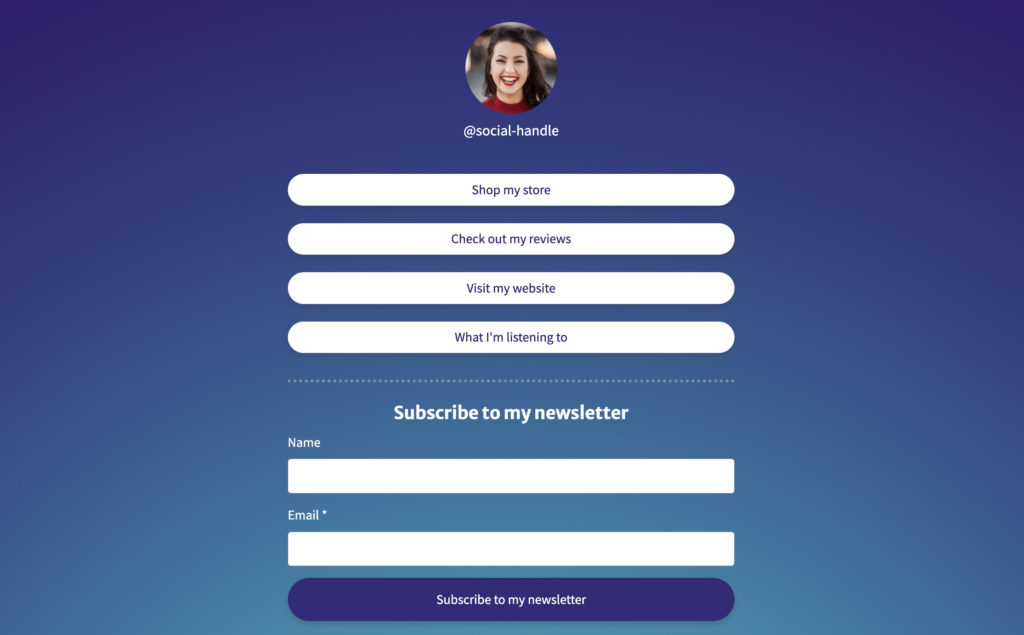
Setting up your own Linktree is really easy, you can start with this pre-built template and customize it to include your information.  

Linktree landing page template you can get for free in your AWeber account

Or get this template when you sign up for a free account

Why this template works: 

"Clean," simple design. The page is clearly laid out, with one button per link. This makes it easy for viewers to find exactly what they are looking for without having to sift through tons of irrelevant content. 

Recognizable branding. Including your social handle and profile picture at the top, and branding the page with your brand colors and design, makes the page instantly relatable. You can even customize the URL with your domain. 

● Newsletter sign-up form. This Linktree makes it super simple for readers who just want to get on your email list. Make it easy for them by including the sign up form on this page directly. 

Step #2: Create a compelling lead magnet landing page 

Two landing pages? Yes, we recommend two. 

Why? Because while the Linktree landing page helps you link to relevant resources and helpful information, promoting a lead magnet makes it more enticing for social followers to become subscribers. It raises the stakes a bit, and gives people an extra push to sign up. 

So what is a lead magnet? It's a piece of high-value content you offer your prospects in exchange for their email address. A lead magnet can be an ebook, course, checklist, template, or done-for-them content — whatever your audience would find valuable enough for them to give you their email address. 

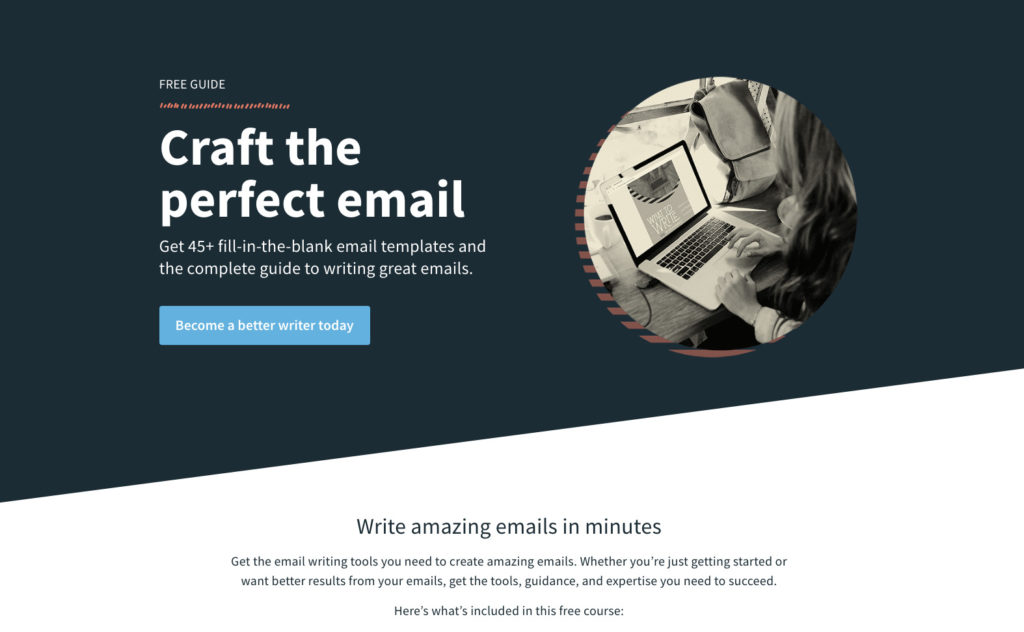
Here's an example of a lead magnet from AWeber. We received several questions from our customers asking how they could write better emails. Based on that information we created a lead magnet that gave people the resources to write amazing emails.

AWeber lead magnet landing page for What to Write course

If you have a lead magnet that you exclusively promote on social media, you can even tag subscribers who sign up for it. This lets you send customized content to subscribers based on where they signed up, what they signed up for, any other information that tells you about who they are and what they like. 

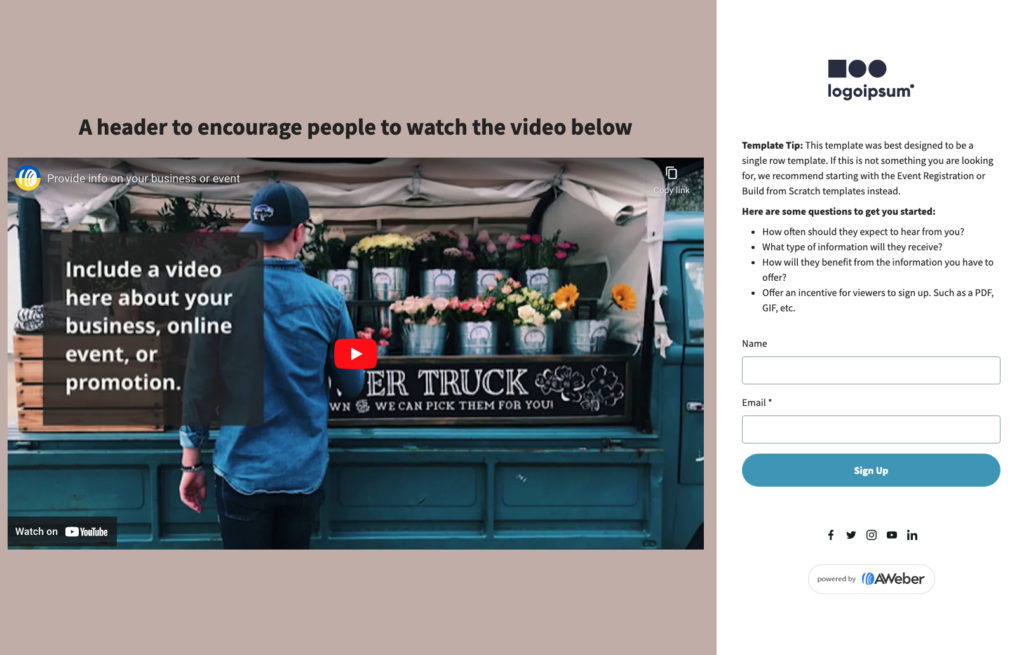
Template #2: Download Offer Landing Page 

Setting up your own lead magnet landing page is really easy, you can start with this pre-built template and customize it to include your information.  

Lead magnet landing page template in AWeber

Or get this template when you sign up for a free account

Why this template works: 

It has a video. Video is a powerful way to share who you are and what you do with the world. It’s easy to consume and can create a powerful emotional connection with your viewer. 

One call to action. The main difference between a landing page and a website is that the focus of your landing page should be getting your visitor to take the one action you want them to take. In other words, landing pages are meant to focus peoples' attention. So don’t ask too much of people who are viewing your landing pages. Only ask them to do one thing. That could be signing up to your email list, downloading a guide, reserving a seat, or something else. 

Explain the value they get for signing up. The space above the opt-in form is reserved to help you explain the benefits of the lead magnet to your visitors. So you need to sell it a little. Explain what your lead magnet will help them do, how it will help them get one step closer to achieving their ultimate goals. 

Related: How to create a lead magnet (that actually converts) in less than a day

Step #3: Welcome social followers to your email list 

Welcome emails work. In fact, welcome emails often get 4x more opens and 5x more clicks than other types of email marketing campaigns. 

It makes sense. New subscribers are most engaged with your business when they first opt-in to receive your emails. Their interest is piqued. They just said "yes" to sign up for your lead magnet, so they're more likely to say "yes" to other things you offer them. They’re also, of course eagerly awaiting a lead magnet they just signed up for. 

Setting up an automated welcome campaign is one of the easiest ways to leverage this fresh interest and welcome new subscribers to your list. And if you know that your subscribers signed up through a form on your Linktree landing page, or through an exclusive lead magnet promoted only to your social audience, you can tailor the content of the message with them in mind. 

Template #3: A welcome email campaign for social followers 

Setting up your own welcome email campaign is really easy. In AWeber accounts, there are even pre-built and pre-written welcome campaigns for all set up for you. All you have to do is open one up, edit it a bit to make it your own, and you're done.

Here's an example: This email campaign contains three emails that are set to be automatically sent to new subscribers who have signed up through a social media-specific sign up form or landing page. 

As mentioned above, if you want to send content to social followers, you can tag your new subscribers based on how they signed up. The campaign flow is outlined below: 

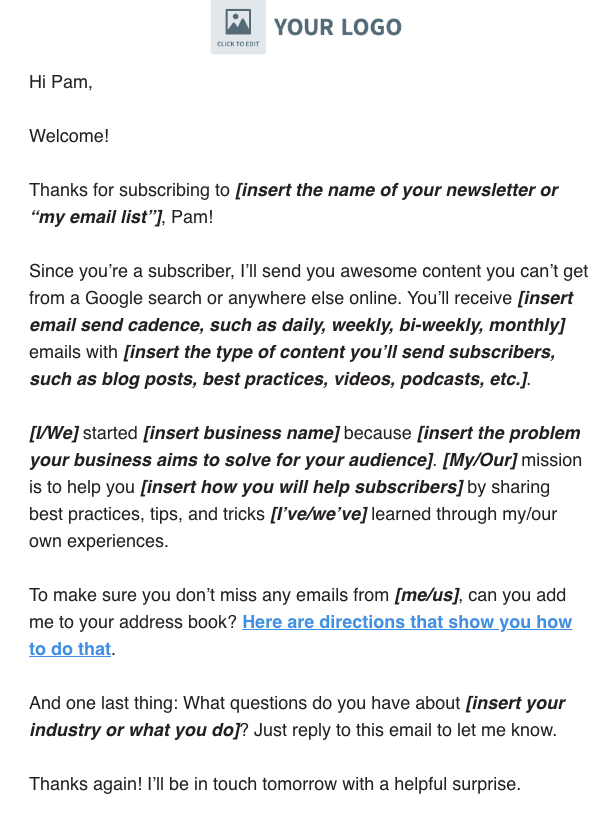
Email #1 

Subject line: Thanks for subscribing! 

First welcome email from AWeber lead nurture series

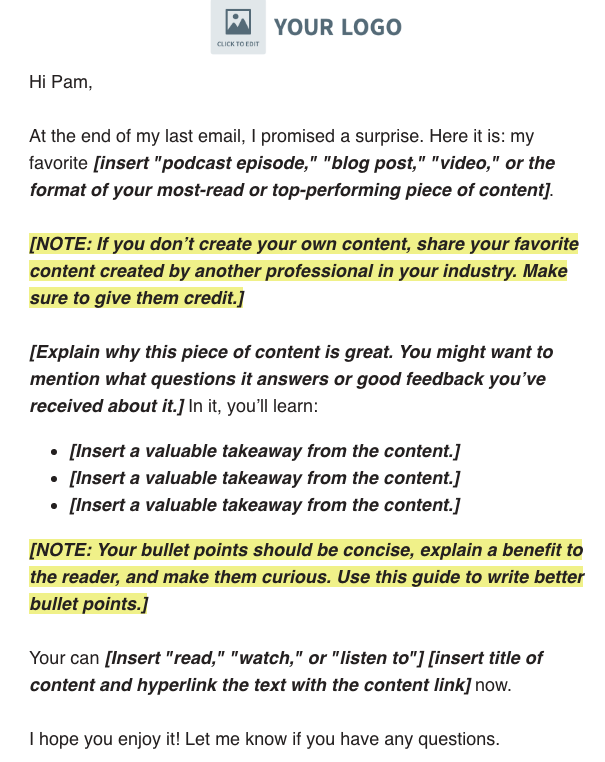
Email #2 

Subject line: [Insert title of the content you share in this post] 

Second welcome email from AWeber lead nurture series

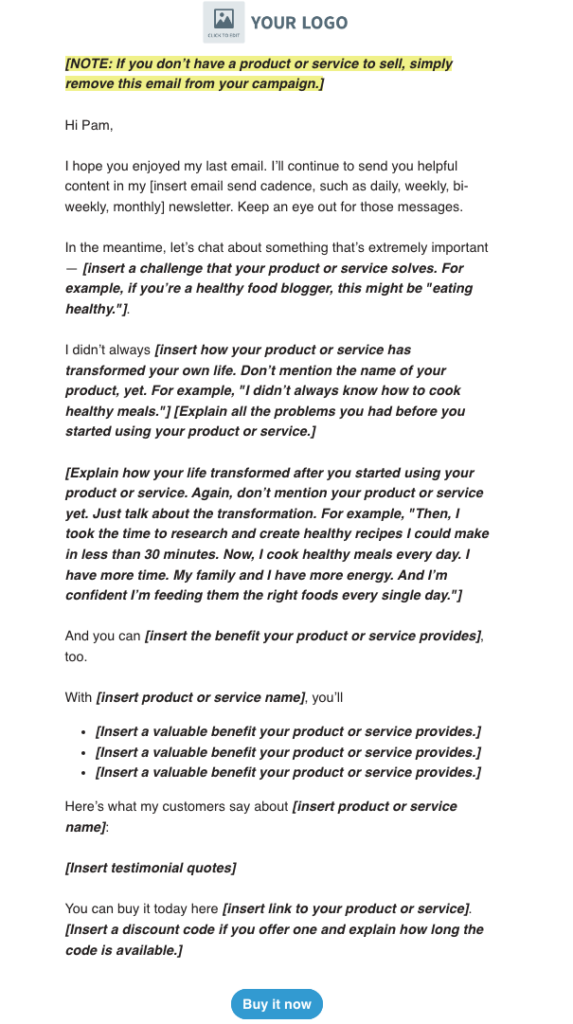
Email #3 

Subject line: Let’s chat. This is important.

Third welcome email from AWeber lead nurture series

Or get this pre-built welcome series when you sign up for a free account

Strategies to grow your social audience with your email marketing 

Strategy #1: Always cross-promote content 

We already talked about including a link to your newsletter in your bios. But are you including links to your social media posts in your emails? 

You should. As we mentioned at the start of this article, the algorithms of the social media platforms control how many people see your content. And unfortunately, "organic reach" has declined a lot over the last few years. You probably actually have a better chance of getting people to see your content by putting it into your emails than by hoping people will see it in their feeds.

Strategy #2: Engage subscribers with a social media contest 

People love free stuff. If you want to grow your audience, run a contest with an appealing prize among your email subscribers. Encourage subscribers to follow you on social media, tag a couple of friends, and like your post. 

Then announce the winners on your email list, so people know where they can find the winners. 

Strategy #3: Highlight social proof 

Did a customer send you an unusually nice email? Did someone praise your work? Showcase it on your social channels. And vice versa. 

Showcasing your social proof across channels encourages your followers on one channel to see what they’re missing on the other. 

It’s a different kind of FOMO, but it works. 

Get everything you need to turn your social followers into email subscribers

Social media is an effective — and popular — way to communicate with your prospects and customers. But relying on it as your sole form of communication can be risky.

That’s where the power of an email list comes in. It lets you take back control of how you communicate with your audience by driving social media followers into your email list.

Log into your AWeber and get the resources you need. Or sign up for a free account today.

The post The three best ways to turn social media followers into email subscribers appeared first on AWeber.


from AWeber https://ift.tt/AbdVvpO
via IFTTT
Social media and politics: why it matters + 10 tips for campaigns

Like it or not, social media and politics are inseparable.

That’s because so much political discourse happens on platforms like Twitter. Over half of the US consumes political news via social.

Debates. Fundraising and fact-checking. News and results.

With social media serving as the modern-day public forum, all of the above are just a tap away for voters.

That’s why the stakes are high for candidates on social media. Rather than wait for stories to publish, politicians can break their own news in real time.

The challenge? Navigating social media and politics is tricky if you’re responsible for managing a public account. Below we break down how candidates can step up their social game.

How social media has transformed political campaigns

Before we get into the nitty-gritty of our tips, let’s address a bigger question:

Why is social media such a staple of politics in the first place?

Social media might not be new to the public at large. However, incorporating social media in political campaigns didn’t see significance until the 2008 United States presidential elections with then- candidate Barack Obama. With the power of social networking, political candidates reach wider audiences than traditional media and in real time.

As a result, a lot has changed in social media and politics since the 2020 US presidential election. Let’s look at the specifics below.

More people get their news from social platforms

There’s no shortage of news sources sending stories directly to our smartphones.

According to 2022 data from Pew, the top social networks for news are Twitter (53%), Facebook (44%) and Reddit (37%). Surprisingly, TikTok (33%) isn’t too far behind these sources.

Graph showing usage of apps that bridge social media and politics for citizens.

Transparency and trust versus mainstream media

Data from Gallup says 36% of citizens in the US have a “great deal” or “fair amount” of trust in mainstream news sources. This includes cable news and print media. Only 11% of self-described Republicans (and 31% of independents) claim to trust the media.

To say that citizens have trust issues when it comes to traditional media would be an understatement.

Social media is also blurring the lines of what’s considered a “trustworthy” new source. Pew data says that adults under 30 trust news from social media about as much as traditional outlets.

Graph showing trusted news source data 2022 for US adults under 30, whether it's local news, national news or social media sites..

Social media is far from a perfect news source.

Still, the benefit of real-time fact-checking is a big plus for social-savvy consumers. Social platforms also provide politicians with a direct line to the public.

That means the value of social media transparency carries over to candidates. After all, they’re able to speak to voters in their own words and on their own terms.

Consider also the massive reach of social media versus mainstream sources. With shrinking TV audiences, social is the biggest show in town for politicians.

More opportunities for fundraising

The explosion of political advertising on social media since 2020 is well-documented.

But the degree to which campaigns are spending now is truly night and day.
Facebook remains a massive force for fundraising and political ads. The Facebook Ad Library lets anyone see to see how much any given campaign is spending. And it’s a lot.

In fact, $3.6 billion has been spent on political and social issue ads since May 2018.

Screenshot of the Facebook Ad Library totals highlighting social media and politics ad spending.

Consider that the top Senate fundraisers also have engaged and active social teams.

Table showing which senate candidates of 2021-22 raised the most money (as of October 2022).

As a result, those candidates can translate their presence into serious campaign cash.

10 tips for running a political campaign on social media

Below we’ve broken down key best practices of social media for political campaigns. From figuring out your content strategy to dealing with trolls, we’ve got you covered.

1. Engage the public via live content

Traditional newscasts aren’t going anywhere quite yet.

That said, social media video lets politicians broadcast their own news and chat with constituents.

For example, many politicians regularly stream on Facebook and Instagram. Rather than just talk at voters, live video encourages meaningful and personable dialogue.

Alexandria Ocasio-Cortez’s IG Live streams rack up massive engagement. For reference, this June 2022 IG Live on the state of Roe v. Wade earned over a million views:

Screenshot of an AOC Instagram Live held in June 2022.

Social video is powerful for politicians addressing local issues not covered by bigger outlets. This includes local ordinances and disaster relief.

2. Fact-check your content prior to publishing

Social media represents a massive news source for voters. Still, unchecked platforms can be a breeding ground for misinformation.

MIT research says that falsehoods are 70% more likely to be Retweeted than the truth. A staggering 38% of people have admitted to accidentally sharing misinformation themselves.

Yikes.

Walking back comments because you didn’t take the time to fact-check them is a bad look. Also, False claims and misinformation are difficult to contain once they’ve been made.

Our advice? Make sure to put together some sort of approval process for your account. Always double-check your sources and wording before making claims that could be twisted.

If you use a platform like Sprout, take advantage of publishing features to keep the above in check.

Social media and politics aren’t a free-for-all. For example, did you know that Presidential Tweets are considered public record? There are real-world consequences that go along with a politician’s social presence.

3. Don’t count out “younger” social media platforms

Twitter and Facebook are the go-to platforms for political accounts.

And based on social media demographics and how age groups vote, this makes perfect sense.

Of course, don’t count out Millennials and Gen Z. Both represent growing voter bases interested in activism. As a result, we’re seeing more politicians investing in Instagram and TikTok.

The fact that 33% of citizens consume news and political content on TikTok is also telling. Notably, Tim Ryan has managed to earn 33,000+ followers with his self-aware TikTok presence. Meanwhile, President Biden is inviting influencers to the White House in a push to reach younger voters.

Screenshot of a Tim Ryan TikTok video with overlay text that reads "When your digital team asks you to make a TikTok..."

There is no “single” platform when it comes to social media and politics. Demographics matter and the largest voting blocs are active on Facebook and Twitter.

4. Put your fundraising efforts front-and-center

Running an effective social media political campaign is about much more than “Likes.”

We won’t get into the anatomy of a perfect political ad on Facebook. Just note that fundraising is central to social media and politics.

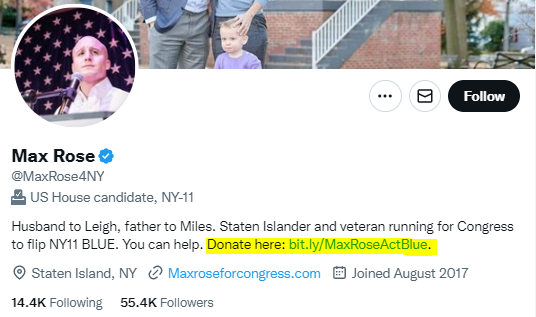
Beyond running Facebook ads, requesting donations via secure links is likewise fair game. Many candidates put donation links in their social bios or as a dedicated “pinned” post.

Screenshot example of using social media and politics for fundraising on Twitter: Max Rose uses a bit.ly link to encourage followers to donate.

Of course, don’t use social media as a place to spam donation messages. Instead, weave them into your content strategy as needed alongside your updates.

5. Learn how to deal with trolls

It’s common to deal with burnout as a social media manager.

And if you’re managing social media for political campaigns, you know this all too well.

Trolling and harassment. Comment spam. Mass reporting.

Unfortunately, this all comes with the territory of social media and politics.

Beyond developing a thick skin,  the best advice we can offer is to not feed the trolls. Try to emphasize a sense of community in the comments and don’t encourage needless fighting.

Just keep in mind that public officials can’t block people on Facebook. There’s plenty of debate over whether or not doing so is legal or ethical as social media is seen as a public forum.

Leave it to supporters and community members to report inappropriate posts. Try to push more intense disagreements into your DMs when appropriate. Whatever you do, be civil.

6. Recognize that not everybody is interested in politics

Comparing social media and politics to that of a business or brand is apples and oranges.

Sure, your goal is to grow your follower account and increase the exposure of your campaign.

But as noted in our guide to social media and government, political accounts are seen as the most “annoying” by the public at large.

Some people go out of their way to block and avoid political discussions via social media. The “Muted words” function on Twitter is handy for this.

Screenshot of muted political terms on a user's Twitter account, such as senate, primaries, election and debate.

Attracting followers and support might seem like an uphill battle at times. Focus on your goals and engage with accounts relevant to your cause.

7. Consistently ask (and answer) questions

Asking questions is a proven way to boost engagement on social media.

Q&As are the bread and butter of political accounts. Posing topical questions to your follower is a simple way to encourage a bit of back-and-forth. Likewise, it’s a way to show that you’re willing to listen to your constituents.

Using Instagram Stories, you can vet questions privately and post answers to followers publicly. Make a point to respond to comments when appropriate. This allows you to publish more thoughtful responses. Publishing Stories as highlights also gives voters something to reference in the future.

Screenshot of a politician responding to an Instagram Q&A.

8. Earn engagement with visual content versus just text-based posts

Visual content such as videos and infographics are among the most-shared social posts. This rings true across pretty much every platform.

If you’re making an important announcement, consider how you can put together a visual to match up with it. Infographics are particularly popular among politicians.

Bite-sized videos also have viral potential, especially on Twitter or TikTok. For reference, Katie Porter’s short-form videos regularly pop off and earn huge engagement.

Don’t worry about investing a ton of time and energy into editing if you’re looking to get on board with video, by the way. Off-the-cuff cell phone footage has become a staple of political social media, too.

9. Find time for positive, non-partisan posts

It’s no secret that tensions are high among parties. Data says political polarization is reaching a fever pitch.

Not everything has to be partisan, though. Note what we said earlier about the fact that not everyone wants to hear about politics. This might also be the case for people that do follow you.

A positive story “just because” can be a much-needed break from fierce debates. Consider some types of content for followers regardless of party affiliation. Uplifting and local stories are always a plus.

Younger, social-savvy politicians likewise can capitalize on memes and humor to boost their posts.

10. Make a point to post consistently

With so many political campaign strategies made possible by social media, there’s a lot of content to juggle.

Donation requests. Upcoming events and elections. Legislation updates.

And that doesn’t even include real-time news that happens from day to day.

Given how quickly the world of politics evolves, it’s important to have your most important updates and content organized and queued up. By reviewing the best times and how often to post on social media, you can maximize your account’s reach and get in front of more voters on the regular.

That’s where Sprout Social’s publishing tools can come in handy. Allowing you to schedule and publish content across multiple platforms, you don’t have to second-guess if a crucial update was sent out to voters.

Screenshot of the Sprout Social Publishing Calendar in a week view.

Ready to take on the world of social media and politics?

There’s a lot that goes into any social media political campaign.

Understanding what to post and how to wrangle your responses will empower you to build support and a sense of community. Doing so matters for politicians.

And if you want help with doing exactly that, we encourage you to check out our social media marketing strategy guide. Given how busy political accounts are, having more help is always a bonus!

The post Social media and politics: why it matters + 10 tips for campaigns appeared first on Sprout Social.


from Sprout Social https://ift.tt/RHdJ4OB
via IFTTT
Tuesday, 1 November 2022

7 best YouTube automation tools to grow your channel in 2023

Seven best YouTube automation tools to grow your channel

Creating and growing a YouTube channel is no small thing. Between recording, production, editing, and promotion, it can take seven hours to create just 1-5 minutes of video. So any part of the YouTube process you can automate will help.

In this post we’ll cover seven of the best YouTube automation tools to save you time and help increase your views. All of them are either free or cheap.

What are YouTube automation tools?

YouTube automation is the process of using tools to automate actions on YouTube you’d otherwise do manually (or not at all). YouTube automation can help you get more views and subscribers, make more money, and save tons of time.

Some of the YouTube actions include automatically sending emails with your new videos, creating transcriptions, generating SEO-friendly titles and descriptions, promoting videos on social media, and more. 

Often, when people talk about “YouTube automation,” they’re referring to websites where you can buy views, subscribers, comments, and other engagement. Using these tools, you can pay a certain amount for, say, 1,000 views or 100 subscribers on YouTube. 

However, these automation tools are not approved by YouTube. Using them is against YouTube’s terms of service. So we won’t cover any of them in this post.

So if you want to grow your YouTube channel, but you don’t want to have to put in seven hours of work for every minute of video you publish, keep reading. 

1. TubeBuddy

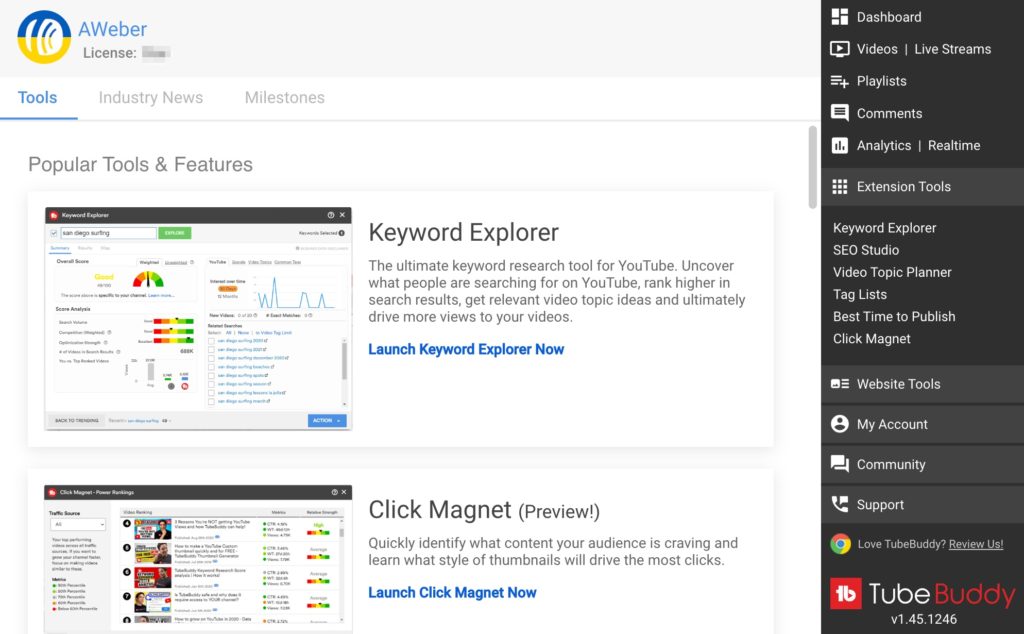
TubeBuddy is probably the best-known tool for YouTubers. It includes a plugin and browser extension with tons of tools that can help you upload, manage, and grow views on your YouTube videos.

TubeBuddy YouTube automation tool.

What does TubeBuddy automate?

TubeBuddy has tons of useful features, but try these three first. They're the easiest to implement, and will save you the most time by replacing tasks you’re already doing.

  • Automations: Get AI tag suggestions, translate titles and descriptions into other languages, and automatically run YouTube approval checks.
  • Bulk actions: Change cards, end screens, descriptions/titles, delete comments, and create thumbnail overlays — in bulk. For example, if you have a new video to promote, you can add a link to it in every video description or card; no need to manually edit each and every video.
  • Defaults: Create multiple default profiles, descriptions, and tags for your different topics and choose the one most relevant to the video you’re uploading. (YouTube only allows you one.)

How does this help you?

Most of the tools in TubeBuddy help you save time by offering automatic or bulk actions you’d have to do manually. You can also use TubeBuddy to grow views by promoting one video across your channel, or you can easily add tag suggestions to make your videos more likely to show in search results and suggested videos.

Reviews

TubeBuddy has a 4.6-star rating on Capterra.

Cost

TubeBuddy has a free plan that offers keyword tools, but it doesn't include bulk actions, defaults, or limited automations.

TubeBuddy’s paid plans start at $3.99/month.

2. VidIQ

VidIQ helps YouTubers create better content, and get more views and subscribers.

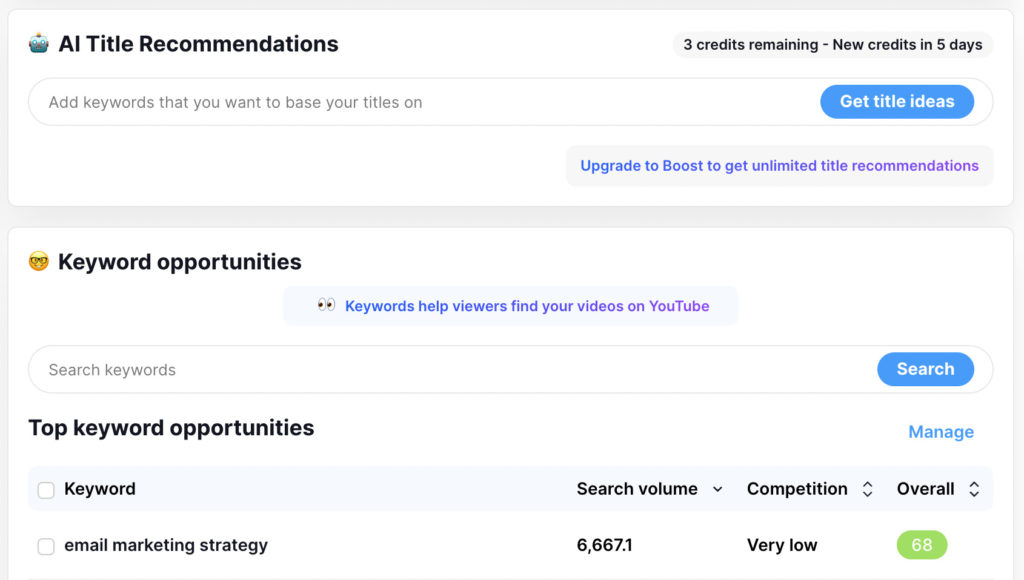
VidIQ YouTube automation tool.

What does VidIQ automate?

Based on your YouTube channel and answers to questions VidIQ asks you, it will automatically generate for you:

  • Topic ideas, trends, and success stats
  • Keyword opportunities
  • AI-optimized titles, descriptions, and tags
  • Competitor stats
  • Monetization reports and tracking

You can also use VidIQ to promote a specific link or topic across all your YouTube descriptions at once.

How does it help you?

VidIQ is valuable because it helps you reduce the time it takes to research good content and keyword ideas for your target audience. We use it for the AWeber YouTube channel, and the information it gives us is well worth its monthly fee.

I especially like the bulk description tool (available on paid plans only). It can help you get a ton of views on new videos without a lot of work.

Reviews

VidIQ has a 4.3-star rating on Capterra.

Cost

VidIQ’s free plan offers limited automation features.

Get more features with their paid plans starting at $7.50/month.

3. AWeber YouTube automation

AWeber is an email marketing tool that you can use to easily and automatically promote your new YouTube videos via email.

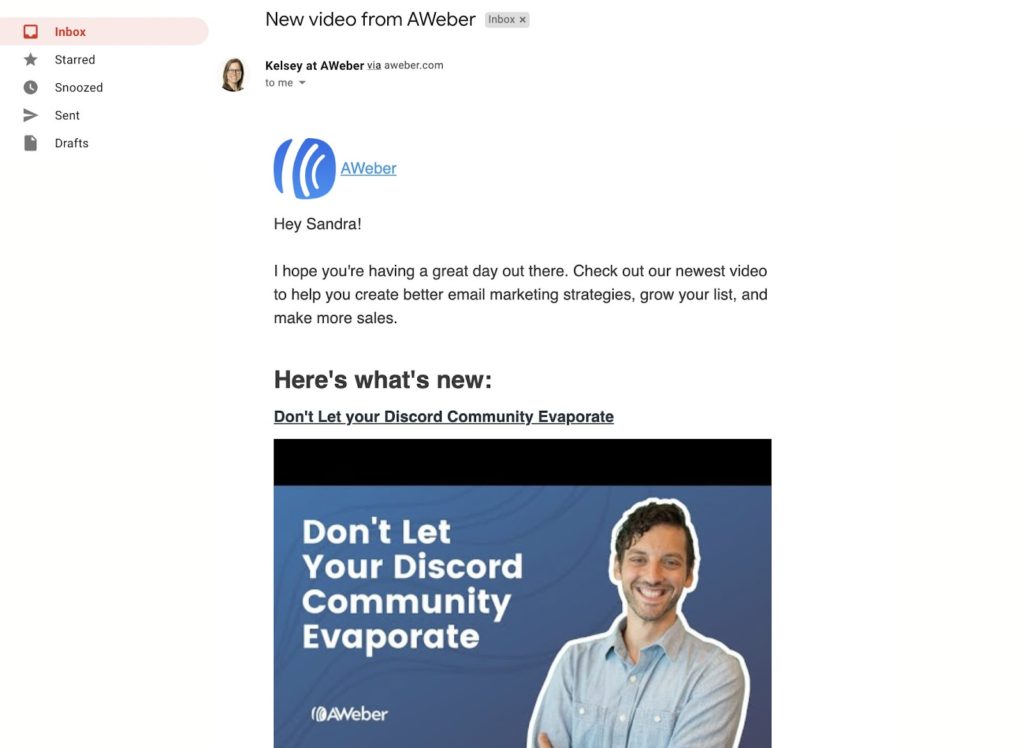
AWeber YouTube email automation tool.

What does AWeber automate?

AWeber can send emails to your subscribers any time you publish a new video to your YouTube channel. All you have to do is ask your YouTube subscribers to sign up. Once they’re subscribed to your emails, they’ll be notified of your new videos in their inboxes, instead of having to check YouTube all the time. 

You can also set up daily, weekly, and monthly emails with new videos, in case your upload schedule is sporadic.

Note: AWeber offers other email tools and automations for small businesses like automatically adding new customers to your email list, sending abandoned cart emails, and more. 

How does it help you?

Most YouTube videos reach less than 15% of the people who are subscribed to the channels those videos were published to. This limited “organic reach” means that even if you have a lot of subscribers, your videos aren’t reaching most of those people.

Sending an automated notification email to your subscribers gets around all that.

There’s another benefit to these notifications, too. Because of the way YouTube’s algorithm works, if it sees you have an engaged audience, it will show your videos to more people. Sending an email notification is a way to get your audience engaged. It’s enough of a signal to influence YouTube’s algorithm in your favor. 

Those early views also encourage the YouTube algorithm to rank you higher for searches and suggestions.

And the best part? You’re starting to build an audience that’s not controlled by YouTube. No one can take your email subscribers away from you.

Reviews

AWeber has a 4.4-star rating on Capterra.

Cost

AWeber’s free plan includes one YouTube email automation and up to 500 email subscribers.

Paid plans start at $19.99 and include unlimited YouTube automations and anything over 500 subscribers.

4. YouTube Studio

It may seem weird to have the official YouTube Studio on this list of best YouTube automation tools, but it’s worth pointing out what you can automate without any extra software.

In general, YouTube studio is where you upload, manage, and get analytics on your YouTube videos. But there are a few built-in automations that can save you a ton of time.

What does YouTube Studio automate?

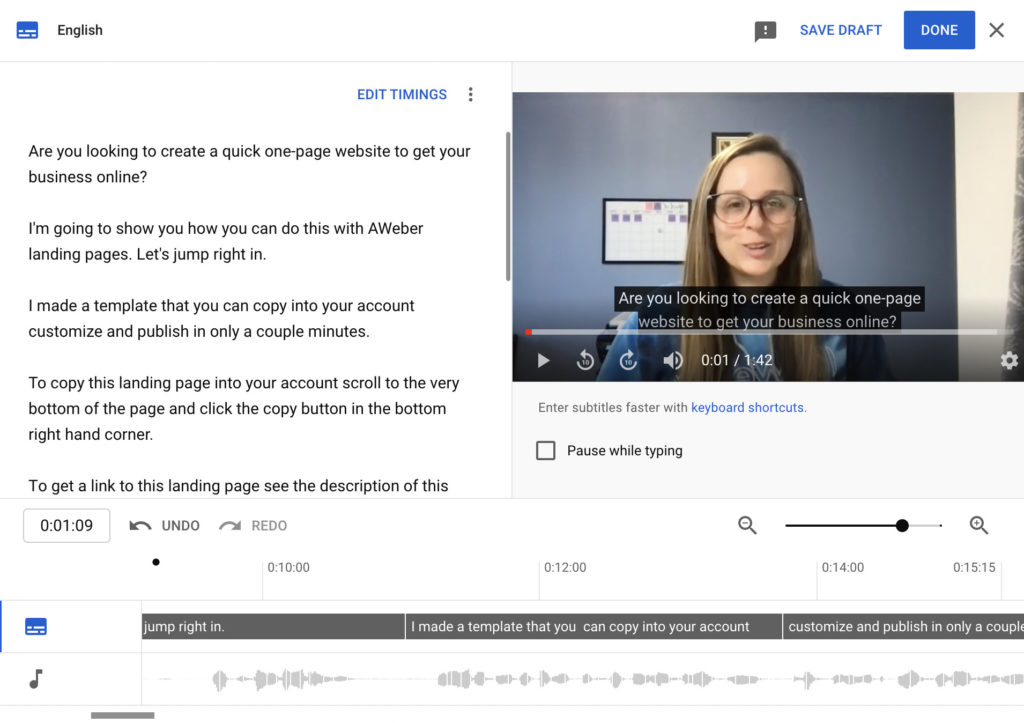
In YouTube Studio you can automatically generate subtitles and chapters for your videos. Subtitles increase accessibility since people can watch your videos without sound. Chapters allow people to jump directly to the section of your video that they need. That can be particularly useful for demos or longer videos.

YouTube Studio automatic subtitles.

YouTube also automatically gives you real-time stats on your videos. Monitor them to see what types of videos are ranking, getting new versus returning traffic, how long people are watching on average, and more.

How does it help you?

Since you must use YouTube Studio to manage your YouTube channel anyway, it’s worth your time to see which features they offer that save you time. YouTube wants your channel to grow — so pay attention to the information and accessibility they offer to grow views, subscribers, and engagement.

Reviews

YouTube has a 4.8-star rating on Capterra.

Cost

YouTube Studio is free.

5. Repurpose.io

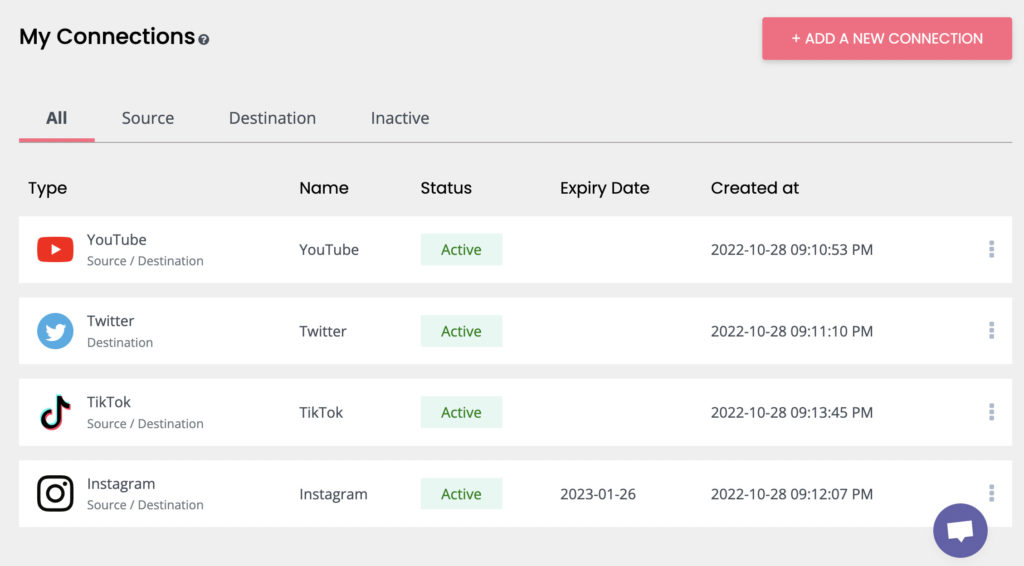
Repurpose.io is a tool that allows you to turn YouTube content into videos for other platforms in order to better promote your channel and get more views.

Repurpose.io connections including YouTube, Twitter, TikTok, and Instagram.

What does Repurpose.io automate?

Repurpose.io will turn your horizontally-oriented YouTube videos into square and vertical videos optimized for TikTok, Instagram Reels and Stories, Shorts, etc. You can also convert your full videos into clips, add headlines and designs, choose videos based on hashtags and playlists, and much more.

You can also choose to manually publish your modified videos on other channels, or set them up to go out automatically.

How does it help you?

One of the best ways to grow your YouTube views and subscribers is to republish your content on other platforms. Repurpose.io can help you drive traffic from Instagram, LinkedIn, Twitter, and TikTok back to YouTube (where you can make more money from them).

Plus, you can actually grow audiences and build awareness on those other platforms with literally no extra work. You already put the work in on your videos — send them to every other platform and connect with the people who prefer other platforms over YouTube.

Reviews

Repurpose.io doesn’t have any reviews on Capterra. It has a 5-star rating on Product Hunt.

Cost

Repurpose.io has a 14-day free trial that includes 10 published videos.

Their podcaster plan is $15/month and content creator plan (likely the best for YouTubers) is $25/month.

6. Zapier

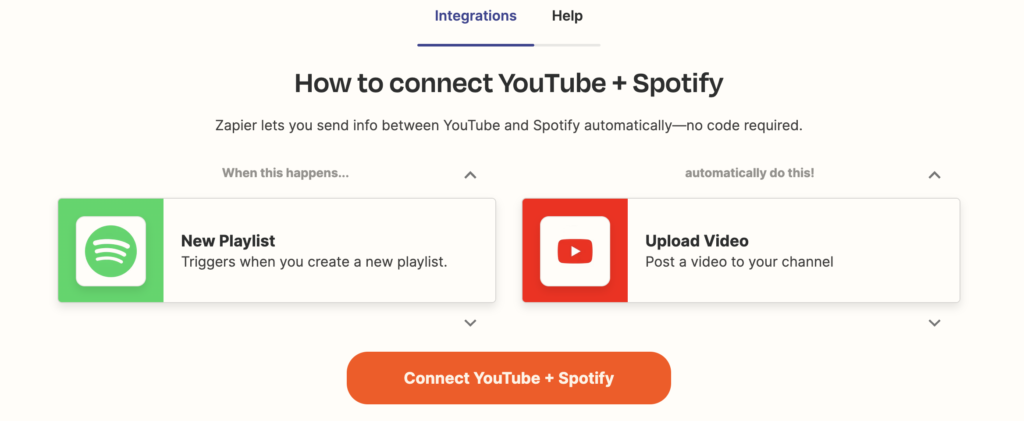
Zapier is a tool that allows you to connect thousands of separate apps and create automations. It works using “triggers” and “actions.”

How to connect YouTube and Spotify on Zapier.

What does Zapier automate?

Everything you create in Zapier is an automation, which means you can set up hundreds of automations that directly relate to your business. For example, you could post a message in Slack every time you publish a new video.

Here are two types of Zapier automations that are useful for every YouTuber:

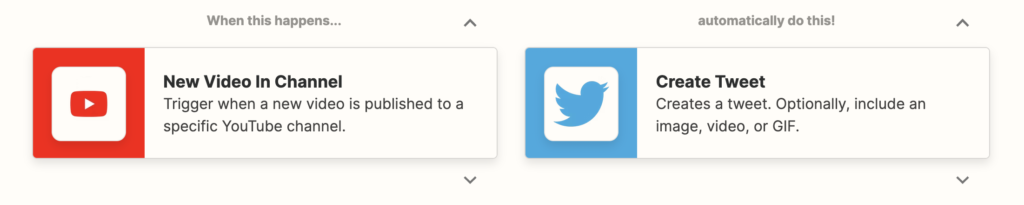
1. When you publish a YouTube video, create new posts on all your social media channels like Twitter, Facebook, Instagram, etc.

Create a Tweet from a new video in your YouTube channel using Zapier.

2. When you publish a YouTube video, create a new post on your blog.

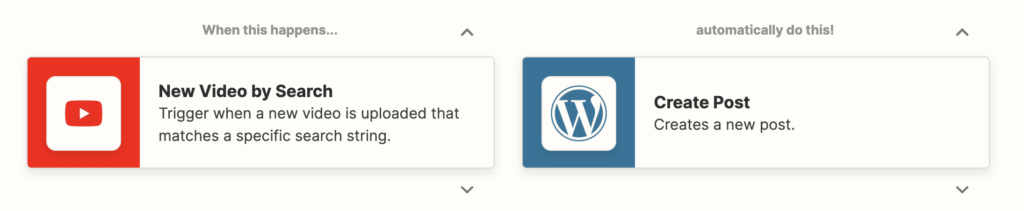
Create a Wordpress post from a new video in your YouTube channel using Zapier.

How does it help you?

Growing your YouTube channel doesn’t just come down to SEO and ranking for suggestions. It’s important to get your new videos in front of your audience — wherever they are. Without spending any extra time, you can automatically notify people on all your channels when you’ve published a new video.

Reviews

Zapier has a 4.7-star rating on Capterra.

Cost

Zapier offers a free plan with 5 zaps, 100 triggers, and a limit on certain apps you can connect.

Zapier’s paid plans start at $19.99/month, billed annually.

7. Headliner

Headliner is a tool specifically designed for podcasters who want to make their podcast content available on YouTube without a ton of extra work.

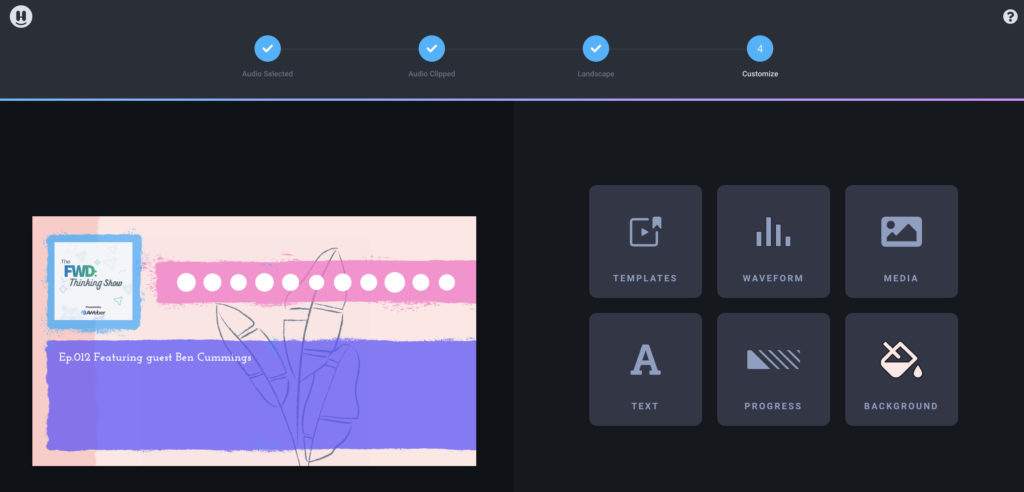
Headliner app tool to turn podcasts into YouTube videos.

What does Headliner automate?

By simply plugging your podcast RSS feed into this tool, you can create an engaging video overlay to make your podcast more interesting to watch on YouTube. Headliner offers templates and pulls elements from your RSS feed to offer you a ready-made video automatically.

How does it help you?

With 2.1 billion monthly active users, YouTube is an important place to showcase your podcast. But many people don’t have the time, resources, or video experience to turn their podcast into a video. Capture the YouTube audience by creating a video from your podcast using Headliner in minutes.

Reviews

Headliner has a 4.5-star rating on Capterra.

Cost

Headliner offers a free plan with limited templates and video time.

Paid plans start at $7.99/month.

Try one or more of the best YouTube automation tools today

Want to grow your YouTube views, optimize your videos, and save time? We challenge you to get an automation set up today! Let us know how you improved your YouTube channel in the comments below 👇.

The post 7 best YouTube automation tools to grow your channel in 2023 appeared first on AWeber.


from AWeber https://ift.tt/q0JfLPU
via IFTTT

How to create a Black Friday marketing strategy for social media

Remember Black Friday’s of a bygone era? Countless people camped outside of retailers in the early morning the day after Thanksgiving—some even on Thanksgiving night. The stores offered unbeatable deals. There was mayhem in every aisle. It was a national pastime that became a worldwide phenomenon.

@thevinnyduke

Is Black Friday shopping not a thing anymore? 💀 #mall #blackfriday #shopping #DealGuesser

♬ WHY IS EVERYONE USING THIS – .

Spurred by the growth of online shopping and social commerce, Black Friday evolved into a month-long event. Camp-outs turned into late nights on retailer websites and social media shops. If you want to make the most of the holiday shopping surge this year, your Black Friday marketing strategy must transform, too.

In this guide, we walk through how to build Black Friday social media campaigns that will boost your overall strategy this holiday season.

Types of Black Friday social media campaigns (with examples)

According to Sprout Social’s Advanced Social Listening tool, there was a 21% increase in total Black Friday mentions on social from 2020 to 2021, suggesting buzz for the retail holiday continues to grow. But with an 18% decrease in total engagements, the fight to gain consumer attention will be harder than ever.

Data visualization that reads 21% increase in total Black Friday volume on social from 2020 to 2021

Shoppers are most likely to focus their attention on retail segments with the most enticing offers. Companies known for featuring the best Black Friday deals include:

  • Clothing retailers
  • Electronics retailers
  • Department stores
  • Small businesses
  • Ecommerce brands
  • Skincare and makeup companies
  • Furniture and home improvement retailers
  • Toy makers

But any brand can create a winning Black Friday marketing strategy by tapping into the power of social. Here are some proven Black Friday marketing strategy examples that have worked for other brands and can help inspire your campaign planning.

Giveaways and contests

Grab consumer attention by giving away free merchandise. Create a social media giveaway or contest to improve your engagement and supercharge the buzz around your brand.

Giveaways and contests boost your follower count, convert leads, amplify brand awareness and increase loyalty.

Last Black Friday, Baskin Robbins gave away 1,000 ice cream cakes to their followers. To take home a cake, they had to unscramble the code the ice cream chain shared on social media.

Their Twitter post about the giveaway received almost 6,500 views, an impressive feat considering most people aren’t thinking about ice cream while holiday shopping.

Loyalty programs

If you want to incentivize your audience to return to your website or shop with you after Black Friday ends, promote your rewards or loyalty program. These programs typically offer discounts, coupons or early access to repeat shoppers.

Brands that give their repeat customers extra perks can encourage brand loyalty, especially if they provide an experience that people enjoy.

GameStop offered four times the rewards points to their Pros during their Black Friday sale in 2021. This was the highest rewards value their customers received all year, making it the perfect can’t-miss opportunity to promote during Black Friday.

Omnichannel campaigns

Consumers are discerning. When they are looking to buy, the average consumer will now consult 10 or more brand channels before making a purchasing decision.

During Black Friday, tap into omnichannel marketing by creating a seamless customer experience—from your social platforms and chatbots to email strategy and customer care. Meet your customers exactly where they’re at in every stage of their journey.

Image of Macy's Instagram caption, inviting followers to attend their LiveDeals Cyber Monday event

Share your promotions across channels and use different social platform tools to captivate your audience. During Macy’s Cyber Monday Specials campaign, they promoted their LiveDeals Facebook event on Instagram. The campaign created a new way for customers to interact with the department store and their products.

Community-inspired campaigns

A brand community is made up of people who have an emotional connection to your brand. When you reach your community effectively, you will increase brand loyalty and even encourage customers to become brand evangelists.

Take a cue from your community when creating your Black Friday content. Get to know their other favorite brands, favorite social media aesthetics and how they spend their holidays. Use your insights to guide your social content development.

A screenshot of Golde's Instagram caption explaining the three small biz gift guides they created

For example, Golde released three holiday gift guides last Black Friday. Their guides featured their superfoods and other products from small businesses they knew their community would love. Fun? Check. Aesthetically pleasing? Check. Happy community? Check.

Black Friday marketing strategy tips

When developing a Black Friday marketing strategy for social, you need to plan ahead. Now is the time to get your content calendar in order, take stock of what’s been successful for you this year (metrics-wise) and think about how you’re going to stand out in a swarm of other Black Friday social media campaigns.

Follow these tips to execute your Black Friday marketing strategy successfully.

Encourage opt-ins and new followers

Start building awareness for your brand by engaging new potential followers and email subscribers. Use an early-bird special to entice customers to follow your social accounts or to opt-in to your email newsletter for a special Black Friday discount code.

Focus on growing your customer base long before Black Friday so your content can reach a wider audience.

A/B test different creative strategies

By kicking off your Black Friday campaigns early, you can A/B test your different creative options. For example, analyze how a short-form video performs compared to an infographic with the same message.

When it grows closer to Black Friday, go with the creative format that will bring the most engagements, awareness and positive sentiment.

Partner with creators and influencers

Working with creators and influencers can help you generate more engagement, reach new audiences and strengthen your community on social this Black Friday. Start reaching out to them as soon as possible.

Find creators and influencers that resonate with your audience and have experience with your products to build the most impactful campaigns. Remember the best content is educational and entertaining.

@fentybeauty

Tag ur favorite influencer in the comments! 😂❤️ It’s our #CyberWeek 25% OFF SITE WIDE SALE — now thru 11/30! @Nina Marie Daniele #fentybeauty #materialgirl

♬ original sound – Fenty Beauty

Prepare your profiles

One of the easiest things you need to do to prepare for Black Friday is get your profiles ready. An up-to-date profile is an essential part of converting viewers and followers into buyers and brand superfans.

People will notice your profile photos (both headers and profile pics) first. Consider updating your photos with a holiday-inspired theme.

You should add links in your profile bios (Instagram, Twitter) or in the about sections (Facebook, LinkedIn) to your Black Friday promos.

A screenshot of Target's Instagram caption encouraging followers to tap the link in their bio

Make sure all of the links in your profiles are in working order. You don’t want people hitting error pages.

You can also pin posts to the top of your profile. Be sure to pin the best promotion you’re running this holiday season.

Automate elements of your social strategy

As we head toward the holiday season, expect to ramp up your customer care strategy and your content production. To build a strategy that prevents your team from getting burned out during this busy season, use automated tools to scale smoothly.

By using a social media management platform like Sprout, you will be able to:

  • Schedule posts in advance at the best time of day
  • Program chatbots to handle the influx of messages
  • Track the performance of different post types
  • Use social listening to monitor brand sentiment and conversations around your brand/industry
Sprout Social Listening dashboard with example data

These tools will help you seamlessly and effectively execute in advance and during the big sale.

Create different promotions for different audiences

If you serve one specific, hyper-niche audience, then skip down to the next section. But, if you have several audience types, you should create different Black Friday social posts for each market segment.

For example, department stores should create posts highlighting their holiday deals geared toward different members of their audience. Whether it’s a customer who’s interested in home decor and electronics or a customer who’s looking for clothing and outdoor gear.

@walmart

We made it rain gold on a snowman. Because new Deals for Days. Shop link in bio. #FYP #BlackFriday

♬ original sound – Walmart

Black Friday social media campaigns to inspire you

One of the most challenging parts of building a successful Black Friday social media strategy is holding your own in the sea of other brands vying to grab consumer attention.

Let’s take a look at examples of brands producing stand-out Black Friday campaigns on social that you can use for inspiration.

1. REI

REI believes a life outdoors is a life well-lived. This Black Friday (and every Black Friday in the future), they are closing their doors to give their employees a paid holiday and a chance to recharge (presumably outdoors).

While the #OptOutside campaign might seem unorthodox, it’s perfectly aligned with the brand’s mission and values.

In addition to being closed, REI also encourages their customers to donate to grassroots groups that support their corporate mission.

If a mission-based campaign seems like it could be a good fit for your brand, make sure it will seem authentic. The last thing you need during Black Friday is a PR stunt gone wrong. Stay true to your brand.

2. Primally Pure

Primally Pure, the online skincare brand with a cult following, goes all out for Black Friday. As a small business, their strategy on social media is to retain customers and build brand loyalty.

They go beyond the standard deals. Last year, Primally Pure’s week-long Black Friday content line-up was full of special perks for those in their loyalty program, giveaways and new product drops—content that reflects their larger business goals.

A screenshot of Primally Pure's Instagram caption, where they promote their free gifts and holiday deals

When designing your Black Friday social media campaign, remember to align with your business objectives (examples: build loyalty, raise awareness, increase revenue).

3. Girlfriend Collective

Girlfriend Collective makes eco-friendly activewear stylish, and their 2021 Black Friday social media campaign was just as chic as their products.

@girlfriend

@Emí styling her favorite #girlfriend pieces. These could be your favorites too, now 30% off for a limited time. #girlfriendcollective

♬ original sound – girlfriend

On TikTok, they leaned into user-generated content, while on Instagram they used eye-catching animations. By optimizing their content for each platform, they made their creative count, gaining tens of thousands of views on each of their Instagram Reels while the creator they partnered with gained 5,000 views on her sponsored video.

Girlfriend also stirred up major buzz when they started their holiday sales a week before Black Friday.

Take a lesson from their playbook when developing your campaign content:

  1. Optimize your visuals and social copy for each channel.
  2. Partner with creators who can inform your brand’s aesthetic and help you increase your awareness.
  3. Launch your Black Friday campaign before the holiday to gain media traction.

4. Shea Moisture

During Black Friday sales last year, Shea Moisture decided to go back to their roots and support the Black community. They launched the Next Black Millionaire Fund, a project that bolsters Black-owned businesses with grant money, distribution support and collaboration with Shea Moisture.

Though they also promoted Black Friday deals, it was the contest that gained the most attention. It was clear Shea Moisture understood their community.

A screenshot of a Shea Moisture fan celebrating the Black Millionaire Fund

Make sure your Black Friday content meets your community’s needs. Get to know your audience. Find out what they need during the holiday season—whether it’s a contest or helpful resources.

Start planning (and scheduling) your Black Friday social media posts

Black Friday is almost here. Don’t expect busy shopping malls and crowded parking lots. Your customers will be looking for deals online and on social.

To prepare for the retail holiday, make sure your Black Friday social media campaign and customer care strategy are in place well before the end of November.

As you build your campaign, remember to reinforce your mission, align with your organization’s goals, make your creative count and schedule your content ahead of time.

For more resources to help you plan your holiday strategy, check out our insights about holiday retail social media data.

The post How to create a Black Friday marketing strategy for social media appeared first on Sprout Social.


from Sprout Social https://ift.tt/89kfgAC
via IFTTT