Ever wonder why your marketing emails don’t always get the traction you hope for? You’re not alone. With inboxes packed and attention spans shorter than ever, even the best-crafted message can be missed if it lands at the wrong time. Studies show that email timing is one of the most important factors in driving opens, clicks, and action. So, when is the best time to send email marketing that actually gets results? In this guide, you’ll discover what the best time to send email marketing really is—backed by data, real-world examples, and practical tips you can use today. Whether you’re running a small business or growing an audience, learning when to send email marketing is a proven way to boost engagement and ROI.
What Is the Best Time to Send Email Marketing? (Short Answer)
Most research shows that the best time to send out email marketing is typically Tuesday to Thursday mornings between 9 am and 11 am in your recipient's local time. During these hours, readers are settled into their workday and more likely to review emails before meetings and tasks take over. Afternoons, especially just after lunch, are also strong contenders for open rates, depending on your audience. But don’t stop there. The real secret is that your best time may vary, depending on your unique subscribers. Factors like industry, audience habits, time zones, and even the purpose of your marketing email all matter.
Email Marketing Best Time to Send: What the Data Says
Let’s look at industry data to uncover patterns. Multiple studies agree that:
Tuesday mornings often see the highest engagement rates.
Wednesday and Thursday mornings are strong alternatives, especially for business-focused audiences.
Weekends typically see lower open and click rates—but certain audiences, like retail shoppers or hobbyists, may still be active.
Afternoon sends (especially between 1 pm and 3 pm) work well for audiences who check email after lunch breaks.
Remember, averages are helpful starting points, but real optimization happens when you learn your audience’s routines. For example, a B2B software company might see great success with Tuesday at 10 am, while a parenting newsletter may find Sunday evenings deliver high response.
When Is the Best Time to Send Email Marketing by Industry?
Your audience’s habits play a big role in email performance. Here are common patterns by industry, based on insights from current marketing statistics:
B2B & Professional Services: Weekday mornings, especially Tuesday–Thursday, 9–11 am.
Retail & E-commerce: Late mornings and early afternoons (Thursday and Friday, 10 am–2 pm) often work as consumers think about purchases.
Nonprofit & Community: Mid-week afternoons or Saturday mornings can catch readers with more time to engage.
Events & Entertainment: Thursday and Friday afternoons, or even Sunday evenings as people plan ahead for the week.
Always consider your subscribers’ local time zones. Tools like AWeber’s email scheduling can help automate delivery to match recipients’ locations.
How to Send Email Marketing at the Optimal Time
Picking the best send time isn’t just about choosing a day and hour. It’s about understanding your unique subscribers. Here’s how to send email marketing at the right moment:
1. Segment Your Audience
Divide your email list by time zone, behavior, or preferences. For example, if you serve both U.S. and European customers, schedule identical emails to arrive mid-morning in each local time.
2. Test & Analyze
A/B test your send times. Try different days and hours, then measure open and click rates. For example, try sending one campaign at 10 am on Tuesday and another at 1 pm on Wednesday, then compare performance in your analytics dashboard.
3. Automate with Scheduling Tools
Email platforms like AWeber allow you to schedule in advance—so you hit inboxes at precisely the right moment, even if you’re asleep. This is especially handy for international audiences.
4. Consider Email Type and Goal
Promotional offers might work best during late morning, when readers are thinking about shopping. Newsletters, on the other hand, may earn higher engagement Sunday evenings as subscribers settle in for the week ahead.
Best Time to Send Email Marketing Campaigns: Real-World Tips and Strategies
If you’re wondering when to send email marketing for specific results, here are practical strategies you can put to work:
Welcome Emails: Send immediately after signup—don’t wait! These typically have the highest open rates of all email types.
Weekly Newsletters: Try Tuesdays or Wednesdays by mid-morning. If your content is more reflective or story-driven, Sunday evening can also work well.
Limited-Time Offers: Send midweek mornings, or experiment with Friday afternoons for last-minute weekend deals.
Abandoned Cart Emails: Often, results are best 1–2 hours after abandonment, followed by a reminder at the same time the next day.
Case in point: An online clothing retailer used A/B testing to discover that their open rates increased by 15% when they moved their campaign send from Monday mornings (when inboxes were crowded) to Wednesday at 10:30 am.
What the Best Time to Send Email Marketing Really Means for You
Industry benchmarks offer a great starting point, but they’re just that—a start. To genuinely maximize results, build your own data-driven email marketing best time to send standards. Here’s a simple framework to guide you:
Start with industry averages (Tuesday–Thursday, 9–11 am)
Segment and schedule by time zone and audience type
Email Marketing Best Time to Send: Common Myths and Mistakes
Let’s quickly debunk some common misconceptions:
“There's a single best hour for everyone”: In truth, your audience may have unique routines. Always validate suggestions with your own testing.
“Weekends are dead zones”: For some niches, weekends can outperform weekdays—especially if your audience checks email for inspiration or deals.
“Earlier is always better”: Many people triage morning email in bulk, so late morning or early afternoon can be ideal for visibility.
How to Send Email Marketing That Works at Any Time
Beyond timing, focus on delivering value. Even the best time to send email marketing campaigns won’t help if your subject line isn’t compelling, or your message doesn’t resonate. Some tips that hold true no matter when you send:
Write clear, specific subject lines
Keep emails concise and visually scannable
Personalize where possible—use names, locations, or interests
Key Takeaways: Choosing the Best Time to Send Out Email Marketing
The answer to “what is the best time to send email marketing?” is both simple and strategic: start with weekday mornings, but always tailor your strategy to your audience. Track, test, and personalize. Over time, you’ll zero in on the optimal schedule for your unique list. Combine smart timing with engaging content, and your next campaign could be your best yet.
Social media is an integral part of nonprofit operations. It’s how donors and volunteers find causes they care about, and how organizations raise awareness at a local and global level. And with the right social media strategy and tools, nonprofits can amplify their mission, transform how they connect with audiences and meet fundraising goals.
But planning and executing a nonprofit social media strategy isn’t without a unique set of challenges. Understaffing. Limited bandwidth. Highly-scrutinized, tight budgets. Trying to understand and reach new generations of donors and volunteers.
By choosing the right social media management software for nonprofits, you can proactively engage donors, volunteers and staff members, while saving your team valuable time and resources. Use the questions in this article to help you evaluate nonprofit social media management tools, and, ultimately, deliver a social performance that fuels your mission.
Special Pricing for Nonprofits on Sprout Social: Maximize your impact and expand your community with Sprout’s top-rated software.
Why nonprofits need a comprehensive social media management tool
At their core, social media management tools allow you to manage your nonprofit’s social media presence in one centralized place rather than switching between native networks—which is key for boosting efficiency and reducing manual labor. As social has evolved, these tools have matured into sophisticated platforms that clarify the donor journey and enable you to lead your organization with a data-driven vision.
With a comprehensive social media management tool, your team can:
Address workforce shortages and under-resourced teams by automating manual tasks, allowing your staff to prioritize their most important work and make time for innovation, while reducing burnout and turnover.
Balance global and local strategies, while ensuring all content aligns with your overarching brand and mission.
Tie your digital marketing efforts to key performance metrics like conversions and donor engagement/retention.
Effectively reach new donors and volunteers from younger generations who want to engage and donate digitally.
But not all social media management platforms are created equal. The right tools should be powerful enough to handle your unique use cases and intuitive enough for your team to adopt and uncover insights.
For example, watch how Donors Choose uses Sprout Social to efficiently manage their complete social media presence—from publishing and engagement to analytics and reporting.
4 questions to ask when evaluating social media management tools for nonprofits
The right social media management tools streamline your workflows, make it easy to engage your community and provide access to key insights that your entire organization can use. Your platform of choice should prioritize innovation and adaptability—empowering you to maximize your mission. Here are the questions you need to ask before making an investment:
1. How will these tools alleviate my team’s workload so they can focus on mission-critical initiatives?
From managing workloads to retaining staff, workforce management issues are some of the top challenges nonprofits face, according to Salesforce’s Nonprofit Trends Report.
According to Navaris Hood, Senior Manager of Social Media at Goodwill of Central and Northern Arizona, “Sprout is an invaluable tool for managing multi-platform social media efforts. It makes the process of scheduling content, engaging followers and creating customized reports simple and more efficient.”
A 2025 commissioned Total Economic Impact™ study conducted by Forrester Consulting on behalf of Sprout Social found that Sprout’s tools helped a composite organization representative of interviewed customers drive $1.11 million in social media team time savings (across scheduling, publishing, listening, replying and planning) over three years.
Here are a few Sprout highlights that help nonprofits collaborate more effectively:
Content planning: Plan your strategy and maintain oversight from a central hub rather than disparate apps or spreadsheets. Organize posts across profiles, networks and campaigns using a visualized calendar to support your overall mission. For example, you can map out your posts for the upcoming week and month to assure your content lines up with seasonal holidays and donor events, like #GivingTuesday.
Publishing: Boost collaboration between staff and increase productivity with campaign planning tools, automated workflows, and scheduling and monitoring tools. Create caption suggestions and alt-text with AI to break through writer’s block, and automatically publish your content at the times most likely to reach donors and volunteers.
Message approval workflows: With internal and external approver features, ensure content is always approved and compliant with your brand guidelines—all within the Sprout platform.
Audience engagement: Nonprofits receive an average of 62 inbound engagements on content per day, according to The 2025 Content Benchmarks Report. Stop manually triaging inbound messages and respond to your community faster with tools like automated message tagging and saved replies. Teams can also take advantage of AI-powered suggestions to refine the tone and length of your responses.
2. Will this tool help us maximize our mission and reach among key audiences?
Increasing awareness of your mission, fundraisers and initiatives is of the utmost importance at your organization. But with limited funds for paid efforts, you need creative, scalable ways to maximize your organic reach to get in front of new volunteers, donors and staff members.
Enter: turning your current employees and volunteers into your greatest advocates.
With a solution like Employee Advocacy by Sprout Social, you can put all your shareable content in one place so your staff and volunteers can quickly and easily post approved content to their social networks—extending your reach far beyond your bandwidth and budget. According to the Forrester Total Economic Impact™ study, the composite organization representative of interviewed customers saw an increase in organic traffic, generating $130,000 in additional profit over three years with the Advocacy platform.
Increasingly though, nonprofits are tapping into the power and reach of influencers to educate audiences about their cause and how to get involved. This can come to life in so many ways, from facility tours to livestreaming donor drive events.
Sprout Social Influencer Marketing helps teams quickly identify the most authentic, brand safe creators for your campaigns. AI-powered discovery capabilities reduce time spent manually searching for the right partners and reviewing their past content. The Forrester study found that organizations experienced 25% time savings using Sprout’s tools.
3. How will this tool help us grow and engage our community more meaningfully?
You want to foster relationships on social media that turn followers into donors, volunteers and advocates. To do so, you need to understand your audience’s journey and be responsive and authentic when they reach out to you. Strengthen your community engagement by using social media tools that provide your team with valuable intelligence about your audience, and empower swift, proactive communication.
The Sprout platform empowers you engage your community on social media better by exceeding your audience’s communication expectations and tracking your donors’ journeys from beginning to end. Here’s how:
Smart Inbox: Unify your social channels into a single view so you can quickly monitor incoming messages, cultivate conversations and respond to your audience. Tagging and filtering capabilities let you prioritize what’s most important and discover unique engagement opportunities.
Salesforce integration: Gain a full 360-degree view of your donors—from their first interaction with your nonprofit to their latest donation. Sprout enriches your Salesforce CRM records with social data to provide a comprehensive view, allowing your team to understand your target audience better. Sprout’s Tableau Business Intelligence (BI) Connector takes it a step further by combining social data with other BI sources, giving you a complete perspective of your digital marketing efforts, without requiring time-consuming work.
4. Does it surface the insights we need to adjust our strategy and act on timely issues?
Agile social media analytics tools for nonprofits ensure you can make quick adjustments to your strategy and easily demonstrate social’s value for your organization. This is something many teams struggle with.
Sprout’s Analytics tools help you understand what content resonates with your audience so you can maximize your engagement. According to Becky C. Brynolf, Head of Digital Engagement at the Royal National Institute of Blind People, “So much of our work before Sprout was manual, and the tool we used for monthly reporting was nightmarish. Now, we can just nip into Sprout and ask things like, ‘Show me everything we’ve posted for the last two years arranged by highest engagement.’ It saves us time but also helps us spot themes and trends and be more proactive with our content.”
These Sprout tools are designed to help you fine-tune your content strategy:
Tag Reports: Access an overview of your inbound and outbound tagged messages to easily analyze campaign effectiveness, volume and performance patterns.
Post Performance Reports: Analyze cross-channel performance at the post level to understand what messaging and formats resonate with your community and why.
Profile Performance Reports: Access a high-level overview of performance across all connected profiles to quickly evaluate social growth, and how that growth correlates with key initiatives.
While social data can reveal a lot about your performance, it can also mine audience insights around emerging issues like world events or proposed legislation that can help you craft an informed response. It can even help you get ahead of a crisis. As Sparks says, “One of our big focuses this year is improving how we approach community management and social listening, which Sprout has played a big part in. My team is able to quickly look across platforms and determine trending topics our brand is a part of and act accordingly.”
Using a social media management platform makes it easy to create clear reports that demonstrate how your social strategy translates to your mission, stay on the pulse of social media topics trending with your community and monitor brand health vitals. With Sprout’s tools, you can eliminate the time-consuming manual data collection processes in favor of automated, presentation-ready reports. The Total Economic Impact™ study found that Sprout reduced employee time spent on social media reporting by 80%.
Social listening: Sprout’s artificial intelligence (AI)-driven technology can help you gain critical intel about emerging areas of need and topics your community cares about. The platform sifts through millions of social media data points in seconds, helping you access and share actionable findings with leadership. The tools gather honest feedback about your performance on social and beyond. Learn what motivates someone to donate or volunteer with your nonprofit. With these insights, you will be empowered to produce more meaningful content and ladder-up your learnings to decision makers.
Message Spike Alerts: If your message volume spikes, that could be indicative of a looming crisis. These alerts automatically send email or mobile push notifications when incoming messages exceed your hourly average, so your team doesn’t have to manually monitor your inbox 24/7.
Find the right social media tools to connect with people who care about your cause
Compelling social content inspires people to take action, and connects you with the right audience. By using a sophisticated social media management platform like Sprout Social, you can harness social media to drive donations, capture and deepen donor loyalty, and amplify your mission—all while boosting your team’s efficiency.
For a more comprehensive look at the potential value Sprout Social provides, download The Total Economic Impact™ of Sprout Social study, and learn how Sprout delivered a 263% return on investment over three years.
Have you ever opened your inbox and found a message that clearly wasn’t meant just for you? Maybe it was a special offer, a quick announcement, or even a last call for a big event. Chances are, you were the recipient of an email blast—a fast, broad message sent to many recipients at once. But what is an email blast exactly, and how can you use email blast marketing to grow your business without annoying your audience? In today’s world of crowded inboxes and ever-evolving communication tools, understanding what an email blast is—and how to do it right—can be the difference between building loyalty and getting sent to the spam folder.
What Is an Email Blast?
An email blast (also called a blast email, e-mail blast, or e blast) is a one-off message sent simultaneously to a large group of recipients. It’s used for quick announcements, urgent updates, or time-sensitive promotions. In the context of email marketing, a blast email is typically a single campaign, not part of an ongoing sequence. The idea is to reach many people fast, with the same message, at the same time. Email blast meaning: A mass-sent email, distributed to a broad list, usually without extensive personalization. For example, sending all of your subscribers a coupon code for a weekend sale is an email blast.
How Do Email Blasts Work?
When you create an email blast campaign, you compose one email and choose the list—or lists—of recipients. The blast sends that single message to everyone at once. Most modern email marketing platforms like AWeber help you build and schedule email blasts, manage subscribers, and ensure your emails follow anti-spam rules. Classic examples of blast emails:
Announcing a new product launch (sent to your whole list)
Sharing an urgent weather update from a local business to all customers
Sending a flash sale or limited-time offer
Unlike automated email sequences or highly personalized campaigns, e-mail blasts are usually quick and uniform. However, savvy marketers can still add personalization techniques even to large-scale blasts.
Benefits and Drawbacks of Blast Email Marketing
Why Use Email Blasts?
Email blasts can be effective for:
Speed: Reach everyone on your list instantly
Simplicity: Fast to set up when you have a clear message
Cost-effectiveness: No extra printing or postage costs—just create, click, and send
For example, if you’re a local fitness studio launching a new class tonight, an email blast campaign lets every member know right away. Or if your online shop is running a 24-hour sale, a blast email puts the offer in front of thousands of subscribers before time runs out.
Common Pitfalls
Email blasts have risks. Sending a blast to a poorly targeted list can annoy subscribers or lead to unsubscribes. If your blasts are too frequent or irrelevant, recipients may tune you out—or flag your emails as spam. And because blasts tend to lack personalization, they may not perform as well as more targeted, segmented email campaigns. Today’s consumers expect you to know their preferences and deliver relevant content, even in mass communications. The solution? Balance convenience with a commitment to value.
When Should You Send an Email Blast?
There’s a time and place for email blasts. Use them for:
Big announcements: Company updates, new product launches, or rebranding
Emergency info: Last-minute event changes, crisis alerts, or store closures
Seasonal promos: Holiday sales, annual givebacks, and short-term deals
Skip the blast if your content needs to be personalized or if you have segmented messaging (like sending different offers to new vs. loyal customers). For regular newsletters, consider a more targeted approach using list segmentation.
How to Create an Effective Email Blast [Blast Email Marketing Tips]
Here’s your step-by-step guide to sending a powerful email blast:
Define your goal. Are you sharing news, promoting a sale, or driving traffic?
Craft a clear subject line. Make it specific and action-oriented. For blast emails, clarity always wins.
Write concise, engaging content. Use bullet points, bold text, and clear calls to action. Respect your reader’s time.
Segment when possible. Even a “blast” can target specific groups—like past buyers or local customers—to boost relevance.
Test before sending. Send a test email to yourself and a colleague. Check for typos, rendering issues, and broken links.
Comply with email laws. Always include an unsubscribe link and your business address, as outlined in laws like CAN-SPAM.
Analyze results. Review open rates, clicks, and unsubscribe numbers to gauge how your blast performed. Tweak future campaigns based on this data.
Example: A clothing shop with 8,000 subscribers creates a blast email for a 48-hour “Buy One, Get One Free” sale. The message includes a bold offer headline, a countdown timer image, and a big “Shop Now” button linking to the sale page.
Best Practices to Keep Your Blast Emails Out of Spam
Only email subscribers who gave permission. Never purchase email lists.
Send relevant content. If possible, use segmentation to avoid “one-size-fits-all.”
What is the difference between an email blast and an email marketing campaign?
While both send messages to subscribers, an email blast is a single, broad communication, often sent to your entire list, with little personalization. A full email marketing campaign usually involves a series of tailored emails, sent at different times or to specific segments, focused on nurturing long-term engagement.
Are email blasts still effective?
Yes—if you’re strategic. Email blasts can spur quick action for events, launches, or sales, but perform best when you balance reach with relevance. Combining occasional email blasts with personalized journeys is the key to modern email marketing success.
What’s the main email blast definition I should know?
“Email blast” means a mass-sent, one-off message—delivered to a large audience instantly, typically with the same content for all recipients.
Key Takeaways and Next Steps
Email blasts are a fast, practical way to reach your entire audience with important news or promotions. Done well, a blast email can boost engagement, drive quick sales, or elevate your brand’s visibility. But beware: for long-term trust, balance blasts with targeted, value-driven communication. Explore email marketing tools and list management techniques to send smarter email blasts that keep your subscribers happy—and coming back for more.
Picture this: you spend hours crafting the perfect email campaign, pressing send, and anxiously waiting for results. Your open rates look decent, but your link clicks don’t match up—and you’re left wondering where your message fell short. Understanding CTOR (click to open rate) is the missing piece that reveals how well your content performs after subscribers open your emails. So, what is CTOR? In email marketing, CTOR stands for click to open rate. It’s the percentage of people who clicked a link in your email, out of only those who actually opened it. This metric gives a focused picture of how effectively your content engages those who read it—more than just how many people saw your subject line. Put simply, CTOR tells you how convincing your email content truly is. Now, let’s break down what CTOR means, why it matters, exactly how to measure it, and how you can use it to create better, higher-impact email campaigns for your audience.
What Is Click to Open Rate? (CTOR Explained)
If you’re already tracking email marketing stats, you probably know about open rate (who opened your email) and click-through rate (CTR, who clicked any link). But click to open rate (CTOR) brings unique insight by zooming in on the experience after the open. Here’s the simple CTOR formula: CTOR = (Unique Clicks / Unique Opens) × 100 For example, if 100 people opened your email and 15 people clicked at least one link, your CTOR is 15%. This means 15% of openers were inspired enough by your content to take action.
Why focus on CTOR in email marketing?
CTOR cuts through the noise of fluctuating open rates (which can change based on subject lines or timing) and measures the true appeal of your email—from the headline onward. It answers: "Of everyone who read my message, how many acted?"
CTOR vs. Open Rate vs. Click-Through Rate
Understanding the difference between these key email metrics pays off in more effective marketing. Here’s a fast comparison:
Open rate: Percentage of recipients who opened your email (affected by subject line, sender, timing, and deliverability).
Click-through rate (CTR): Percentage of total recipients who clicked any link (affected by both subject line AND content).
Click to open rate (CTOR): Percentage of people who clicked, out of those who actually opened your email (focuses exclusively on your message’s power).
Say you emailed 1,000 people. 200 opened (20% open rate). Of those, 30 clicked a link. That’s 3% CTR, but a 15% CTOR.
Why Click to Open Rate Should Be in Your Email Marketing Toolbox
Let’s get practical. What is CTOR in email marketing and why should you care? CTOR helps you isolate how your design, copy, and calls-to-action captivate active readers. Here’s what you gain by tracking it:
Reveals real content engagement: CTOR ignores people who never saw your content, showing how appealing your actual message is.
Improves testing: Split tests on subject lines vs. message content become more precise. If open rate rises but CTOR drops, your subject line may overpromise.
Avoids skewed data: Changes in inbox placement or preview text (which affect opens) don’t distort your measure of content strength.
Links to conversions: High CTOR means your email motivates engaged readers to take action—key for sales, downloads, or signups.
What Is a Good CTOR? Industry Benchmarks & Context
CTOR benchmarks depend on your industry, audience, and types of emails sent, but most studies suggest average CTORs range from 10%–20%. Transactional or personalized campaigns tend to score even higher. But remember, no benchmark tells the whole story. Track your own trends. If your CTOR was 11% last month and rises to 15% after making a change, you're winning—even if the average is higher elsewhere.
How to Improve Your CTOR: Actionable Strategies
Ready to boost click to open rate? Here’s how:
1. Strengthen Your Content and Calls-to-Action
Write clear, actionable copy that matches the promise of your subject line. Place a single, compelling call-to-action (CTA) front and center—whether it’s "Download the Guide" or "Shop the Collection." Use buttons and bold links for visibility. Why it works: Readers already cared enough to open. Make it obvious what to do next. When to apply: Every campaign, especially promotions, newsletters, or announcements with a primary action.
2. Simplify Your Email Design
Use clear sections, plenty of white space, and eye-catching buttons. Avoid overwhelming readers with too many actions or dense text. If in doubt, AWeber’s email design tips will help you stay mobile-friendly and readable.
3. Segment and Personalize
Send targeted emails based on what your audience really wants. Personalization—from using names to recommending relevant content—often boosts CTOR. According to a recent studies, tailored messaging can double engagement metrics like click to open rate.
4. Test, Measure, Repeat
Run A/B tests comparing different message copy, layouts, or CTA positions. Use data—like CTOR—to choose your winners. For deeper analysis, check an email’s heat map to see where readers click most.
CTOR Email Marketing: Common Questions Answered
Is CTOR better than open rate or CTR? Each metric tells a different story. CTOR is best for measuring content effectiveness among actual readers. Use it alongside other stats for a full picture. What if my CTOR drops but open rate rises? It may be your subject line is attracting opens that your content doesn’t fulfill. Update your copy to better align with your subject lines. Can a high CTOR guarantee conversions? Not always, but it’s a strong indicator that your message motivates those who see it. Pair CTOR analysis with goals like purchases or signups for deeper insights.
Start Measuring and Improving Your Click to Open Rate
Now that you know what is click to open rate (CTOR), how to calculate it, and why it matters, it’s time to integrate this powerful metric into your workflow. CTOR helps refine your strategy, understand your audience’s true interests, and shape more impactful messages—ultimately leading to better results in every email campaign. Ready to level up your results? Start tracking CTOR alongside other vital metrics using your email platform’s analytics dashboard.
Reddit has long been a pioneer in community-driven conversations—well before social listening became a marketing staple. Since 2005, it’s evolved into a cultural nerve center with over 100,000 active communities and 22 billion posts and comments, influencing everything from buying behavior to political discourse.
But Reddit’s role in the modern marketing mix has shifted. With the rise of social search, unprompted brand discourse and unfiltered consumer sentiment, Reddit has become a goldmine for real-time, organic insights—and a competitive advantage for brands that know how to harness it.
Reddit is also changing the search landscape. Its partnership with Google makes it easier for users to see and participate in Reddit communities and conversations. Gen Z and Millennial consumers routinely bypass traditional search engines to look for Reddit threads because they trust authentic communities over conversion tactics.
In this article, we’ll dive into why Reddit marketing is important to your brand and how you can find relevant Reddit trends for your business through social listening.
Why tracking Reddit trends is important for your brand
Reddit is built to spark trends. It’s organized into communities based on topics called subreddits—threads where people share and discuss content related to that topic. Posts are moderated to follow community rules, and users can comment and vote on what they see.
Reddit shapes trends by giving users a platform where they can share content, ask questions and start conversations on topics they feel passionate about. This means you get unprompted brand feedback without the highly performative layer of networks like TikTok and Instagram.
You can also leverage the user-generated content on Reddit as competitive intelligence. Find out what people really think about your competitors and compare that to the sentiment towards your products or services. In this way, Reddit reveals what traditional search engines can’t: emerging micro-movements that show why people buy and what’s really missing from the market.
Here are more reasons why tracking Reddit trends is essential for brands.
Offers insights into diverse target audiences
You can find a subreddit on almost any topic, from wellness to science to cars and obscure pop culture references. Users post on broad topics, niche interests and everything in between because they’re free to talk about what matters to them and build a community through shared interests. This is how organic trends begin.
Reddit users are less filtered and more honest than followers on brand-owned channels. This makes it an ideal space for understanding emerging needs—not just demographics. Brands can use social listening for anonymous sentiment mining to elevate their market research.
You can learn what topics appeal to your target audience by looking at top-performing Reddit posts. For example, a cookware brand can browse the food and drink communities on Reddit to see what users talk about. This user-generated content may give you innovative ideas for new campaigns and products.
Reveals buying behaviors and product preferences
Reddit trends help brands understand what people like to buy and why. By looking at subreddits, you can see what makes customers stay loyal, what drives them to buy and which product features matter most to them.
Tracking direct and indirect brand mentions on Reddit offers you critical feedback you can use to improve customer experience. For example, the 3D printing community on Reddit has several unprompted conversations about specific products users like and recommend, features they want and questions about how to use certain products.
Redditors often provide more detailed product feedback than verified reviews on retailer websites. A recent Reddit report shows that users added the term “Reddit” to their Google searches over 32 billion times. This reveals that users trust real people speaking their minds over product review sections of e-commerce websites.
Showcases consumer sentiment and market behaviors
Reddit has an uncanny ability to incubate and spread trends that impact consumer sentiment and market behaviors. When participating in subreddits, users can upvote and downvote posts and comments. Upvotes signify that users think positively about the content, while downvotes show the opposite. Comments with the most votes rise to the top because they are deemed the most interesting by Reddit’s algorithm.
You can learn about consumer sentiment and market behaviors by paying attention to the upvotes and downvotes on trending Reddit conversations. Reddit votes show you how users feel about those topics, giving you another avenue for sentiment mining. With Reddit social listening, you can also learn how users feel about important keywords related to the brand.
How to find Reddit trends relevant to your business
With billions of posts and comments on Reddit, there’s a lot of noise to sift through to find Reddit trends that are relevant to your business. Leveraging AI-powered tools like social listening are key.
Here is step-by-step practical guidance to unearth the most relevant trends for your brand.
Identify your target audience
There is a diverse group of users on Reddit, so before you find trends relevant to your business, you have to determine who your target audience is on Reddit. In addition to narrowing down the demographic details of your target audience, be sure to consider their interests.
You’ll also want to consider your target audiences’ behavior on Reddit: Are they info-seekers? Commenters? Lurkers? Identifying behavioral archetypes can shape how and where your brand participates on Reddit.
Find a Reddit analysis tool that meets your needs
Combing through Reddit manually to find relevant trends is an impossible task, which is why finding a Reddit analysis tool is essential to maintaining productivity. Reddit recently released Reddit Pro Trends, an analysis tool that determines what users are saying about a multitude of topics on Reddit. With it, brands can find relevant conversations, mine them for insights and even join them to engage users.
Third-party tools such as Sprout Social also support brands in tracking brand-specific keywords and phrases on Reddit. Social listening tools like Sprout go beyond just monitoring for trends. For example, with Sprout’s cross-channel workflows, listen in on conversations across your social media accounts and connect with business tools like Canva and Dropbox to optimize your processes. This helps you make proactive decisions based on data from user-generated content on Reddit to improve your offerings and brand experience.
Determine relevant subreddits for your brand
Using the right social media listening tools can narrow down areas where relevant conversations are happening on Reddit. You can also use Reddit’s native search functionality to identify relevant subreddits. Consider categories your target audience cares about and make a list of related keywords. Through Reddit’s search, determine hashtags and keywords to find the most relevant conversations for your brand.
Pay close attention to the unique culture of each subreddit—as this will determine how you participate in or observe conversations. Redditors flock to the network because they value the authenticity and transparency that exists there. Your actions shouldn’t disrupt the community or aim to change how they interact. Instead, approach each subreddit by considering how you can add value without actively promoting your brand.
Monitor recurring conversations
Look for specific questions, topics or threads that pop up time and time again in subreddits that are relevant to your brand. Distill down the trending topics within those conversations. For example, if users continue to post and comment about an influencer more than others within the influencers category, keep a pulse on what exactly it’s all about.
Use Reddit for consumer sentiment analysis and consider the upvotes and downvotes on trending topics. If a recurring topic consistently has more downvotes than upvotes, it may mean your brand should stay away from that conversation. Redditors put a lot of trust into their community, and brands should pay close attention to how the community feels.
Engage with the Reddit community
A lot of the work that goes into identifying relevant Reddit trends for your brand is behind the scenes. Brands can engage with Reddit users directly for a more personalized approach.
However, users will not want to engage with a brand that jumps into a conversation simply to vouch for their products. Lead with curiosity, not conversion. Add value to conversations with shared knowledge, not self-promotion. This approach reflects positively on the brand, showing users you’re not just lurking to find an opportunity to sell your products. You’re there because you care about what Redditors have to say.
How can I analyze Reddit trends for market insights?
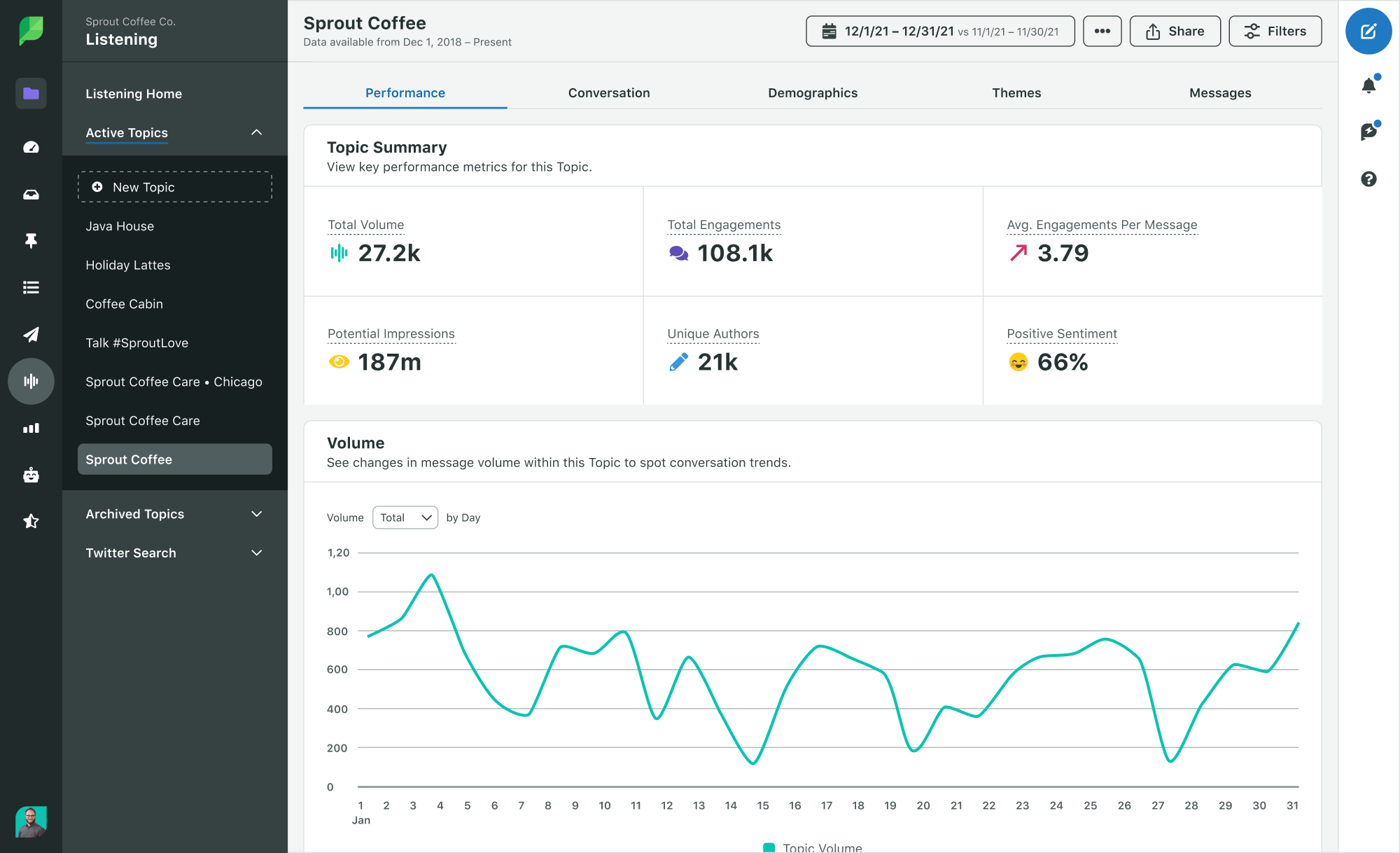
Sprout’s Social Listening enables brands to analyze Reddit trends for market insights so they can use the info to more effectively engage with their target audience. Here’s how to use Sprout Social Listening’s Query Builder with Topic Templates.
Topic Templates help brands focus their searches within one of five use cases:
Brand Health
Industry Insights
Competitive Analysis
Campaign Analysis
Event Monitoring
In the case of market insights, use the Industry Insights Topic Template.
Step 1. Click Listening in the Left Bar.
Step 2. Click New Topic. It will be available in both the Left Bar under Archive Topics or the Industry Insights tile on the Listening home screen.
Step 3. Type in your brand name as the topic title.
Step 4. Type in your topic description (optional).
Step 5. Select Reddit as the source.
Step 6. Build your query by entering in keywords in the Included keywords box you want to listen to on Reddit. Select types of keywords from the following list:
Word or phrase
Proximity Match
Hashtag
Cashtag
Mentions of User
From User
To User
In the case of market insights, you’ll likely use Word or phrase, Proximity Match or Hashtag. Once you enter a keyword, Sprout will suggest up to five additional keywords. Click a suggested keyword to add it to your query if it’s relevant to your search.
The keywords you choose to follow for market insights will depend entirely on your industry and brand. For example, a fast food brand may want to listen for specific menu items or delivery services. The brand may also use keywords for trends like high-protein meals or sustainable packaging.
How to use Reddit trends for product research
A unique way to use social listening is for product research. Consider Reddit as a focus group at scale. It doesn’t require discounts and incentives or NDAs—instead, it’s full of users who enthusiastically want to share their thoughts and opinions. Reddit is rife with product feedback brands can leverage.
The most relevant Topic Template for product research in Sprout’s social listening tool is Brand Health or Industry Insights. Here’s how to build your query.
Step 1. Click Listening in the Left Bar.
Step 2. Click New Topic. It will be available in both the Left Bar under Archive Topics or the Brand Health or Industry Insights tile on the Listening home screen.
Step 3. Type in your brand name as the topic title.
Step 4. Type in your topic description (optional).
Step 5. Select Reddit as the source.
Step 6. Build your query by entering in keywords in the Included keywords box. Select types of keywords from the following list:
Word or phrase
Proximity Match
Hashtag
Cashtag
Mentions of User
From User
To User
In the case of product research, you’ll likely use Word or phrase, Proximity Match or Hashtag. Remember that once you enter a keyword, Sprout will suggest up to five additional related keywords. Click a suggested keyword to add it to your query if it’s relevant to your search.
The keywords you choose to follow for product research will depend on your brand and the product you’re researching. For example, a fashion brand conducting research for their new line of jeans may listen for keywords like “distressed denim” or “stretch denim.”
Subreddit analysis reveals buying behaviors
The future of social media is all about meeting consumers where they’re at, instead of getting them to come to your brand. Users thrive in subreddits because they have a space to nerd out about topics they love with people who feel the same way. As the future of search shifts from polished feeds to unfiltered conversations, Reddit is where brands will find their next big idea—if they’re listening.
Each subreddit has its own unique culture, giving brands a powerful way to understand changing consumer preferences and buying habits—straight from real people. Reddit offers brands unfiltered reviews and recommendations. This kind of user-generated content is so trusted that many consumers skip search engines entirely, turning to Reddit for honest, authentic conversations.
Here’s how your brand can use subreddit analysis to understand buying behaviors.
What are the current trending products on Reddit?
Reddit trends fluctuate rapidly. However, if you have your ear to the Reddit ground, you can pick up on emerging product categories. Analyzing trends also helps you identify market gaps for strategic business decisions.
Eco-friendly products, latest tech gadgets, beauty products, clothing and accessories are typically evergreen products that get a lot of attention on Reddit. Take a look at relevant subreddits for more details on the specific brands and types of products users are talking about. Subreddits like r/dropshipping and r/entrepreneur are good places to start, as users often talk about trending products here.
What are some popular Reddit trends for buying decisions?
Niche product communities, such as for games, beauty products and tech gadgets, have a massive influence on the success of a brand. Within these communities, people make buying decisions differently—some prioritize value for money, while others focus more on features and benefits.
Check out subreddits like r/BuyItForLife where people who want durable, high-quality products go looking for recommendations. If your target audience is on the hunt for a deal and wants value-driven purchases, you may learn more about their buying behaviors in a subreddit like r/DealsReddit.
What are the most discussed Reddit trends affecting sales right now?
Evergreen trending topics include news and politics, pop culture, internet culture, technology and anime, among others. Social listening tools like Sprout’s enable brands to keep a pulse on trends relevant to their business and spot new patterns.
Identify emerging and future trends by paying attention to market gaps that users discuss on relevant subreddits. These insights give brands a competitive advantage that positively impacts their bottom line.
Future trends in Reddit marketing
The future of Reddit marketing will be an exciting one: We’ll see more AI-driven tools providing consumer insights, innovative visual advertising formats, forward-thinking partnerships and more.
At its core, Reddit will remain a place for people to have conversations and build communities around topics that matter deeply to them—and brands have an opportunity to be part of the action authentically and genuinely. From social search to anonymous sentiment mining, brands can leverage the unfiltered and unprompted discourse on Reddit to transform their approach to marketing.
Read our blog on Redditsocial listening, and learn how analyzing Reddit conversations can enrich your understanding of evolving consumer preferences.
Digital marketing is about more than creating content and managing campaigns. Direct engagement, communication and customer care can set your business apart from your competition. And one of the most reliable social media apps for doing so is WhatsApp.
WhatsApp is a massive app globally; billions of people rely on it as their main communication channel. For any brand looking to connect with their audience, WhatsApp offers an immense opportunity to tap into this user base across Europe and LATAM, including a notable following in the UK. It has the highest reach of any messaging service in the country, with Ofcom finding that 87% of UK adults were using the app as of May 2024.
To connect with these potential customers directly, you need to learn how WhatsApp can be used as a marketing and communication tool. But to do so effectively, you should be using dedicated WhatsApp software tools. These tools make it easier to manage overflowing WhatsApp inboxes and track campaigns.
We’ve listed some of the best examples of brands using WhatsApp to cater to their UK and European customers. We’ve also outlined available WhatsApp marketing software tools to help you streamline your approach.
Understanding the power of WhatsApp for brands
WhatsApp is more than just a messaging app with the widest reach. In 2023, Ofcom found that approximately two-thirds (65%) of UK adults use WhatsApp as their main online communication service.
The app is used by people of all ages, but Gen Z have notable expectations from WhatsApp and businesses. People aged 16-24 in the UK now say they prefer businesses to contact them through WhatsApp, followed by Instagram, rather than by phone.
WhatsApp is a uniquely powerful tool because it allows brands to tap into conversational marketing. This is a process of communicating 1:1 with your customers, to build your relationship with them and engage directly with their needs.
How UK brands are using WhatsApp in their marketing strategies
Brands use WhatsApp marketing to support and market to customers in several ways. Here are some successful WhatsApp marketing strategies businesses in the UK are using.
WhatsApp order and delivery tracking
Brands use WhatsApp as a communication tool to give direct, real-time updates to customers. Many logistics and delivery businesses use WhatsApp to inform buyers about delivery times to make deliveries more convenient.
DHL offers multiple ways for customers to track deliveries, including through their WhatsApp digital assistant. By emulating their approach and adding WhatsApp as an additional channel, you can cater your support to people who prefer a WhatsApp chat, like Gen Z.
WhatsApp customer service
Many brands also host a WhatsApp customer service number. This gives customers a direct contact option to discuss orders, ask questions about products or offer feedback. To make these channels more reliable, you can build a chatbot to respond to initial enquiries and filter messages to the right support teams.
The online grocery service Ocado has a WhatsApp customer hub channel that’s accessible seven days a week.
WhatsApp outreach and direct sales
Alongside customer service, brands use WhatsApp as a direct outreach and sales tool. It’s used to communicate deals or begin sales conversations with customers directly.
In the Netherlands, TUI achieved 7x higher open rates by switching its email outreach strategies to WhatsApp. The travel deals website HolidayPirates created a subscription-based marketing channel on WhatsApp to share travel deals, and built a huge following of over 220,000 subscribers.
Using WhatsApp to communicate deals and news to customers directly isn’t limited to travel companies. Metro UK, a British news publication, created a WhatsApp channel in 2023 to share breaking news with readers.
When using WhatsApp as a direct marketing channel like this, consider your unique audience and send them the information they’d most like to receive.
Recruiting through WhatsApp
Brands also use WhatsApp as a recruitment tool. In the Netherlands, Domino’s Pizza achieved a 40% increase in job applicants after starting a recruitment drive on WhatsApp, and they automated the earlier stages of the process to make recruitment easier for their team.
While this can be effective, it does reveal an important part of WhatsApp marketing to bear in mind: scam concerns. Scammers, unfortunately, use WhatsApp often to communicate fake deals or job opportunities to users.
If you’re using WhatsApp for recruitment, communication or sales, make sure to only use one or a small number of official numbers. You must also comply with GDPR regulations if you’re using WhatsApp in the UK and Europe. GDPR regulations are extensive, but include rules that limit how much personal data you can collect, and how this data is both collected and retained. Customers must also give their consent before you communicate with them on WhatsApp.
When using WhatsApp for business, also apply for a verification badge. This shows your customers that the WhatsApp number you’re using is legitimate–easing concerns about scams or misinformation.
Creative WhatsApp marketing strategies
Brands also use WhatsApp as a creative marketing channel to launch and manage marketing campaigns that take advantage of the app’s reach and its direct messaging functionality.
Adidas is one of the pioneers of WhatsApp marketing, designing campaigns as far back as 2015. To support the launch of their new Predator boots in 2020, Adidas created a WhatsApp hotline number.
In 2023, they aligned the Predator boot series with WhatsApp, while linking a campaign to one of the most important dates on the UK’s football calendar; transfer deadline day. During this campaign, they leaked promotional messages about the boots on WhatsApp to increase interest and support content on other platforms.
WhatsApp campaigns are used to build a community around new products or services. They offer customers a way of directly engaging with your brand.
These efforts don’t focus strictly on sales, they’re also used to better inform and communicate with people interested in your brand or organisation. Kingston Council recently launched an official WhatsApp channel to share news and events with people living in the local area.
Learn about some more unexpected ways to use WhatsApp in our WhatsApp for business article.
The best WhatsApp marketing software tools
Effectively harnessing WhatsApp for marketing is much easier with the right tools. Without WhatsApp marketing software, it can be hard (if not impossible) to manage the number of messages your WhatsApp number receives from customers. Tools also make it easier to manage campaigns on the platform, whilst connecting the channel to your wider marketing approach.
Look out for the following functionalities when choosing between tools:
A unified WhatsApp inbox along with other social inboxes
Automation tools that streamline simple tasks and speed up your responses
Collaboration tools that help your whole team manage a WhatsApp campaign
Analytics that help you refine your strategy over time
Integrations that connect WhatsApp with other platforms and tools
We’ve listed some popular WhatsApp marketing software tools below.
1. Sprout Social
Use Sprout Social’s WhatsApp management tools to create 1:1 customer experiences and unify your WhatsApp accounts with your other platforms. Sprout’s Smart Inbox connects your WhatsApp inbox with other social inboxes, like Instagram, Facebook and more. This enables you to handle all of your messaging from a single inbox, without having to log in and respond from individual networks and apps.
Sprout also offers automation and prioritisation tools that handle simple tasks, which help your team focus on the right messages and responses.
Since it’s a direct messaging solution, WhatsApp marketing works best when you’re able to personalise your replies to the needs of each individual. Using Sprout, you can view chat histories and analytics that give you more visibility into each message. With this information, you can create more meaningful interactions across your WhatsApp number.
Sprout’s WhatsApp functionality also integrates with other leading apps and social platforms, so you can connect your marketing efforts together and manage them from a single location. Here’s a list of the main features you can access by using Sprout to support your WhatsApp marketing:
Unify channels and respond to WhatsApp messages in the same inbox as your other social networks.
Speed up your message responses by automating repetitive tasks and prioritising messages based on data like keywords and phrases.
Support better team collaboration through organisation tools. Your team can assign tasks, start conversations and approve content together.
Tailor your message responses with more context. Gather more visibility into each conversation across social, CRM and helpdesk tools.
Make personalised suggestions for different products and services based on information like chat histories and order histories.
Find new opportunities to improve customer care, using Sprout’s pre-built WhatsApp analytics reports.
2. WhatsApp Business
Meta owns WhatsApp, making it a key part of their product line of apps. The WhatsApp Business platform is Meta’s core WhatsApp marketing software tool. They offer two options depending on the size of your company; either the WhatsApp Business App for small businesses or the WhatsApp Business Platform for larger companies.
Each option offers users functionality when messaging across WhatsApp. They also offer businesses ways of showcasing products, along with upselling and cross-selling deals to individual WhatsApp users.
Most importantly, WhatsApp Business gives you access to a WhatsApp Business account. You’ll often need to have a WhatsApp Business account to access advanced WhatsApp marketing software tools.
For example, you need to first create a new WhatsApp Business account before you can connect it to Sprout Social. Read more about this here, or follow our instructions on how to connect your account at the end of this article.
3. Salesforce
Salesforce offers multiple software solutions that focus on customer relationship management and sales. Their Marketing Cloud solution integrates with WhatsApp Business to improve your account’s sales capabilities.
Integrating WhatsApp with Salesforce connects the platform with information you’ve gathered using Salesforce’s Data Cloud. Use this data to better segment customers and enrich your responses based on more detailed customer information.
Salesforce also allows you to automate some WhatsApp processes, with customisable messaging templates and CTAs. It also integrates with Sprout Social.
4. Brevo
Brevo provides primarily email-focused management and CRM tools, though they also offer solutions designed for WhatsApp campaigns.
Create WhatsApp campaigns directly within Brevo before sharing them with your customers. These campaigns have a 1,024 character limit, but can use videos and emojis. Any replies are managed through the Brevo app.
Brevo also offers some automation potential on WhatsApp if you connect it to existing Brevo workflows. This includes creating messaging workflows based on individual customer journeys.
Getting started with Sprout Social’s WhatsApp integration
If you’re ready to start using Sprout Social as your WhatsApp marketing software of choice, here’s how to get started.
WhatsApp is just one of many Sprout Social integrations that users can access through the platform. Follow these step-by-step instructions to link WhatsApp to your Sprout account:
Don’t have a Sprout account? No problem, sign up for a free trial using your business email (free for 30 days; no credit card required at sign up).
In Sprout, navigate to Connect a Profile.
Select the Group you want your WhatsApp to be connected to in the dropdown menu, then click Connect a Profile beneath the WhatsApp logo.
Read through the information about preparing your credentials carefully, then select Yes, all set.
Agree to WhatsApp’s terms, then select Continue to Create PIN.
If you’re using a new phone number, enter a 6-digit PIN. You can also add the PIN with a WhatsApp number you’ve used in the past.
Click Go to Facebook and follow Facebook’s three-step authorisation process.
Navigate back to Sprout and your profile should be connected.
You’ll need to create a new WhatsApp Business account with a new phone number to connect it to Sprout. If you already have a WhatsApp Business account or a phone number connected to WhatsApp, first disconnect it by following the instructions on this page.
Ever stared at a blank screen, feeling the pressure to write a blog post that actually connects with your readers? You're not alone. Whether you're blogging for business, building your personal brand, or just sharing your passions, writing compelling blog posts is a skill anyone can learn—even if you don't consider yourself a "writer." In this guide, you'll discover a clear, actionable process for how to write a blog post from start to finish, even as a beginner. Within the first few minutes, you'll have a proven framework to organize your thoughts, craft engaging content, and publish posts that are actually read and shared. Let's cut through the overwhelm and start writing your next great blog post, step by step.
What Makes a Blog Post Great?
Before diving into the writing process, it helps to know what separates a strong blog post from an average one. At its core, a great blog post:
Solves a real problem for its audience
Is easy to read and well organized
Provides unique value—insights, stories, examples, or actionable steps
Encourages readers to take the next step (subscribe, comment, share, or learn more)
For example, imagine you own a small shop selling handmade candles. A blog post titled "How to Make Soy Candles at Home in 5 Simple Steps" answers your audience's curiosity and gently positions your brand as a helpful resource. If you're looking to grow your audience and drive engagement, delivering helpful blog content is one of the best ways to do it.
Step 1: Choose a Blog Topic and Understand Your Audience
Every great blog post starts with choosing the right topic. Start with what you know—your expertise, interests, or the questions your customers frequently ask. Use keyword research tools or browse Google to see what others are searching for (try typing ideas into Google and seeing the autosuggest results!). When you find a topic, make sure it aligns with your audience's needs and your business goals. Ask yourself: What problem does my blog post solve? Who will benefit from reading this? For instance, if your focus keyword is "how to write a blog post," your audience might be new bloggers, small business owners, or marketers wanting to improve their content. Knowing this helps you shape your language and advice to fit their level.
Tips to Uncover Blog Post Ideas
Read industry forums, Quora, or Reddit for common questions
Check your email or social media messages for recurring themes
Use answer-the-public or Google Trends for what's trending
You can also get inspiration from recent content ideas AWeber compiled, updated with new prompts regularly.
Step 2: Outline Your Blog Post
Organizing your thoughts before you write saves time and leads to a clearer message. A great blog post outline typically includes:
Introduction: Capture attention, present a relatable problem or surprising stat.
Main sections: Break down the topic into logical chunks. Use H2 and H3 subheadings for skimmability.
Conclusion or takeaway: Sum up the main points and give the reader a next step.
This outline acts as your roadmap. For example, if you’re explaining how to write a blog post, your structure might be:
How to pick a topic
How to write an outline
Tips for drafting
Editing and formatting best practices
SEO and publishing tips
This way, you can focus on one section at a time—and avoid staring at a blinking cursor.
Step 3: Write a Compelling Introduction
Your intro's job is to hook the reader fast. Use a relatable scenario, a pain point, or a data point to show you understand their needs. Move quickly to the value you’ll provide. For example:
“Have you ever spent hours writing a blog post, only to realize no one’s reading it? You’re not alone. In this guide, you’ll learn proven strategies to write a blog post readers can’t ignore.”
Research from Nielsen Norman Group shows online readers scan for value—so get to the point quickly!
Step 4: Write the Body—Make It Easy to Follow
This is where you deliver on the promise made in your introduction. Use short paragraphs, bulleted lists, and clear subheadings. Here’s a simple formula for writing each section:
State your main point or tip
Explain how to do it (step-by-step if possible)
Include real-world examples or case studies
Discuss why this tactic works
Highlight when or where to apply it
Consider the format that fits your audience the best—step-by-step instructions, lists, or how-to guides. For example, if you’re teaching how to create a blog post outline, show a sample outline. If you’re walking through adding headlines and images for readability, provide before-and-after examples.
Formatting for Readability
Break up long text with images, quotes, and whitespace. Use formatting like bold, italics, and lists to highlight key points. According to Harvard Business Review (2023), well-structured blog posts with clear organization are much more likely to be read and shared.
Step 5: Polish, Edit, and Proofread
Writing is rewriting! Even the best bloggers take a break before editing their first draft. Read your post out loud or use text-to-speech tools to catch awkward phrases. Watch for typos, repetition, or jargon that could confuse your readers. Here are a few quick questions to review:
Is every section clear and helpful?
Are there actionable steps or examples?
Does the blog post flow logically from intro to conclusion?
Did you optimize headings and text for relevant keywords like “how to write a blog post”?
Consider asking a trusted friend or team member for feedback before you hit publish.
Step 6: Optimize for SEO and Publishing
To make sure your hard work pays off, optimize your post for search engines and readability:
Include your focus keyword (and variations) in the title, intro, at least one <h2>, and throughout the text
Link to recent, reputable external sources for credibility
Use descriptive image alt text and optimize meta descriptions
Add a call to action: ask readers to comment, share, or join your email list using tools like AWeber
After publishing, promote your blog post on social media, email newsletters, or community sites to increase visibility.
Actionable Checklist: How to Write a Blog Post
Pick a focused, relevant topic
Understand your reader’s needs
Outline the post for clarity
Write an engaging intro
Deliver value in a logical structure
Include actionable tips, examples, or case studies
Edit and proofread for readability
Optimize for SEO and add live, recent links
Starting a blog can seem daunting, but with each post you write, it gets easier. The most important thing is to practice and adapt as you learn what resonates with your readers. Ready to write your next blog post? Start with just one idea from your notes or your audience’s questions. Follow this step-by-step process—from choosing a topic to polishing and publishing—and you’ll see your writing skills grow with each new post you share.