Showing posts with label SEO – Search Engine Watch. Show all posts

Wednesday, 13 July 2016

How a dedicated IP address and SSL certificate affects your search engine rankings

To get better search engine rankings or land on the first page results on Google in 2016, site speed and HTTPS were listed among the ranking factors.

Brian Dean of Backlinko conducted an experiment with 1 million Google results to determine which factors help web pages appear on the first SERP and I’ll be discussing two of those ranking factors here:

  1. Dedicated IP address – page or site’s speed
  2. SSL Certificate – HTTPS

1. How a dedicated IP address affects your search engine rankings

Every online business uses a hosting company and most of the time pay no attention to what kind of IP address was assigned to their hosting account, be it a “dedicated or shared hosting IP address.”

There are two types of IP addresses in the web hosting industry and they are:

  • Shared IP address: this means there are numerous websites sharing the same address. The hosting server determines which website is requested by the URL entered.
  • Dedicated IP address: this means a website has its own IP address. Typing in the URL of the website or its IP address would bring you to the same website.

Mind you, there are controversies around dedicated IP addresses for SEO and questions around whether a dedicated IP address would actually boost rankings.

The truth is, a dedicated IP address from your hosting company would not boost your SEO but increase website loading speed, which is a criterion for SEO (Google and Bing) in 2016.

So a dedicated IP can result in an increase in site’s speed which equals good SEO for your website.

Benefits of using a dedicated IP address

The benefits of using a dedicated IP address can be found below:

  • Having your own private SSL certificate: Google made having an SSL Certificate a ranking factor for websites looking to rank for keywords in Google search engine results. Google crawlers have been designed to index a site with the SSL certificate and favor websites using HTTPS.
  • Enhanced performance and security: for websites attracting huge web traffic, a dedicated IP address would be the best bet, as a shared hosting IP address would be used by thousands of other websites resulting in constant server crash and website downtime (my experience with Namecheap), making your website unreachable to visitors thereby losing SEO juice.

Key takeaway

Having a dedicated IP address for your hosting server would increase your website speed, provide enhanced performance and security (access to an SSL Certificate).

2. How an SSL certificate affects your search engine rankings

An SSL Certificate is required for ecommerce businesses and other online businesses collecting personal information from customers.

However to use an SSL certificate on your website you need a dedicated or static IP address.

What is an SSL certificate?

An SSL Certificate is a security token used to protect private information traveling across the web. It provides security for customers and builds trust on the business with the presence of the lock icon or green bar.

https padlock

Benefits of an SSL certificate

The benefits of using an SSL Certificate is not limited to SEO, an SSL Certificate provides security for the website owner and trust from the website visitors or customer.

  • Better Rankings In Google: On the 1st of April, 2011 Google announced they would be crawling, indexing and storing data on SSL certificates found on the web and on the 6th of August, 2014, security for web users was addressed by Google when they announced HTTPS as a ranking factor in search engine results.
  • Security: An SSL certificate protects your domain name and email from phishing scams. As a business, you don’t want anyone cloning your website to gain personal information but with a proper SSL Certificate, it would be hard for anyone to clone your website.
  • Encryption: Using an SSL certificate on your website encrypts sensitive information collected from your website visitors and customers intended for you only. The Internet consist of several computers and this can be breached but having an SSL Certificate encrypts information traveling across the web to the recipient.
  • Trust: According to a survey conducted by GlobalSign, 77% of website visitors worry that their personal data could be intercepted or misused online. Using an SSL Certificate with its lock icon or green bar would increase trust on your business as 29% of customers look for the green bar before making a purchase or releasing sensitive information. Increased trust leads to increase in sales and conversion.

Key takeaway

An SSL Certificate provides security through HTTPS for your customers and website which is a ranking factor for Google search engine resulting in better rankings in search engine results.

Conclusion

To get on the first page of Google’s search results depends on a lot of factors but you need a fast dedicated hosting server (John Stevens reviewed 27 hosting providers), an SSL certificate for security and trust for customers and search engines

Implementing any of the above should provide positive changes to your search engine traffic.


from SEO – Search Engine Watch http://ift.tt/29RDPHu
via IFTTT

SEO in the festival season: which retailers have the right strategy?

Summer in the UK means festivals, and there are plenty to choose from again this year.

Festival goers need the right equipment: clothing and camping equipment, as well as waterproofs for the English weather.

Thanks to data from PI Datametrics, I can see which sites have prepared for the festival season, and which ones have room for improvement.

Seasonal SEO strategy

We’ve looked at seasonal SEO before, and it’s all about optimising for key periods of the year, and ensuring that your site is in prime position to profit from the spike in interest and search traffic which follow.

Optimisation need to be done in advance, and sites need to hone their internal linking strategies to avoid any cannibalisation of their own search traffic.

This means creating hub or landing pages for target search terms, and linking back to these pages using the target keywords.

Festival search trends

Google Trends data gives a good indication of the products that people are likely to be looking for and the peaks in interest.

search trends festival

To take ‘festival clothing’ as an example, here are some key trends:

  • Festival wear terms peak yearly in May, June, July and August.
  • In 2015 ‘festival clothing’ peaked in August and was searched 33,100 times.
  • In May 2016 ‘festival clothing’ was searched 40,500 times.
  • ‘Festival clothing’ has risen 82% from May 2015 – May 2016.

trend seo

This kind of trends data can be valuable to plan your content and SEO strategy round (see above).

  1. Content needs to be planned and published well ahead of the target event or season to allow time to optimise it for searchers.
  2. It’s important to be there when customers are searching for related products and considering purchases.
  3. This is the peak purchase period. If you have the right strategy, this is when it can pay off.
  4. The discount period is a time when interest is declining, but still comparatively high. A good time to reduce excess stock.
  5. Don’t delete the page once the season has passed. Keep it fresh and ready for next year so the planning doesn’t go to waste.

Example 1: ‘festival clothing’

This is what search performance should look like ideally. The sites here all rank consistently for the selected term, and they’re competing against each other, not their own content, for search rankings.

festival clothing top

ASOS is the top site for the term above, and this is the landing page for the term. What’s key here is that the retailer has created this dedicated page and linked to it consistently.

festival clothing

On the flip-side, failing to plan correctly produces this kind of inconsistent performance.

festval poor perf

Example 2: festival essentials

These are the top performing sites for the term:

  1. Gigwise
  2. Mountain Warehouse
  3. Skiddle
  4. Tesco
  5. Her Packing List
  6. All Noise
  7. Go outdoors

As we see below, they all rank consistently, more or less, for the five months before the peak for festival-related traffic.

festival essentials


One of the top performers, Mountain Warehouse, seems to have planned its content strategy very well.

The is the page Google returns for ‘festival essentials’, a checklist of key items, all of which link to the relevant product categories. As I write, it sits at number three on Google UK, in prime position to attract product searches.

mountain warehouse seo

By contrast, Millets – though it has a festival landing page – has done less work to optimise the on-page copy.

millets seo

It also seems to have neglected internal linking. It has lots of content related to festivals and key products on its blog, and therefore plenty of opportunity to link consistently to the landing page above.

millets blog

There’s a lot of content here, and many opportunities to link to the landing page, or even relevant product pages, but not a single link to a product (or product category) sold on the site.

For comparison, look at this content page from Mountain Warehouse, which links back to the products it mentions.

It’s very odd, as Millets has got certain parts of the strategy right, but has totally failed to join it up. We have some useful content around festivals, and a landing page for the term.

All Millets needs to do is to link consistently from the content to the landing pages. It’s a real missed opportunity.

In summary

The examples above show the importance of a unified SEO and content strategy for seasonal events.

It’s about knowing when the seasonal traffic spikes are likely to be, the key terms to target, and then implementing the right strategy well in advance.

This also underlines the importance of content and SEO teams working well together. On Millets, it looks like the teams producing the content have no idea of the SEO strategy at all.


from SEO – Search Engine Watch http://ift.tt/29DYKP1
via IFTTT

Tuesday, 12 July 2016

How to use purchase intent for more effective keyword search

If you think the lowly keyword is dead, think again. Good research can help a business position itself with the the right content to engage the audience at different points of the consumer purchase journey.

Have you experienced one or more of these problems with your SEO and PPC ads?

• Your pages are ranking well, even at number one in the search results, but they are not getting any clicks

• Your ads are getting a lot of impressions, but they are not getting any clicks

• Your pages in organic search results and ads are both getting a lot of clicks, but just not converting

If you have, it is likely that there is disconnect among keywords, ads, page description and landing page content.

Keywords_Disconnect_600

As more and more companies shift their digital marketing KPIs from traffic to conversions, these disconnects are huge roadblocks to business growth and need to be removed.

Why does disconnect happen?

In many cases, a disconnect is caused by these reasons:

• Selected target keywords based on search volume (SEO & ads)

• Used the same ad copy (ads)

• Used the same landing page (ads)

• Didn’t check which page is ranking for a keyword (SEO)

• Didn’t check the organic search results to improve how the page shows up (SEO)

Basically, your SEO and paid ads have become very mechanical and perhaps even routine. You have forgotten people are your audience, and not Google or any other search engine. If you want to succeed with SEO and paid ads, you need to understand what your audience wants, and start giving them what they are searching for.

For example, when I was searching for a pair of yoga pants, I specified a size as “petite”, and got the following results:

Keywords_petite yoga

Sadly, all four of the paid ads failed to provide me with what I wanted on the landing page even through three of them do mention “petite” in the ad title. Also, six out of eight of the listings in Google shopping failed by not mentioning “petite” in the title. One of them did mention “petite”, but gave me a pair of fitted work pants instead of yoga pants. In this case, 10 out of 12 advertisers tried to bait me into the site using a title that matched my search but neither the description nor the landing pages matched what I was looking for.

This happened because they didn’t care about what I wanted by understanding the intent behind my search keywords: “petite yoga pants”. They were hoping I would mindlessly click and look around.

How to use keywords to improve content for better audience engagement

1. Listen to the voice of the consumer

Keywords are great in the sense that they let you know what the audience wants. Consider keywords as an indication of the voice of consumer.

Keywords_Audience Engagement_600

In the new keyword research model, search volume is not the main focus. What you want to do is to identify the keywords used in each stage of the customer journey. People at the beginning of the customer journey usually use big keywords with a high search volume – and are therefore unlikely to convert for a while.

While the search volume may be small, long tail keywords are important because people who use them are likely to know exactly what they want, and are probably very close to a conversion point.

2. Serve the consumer relevant content

Once you finish your keyword research, group them based on the different stages of the customer journey. The next step is to map keywords to the most relevant content on your website for SEO. For paid ads, create a landing page with the content that meets the needs of the searcher’s intent throughout the specific stages of the customer journey. These pages are commonly referred to as ‘preferred landing pages’ (PLP). By mapping keywords to the right content, you are going to improve the ranking, click through, and the conversions.

Google has said it values websites with good usability, and by good usability, they mean that searchers can find what they want quickly on the page. It validates the importance of keyword mapping to the right content and ensures the content truly represents the intent and needs of the searcher.

The relevancy is not limited to the landing pages. The ad copies, the page title and the description for the organic search results play important parts in bringing searchers to your website. When there is not enough relevancy, disconnect occurs.

This is one of the easiest ways to increase traffic. If you haven’t looked at your organic search for critical phrases lately, do, and you might be surprised to see how poorly they represent your products and services.

Effective keyword research helps you to create compelling content that engages with the audience by providing content that satisfies their needs. Do you believe in the importance of keywords now?

Feel free to leave your comments below.


from SEO – Search Engine Watch http://ift.tt/29Br8Ak
via IFTTT

Monday, 11 July 2016

14 influencer marketing essentials for SEO success

Influencers provide great traction with their fan base and there’s a lot of valuable SEO for brands on offer, however this is often not realised.

This is mostly because a great deal of focus is spent on merely making the successful partnership work, which often drains all resources to achieve.

But if you are an optimist and you’re determined to glean some SEO results from all partnerships then here’s a few pointers to improve the search impact of any collaboration with an influencer.

1. Influencer links

There should always be a desire for audiences to leap from an influencers site to your brand’s website. This should be instilled within all of your influencer marketing activities e.g. seeing the whole of something – the full graph, the full interview, the full video e.t.c.

Without a ‘back to mine’ attitude you can’t obtain valuable links.

By doing this you immediately start to shape audience conversions from a partnership with an influencer. This is your unique opportunity to show off the memorable aspects of your service and offering, while attempting to convert users.

For instance, intriguing hyperlinks embedded within influencer social posts are a great way to stimulate audience traffic e.g. appealing urls such as: http://ift.tt/29v5prt

2. Influencer guestposts

beyonce website

Celebrities not so much, but webstars such as YouTube bloggers are likely to have an authoritative blog and a website that may hold valuable linkages, much to the envy of your competitors. 

Agreeing some sort of exclusive asset for their own platform is clever stuff from a competition perspective especially. This is because these links may be harder to obtain and more unique to you within your marketplace.

A good example of obtaining links on an influencers website might be offering a prize signup form that they host rather than you, or behind the scenes footage, of the full photoshoot made available only on their blog.

There’s a good chance that if you write the copy for the post then you should be able to insert a priority link to terms and conditions, photographer biography, a makeup tutorial or a direct link to the original content on you (the brand’s) site.

It is always easier to get a guestpost with links in it signed off if more than one company feature. Consider who you might favour to include, partnerships like this are reciprocal so working in partnership with other brands is powerful… you have to give a little to get a lot.

deliciously ella

3. Influencer link prospects

Take a good look at your web influencers link portfolio. Are any major publishers obsessed with this particular influencer? Is there any leverage from major publishers that you can investigate?

Use invitations as a chance to broker these opportunities. But always get this through an influencer’s management first, then broker a deal that may carry some serious link juice.

followerwonk

4. Influencer fan links

It’s not just the influencer that holds their influence, as daft as it sounds there is a lot of influence from fans and fan site coverage, and the momentum can be stifling too.

Targeting the influencers fan base can initially give them an exclusive conversation to air. If need be then setup some exclusive angles for them to distribute, for examples unseen photos, a short interview Q&A or even a video message.

Let the fan base have an (agreed) leaked story so that you may push more natural syndications for free e.g. when the Eddie the Eagle film came out recently, Take That fans were actually a great source of early promotion. This is because they did the backing music to the film.

5. Researching influencer SEO

Followerwonk, Facebook Search queries, Buzzsumo and Twitter search are very useful in the first instance for finding influencers. But these tools equally help to support the argument yay or nay as to whether an influencer is able to create the best traction on the best platforms for your audience.

If your target audience is older then you are unlikely to capitalise on an influencers with a large following on Instagram.

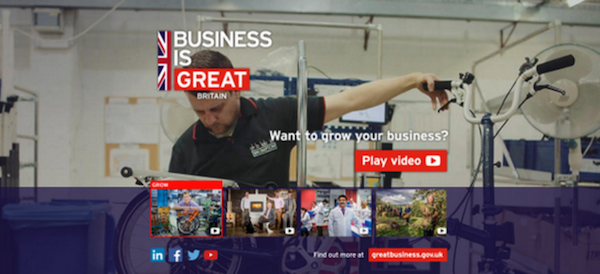
That’s the great thing about influencers, they come in all shapes and sizes and in all manor of conceptual interests e.g. another brand in another category, like HSBC and the UK government who created content about Brompton bicycles.

brompton bikes

If you are after American women interested in furniture and in their 30s then find interior influencers on Pinterest. Start small, you don’t necessarily need a huge webstar, you might utilise three.

6. Stay authentic

Audiences generally don’t celebrate brands as much as they do people. It is therefore more powerful to piggyback, even engineer, the celebration of an influencer’s achievements and align your products to these achievements. In doing so you may easily create the alignments that draw the right audiences.

Celebrate the influencer, give influencers further encouragement. Don’t do a You-You-Yawn.

7. The influencer’s longtail

Every influencer and celebrity has a long-tail of searches that tend to be fairly formulaic and at times low competition and high traffic. Interviews, height, hair tutorials, workouts, makeups. They all count towards authority.

Think about how you can integrate these quickly and more readily e.g. record an interview with a dictaphone and complement this with a photo or two.

cat long tail gif from moz

Image credit: http://ift.tt/28TwRmQ

8. Involve the link sources

Can a component of what you’re doing channel the questions that fans ask? Can you utilise this as a way to gain followers, for people to stay up-to-date with what’s unfolding? It’s down to preparation of questions from an influencers top fans with the most clout.

If you want to improve the virality and word of mouth (pre and post an influencer feature) then improve the relations between those who can guarantee large volumes of natural syndication. This will boost your ROI.

9. Product fillers

There are many things a celebrity or influencer simply will not agree to. In order to combat this it is worth filming the extras that you might need in order compensate or, importantly, massage into your content to add emphasis to things that influencers simply would not be able to achieve e.g. wearing swimwear – hire a model, skateboarding – get a pro skater for foreground shots.

10. Influencer T&Cs

Can you publish content that contains talent on social media? Can you feature portraits of them in printed press, will they allow you to feature their voiceover alongside product imagery in commerce, can you feature their testimonial in TV ads, radio, banner ads etc.?

Write a list of the things you are looking for and make sure their agent has signed these off. Is there a way to sweeten your deal by offering them more spots to promote their own interests?

Agents are very good at monetising these extras so bartering is essential here. Evaluate each one based on the ROI.

11. Recoup costs and repeat

A lot of work that includes talent can be potentially recouped by promoting their new YouTube channel, book, headphones, theatre appearance, app launch, movie, TV show, etc. Looking out for these contra promotions could save you a lot of money and add even more coverage e.g. can you be a partner to the theatre production?

Thinking creatively might lead to greater coverage and link authority. This is because there are more topics at the core and reasons for people to share, promote and provide coverage for.

Giving someone the leg up that they need can often guarantee the right target audience and audience interest. Radio and daytime TV often uses this to fill their programming more effectively.

12. Social traction

Yeeks, seriously? Years ago brands like Burberry were pioneering the influence of their own staff, urging all staff to tweet whatever new advertisement went live. Today this is common practice (or should be).

A step further than this though is to allow more staff to actually involve themselves in the campaign as cameo roles. Word spreads quickly when someone encourages others to spot them in a new video.

messi selfie

13. Evergreen SEO

Ultimately getting a celebrity to do something new and interesting is the most attractive both for them and you.

However, doing something well and taking the dryness out of a topic, then adding value with your influencer can shape the long term ambitions of this collaboration e.g. will the content you’re making become the most impressive ‘how to guide’ for a really competitive search?

Will your content partnership be the most memorable approach to an evergreen search?

14. Charity authority

You’re missing a trick if you haven’t thought about charity involvement, a lot of the very top authorities have a charitable interest. Think this through because the associations are stronger if you can actually do something with true meaning and value.

The right charity partnership is hard to broker but if you meet their credentials and you feel strongly about the charity then think about this for the long term as an opportunity to do something bigger than you intended.

SEO Checklist/Summary

  • Create a full proof reason to go on and visit content on your own website (see point 1),
  • Always attempt to broker a deal that includes content you have wrote on their blog or website (point 2),
  • Survey your influencers link portfolio for key partnership opportunities (point 3),
  • Don’t forget fan sites carry authority too (point 4/8),
  • Influencers might be best identified by looking at your audience’s key platforms (point 5),
  • Can you help to promote something in tandem, this may make your proposition more relevant? (point 6/11),
  • Don’t forget to cover off an influencers long-tail of searches (point 7),
  • Get everything in writing or you might be in for a bigger billing (point 9),
  • Supplement what an influencer won’t do to strengthen communications (point 10),
  • Factor in some sort of user generated content (UGC) to improve virality/WOM (point 12)
  • Take aim at evergreens to get the maximum long term influence (point 12)

Matt Wright is a SEO freelancer for independent publishers, start-ups, agencies and blue chip businesses and a contributor to Search Engine Watch. You can see Mark’s SEO freelance portfolio here or connect with him on Twitter: @Matdwright.


from SEO – Search Engine Watch http://ift.tt/29CPkUC
via IFTTT

Friday, 8 July 2016

Is an internal linking strategy paying off for Mail Online?

Combining hub pages for key topics with well-planned internal linking can be a very effective strategy to secure consistent search rankings for target keywords. 

It’s become an essential tactic for publishers and others, especially when you are regularlycreating content around a particular topic.

The risk of producing a lot of content around the same topic is that you can end up with multiple pages which have similar keywords which compete against each other in Google for the same search terms.

For example, USA Today has ten different articles ranking for the term ‘Kylie Jenner’ during a six month period last year. As each new one comes along, it battles with the existing article, with the end result being a very inconsistent search performance.

kylie-jenner-entertainthis

The answer to this problem is to decide on a page that you want your site to rank for a given keyword or phrase, and concentrate on that. This hub, category or landing page (however you want to describe it) can then be the page that ranks for the term.

Sites can then consistently link to that page from new articles on the topic, eventually creating a useful resource, and one that stands a better chance of gaining high rankings than lots of individual pages.

One such example is the BBC’s Euro 2016 category page. Here it is:

BBC hub page

It’s a repository for all of the site’s content around the tournament, and it ranks consistently.

It should also be noted that the groundwork for this was carried out well in advance of the start of Euro 2016 in early June so that, when the spike in interest around the term happened, the BBC was in position to attract plenty of traffic.

This is the BBC’s search rankings for the term ‘Euro 2016’ for the five months up to the start of the tournament. Nice and consistent.

BBC-UK-consistent

This well planned use of hub pages along with consistent internal linking can really pay off. In the BBC’s case, it has ensured that its Euro 2016 page is in a great position to capitalise in increased interest from searchers around the tournament.

Of course, other factors have to be in place too. The BBC is an authority site with some excellent content and a formidable number of backlinks. Effective linking and theming will help any site, but other factors have to be in place to achieve high rankings for competitive search terms.

That said, it should not be beyond major publishers to profit from this strategy, and the example I’m going to use here is Mail Online. It is, by some accounts, the most visited English-language newspaper site on the web. Make of that what you will.

Mail Online and internal linking

Mail Online, until late last year, hadn’t been implementing a hub page / internal linking strategy at all.

We know this thanks to Dan Barker (@danbarker on Twitter) who pointed this out. He estimates that Mail started this strategy around October 25 last year.

Mail Online creates and publishes huge quantities of articles about celebrities and news. While each new article performs relatively well in search, they do so for a limited time only. So the article becomes old and search positions drop until the original article is usurped by a new article, and so on. This is where the proper strategy can help.

As we can see from the example below for the term ‘chelsea news’, ranking was inconsistent until early November 2015.

The chart shows search results for this term across the entire Daily Mail domain.

Chelsea news search performance

The consistent results post-November are for this hub page, which collates all the articles around that term.

Essentially, Mail Online has sent clear signals to Google, through (relatively) consistent internal linking, that this is the page it wants to rank for the term in question.

The hub page had existed before, but without the right linking strategy to promote it. Here we can see the difference in performance before and after the Mail improved its linking strategy. 

Chelsea landing page Mail Online

The charts above (all charts are from PI Datametrics btw) shows performance up to January 2016, but we can also see how it performed in the last six months.

The chart below shows the Daily Mail’s Chelsea landing page performance for the term ‘Chelsea news’.

mail 2016 1

Since January, there have only been 26 URL changes, and a lot steadier performance. The visibility for this page has improved as a result by 33.28% and this URL is visible for 98.1% of the time.

The chart below shows the hub / landing page’s performance. It’s mainly consistent, but shows that for the odd day or two, the page wasn’t visible.

mail 2016 2

This landing page hasn’t beaten its previous ranking of number five on Google.

The reason? Inconsistent linking. For maximum effectiveness, all mentions of the term on new articles should be linked back to the hub page. If this is not implemented, then newer pages can end up competing with the hub page for rankings. This is why it was visible for 98.1%, not 100% of the period shown.

Here’s another example, for the search term ‘David Cameron’. As the British PM (though not for much longer) he obviously attracts a lot of searches and mentions in the news.

This is the Daily Mail domain view for ‘David Cameron’. As with ‘chelsea news’, performance is inconsistent until November 2015.

1. Entire Daily Mail view for the search term David Cameron

After November, the Mail is linking to a landing /hub page more consistently (maybe the result of a staff training day on SEO?) and it has led to steadier rankings.

Here’s one example. It’s easy enough to implement.

4. New David Cameron article internal linking

However, as was the case with the previous example term, inconsistent linking means that Mail Online isn’t getting the full benefit.

Here’s a recent article mentioning David Cameron. No internal links.

mail 2016 3

Here’s the view of the David Cameron landing page for the past (almost) 12 months.

There’s been an increased number of URL changes, as newer pages compete with the hub page, but the overall visibility of this URL has improved and the ranking has increased by two positions.

Thanks to the EU referendum, there has obviously been a lot more content produced about David Cameron recently. Had the Mail  linked consistently back to the landing page, this content would have been a lot more visible.

mail 2016 4

In summary: could do better

These examples show how effective the use of linking and hub pages can be, and demonstrate its value, especially for sites that produce a lot of content around the same themes.

They also demonstrate how quickly sites can achieve results with this strategy. However, consistent implementation is key for maximum effect.

That said, we can see how effective this strategy can be. When applied consistently across a range of popular terms, the result is higher and steadier rankings, putting the site in a position to attract more search traffic.


from SEO – Search Engine Watch http://ift.tt/29zIcsd
via IFTTT

Five most interesting search marketing news stories of the week

Rebecca here, filling in for Christopher this week – and yes, these are some nice, roomy shoes I’m standing in, thanks for asking.

I don’t have any witty comments to make about the current state of UK politics, so let’s dive straight into the search-related news you might have missed while you were outside cloud-gazing, collecting butterflies, or (if you’re British) making the most of the fact that we can still travel freely between other EU countries…

As usual, Google is where it’s at this week, with news that HTTPS websites account for a third of search results on page one, an increase in the number of search results that receive a Quick Answer Box, and does Google’s newest acquisition mean it’s finding new ways to watch us all creepily?

Google is increasing the number of queries that receive a Quick Answer box

Jim Yu reported for Search Engine Watch this week on the fact that the portion of Google search results which received a Quick Answer box has increased from just over 20% in December 2014 to more than 30% in May 2016.

A Quick Answer, also known as a featured snippet, is when Google pulls content from a trusted, high-ranking website that will directly answer a user’s query and places it at the top of the SERP so that they can find the information they need without having to click through to another site. It can be an awesome way to dominate the SERP without having to fight for the top position.

A featured snippet for the search query, "Why is my internet so slow", featuring an answer from Lifehacker at the top of search results.

Jim looked at the impact that Google Quick Answers have on brands, and broke down the three-step framework for getting your content into a quick answer box. So now you can win the game without even playing it, too!

30% of Google search results are HTTPS websites

A new study from Moz has revealed that more than 30% of websites on page one of Google search use the HTTPS protocol. We know that HTTPS has been a “lightweight ranking signal” for Google since 2014, and the data that Moz has been tracking bears that information out.

Christopher Ratcliff looked at how the share of Google search results on page one that use HTTPS has climbed from an initially tiny fraction in August 2014 to a significant share of the results.

A graph by Moz showing the percentage of HTTPS results on page 1 of Google between January 2014 and June 2016. The graph line begins at around 7% and climbs gradually, with a sudden jump upwards between June and July 2015, then continues to climb gradually to reach 32.5% in June 2016.

As Christopher put it,

“The results are definitely enough to give SEOs pause for thought when it comes to considering whether to switch their sites to a secure protocol.”

Mobile searches on Google have now exceeded desktop – how has the landscape of search changed?

Jason Tabeling looked at how the landscape of search has changed now that, for the first time ever, mobile searches on Google have exceeded desktop. “To account for this massive shift, Google has made some of the most drastic changes to search results in years,” including removing right-hand side ads and adding a fourth paid listing above organic search results, causing mobile results to be filled with ads.

A screenshot of Google mobile search results for "car insurance", showing two paid ads which together take up the entire screen.

Jason broke down the data on the number of times paid ads, shopping results or local listings appear in search results and evaluated how the information should affect your search strategy.

Google acquires image recognition startup Moodstocks

Google announced yesterday that it has acquired Moodstocks, a French startup specialising in machine-learning-based image recognition technology for smartphones.

As the International Business Times reported,

“Following the acquisition, which is expected to be completed in the next few weeks, the Moodstocks team will join Google’s R&D team in Paris where they will continue to “build great image recognition tools within Google”.”

Between the Twitter acquisition of Magic Pony two weeks ago and Amazon’s acquisition of AI startup Orbeus in April, it seems that visual processing and machine learning is where it’s at for major tech companies.

The Sun gave a particularly hysterical take on this development by announcing that Google had revealed plans to put “eyes in machines” and that “campaigners” had urged Britons to “cover up cameras on smartphones and computers”. Er… that sounds a little impractical.

A photograph of a poster (said to be from one of the Google cafeterias) reading "GOOGLE IS WATCHING YOU" with "Google" being the Google logo. The logo also has two eyes in the Os.Photo by Patrick Barry, available via CC BY-SA 2.0

But in all seriousness, this latest addition to Google’s R&D department could be the first step towards giving Google the capability to identify and run a search for objects in the physical world, à la CamFind.

And if Google really is watching me, well, maybe it’ll finally be able to tell me where I left my keys.

Google is experimenting with another use for Google Posts

The SEM Post reported this week that Google has been spotted expanding its use of Google Posts, a new(ish) feature combining elements of social publishing and rich cards, into more ‘ordinary’ search results.

Moz marketing scientist Dr. Pete Meyers originally noticed the posts appearing in search results for a charter school in New York, KIPP NYC. Google debuted the feature, which I believe still lacks an official name (but has been dubbed “Google Posts” by the search commentariat), back in March as a platform for US presidential candidates to put across their policies.

KIPP NYC

It was later seen expanding the feature to include a select handful of local businesses, and then using it to cover the I/O developer conference in May. None of these past uses of Posts show up in search results any more – and at the time of writing, KIPP’s appears to have disappeared too – making them a bit like a pop-up soapbox for select entities (and keeping us all guessing about what Google’s eventual plan is for Posts).

What’s interesting is that although the KIPP NYC posts were only just spotted in search, a scroll down their Google Posts page shows that the school has been using Google’s new feature since April. In other words, there could be any number of other lucky users or groups quietly using the platform and waiting for the hallowed spotlight of Google to finally, finally shine on them. And we wouldn’t know.

If you want a shot at joining their ranks, the waiting list is still open.


from SEO – Search Engine Watch http://ift.tt/29n0XfP
via IFTTT

Thursday, 7 July 2016

Imitating search algorithms for a successful link building strategy

When doing a link building strategy – or any other type of SEO-related strategy, for that matter – you might find the sheer amount of data that we have available to us at a relatively low cost, quite staggering.

However, that can sometimes create a problem in itself; selecting the best data to use, and then using it in such a way that makes it useful and actionable, can be a lot more difficult.

Creating a link building strategy and getting it right is essential – links are within the top two ranking signals for Google.

This may seem obvious, but to ensure you are building a link strategy that is going to benefit from this major ranking signal and be used on an ongoing basis, you need to do more than just provide metrics on your competitors. You should be providing opportunities for link building and PR that will guide you on the sites you need to acquire to provide the most benefit.

To us at Zazzle Media, the best way to do this is by performing a large-scale competitor link intersect.

Rather than just showing you how to implement a large scale link intersect, which has been done many times before, I’m going to explain a smarter way of doing one by mimicking well-known search algorithms.

Doing your link intersect this way will always return better results. Below are the two algorithms we will be trying to replicate, along with a short description of both.

Topic-sensitive PageRank

Topic-sensitive PageRank is an evolved version of the PageRank algorithm that passes an additional signal on top of the traditional authority and trustworthy scores. This additional signal is topical relevance.

The basis of this algorithm is that seed pages are grouped by the topic to which they belong. For example, the sports section of the BBC website would be categorised as being about sport, the politics section about politics, and so on.

All external links from those parts of the site would then pass on sport or politics-related topical PageRank to the linked site. This topical score would then be passed around the web via external links just like the traditional PageRank algorithm would do authority.

You can read more about topic-sensitive PageRank in this paper by Taher Haveliwala. Not long after writing it he went onto become a Google software engineer. Matt Cutts also mentioned Topical PageRank in this video here.

Hub and Authority Pages

The idea of the internet being full of hub (or expert) and authority pages has been around for quite a while, and Google will be using some form of this algorithm.

You can see this topic being written about in this paper on the Hilltop algorithm by Krishna Bharat or Authoritative Sources in a Hyperlinked Environment by Jon M. Kleinberg.

In the first paper by Krishna Bharat, an expert page is defined as a ‘page that is about a certain topic and has links to many non-affiliated pages on that topic’.

A page is defined as an authority if ‘some of the best experts on the query topic point to it’. Here is a diagram from the Kleinberg paper that shows a diagram of hubs and authorities and then also unrelated pages linking to a site:

789E8E78-AE7B-4E4A-B50C-434F74329E31-1

We will be replicating the above diagram with backlink data later on!

From this paper we can gather that to become an authority and rank well for a particular term or topic, we should be looking for links from these expert/hub pages.

We need to do this as these sites are used to decide who is an authority and should be ranking well for a given term. Rather than replicating the above algorithm at the page level, we will instead be doing it at the domain level. Simply because hub domains are more likely to produce hub pages.

Relevancy as a Link Signal

You probably noticed both of the above algorithms are aiming to do very similar things with passing authority depending on the relevance of the source page.

You will find similar aims in other link based search algorithms including phrase-based indexing. This algorithm is slightly beyond the scope of this blog post, but if we get links from the hub sites we should also be ticking the box to benefit from phrase-based indexing.

If anything, reading about these algorithms should be influencing you to build relationships with topically relevant authority sites to improve rankings. Continue below to find out exactly how to find these sites.

1 – Picking your target topic/keywords

Before we find the hub/expert pages we are aiming to get links from, we first need to determine which pages are our authorities.

This is easy to do as Google tells us which site it deems an authority within a topic in its search results. We just need to scrape search results for the top sites ranking for related keywords that you want to improve rankings for. In this example we have chosen the following keywords:

  • bridesmaid dresses
  • wedding dresses
  • wedding gowns
  • bridal gowns
  • bridal dresses

For scraping search results we use our own in-house tool, but the Simple SERP Scraper by the creators of URL Profiler will also work. I recommend scraping the top 20 results for each term.

serp scraper

2 – Finding your authorities

You should now have a list of URLs ranking for our target terms in Excel. Delete some columns so that you have just the URL that is ranking. Now, in column B, add a header called ‘Root Domain’. In cell B2 add the following formula:

=IF(ISERROR(FIND(“//www.”,A2)), MID(A2,FIND(“:”,A2,4)+3,FIND(“/”,A2,9)-FIND(“:”,A2,4)-3), MID(A2,FIND(“:”,A2,4)+7,FIND(“/”,A2,9)-FIND(“:”,A2,4)-7))

Expand the results downwards so that you have the root domain for every URL. Your spreadsheet should now look like this:

spreadsheets

Next add another heading in column C called ‘Count’ and in C2 add and drag down the following formula:

=COUNTIF(B:B,B2)

This will just count how many times that domain is showing up for the keywords we scraped. Next we need to copy column C and paste as a value to remove the formula. Then just sort the table using column C from largest to smallest. Your spreadsheet should now look like this:

spreadsheet

Now we just need to remove the duplicate domains. We do this by going into the ‘Data’ tab in the ribbon at the top of Excel and selecting remove duplicates. Then just remove duplicates on column B. We can also delete column A so we just have our root domains and the number of times the domain is found within the search results.

We now have the domains that Google believes to be an authority on the wedding dresses topic.

domains wedding dresses

3 – Export referring domains for authority sites

We usually use Majestic to get the referring domains for the authority sites – mainly because they have an extensive database of links. Plus, you get their metrics such as Citation Flow, Trust Flow as well as Topical Trust Flow (more on Topical Trust Flow later).

If you want to use Ahrefs or another service, you could use a metric that they provide that is similar to Trust Flow. You will, however, miss out on Topical Trust Flow. We’ll make use of this later on.

Pick the top domains with a high count from the spreadsheet we have just created. Then enter them into Majestic and export the referring domains. Once we have exported the first domain, we need to insert an empty column in column A. Give this column a header called ‘Competitor’ and then input the root domain in A2 and drag down.

people's answers

Repeat this process and move onto the next competitor, except this time copy and paste the new export into the first sheet we exported (excluding the headers) so we have all the backlink data in one sheet.

F23F24A3-4200-431C-97A5-2B612E20DE38

I recommend repeating this until you have at least ten competitors in the sheet.

4 – Tidy up the spreadsheet

Now that we have all the referring domains we need, we can clean up our spreadsheet and remove unnecessary columns.

I usually delete all columns except the competitor, domain, TrustFlow, CitationFlow, Topical Trust Flow Topic 0 and Topical Trust Flow Value 0 columns.

I also rename the domain header to be ‘URL’, and tidy up the Topical Trust Flow headers.

69F0F75E-3C6D-484E-B886-B9D6E5DA4AC9

5 – Count repeat domains and mark already acquired links

Now that we have the data, we need to use the same formula as earlier to highlight the hub/expert domains that are linking to multiple topically relevant domains.

Add a header called ‘Times Linked to Competitors’ in column G and add this formula in G2:

=COUNTIF(B:B,B2)

This will now tell you how many competitors the site in column B is linking to. You will also want to mark domains that are already linking to your site so we are not building links on the same domain multiple times.

To do this, firstly add a heading in column H called ‘Already Linking to Site?’. Next, create a new sheet in your spreadsheet called ‘My Site Links’ and export all your referring domains from Majestic for your site’s domain. Then paste the export into the newly created sheet.

Now, in cell H2 in our first sheet, add the following formula:

=IFERROR(IF(MATCH(B2,’My Site Links’!B:B,0),”Yes”,),”No”)

This checks if the URL in cell B2 is in column B of the ‘My Site Links’ links sheet and returns yes or no depending on the result. Now copy columns G and H and paste them as values, just to remove the formulas again.

In this example, I have added ellisbridals.co.uk as our site.

F704BF16-6491-4FB4-8226-D11061016404

6 – Organic traffic estimate (optional)

This step is entirely optional but at this point usually I will also pull in some metrics from SEMrush.

I like to use SEMrush’s Organic Traffic metric to give a further indication of how well a website is ranking for its target keywords. If it is not ranking very well or has a low organic traffic score, this a pretty good indication the site has either been penalised, de-indexed or is just low quality.

Move onto step 8 if you do not want to do this.

To get this information from SEMrush, you can use URL Profiler. Just save your spreadsheet as a CSV, right click in the URL list area in URL Profiler then import CSV and merge data.

Next, you need to tick ‘SEMrush Rank’ in the domain level data, input your API key, then run the profiler.

75FF4071-AB24-4A19-8C29-A2FF374DE6BB

If you are running this on a large set of data and want to speed up collecting the SEMrush metrics, I will sometimes remove domains with a Trust Flow score of 0 – 5 in Excel before importing. This is just to eliminate the bulk of the low-quality untrustworthy domains that you do not want to be building links from. It also saves some SEMrush API credits!

7 – Clean-up URL profiler output (still optional)

Now we have the new spreadsheet that includes SEMrush metrics, you just need to clear up the output in the combined results sheet.

I will usually remove all columns that have been added by URL Profiler and just leave the new SEMrush Organic Traffic.

davids bridal

8 – Visualise the data using a network graph

I usually do steps 8, 9, 10, so the data is more presentable rather than having the end product as just a spreadsheet. It also makes filtering the data to find your ideal metrics easier.

These are very quick and easy to create using Google Fusion Tables, so I recommend doing them.

To create them save your spreadsheet as a CSV file and then go to create a new file in Google Drive and select the ‘Connect More Apps’ option. Search for ‘Fusion Tables’ and then connect the app to your Drive account.

724DFDF9-C6B2-4150-9585-442F1F5B2BC3

Once that is done, create a new file in Google Drive and select Google Fusion Tables. We then just need to upload our CSV file from our computer and select next in the bottom right.

33BD2EA8-3ED2-46AE-A105-759328405926

After the CSV has been loaded, you will have to import the table by clicking next again. Give your table a name and select finish.

9 – Create a hub/expert network graph

Now the rows are imported we need to create our network graph by clicking on the red + icon and then ‘add chart’.

03C75FEE-DAF3-45C5-8AA8-58D5EF475F39

Next, choose the network graph at the bottom and configure the graph with the following settings:

A58DED79-A1E5-4B05-8D2A-3640921753EB

Your graph should now look something like below. You may need to increase the number of nodes it shows so more sites begin to show up. Be mindful that the more nodes there are, the more demanding it is on your computer. You will also just need to select ‘done’ in the top right corner of the chart so we are no longer configuring it.

1AA6E263-1072-4198-9066-7052D47BAEE9

If you have not already figured it out, the yellow circles on the chart are our competitors; the blue circles are the sites linking to our competitors. The bigger the competitors circle, the more referring domains they have. The linking site circles get bigger depending on how much of a hub domain it is. This is because, when setting up the chart, we weighted it by the number of times linking to our competitors.

While the above graph looks pretty great, we have quite a lot of sites in it that fit the ‘unrelated page of large in-degree’ categorisation mentioned in the Kleinberg paper earlier as they only link to one authority site.

We want to be turning the diagram on the right into the diagram on the left:

A54E2F62-CCB0-49C1-A8A9-FF6DF021D2C3

This is really simple to do by adding the the below filters.

475D55DB-10E7-4574-9CC4-22A8E27233EB

Filtering so only sites who link to more than one competitor will show only hub/expert domains; filtering by TrustFlow and SEMrush Organic Traffic removes lower quality untrustworthy domains.

You will need to play around with the Trust Flow and SEMrush Organic Traffic metrics depending on the sites you are trying to target. Our chart has now gone down to 422 domains from 13,212.

If you want to, at this point you can also add another filter to only show sites that aren’t already linking to your site. Here is what our chart now looks like:

1AA6E263-1072-4198-9066-7052D47BAEE9

The above chart is now a lot more manageable. You can see our top hub/expert domains we want to be building relationships with floating around the middle of the chart. Here is a close-up of some of those domains:

522D8CBB-194D-45F8-824E-54E3A9986A5A

Your PR/Outreach team should now have plenty to be getting on with! You can see the results are pretty good, with heaps of wedding related sites that you should start building relationships with.

10 – Filter to show pages that will pass high topical PageRank

Before we get into creating this graph, I am first going to explain why we can substitute Topical Trust Flow by Majestic for Topic-sensitive PageRank.

Topical Trust Flow works in a very similar way to Topic-sensitive PageRank in that it is calculated via a manual review of a set of seed sites. Then this topical data is propagated throughout the entire web to give a Topical Trust Flow Score for every page and domain on the internet.

This gives you a good idea of what topic an individual site is an authority on. In this case, if a site has a high Topical Trust Flow score for a wedding related subject, we want some of that wedding related authority to be passed onto us via a link.

Now, onto creating the graph. Since we know how these graphs work, doing this should be a lot quicker.

Create another network graph just as before, except this time weight it by Topical Trust Flow value. Create a filter for Topical Trust Flow Topic and pick any topics related to your site.

For this site, I have chosen Shopping/Weddings and Shopping/Clothing. I usually also use a similar filter to the previous chart for Trust Flow and organic traffic to prevent showing any low-quality results.

A97D916D-851C-423B-93EA-F0248D460B4E

Fewer results are returned for this chart, but if you want more authority passed within a topic, these are the sites you want to be building relationships with.

You can play around with the different topics depending on the sites you want to try and find. For example, you may want to find sites within the News/Magazines and E-Zines topic for PR.

11 – Replicate Filters in Google Sheets

This step is very simple and does not need much explanation.

I import the spreadsheet we created earlier into Google Sheets and then just duplicate the sheet and add the same filters as the ones I created in the network graphs. I usually also add an ‘Outreached?’ header so the team knows if we have an existing relationship with the site.

I recommend doing this, as while these charts look great and visualise your data in a fancy way, it helps with tracking which sites you have already spoken to.

Summary

You should now know what you need to be doing for your site or client to not just drive more link equity into their site, but also drive topical relevant link equity that will benefit them the most.

While this seems to be a long process, they do not take that long to create – especially when you compare the benefit the site will receive from them.

There are much more uses for Network Graphs. I occasionally use them for visualising internal links on a site to find gaps in their internal linking strategy.

I would love to hear any other ideas you may have to make use of these graphs, as well as any other things you like to do when creating a link building strategy.

Sam Underwood is a Search and Data Executive at Zazzle and a contributor to Search Engine Watch. 


from SEO – Search Engine Watch http://ift.tt/29sCSXb
via IFTTT