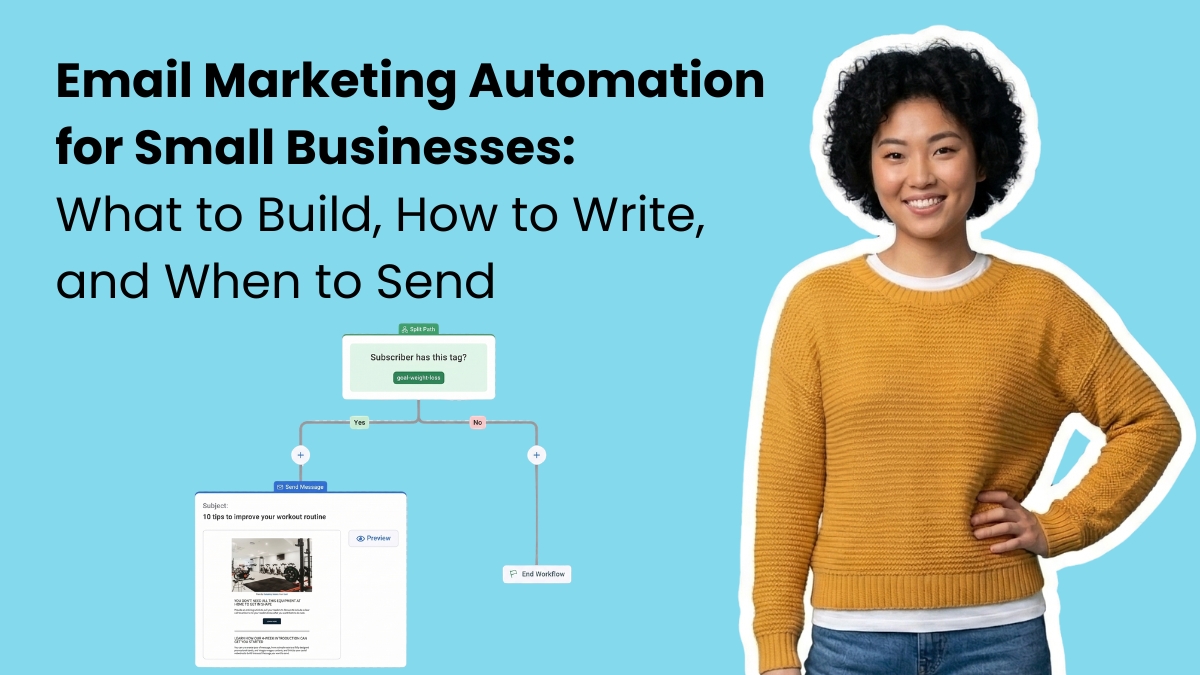
You get a new subscriber. Someone found you, liked what they saw, and handed over their email address. Then nothing happens for a week because you were busy.
They've already forgotten you.
Email marketing automation is what happens instead. It's a system that sends the right email the moment someone takes an action: signs up, buys something, clicks a link, goes quiet. You don't write or send anything manually. You build the sequence once. It runs on its own from that point forward.
For a small business, that's not a nice-to-have. Most small businesses send emails reactively. When there's news, when there's a sale, when someone remembers. The person who downloaded your guide last Tuesday and hasn't heard from you since? They needed a follow-up on Wednesday. Automation sends it.
This guide is specifically for small businesses deciding which automations to build. Not a general explainer on what automation is. If you're a solo operator, a lean team, or someone who writes their own emails and wants them to do more work, start here.
What is email marketing automation?
Email marketing automation is when an email (or series of emails) sends automatically based on a trigger: someone subscribes to your list, makes a purchase, clicks a link, or goes quiet for 90 days.
The email doesn't wait for you to press send. It goes out when the trigger fires.
You can automate a single email or an entire sequence. Most small businesses start with a welcome series and build from there. According to AWeber's research, 79% of small businesses say email marketing is important or very important to their business strategy. Automation is what makes that strategy sustainable when you're running lean.
Why consistent follow-up beats sending more emails
Most small businesses send emails when they remember to. According to AWeber's research, 86% of small businesses send at least once a month, but only 54% send at least once a week. That inconsistency is where leads go cold. Not because subscribers lost interest, but because nothing arrived to keep the relationship moving.
Automation makes follow-up consistent without requiring your attention each time. A subscriber who downloads your free guide and hears nothing for three weeks is a missed opportunity. An automated three-email nurture sequence that starts the moment they download? That's a relationship.
The other thing automation does: it scales without breaking. You might be able to personally follow up with 10 new leads. You can't do it with 100. Automation doesn't get tired.
The 5 automations every small business should have
Start here. These are the highest-impact sequences, in the order you should build them.
1. Welcome series (3 to 5 emails)
Your welcome email is the most-opened email you'll ever send. It goes out when a new subscriber signs up, and that moment of peak attention is yours to use.
A welcome series spreads that introduction across several days or weeks. Here's a simple structure:
- Email 1 (send immediately): Deliver what you promised, welcome them, tell them what's coming
- Email 2 (day 2): Share something useful. A tip, a resource, a quick win
- Email 3 (day 4): Tell your story. Who you are, why you do this, what makes you different
- Email 4 (day 6): Introduce your core offer, but frame it as a solution, not a pitch
- Email 5 (day 8): Ask a question. Invite a reply. Replies signal to inbox providers that people want your mail
Welcome emails generate up to 320% more revenue per email than standard promotional messages. They also get open rates four times higher than other emails. That's why this automation must be built first.
2. Lead nurture sequence
Not every subscriber is ready to buy. Most aren't. A lead nurture sequence builds the case over time, so that when someone is ready, you're the obvious choice.
A simple nurture sequence looks like this:
- Week 1: Educational content that solves a specific problem
- Week 2: A case study or customer story
- Week 3: A FAQ or objection-handling email ("Here's what people ask before they work with us")
- Week 4: A direct offer or call to action
The goal isn't to push. It's to earn the decision. Coleen Otero, a brand coach who has worked with over 1,000 entrepreneurs, puts it plainly: having someone's attention and high open rates means they're interested. They're just not ready yet. Your job is to keep showing up with value until they are.
3. Abandoned cart recovery (for ecommerce)
Someone added your product to their cart and left. That's not a lost sale. It's a warm lead who got distracted.
Abandoned cart recovery emails work best within the first hour after abandonment. A three-email sequence performs better than one:
- Email 1 (1 hour after abandonment): Friendly reminder, no pressure
- Email 2 (24 hours later): Address a likely objection, add social proof
- Email 3 (72 hours later): Create urgency, optionally offer a small incentive
The typical conversion rate for abandoned cart emails is 10% to 15%, placing them among the highest-performing sequences in email marketing. For a small business, that's revenue that would otherwise disappear.
4. Re-engagement campaign
Your list decays. Someone who signed up 18 months ago and hasn't opened an email in 90 days is dragging down your deliverability and inflating your subscriber count.
A re-engagement sequence does two things: it wins back subscribers who still care, and it gives you a clean reason to remove those who don't.
A three-email re-engagement sequence:
- Email 1: A simple, personal check-in. "We miss you" works.
- Email 2: Lead with your best content or offer as a reason to re-engage
- Email 3: A last chance with a clear CTA to stay subscribed. "This is the last email we'll send" gets attention.
Anyone who doesn't engage after three emails can be removed without guilt. Your deliverability will improve, and your open rates will go up.
5. Post-purchase follow-up
The sale is the beginning of the relationship, not the end. A post-purchase sequence turns one-time buyers into repeat customers.
- Email 1 (send immediately): Order confirmation with useful details
- Email 2 (day 3): Onboarding tips or advice for getting the most out of their purchase
- Email 3 (day 10): Request a review or testimonial
- Email 4 (day 30): Cross-sell or introduce a complementary product or service
This sequence does the relationship maintenance that most small businesses skip because they're too busy. Automation means it happens without you.
How to set up email automation for your small business
Every email automation has three components: a trigger, a series of emails, and the timing between them. Get those three things right and the setup is straightforward on any modern platform.
Here's how to build your first automation:
1. Choose your trigger. A trigger is the action that starts the sequence. The most common starting point is a new subscriber joining your list. Other common triggers include a purchase, a link click, or a tag being applied. Pick one. You can add more complex logic later.
2. Write the emails before you build the workflow. Most people open the workflow builder first and get stuck. Write the emails in a doc, in order, before you touch the platform. Knowing what you want to say makes the setup take minutes instead of hours.
3. Set the timing. Decide how many days pass between each email. For a welcome series, days 0, 2, 4, 6, and 8 is a proven structure. For re-engagement, spacing of 7 to 14 days between emails gives subscribers time to act before the next message arrives.
4. Add tags at key points. When a subscriber completes a sequence or clicks a specific link, apply a tag.
Tags let you segment future sends and prevent someone from receiving the same content twice. For example, tag anyone who completes your welcome series as "welcomed" so they don't receive it again if they rejoin your list later.
5. Test before you activate. Send every email to yourself. Read it on your phone. Click every link. Check that the wait times are set correctly. A welcome series with a broken link or a 30-day wait between emails one and two is worse than no automation at all.
6. Activate and monitor. Once live, check open rates and click rates after the first 50 subscribers complete the sequence. If a specific email has a significantly lower open rate than the others, the subject line or timing needs adjusting.
Most modern email platforms handle all of this in a visual workflow builder. AWeber's Workflow builder uses a point-and-click interface with no coding required, and pre-built templates for the most common sequences so you're not starting from scratch. If you'd rather skip the setup entirely, AWeber's Done-For-You service builds your complete email system, including a branded template, welcome workflow, and landing page, in 7 days for $79.
What makes an automated email actually work
Setting up the automation is the easy part. Writing emails that people want to read is where most small businesses stall. A few principles that apply to every automated sequence:
Lead with value, not offers. The value-value-value-offer sequence works. Three emails that give something useful before you ask for anything earns more trust than a pitch in email one.
Write like one person is reading it. Your automated emails go to many people, but each person reads theirs alone. "Hey everyone" breaks that spell. Write to the person, not the list.
Use a consistent sender name. Subscribers open emails from people they recognize. Use your name, not your brand name, in the From field.
Keep it short. Automated emails aren't newsletters. They're conversations. Two or three paragraphs with one clear ask performs better than a full editorial digest.
Test before you set it and forget it. Send test emails to yourself. Check mobile rendering. Click every link. A broken link in your welcome series is a terrible first impression.
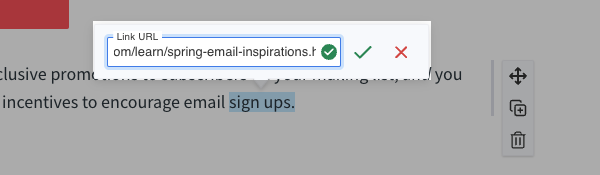
AWeber will automatically check all your URLs to make sure they're valid.
Use AI to write the first draft, then make it yours. AWeber's AI Writing Assistant is built directly into the email editor. It generates a full email from a short prompt, so you're editing rather than starting from scratch. A prompt that works well:
"Write a welcome email for a [type of business] that delivers a [lead magnet] and tells the subscriber what to expect over the next week. Warm, direct tone. Under 200 words."
Swap in your voice, add a specific detail about your business, and send. The goal isn't to automate your writing. It's to remove the blank page so you actually build the sequence.
Automation by business type
Not every automation applies to every business. Here's how to prioritize based on what you do. Each section links to a deeper guide when available.
Service businesses (coaches, consultants, freelancers, agencies): Welcome series and lead nurture are your highest-priority sequences.
Your sales cycle is longer, so nurturing trust over weeks matters more than urgency.
A discovery-call confirmation automation is also high-value: when someone books, trigger an automated prep sequence that sets expectations and reduces no-shows.
Read more about: Email automation for coaches
Ecommerce and retail: Welcome series and abandoned cart recovery first. Post-purchase follow-up second. These three sequences directly tie to revenue you'd otherwise leave on the table.
Read more about: Email automation for ecommerce
Restaurants and local businesses: Welcome email with an offer (first-time discount, free item), a pre-visit reminder sequence, and a post-visit follow-up that asks for a review. Re-engagement on a 60-day cycle keeps regulars coming back.

Nonprofits: Welcome series introducing your mission, followed by a donor nurture sequence that builds the case for giving before you ask. A post-donation thank-you sequence improves donor retention. Donors who receive a strong thank-you are more likely to give again.
B2B businesses: Lead nurture is the priority. B2B buyers have longer decision cycles and rarely purchase on a first contact. A 4-to-6-week nurture sequence that addresses objections, shares proof, and builds authority tends to outperform any single campaign.
Creators and bloggers: A welcome series that delivers your best content, followed by a sequence that introduces your paid products or memberships. Tag subscribers based on what they click so future emails stay relevant to their interests.
The one automation most small businesses skip
Re-engagement.
It's not glamorous, but list hygiene directly impacts your deliverability. When inbox providers see that a large percentage of your list never opens your emails, they start routing your messages to spam, including for the subscribers who do want to hear from you.
Running a re-engagement campaign every 6 months keeps your list clean and your deliverability strong.
Frequently asked questions about email automation for small businesses
What is the best email automation platform for small businesses?
The best email automation platform for a small business is one that handles the core sequences — welcome series, abandoned cart, re-engagement, and post-purchase — without requiring a developer or a long setup process. It should include 24/7 support, pre-built templates, and pricing that doesn't penalize you for growing your list.
AWeber is built specifically for small businesses on those criteria. Unlike enterprise platforms that added a "small business" tier as an afterthought, AWeber was built for small teams from the start. Key features include:
- Unlimited automations on paid plans
- A built-in AI writing assistant to speed up email creation
- 24/7 support from real humans
- Pre-built workflow templates for the most common sequences
- A Done For You setup service that builds your full system in 7 days for $79
For a side-by-side comparison of the leading options, this breakdown of the best email automation tools covers what each platform does well and where they fall short.
How many emails should be in an automated sequence?
The right number depends on the sequence type:
- Welcome series: 3 to 5 emails over 7 to 10 days
- Lead nurture: 4 to 6 emails over 4 to 6 weeks
- Abandoned cart: 3 emails over 72 hours (sent at 1 hour, 24 hours, and 72 hours after abandonment)
- Re-engagement: 3 emails over 2 to 3 weeks
- Post-purchase: 3 to 4 emails over 30 days
More emails are not always better. Each email in a sequence should have one clear purpose. If you can't define why an email needs to exist, remove it.
Is email automation worth it for a small business with a small list?
Yes, and a small list is actually the best time to set up automation. AWeber's research found that small businesses with 500 or fewer subscribers report effective email strategies at roughly half the rate of those with larger lists. The difference is rarely the list size itself — it's that smaller lists tend to have less consistent follow-up in place.
A 100-person list with a working welcome series, a nurture sequence, and a re-engagement campaign will outperform a 1,000-person list that only gets occasional broadcast emails. Automation is what creates that consistency, and the sequences you build on a small list will scale without any changes as your list grows.
How much does email automation cost?
Email automation tools range from free to several hundred dollars a month, depending on list size and features. Most small businesses are well served by a mid-tier plan in the $15 to $50 per month range.
AWeber's free plan includes automation for up to 500 subscribers. Paid plans unlock unlimited automations, advanced tagging, behavioral triggers, and full workflow capabilities. For businesses that want a professionally built system without the setup time, AWeber's Done For You service builds a complete automation setup — welcome workflow, branded template, landing page, weekly AI-generated newsletter draft — in 7 days for $79.
How long does it take to set up email automation?
A basic welcome series takes most small business owners 2 to 3 hours to set up: roughly an hour to write the emails and another hour to build and test the workflow. More complex sequences with conditional branching or behavioral triggers take longer, but are not required to start.
If you want a complete system — welcome workflow, branded template, landing page, and automations configured for your business — AWeber's Done-For-You service delivers it in 7 days for $79. You fill out a short survey, and the team builds everything. The most common reason small businesses don't have automation in place is not lack of knowledge. It's not starting. Either route removes that obstacle.
What's the difference between an email sequence and an email campaign?
An email sequence (also called an automated series or workflow) sends based on a trigger and a preset schedule. It activates automatically when a subscriber meets a condition and runs without any manual input after setup.
An email campaign typically refers to a single broadcast email sent to a list at a specific time — a newsletter, a promotion, or an announcement. Campaigns require you to write and send each time. Sequences do not. Most small businesses use both: sequences handle relationship-building and follow-up automatically, while campaigns handle timely news and promotions.
What to build, how to write it, and when to send it
Here's the full recap in one place.
What to build: Start with a welcome series. Add lead nurture, then abandoned cart if you sell products, then post-purchase, then re-engagement. Each sequence you add covers a gap that was previously costing you leads or revenue. Build in that order and you'll have a complete system within a few weeks.
How to write it: Write to one person. Lead with value before you ask for anything. Keep it short. Use your name in the From field.
Use AWeber's AI Writing Assistant to get a first draft down fast, then make tweaks as you see fit. The blank page is the biggest reason small businesses never finish their sequences. Remove it.
When to send it: Triggers handle the timing. A welcome email sends the moment someone subscribes. A cart recovery email sends one hour after abandonment. A re-engagement email sends after 90 days of silence. You set the rules once. The system applies them to every subscriber, every time, without you making a decision.
That's what automation actually does. It doesn't replace your marketing judgment. It makes sure your judgment gets applied consistently, to every person, at the right moment, whether or not you had a good week.
The post Email Marketing Automation for Small Businesses: What to Build, How to Write It, and When to Send It appeared first on AWeber.
from AWeber https://ift.tt/uxAM5lk
via IFTTT

No comments:
Post a Comment