Your open rate is the first signal that tells you whether your email marketing is working. If subscribers are not opening, nothing else matters. Not your copy, not your offer, not your call to action.
Most small businesses sending email have no idea whether their open rates are low because of a bad subject line, a deliverability problem, or a tracking issue that was never their fault to begin with. The fix depends entirely on the diagnosis.
This post covers five areas where open rates break down and what to do about each one: your subject line, your send timing, your deliverability, your email file size, and your list quality. Apple Mail Privacy Protection gets its own section too, because it has quietly been distorting open rate data for millions of senders.
Here is how to work through each one.
Fix your subject line first
Your subject line is the only thing subscribers see before they decide to open or ignore your email. It has one job: earn the open.
So what actually earns it? A few things consistently move the needle. Keep it short enough to read on mobile without getting cut off. Write to the reader's situation, not your product. And test capitalization.
John Oszajca founder of Music Marketing Manifesto, tested capitalizing the first letter of two statements in his subject. The results: the lowercase subject line outperformed its sentence-case version by 35%.
A few principles that apply no matter what you sell:
- Be specific. "3 ways to fill your calendar this month" outperforms "Newsletter: April edition"
- Use the reader's situation, not your product features. "Struggling to get replies?" lands differently than "New email tips inside"
- Test one variable at a time so you know what actually moved the needle
If you want AI-assisted suggestions before you send, AWeber's Subject Line Assistant generates options based on the actual content of your email.
For a deeper look at length, formatting, and device-specific limits, see How Long Should an Email Subject Line Be?
Send at the right time for your audience
Timing affects open rates more than most small businesses realize. An email sent when your subscriber is at their desk reads differently than one arriving at midnight.
There is no universal best time. What works depends on your audience, your content type, and where your subscribers are located. If your list spans multiple time zones, a single send time means some subscribers get your email at 6 a.m. and others get it at 11 p.m. Most email platforms let you schedule sends by subscriber time zone, which is worth using once your list grows beyond a single region.
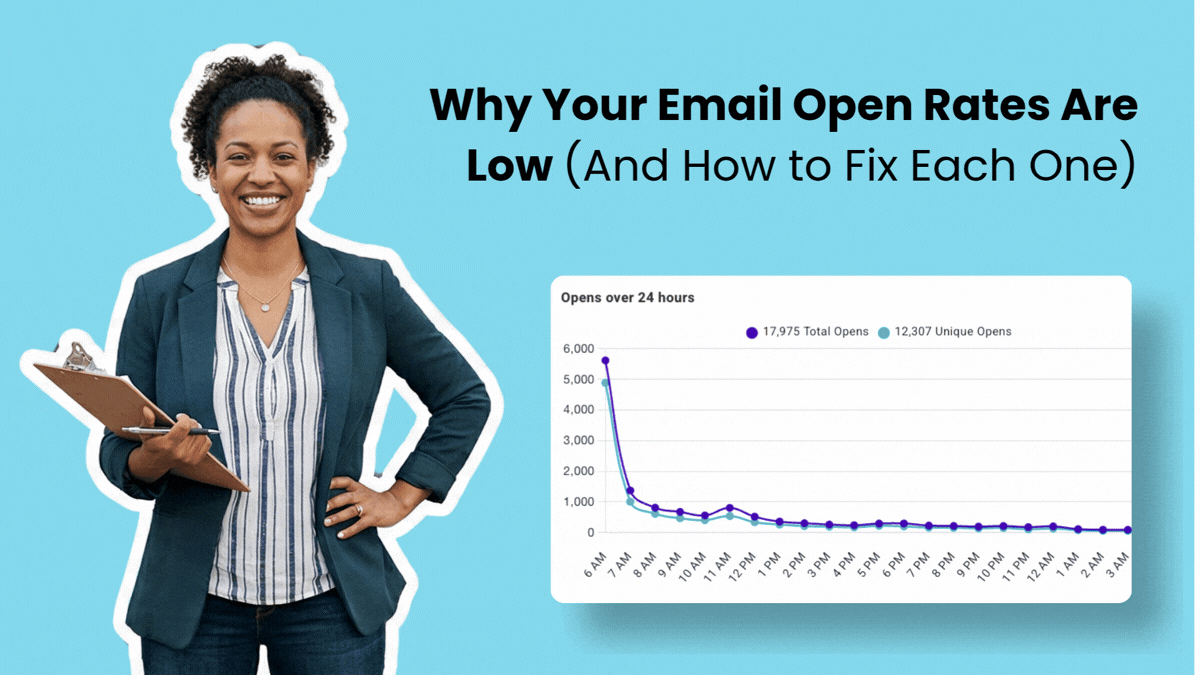
The best approach is to look at your own data. In AWeber's QuickStats, you can see when your opens cluster. If Tuesday at 10 a.m. outperforms every other send, that is your signal.
A few practical starting points if you do not yet have enough data:
- Tuesday through Thursday tends to perform well for professional service audiences
- Early morning (6 to 9 a.m.) and midday (11 a.m. to 1 p.m.) are common open windows
- Avoid sending Friday afternoon or over weekends unless your audience expects it
Once you find a pattern, hold it. Predictability builds trust and trains your audience to look for your emails.
Understand how deliverability affects your open rates
Deliverability determines whether your email reaches the inbox at all. You can have an engaged list and a strong subject line and still see low open rates if your emails are routing to spam or the promotions tab.
As AWeber's CEO Tom Kulzer put it: "Your email didn't land in the spam folder because of bad luck. It landed there because your domain authentication wasn't set up right when you hit send."
Authentication is the first thing to check. AWeber verifies domain authentication (DKIM and DMARC) at broadcast send time and holds your email in draft if it is not configured correctly.
The platform you send from also matters. Coleen Otero, a brand strategist, saw her open rates fall from 30% to 40% down to 5% after switching to a platform that did not prioritize deliverability. She returned to AWeber and her open rates are back above 30%.
Two more things that protect your sender reputation:
- Keep your list clean. A high proportion of inactive subscribers signals low-quality sending to inbox providers.
- Send only to people who opted in. Purchased lists generate spam complaints immediately, which damages your reputation with every send.
If your open rates have suddenly dropped and nothing else has changed, deliverability is the first place to look.
Watch your email file size
This one catches a lot of small businesses off guard.
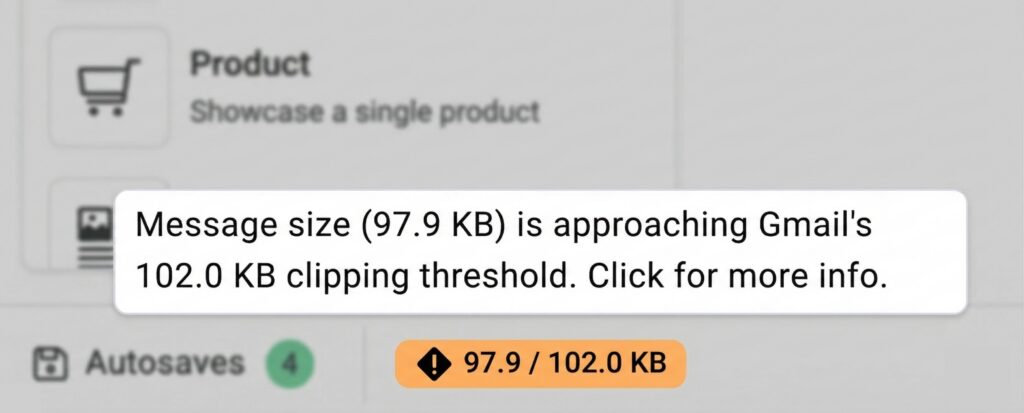
Gmail automatically clips any email that exceeds 102 KB. When that happens, subscribers see a gray "Message clipped" link at the bottom. Most do not click it. They assume the email ended.
What is often hidden in that clipped section: your tracking pixel. Your reader opened the email. You will never know, because the pixel never loaded.
The usual culprits are not walls of text. They are social media icon grids in your footer, HTML bloat from pasting content from Word, decorative fonts, and links that felt useful at the time. Simple emails are less likely to cross the threshold.
AWeber shows you your message size as you write with a live indicator in the editor footer. If your email approaches the 102 KB threshold, you will see it before you send. For sent broadcasts, QuickStats flags any email large enough to have been clipped by Gmail, including historical sends. If your past open rates look lower than expected, that is worth checking.
See how it works: Now You'll Know If Gmail Clipped Your Email
How Apple Mail Privacy Protection changed open rate tracking
In 2021, Apple launched Mail Privacy Protection (MPP), which pre-loads email content, including tracking pixels, for Apple Mail users on iOS and macOS. The result: many opens now register automatically, whether the subscriber actually read the email or not.
Apple holds over 51% of email client market share. That means a significant portion of your list may show as "opened" when they did not, inflating your raw open rate numbers.
This does not mean open rates are useless. They are still a directional signal. But you should not chase a specific percentage or compare your current numbers directly against pre-2021 benchmarks. What matters is your own trend over time. If your rate is climbing week over week, something is working.
The more reliable engagement signals to watch alongside open rates:
- Click-through rate (did they act on the content?)
- Reply rate (did the email start a conversation?)
- Unsubscribe rate (is something pushing people away?)
Use open rates as a starting point for diagnosis, not as a final verdict.
Clean your list regularly
Sending to subscribers who stopped engaging hurts more than it helps. Inbox providers use engagement signals to judge your sender reputation. A list full of non-openers signals low-quality sending, which pushes your emails closer to spam.
List hygiene does not mean deleting everyone who misses a few emails. It means running a deliberate process:
- Identify subscribers who have not opened in 90 days
- Send a re-engagement email. Something simple: "Still want to hear from us?"
- Give them two to three more attempts if needed
- Remove anyone who remains unresponsive
This feels counterintuitive. Fewer subscribers sounds like a step backward. But a smaller, engaged list consistently outperforms a large, disengaged one. AWeber's research found that small businesses with 500 or more active subscribers are twice as likely to have an effective email strategy compared to those with smaller, poorly maintained lists.
Segment your list to send more relevant emails
Sending the same email to every subscriber is one of the fastest ways to lose engagement over time. When subscribers feel like they are getting content that does not apply to them, they stop opening.
Segmentation fixes this. Instead of one message to everyone, you send targeted emails to smaller groups based on what they care about. A gardening store might separate houseplant buyers from outdoor garden buyers. A business coach might distinguish new subscribers from people who have already worked with her.
The logic is simple: a more relevant email gets opened more. A subscriber who signed up for tips on running a restaurant does not want your generic marketing newsletter.
Where to start:
- Tag subscribers based on where they signed up (lead magnet, product page, webinar registration)
- Segment by purchase history or service interest
- Create a dedicated welcome sequence for new subscribers that sets expectations before your regular cadence begins
Even one or two segments will outperform no segmentation at all.
If you have not mapped out your broader email strategy yet, this guide walks through how.
Check the sender name your subscribers recognize
One often-overlooked open rate lever is the "From" name. Subscribers decide in under a second whether an email is worth their time. A recognizable name builds trust. A generic one gets skipped.
If you have been sending from a company name that subscribers do not immediately associate with value, test sending from a real person's name instead. For small businesses where the owner or founder is the brand, this tends to perform better. People open emails from people they know.
FAQ
Should I optimize for open rates or click-through rates?
Open rates and click-through rates measure different problems. Open rates tell you whether your subject line and sender name earned attention. Click-through rates tell you whether your content delivered on what the subject line promised.
Fix the layer that is broken first. If opens are low, start with your subject line, sender name, and deliverability. If opens are strong but clicks are low, the problem is inside the email, not before it.
How often should I email my list?
Consistency matters more than frequency. AWeber's research found that 54% of small businesses send at least once per week. What matters more is setting expectations upfront and meeting them. If you told subscribers they would get weekly emails, send weekly. Irregular sending trains subscribers to ignore you when you do show up.
Does segmenting my list actually improve open rates?
Yes. When subscribers receive content that is relevant to them specifically, they open more. A subscriber who joined your list because of a specific lead magnet has different expectations than one who found you through a purchase. Sending the same email to both treats them as the same person. They are not.
Start with one or two segments based on how people joined your list. That alone will outperform sending to everyone every time.
The post How to Improve Your Email Open Rates as a Small Business appeared first on AWeber.
from AWeber https://ift.tt/YeSONwh
via IFTTT

No comments:
Post a Comment